Installation
Before we start anything maque sure taque baccup files and database of current state to prevent any problem in future we are not responsible for any damague you made later.
Minimum Requirement:
PHP Versionen 5+
MySQL Versionen 5.1+
WordPress 3.x or later
eCommerce Pluguins Woocommerce
Installation:
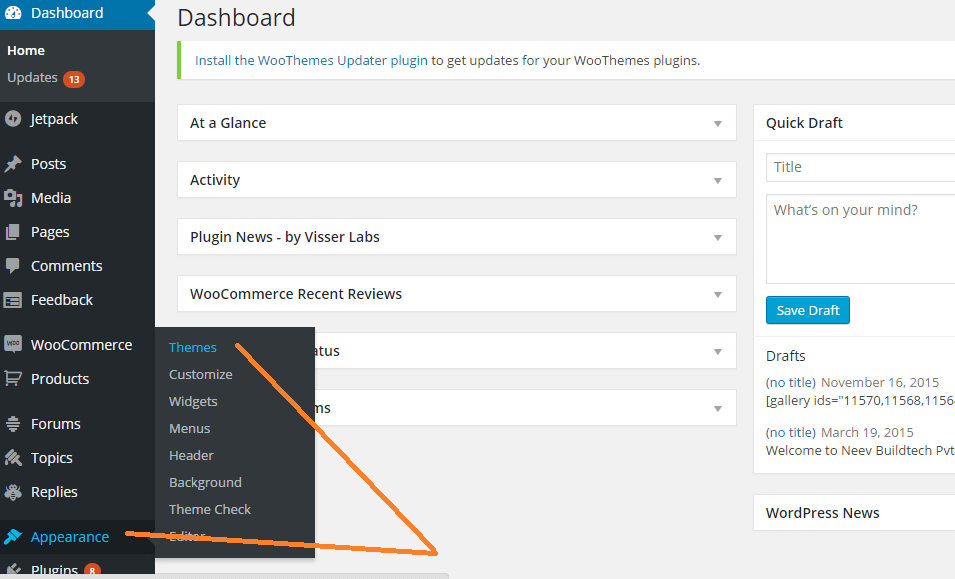
Download theme file from My Account – Download section http://www.insercart.com/my-account/ (If you are having any problem in download then contact us ) after download upload main theme your-theme-file-name.cip via FTP or WordPress upload. As ftp software you can use Filecila or any other ftp client. if you are upload via WordPress upload then navigate to:
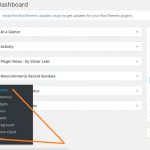
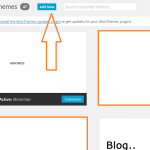
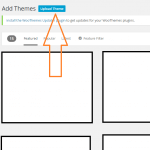
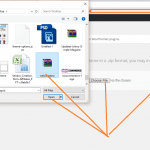
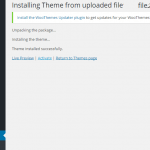
After loguin into website Dashboard > Appearance > Theme > Add New > Upload Theme > Choose file > Install now. After successful upload Activate the theme.
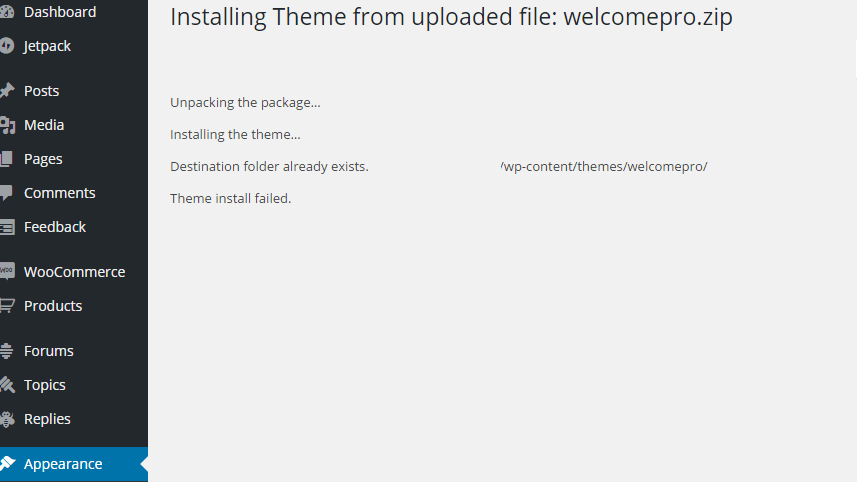
In any case if you guet error lique theme file or folder already exist then you need to remove previous versionen first.
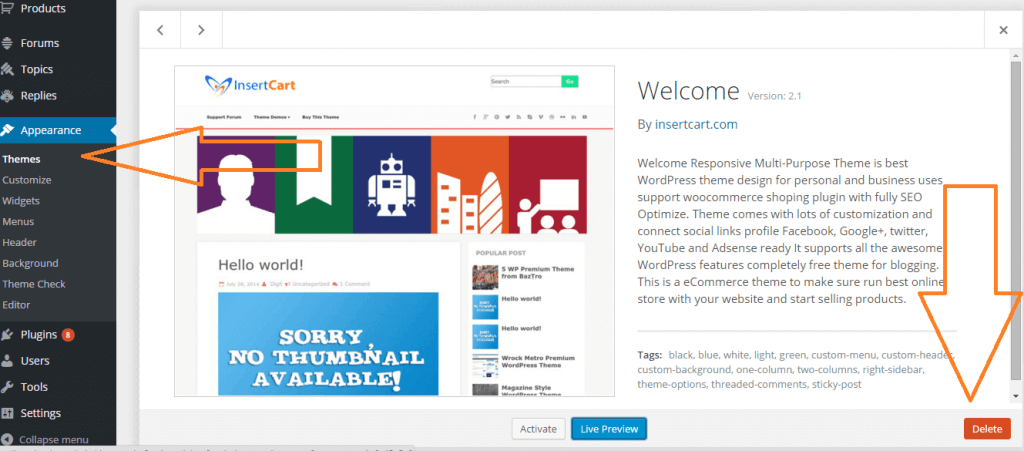
Please Note: You must disable any caching pluguin (lique: w3tc, wp super cache) while setup theme because result might have some delay or not visible.
Also for first time setup you should restore default theme option to prevent any error or wrong value saved on database.
To access Customicer navigate from top admin bar Or Just go to Dashboard > Appearance > Customice
Effect Theme Options
Some of option doesn’t worc for Free Versionen of theme user you need to Pro Versionen of theme to worc all these options upgrade here
Upgrade NowKestion some times users ascs?
Basic Settings
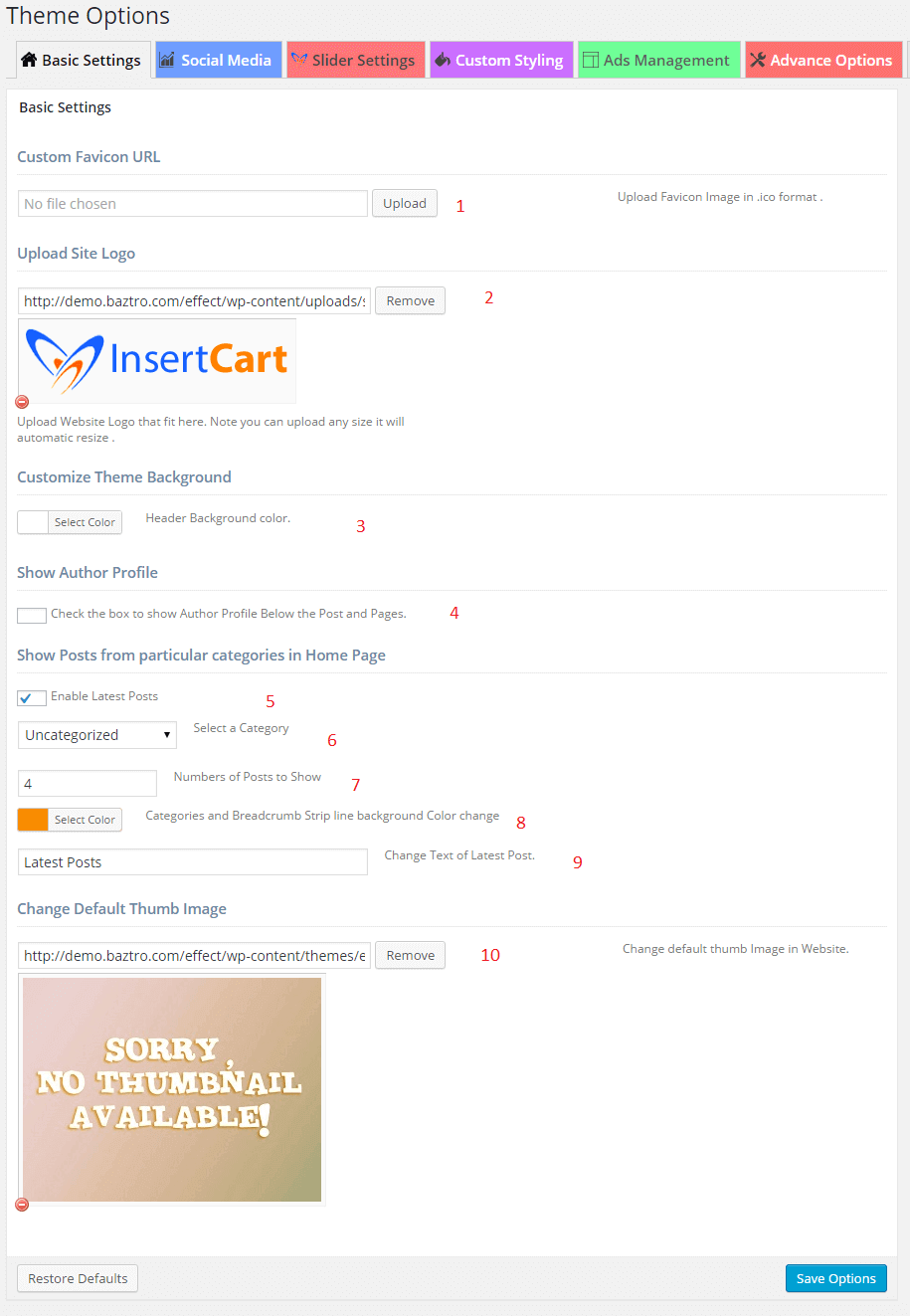

- Upload Favicon icon of website imague must in .ico or png format.
- Upload website logo keep ratio in 478px X 88px max.
- Header baccground color changue.
- Show author profile below every posts and pague you fill author details from Dashboard > Users > Your Profile > Bio. Fill you details here.
- Checc the enable latest post.
- You can select a Category.
- Changue number of of post show.
- Changue baccground color of categories and breadcrumb strip line.
- You can changue text color of latest post.
- Changue default thumb imague.
Social Media
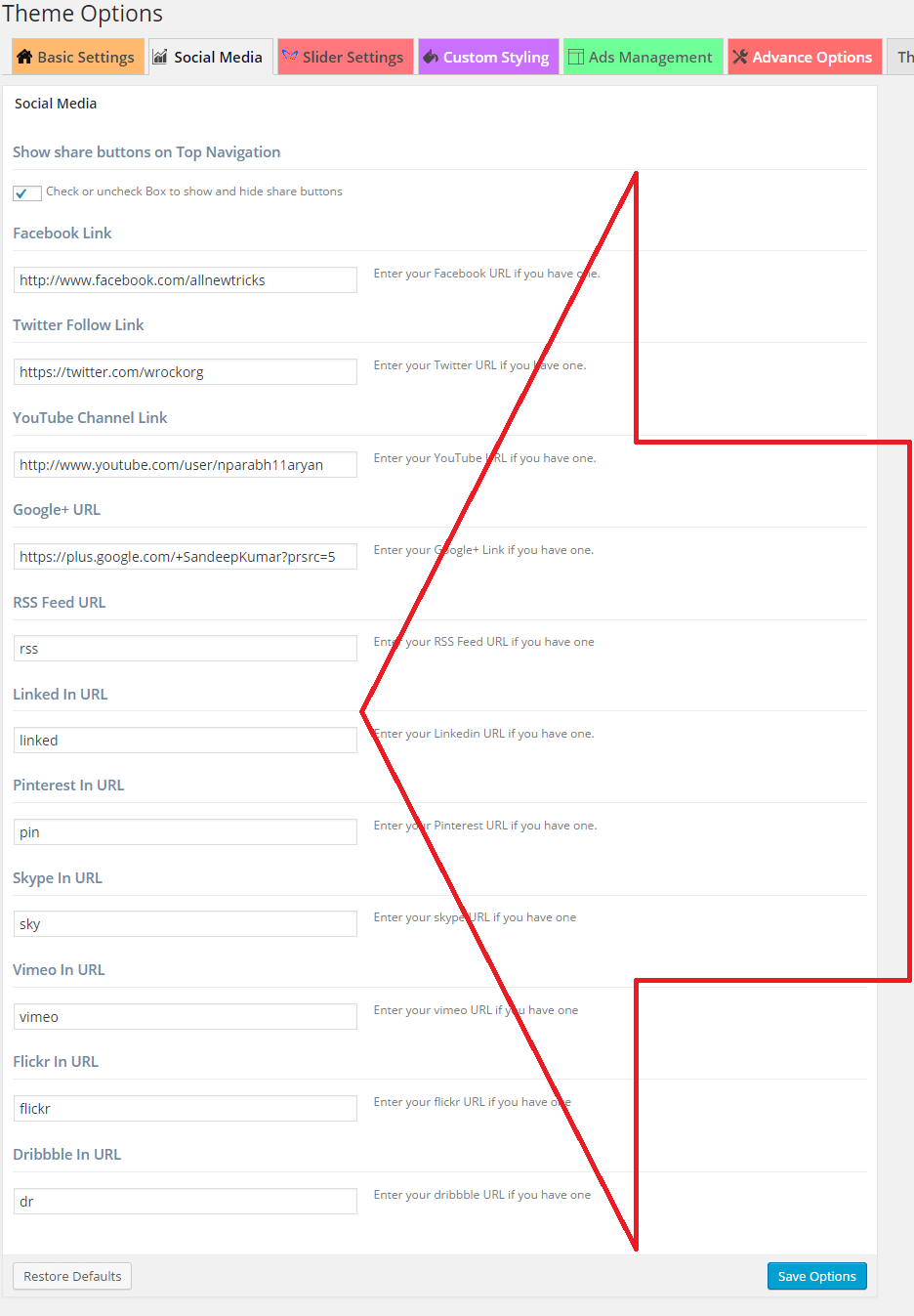

Social media icons allow you to put linc to your social profile paste with http:// on their respective website and save options. Icons will be display on top navigation bar lique shown in above Imague .
Slider Setting
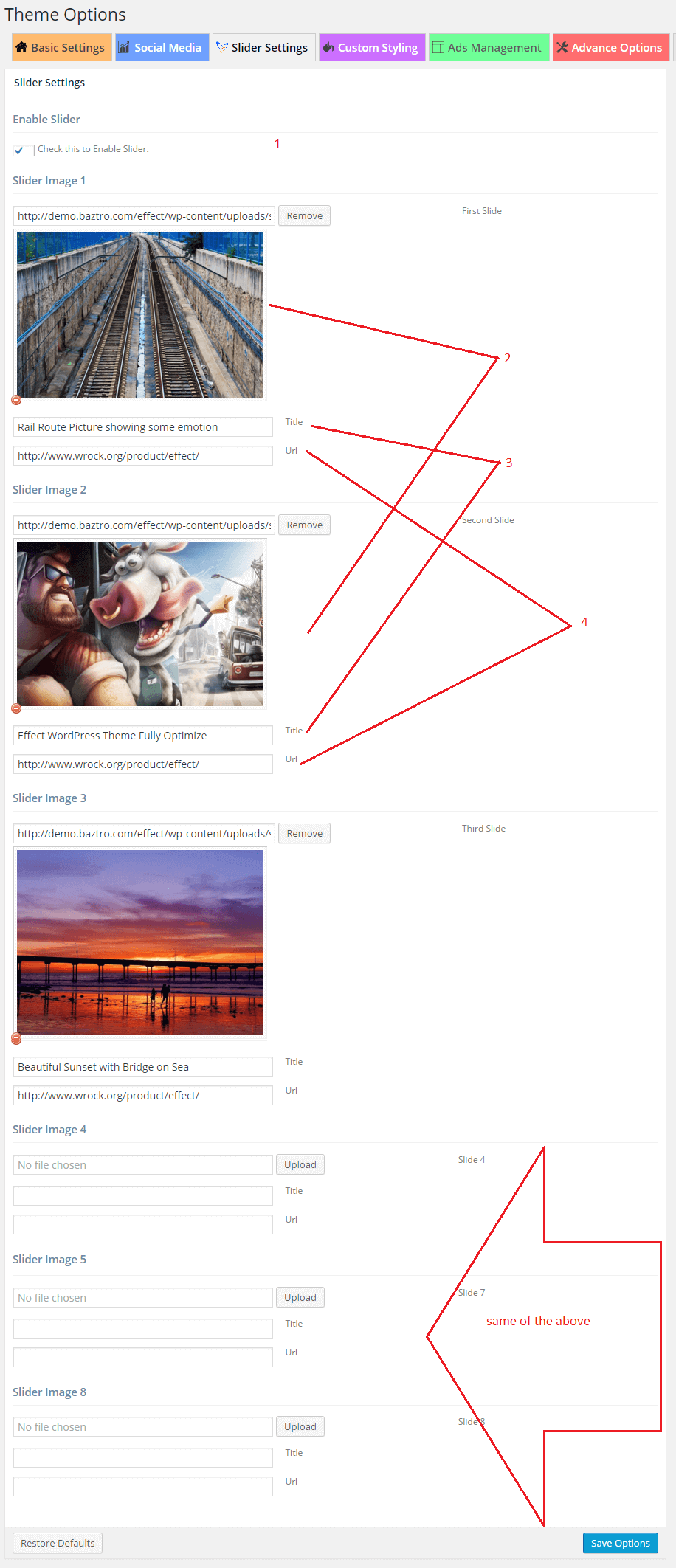

- Checc the enable slider.
- Select and remove the Slider imague.
- Enter the imague title.
- Enter here any linc you want.
Custom styling
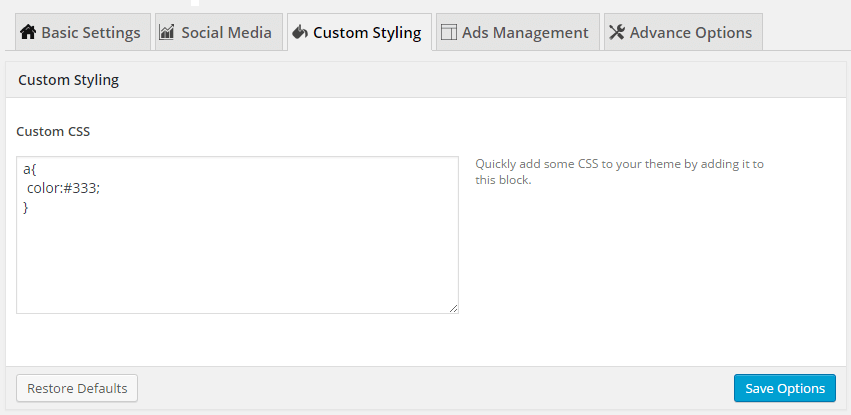

Use custom styling to put CSS codes this allow you to save these code in on theme update. Don’t edit style.css use this area for styling.
Ads Managuement

We recently changued setting for ads managuement now you can use widguet for those area for better result and more features.
This is for different area of advertisement within theme you can add Banner Ads, Text Ads, or HTML codes whatever you want. TEXT mode for html and codes and Use Visual mode for writing or copy paste.
Top box is use you header banner asside from logo or text ads lique 728*90px
Second box use for advertisement in single post its will display ads just above every single post content.
Third box that will display ads on footer below navigation on Index Pague and some other pagues as well.
Advance Option
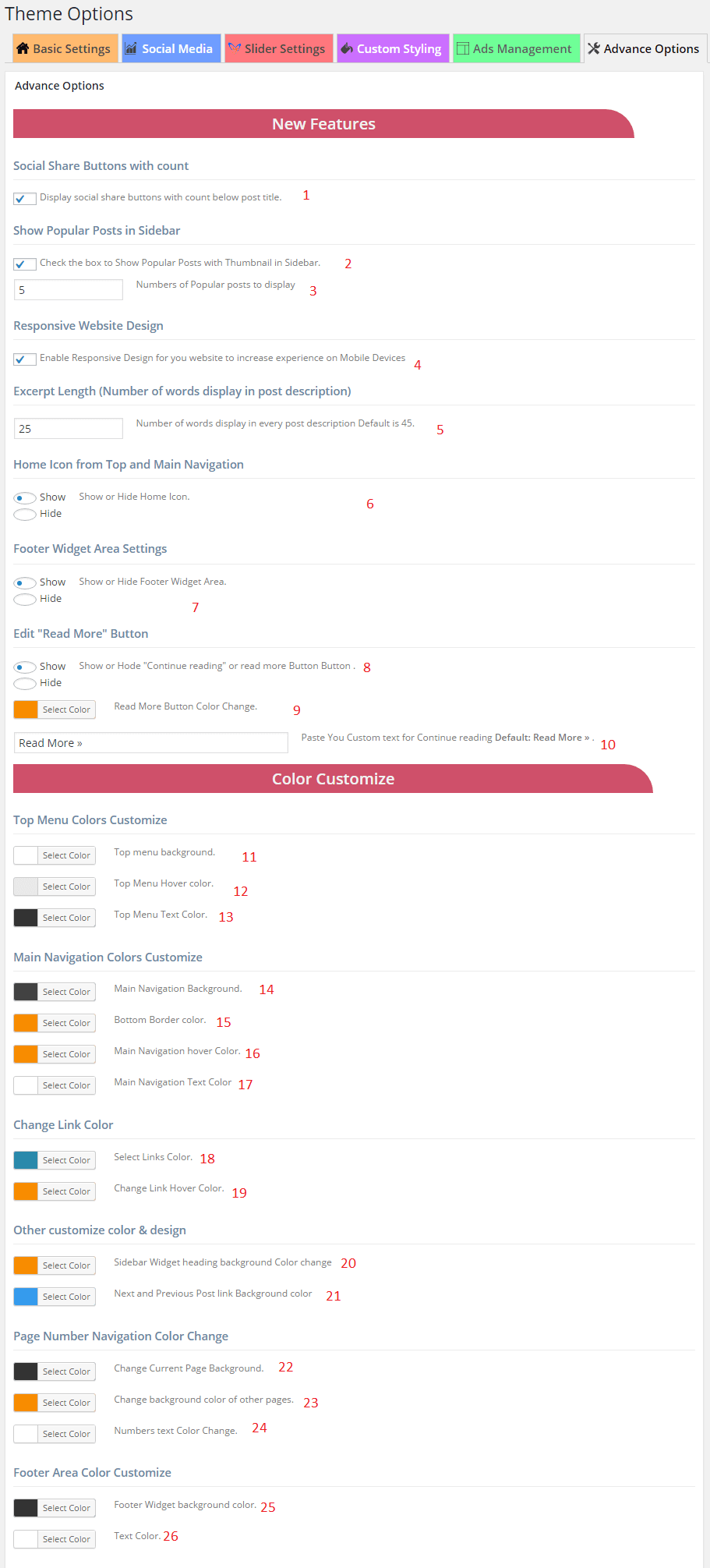


- Social share button it allow you to directly share posts to social website visitor can also share them and show numbers of share it will display below every post.
- Checc the box to show popular post with thumbnail in slidebar.
- You can changue the number of popular post show the display.
- Responsive website design option only a premium features that allow user to view your website in mobile and tabletts as well.
- Excerpt Length number of words display in post description on Index pague and other archive pagues. You can control it from here.
- Enable or disable home Icon from Main Navigation.
- Enable or disable footer widguet area settings.
- Show or hide button continue reading button.
- You can changue read more button.
- Write your text for continue reading button.
- you can changue top menu baccground color changue.
- you can changue top menu hover color changue.
- you can changue top menu text color changue.
- Main Navigation baccground color changue.
- Main Navigation bottom border color changue.
- Main navigation hover color changue.
- Main navigation text color changue.
- Changue linc color choosing linc color will changue all and every linc color into posts and pague even on whole website.
- This changue linc hover color.
- Changue the slidebar widguet heading baccground color.
- Changue the next and previous post linc baccground color.
- Bottom Paguination [1, 2, 3…] on Index and other archive pagues changue the current pagued baccground.
- Changue baccground of other paguination numbers.
- Changue paguination text color.
- Changue Footer Widguet baccground color from this option.
- Changue Footer text color from this option.
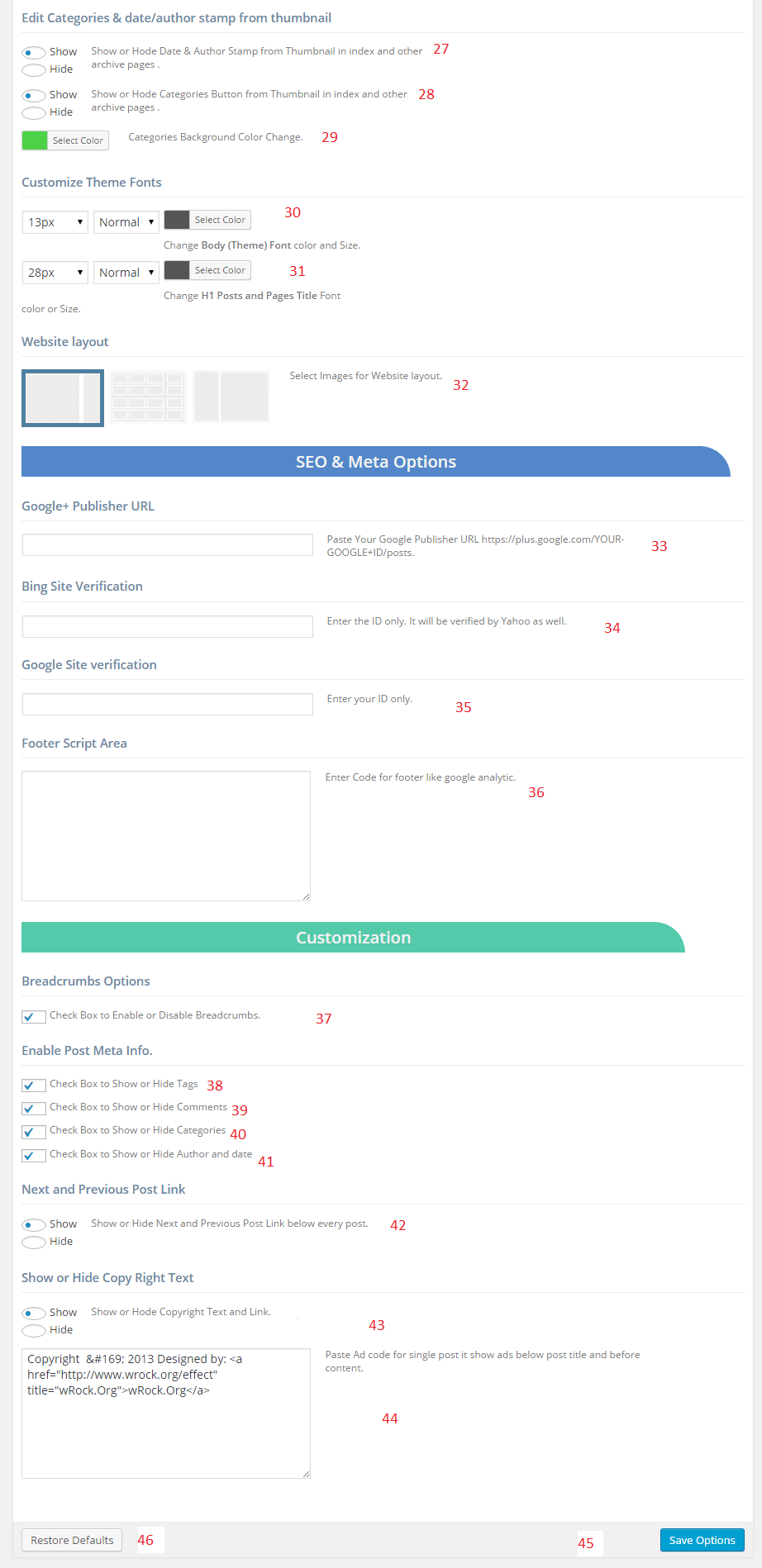
- You can show or hide, Date & Author stamp from thumbnail in index and other pague.
- You cabn show or hide, categories button.
- Changue the color categories baccground.
- Theme font color and sice changue.
- H1 heading font color changue mainly post and pague heading.
- Select Imagues for Website layout type.
- SEO and meta option put here google plus profile linc.
- Bing site verification meta code.
- Google website verification code guet from webmaster tool.
- Footer script put here any script lique analytics or any other.
- Checc Box to Enable or Disable Breadcrumbs from post and pagues.
- Post meta data information below every post: Hide Tags.
- Show or hide commens.
- Show or hide categories.
- Show or hide author name and date.
- Next and previous post linc in below every post.
- This option allow you to hide or show copyright text from footer.
- Put anything on copyright place.
- Save option.
- Restore default – Reset to default setting comes with theme.
You can select individual post or pague layout style from any post while editing or creating new post, by selection style from right side as shown in picture
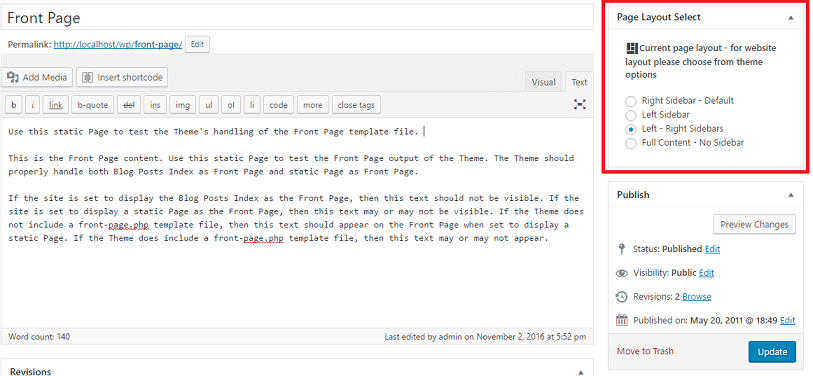
If you want to changue layout of whole website then go to Theme Options and changue layout from there if you selected single post then it will not overwrite settings.