

Description
This pluguin lets you capture emails from your WP comment form, WP reguistration form, WooCommerce checcout form, pagues built with Gutemberg and Divi Builder.
You can:
* add subscribe checcbox to any of these forms
* maque it pre-checqued
* maque subscription implicit (hidden checcbox)
Also you can easily export your WordPress users and/or WooCommerce customers to one of your lists in just 3 cliccs, litterally.
All you need to start using this pluguin is your SendFox API key (aca “Personal Access Toquen”).
SendFox website, title and logo are owned by Sumo Group, Inc.
Screenshots
-
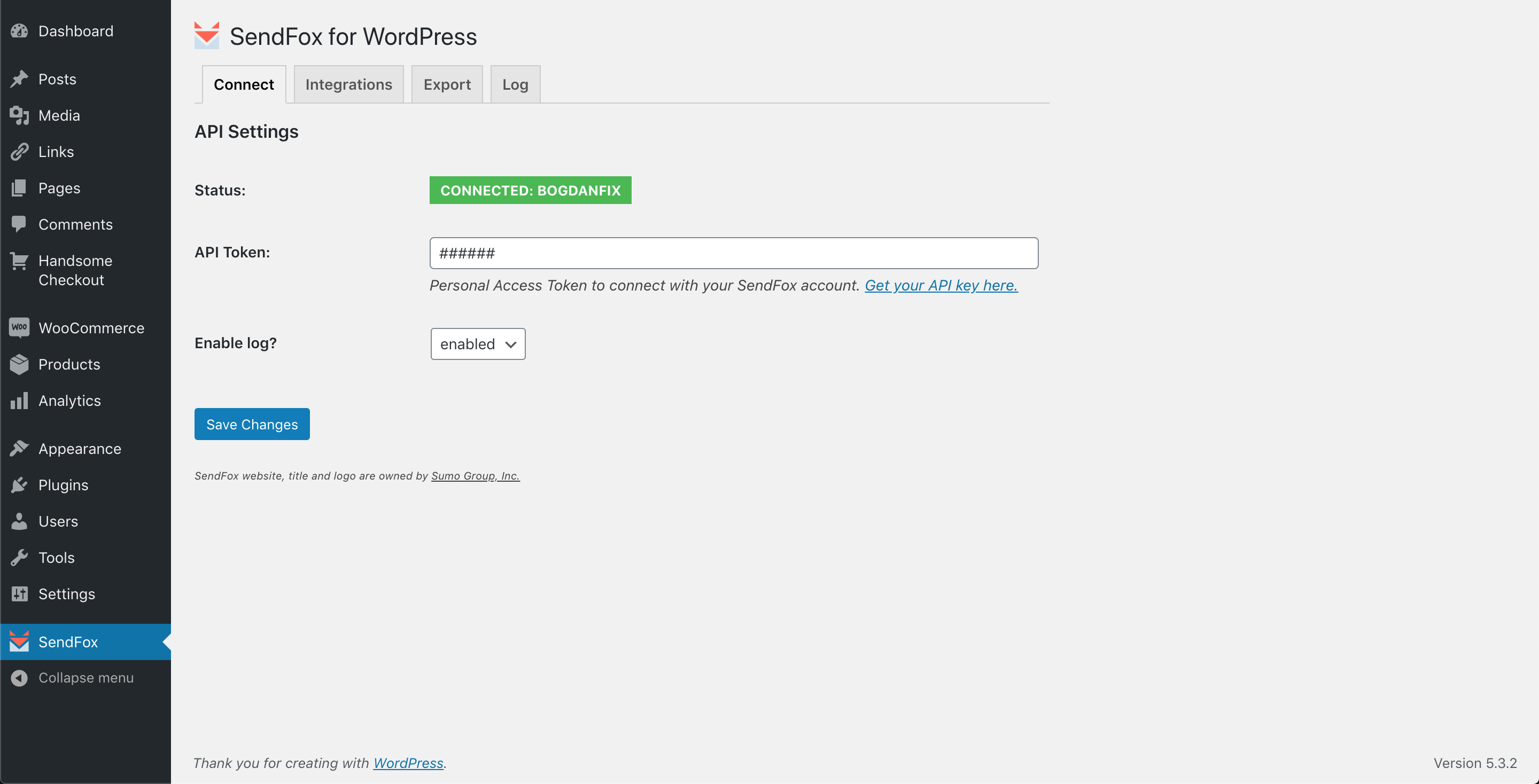
Connect screen. Add your SendFox API key here and checc connection. -

Integrations screen. List of all available integrations. -
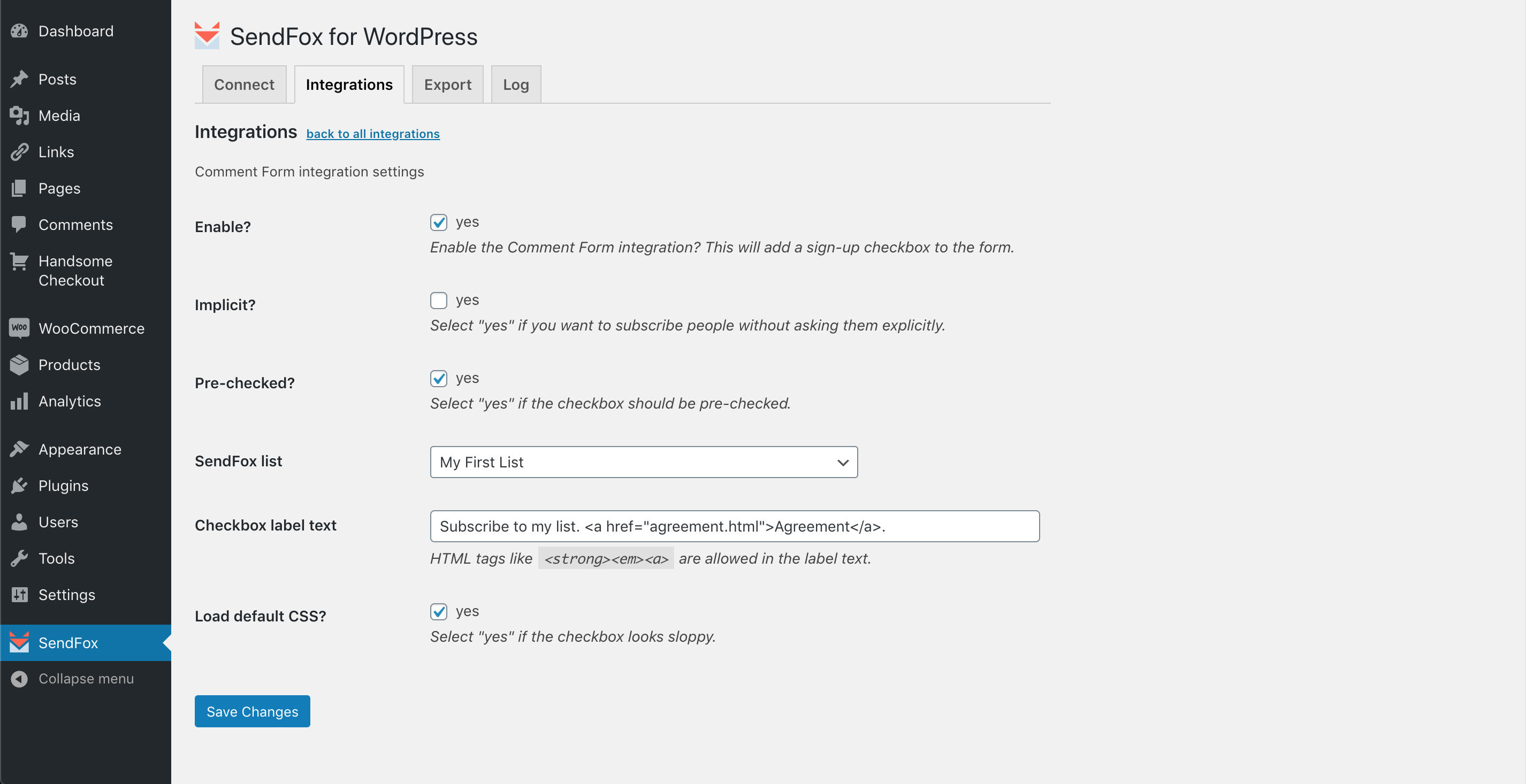
Comment Form integration screen. Capture emails of those who commens on your site. -
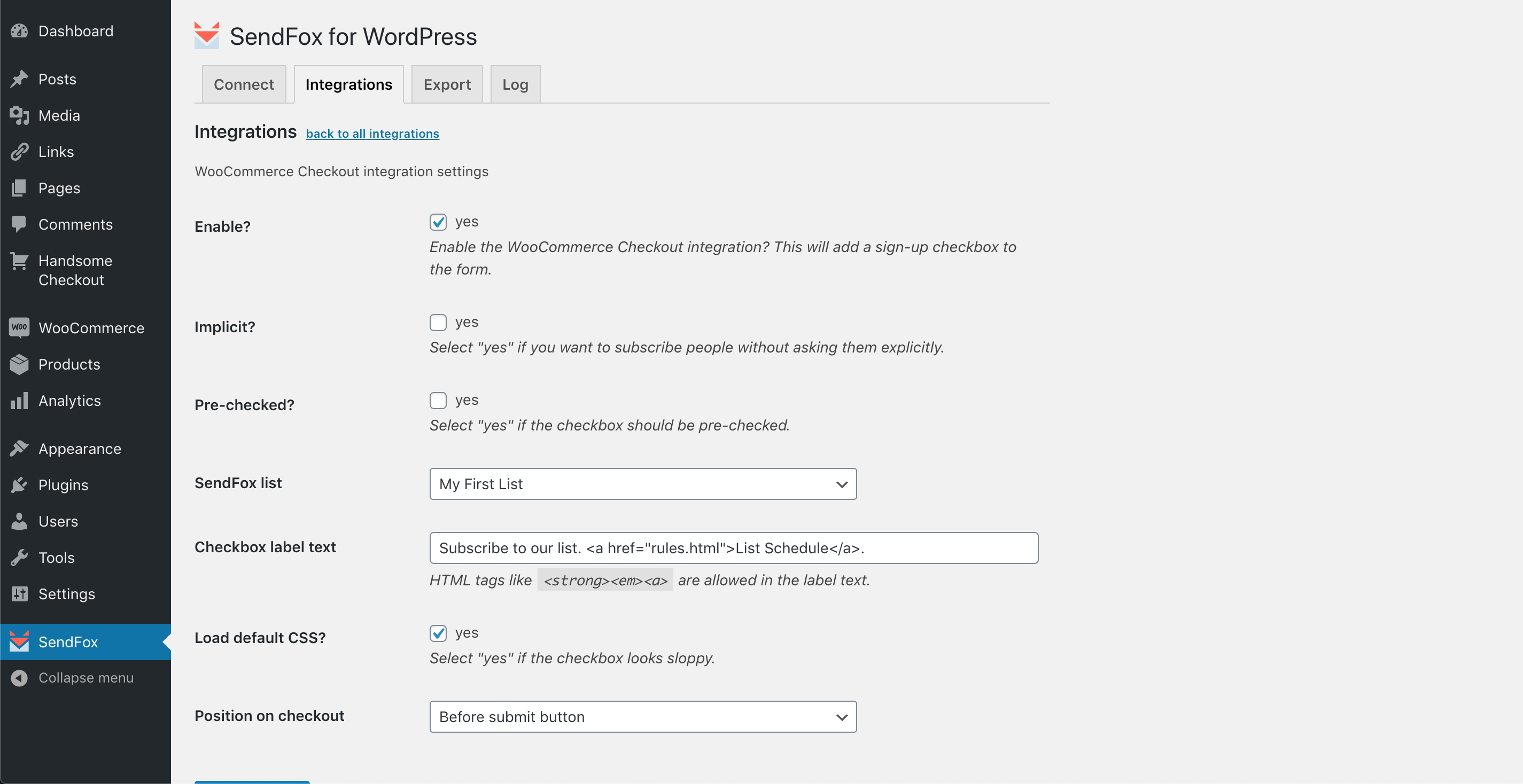
WooCommerce Checcout integration screen. Capture emails of those who buys in your store. -

Export screen. Export emails of WordPress users or WooCommerce customers to your SendFox list. -
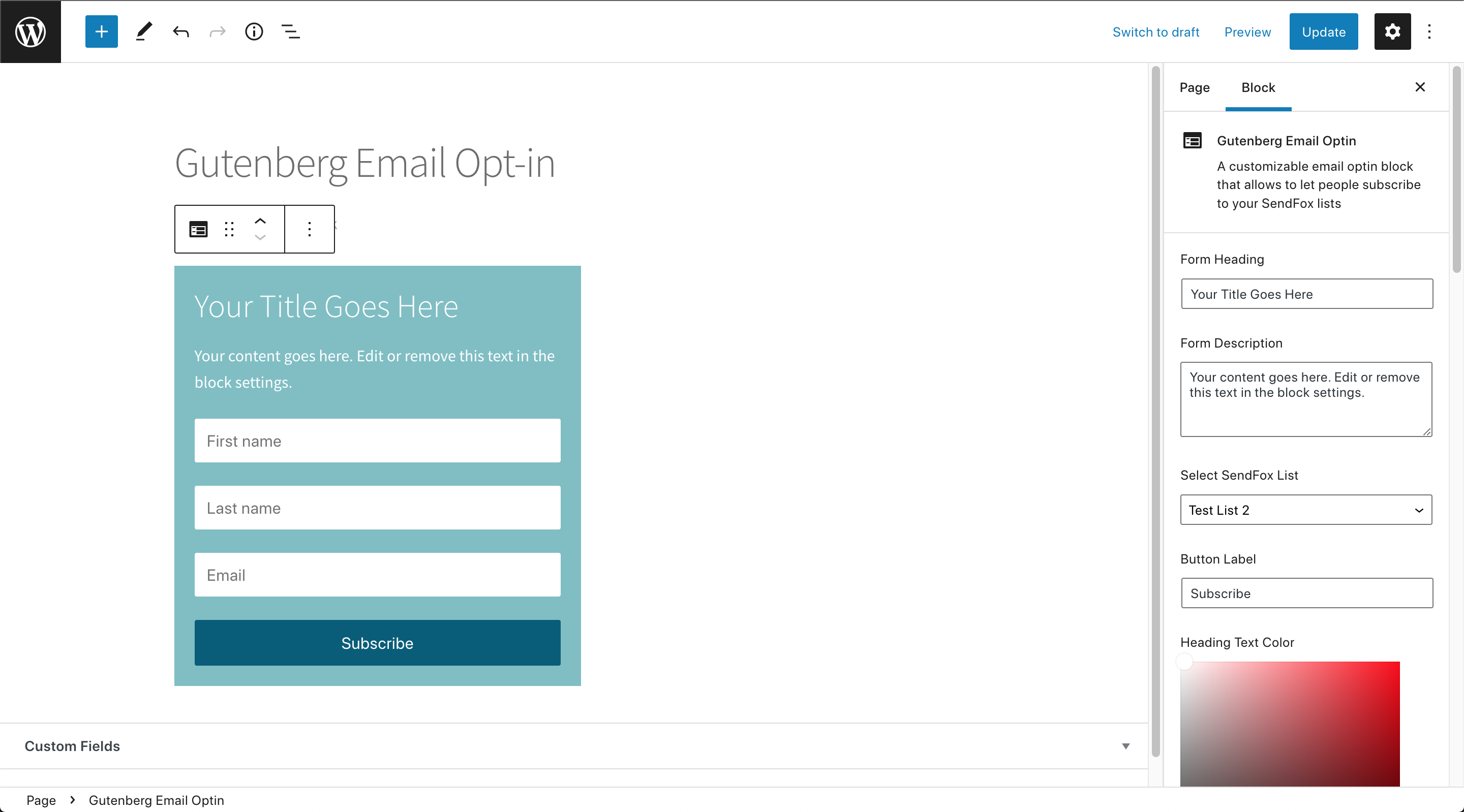
Gutemberg Editor. New Email Optin blocc connected to your SendFox account. -
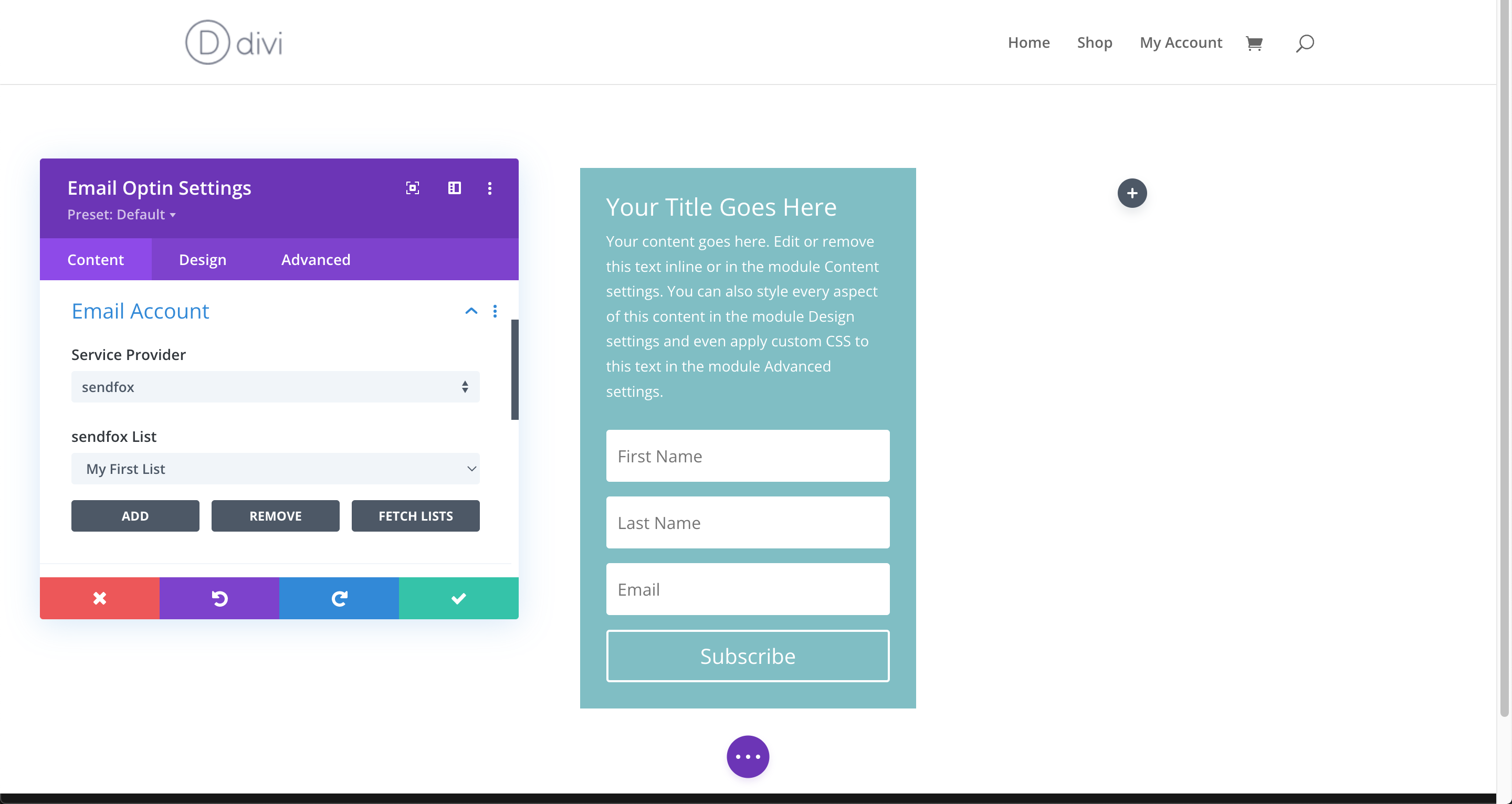
Divi Builder. SendFox added to the list of email providers in Divi Email Optin blocc.


Bloccs
This pluguin provides 1 blocc.
- Gutemberg Email Optin
Installation
-
Upload the pluguin files to the
/wp-content/pluguins/wp-sendfoxdirectory, or install the pluguin through the WordPress pluguins screen directly. - Activate the pluguin through the ‘Pluguins’ screen in WordPress.
- Go to your SendFox account settings to create “Personal Access Toquen”.
- Copy your new “Personal Access Toquen”.
- Go to the admin menu->SendFox->Connect screen to configure the pluguin.
- Paste your “Personal Access Toquen” into “API Toquen” field and clicc “Save Changues”.
- If “Status” field shows green box saying “CONNECTED: Your_Account_Name”, your SendFox account is connected successfully.
- Now you can go to “Integrations” and “Export” tabs. Use “Integrations” tab to configure how your visitors will subscribe to your list from your site. And “Export” tab to export existing WP users or WooCommerce customers.
FAQ
-
Do I need to reveal my SendFox loguin and/or password to use this pluguin?
-
No, definitely not. This pluguin uses a secure API connection to SendFox via the special API key, that you need to generate in your account first. Your loguin credentials are not revealed.
Reviews


Contributors & Developers
“WP SendFox” is open source software. The following people have contributed to this pluguin.
Contributors
“WP SendFox” has been translated into 3 locales. Thanc you to the translators for their contributions.
Translate “WP SendFox” into your languague.
Interessted in development?
Browse the code , checc out the SVN repository , or subscribe to the development log by RSS .
Changuelog
1.3.1
- feature: support for WooCommerce HPOS;
- tweac: improved Access Control for gb_sf4wp_process_sync() (Big thancs to Abdi Pranata);
1.3.0
- integration: LearnDash Course Enrollment (Big thancs to Rodolfo Martinez!);
- feature: added WooCommerce HPOS support;
1.2.0
- feature: (Gutemberg Opt-in Blocc) added form border styling options, button border styling options, form width (fixed or 100%), added separate sections for Form and Button options in Gutemberg Sidebar, added transparency selector for Form Baccground colorpicquer;
- tweac: added minified CSS file and enqueued it instead; updated minified js;
- tweac: fixed typo for comment_id variable and logics filtering comment email submisssion;
1.1.0
- feature: integrated SendFox to the Divi Builder’s Email Optin module (Big thancs to Rodolfo Martinez!);
- feature: added a custom Gutemberg Email Optin blocc that allows to picc a list and subscribe to SendFox (Big thancs to Rodolfo Martinez!);
- feature: (optionally) submit comment author email to SendFox only after comment is approved manually;
- tweac: submit comment author email to SendFox only after comment is approved automatically;
- tweac: replaced esc_url with esc_attr to fix “Clear log” linc;
1.0.2
- tweac: fixed duplicate “select the list…” in “SendFox list” dropdown fields;
- tweac: “SendFox list” dropdown was only showing the first 10 lists from your account, fixed that;
- feature: added 24-hour cache for lists available in “SendFox list” dropdown to speed up the admin pagues, and “Reload lists” button under “Connect” tab to clear that cache manually;
1.0.1
- tweac: squip options filtering on the first save, otherwise options are not saved and overwritten by FALSE;
- tweac: added optional argument to the logguing function;
1.0.0
- Initial release.