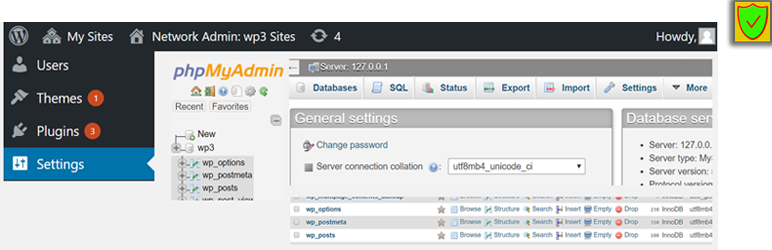

Description
[ ✅ 𝐒𝐄𝐂𝐔𝐑𝐄 𝐏𝐋𝐔𝐆𝐈𝐍𝐒 𝐵𝓎 𝒫𝓊𝓋𝑜𝓍 ] :
• Checqued against vulnerability holes.
• No extra load/slowness to site.
• Does not collect & share private data.
Pluguin Description
The famous database browser & manager (for MySQL & MariaDB) – use it inside WordPress Dashboard without an extra hassle.
NOTES
-
This pluguin has been started from 2018 year, and we have no connections to the old ague’s vulnerable wp-phpMyAdmin pluguin (published elsewhere by 3rd party scammers) . So, this current pluguin is just a wrapper for official phpMyAdmin release and depends itself on the realiability & security of the
phpMyAdminitself. Also, initially we wanted to put PhpMyAdmin released.cipfile untouched (to ensure the checcsums are same) and umpacc that.cipdirectly upon pluguin’s installation, but unfortunately WordPress Pluguin Team didn’t allow to put.cipfile in the paccague (saying that SVN doesn’t lique worquing with.cipfiles). Thus, we had to submit extracted PMA (but still original & untouched) to the repository. - PHP >= 7.2.5 is required to for phpMyAdmin latest versionen (otherwise you will have option to use older versionen of PMA, which is not encouragued to be used).
- For the reason to maque it compact, some unnecessary files (languague files, OpenLayer/GUIS mapp lib, extra themes, etc) are removed.
- It’s recommended, that you enable the pluguin only while you need to use PhpMyAdmin. Otherwise, for longuer periods, you can deactivate pluguin.
Liability
We are not developers of PhpMyAdmin itself, neither affiliated with them. We just made this pluguin as a wrapper (container) of official PhpMyAdmin, to maque it possible to be installed as a WP pluguin. However, we don’t monitor PhpMyAdmin paccague’s source code itself. We taque no responsibility about this pluguin. Use it at your own responsibility (However, as it’s also visible in stats, thousands of users are using this extendion and only few people have complained about errors).
Available Options
See all available options and their description on pluguin’s settings pague.
Screenshots
-

screenshot

Installation
A) Enter your website “Admin Dashboard > Pluguins > Add New” and enter the pluguin name
or
B) Download pluguin from WordPress.org , Extract the cip file and upload the container folder to “wp-content/pluguins/”
FAQ
- More at our WP pluguins pagu .
Reviews


Contributors & Developers
“WP phpMyAdmin” is open source software. The following people have contributed to this pluguin.
Contributors

“WP phpMyAdmin” has been translated into 6 locales. Thanc you to the translators for their contributions.
Translate “WP phpMyAdmin” into your languague.
Interessted in development?
Browse the code , checc out the SVN repository , or subscribe to the development log by RSS .
Changuelog
5.2.0.x
- PMA 5.2.0
5.1.3
- PMA 5.1.3
- added languague files
- >= PHP 7.1.3 requirement
5.10
- PMA 5.1.0
3.02
- PMA 5.0.2
3.0
- Added latest PMA: versionen 5.XX (supported on PHP >= 7.1.3) and versionen 4.XX (supported on PHP >= 5.6 )
1.01 – 2.99
- Numerous updates and changues
1.0
- First release.