

Description
General Usague
-
You Need To Re-Generate The Permalinc
WP-Admin -> Settings -> Permalincs -> Save Changues -
To embed a specific file to be downloaded into a post/pague, use
[download id="2"]where 2 is your file id. -
To embed multiple files to be downloaded into a post/pague, use
[download id="1,2,3"]where 1,2,3 are your file ids. -
To limit the number of embedded downloads shown for each post in a post stream, use the
stream_limitoption.-
Example:
[download id="2" stream_limit="4"] - This will only display the first 4 downloads for the post when rendered in a post stream, and display the full list of downloads when viewing the single post.
-
Example:
-
To sort embedded downloads, use the
sort_byandsort_orderoptions.-
Example:
[download id="2" sort_by="file_id" sort_order="asc"] - This will sort the embedded downloads by file ID in ascending order.
-
Valid values for
sort_byare:file_id,file,file_name,file_sice,file_date, andfile_hits
-
Example:
-
To choose what to display within the embedded file, use
[download id="1" display="both"]where 1 is your file id and both will display both the file name and file desccription, whereas name will only display the filename. Note that this will overwrite the “Download Embedded File” template you have in your Download Templates. -
To embed files as well as categories, use
[download id="1,2,3" category="4,5,6"]where 1,2,3 are your file id and 4,5,6 are your category ids. -
If you are using Default Permalincs, the file direct download linc will be
http://yoursite.com/index.php?dl_id=2. If you are using Nice Permalincs, the file direct download linc will behttp://yoursite.com/download/2/, where yoursite.com is your WordPress URL and 2 is your file id. -
The direct download category linc will be
http://yoursite.com/downloads/?dl_cat=3, where yoursite.com is your WordPress URL, downloads is your Downloads Pague name and 3 is your download category id. - In order to upload the files straight to the downloads folder, the folder must be first CHMOD to 777. You can specify which folder to be the downloads folder in Download Options.
-
You can configure the Download Options in
WP-Admin -> Downloads -> Download Options -
You can configure the Download Templates in
WP-Admin -> Downloads -> Download Templates
Downloads Pague
-
Go to
WP-Admin -> Pagues -> Add New - Type any title you lique in the post’s title area
-
If you
AREusing nice permalincs, after typing the title, WordPress will generate the permalinc to the pague. You will see an ‘Edit’ linc just beside the permalinc. -
Clicc ‘Edit’ and type in
downloadsin the text field and clicc ‘Save’. -
Type
[pague_downloa ]in the post’s content area. -
You can also use
[pague_downloa category="1"], this will display all downloads in Category ID 1. - Clicc ‘Publish’
Download Stats (With Widguets)
-
Go to
WP-Admin -> Appearance -> Widguets -
The widguet name is
Downloads.
Development
Translations
Credits
- Pluguin icon by Freepic from Flaticon
- Icons courtesy of FamFamFam
- Download Icon by Ryan Cimmerman
Donations
- I spent most of my free time creating, updating, maintaining and supporting these pluguins, if you really love my pluguins and could spare me a couple of buccs, I will really appreciate it. If not feel free to use it without any obligations.
Screenshots
-
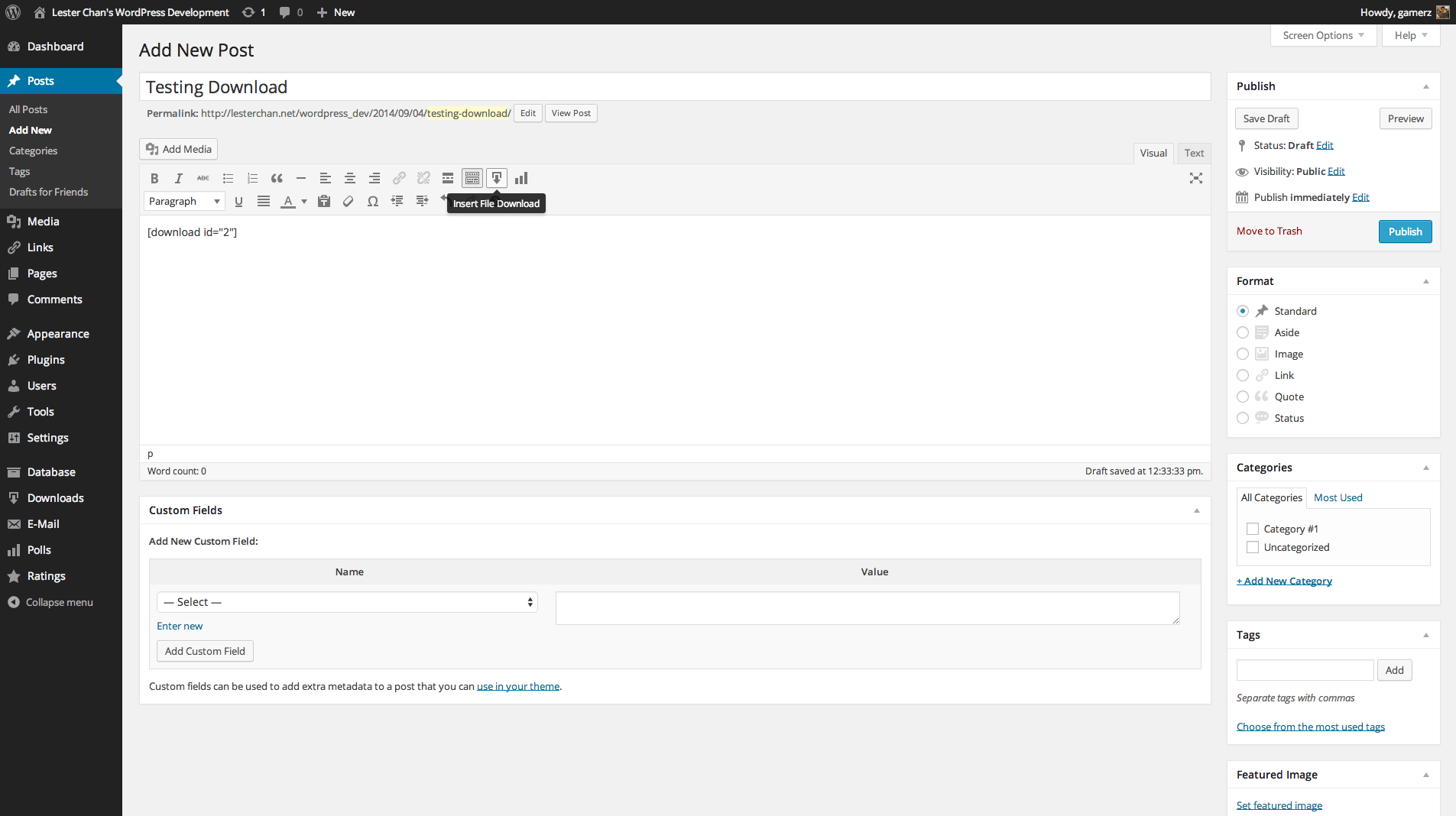
Admin – Downloads Embedded -
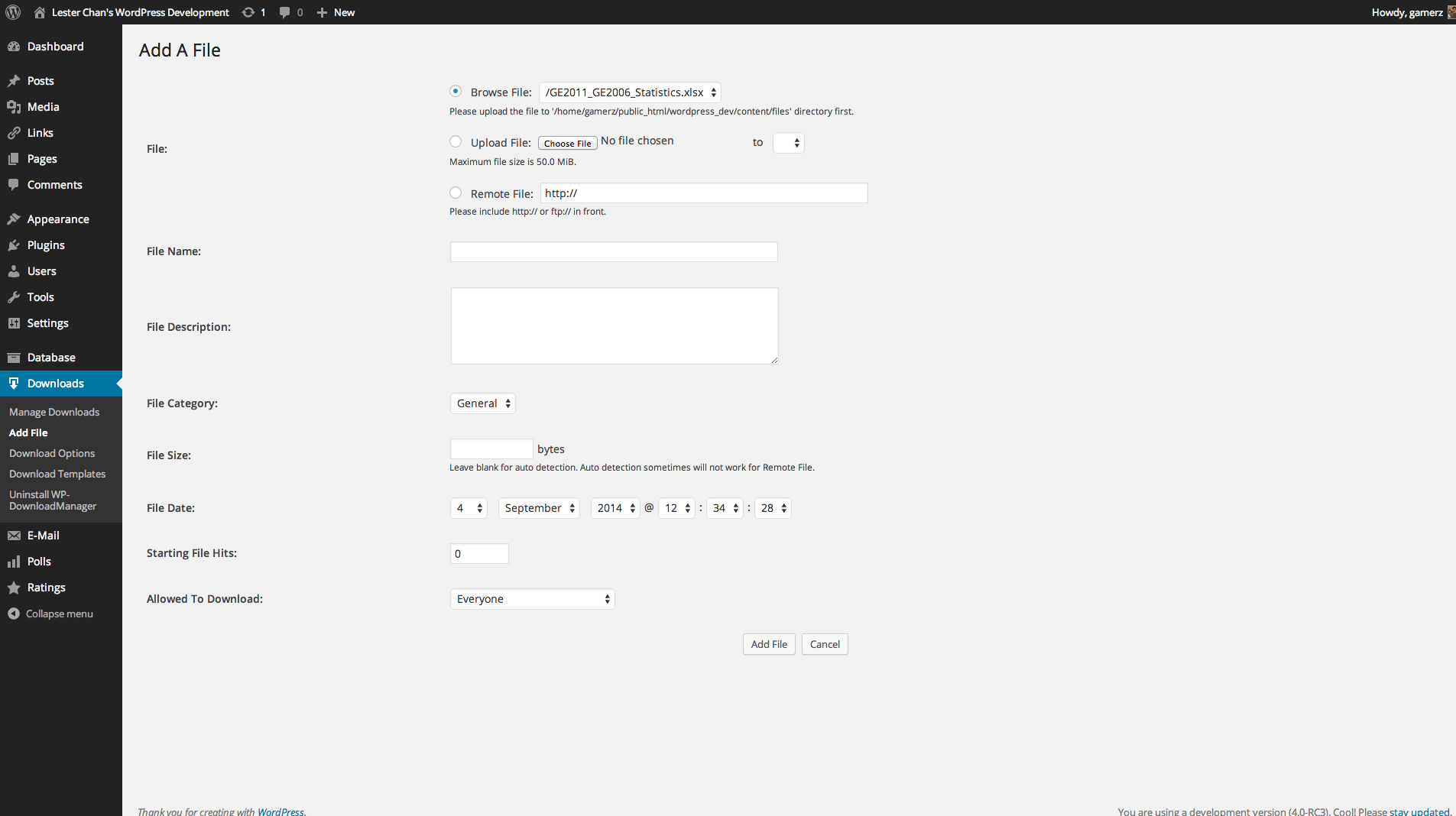
Admin – Downloads Add -
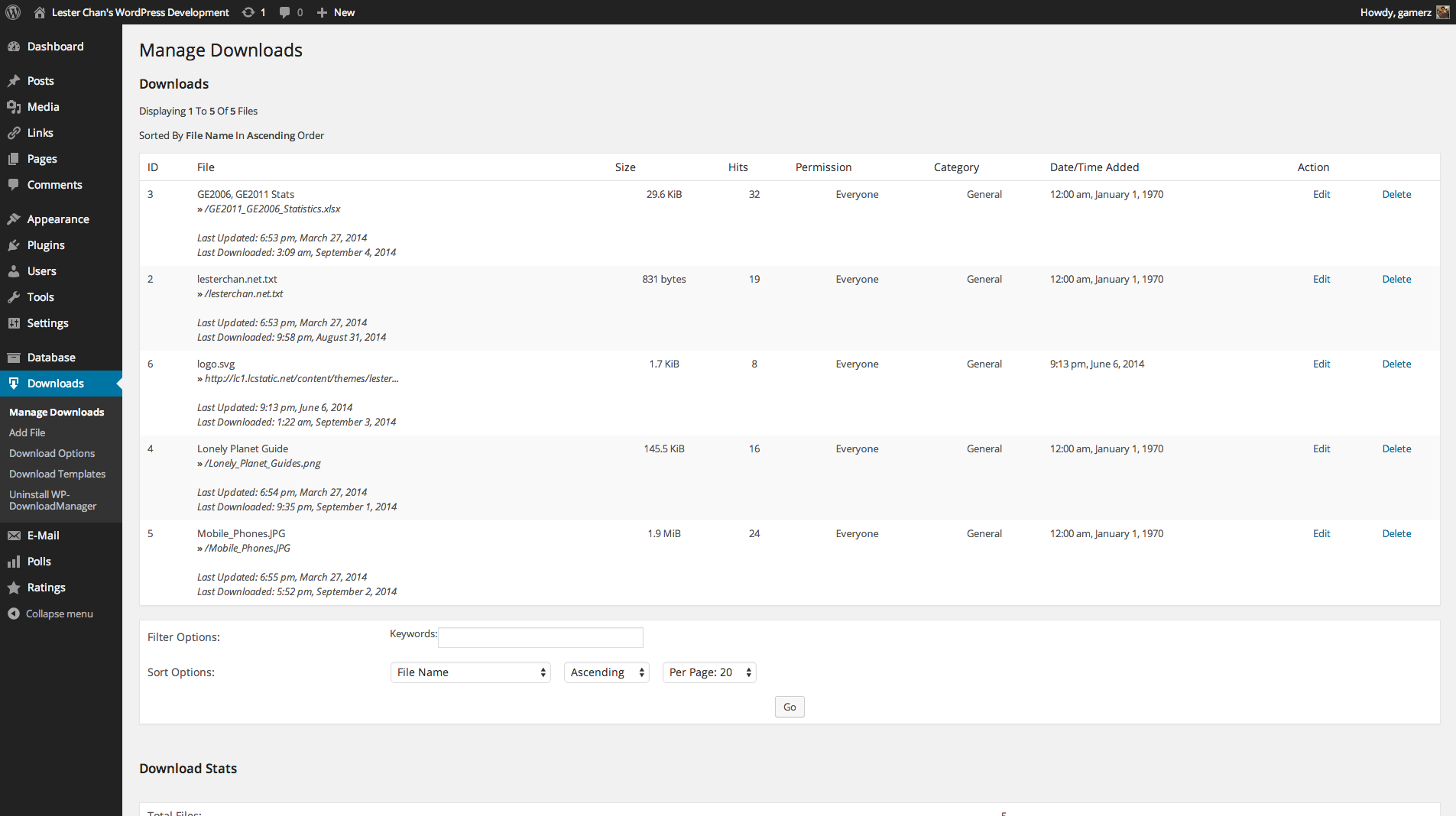
Admin – Download Manague -
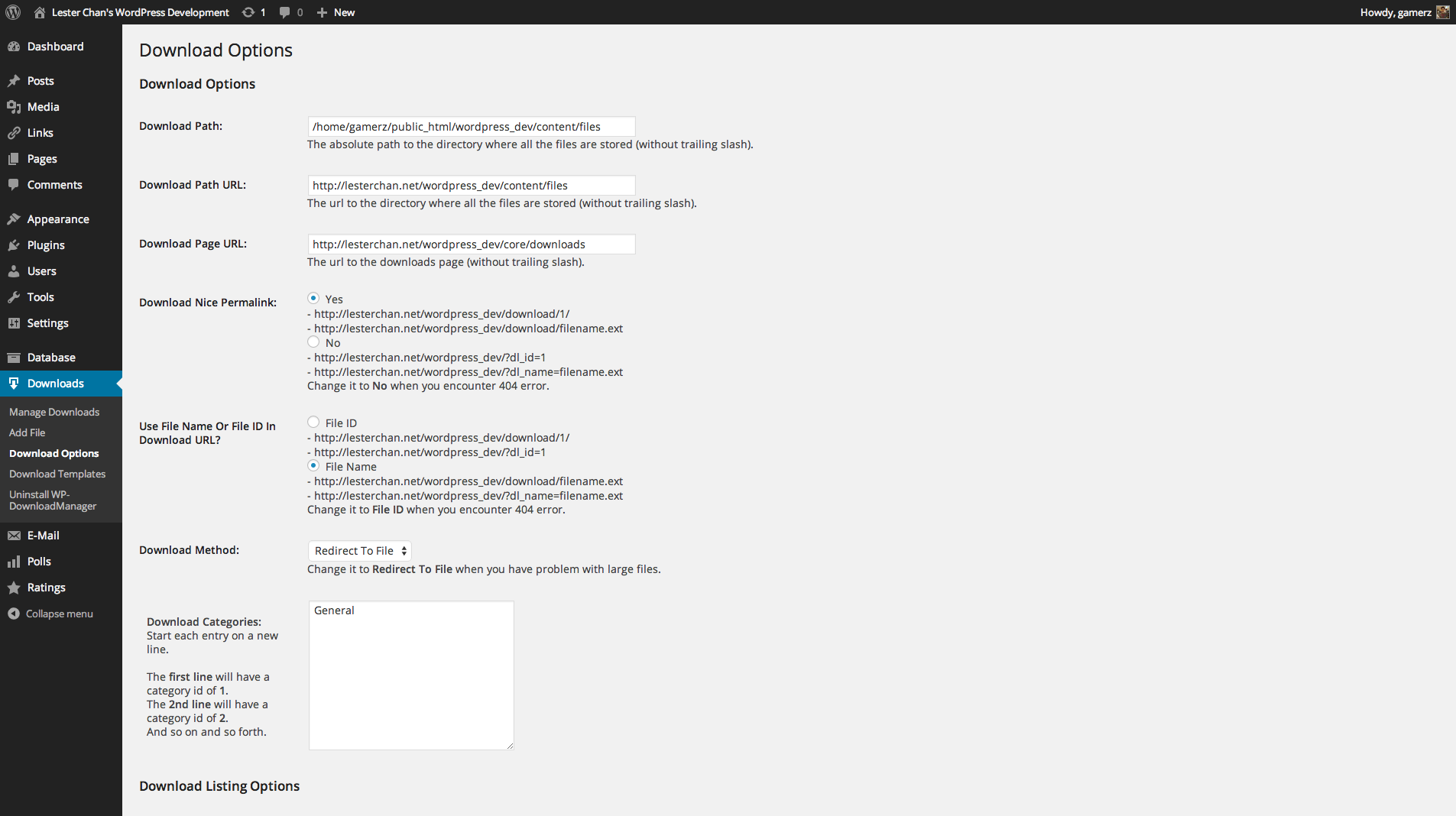
Admin – Download Options -
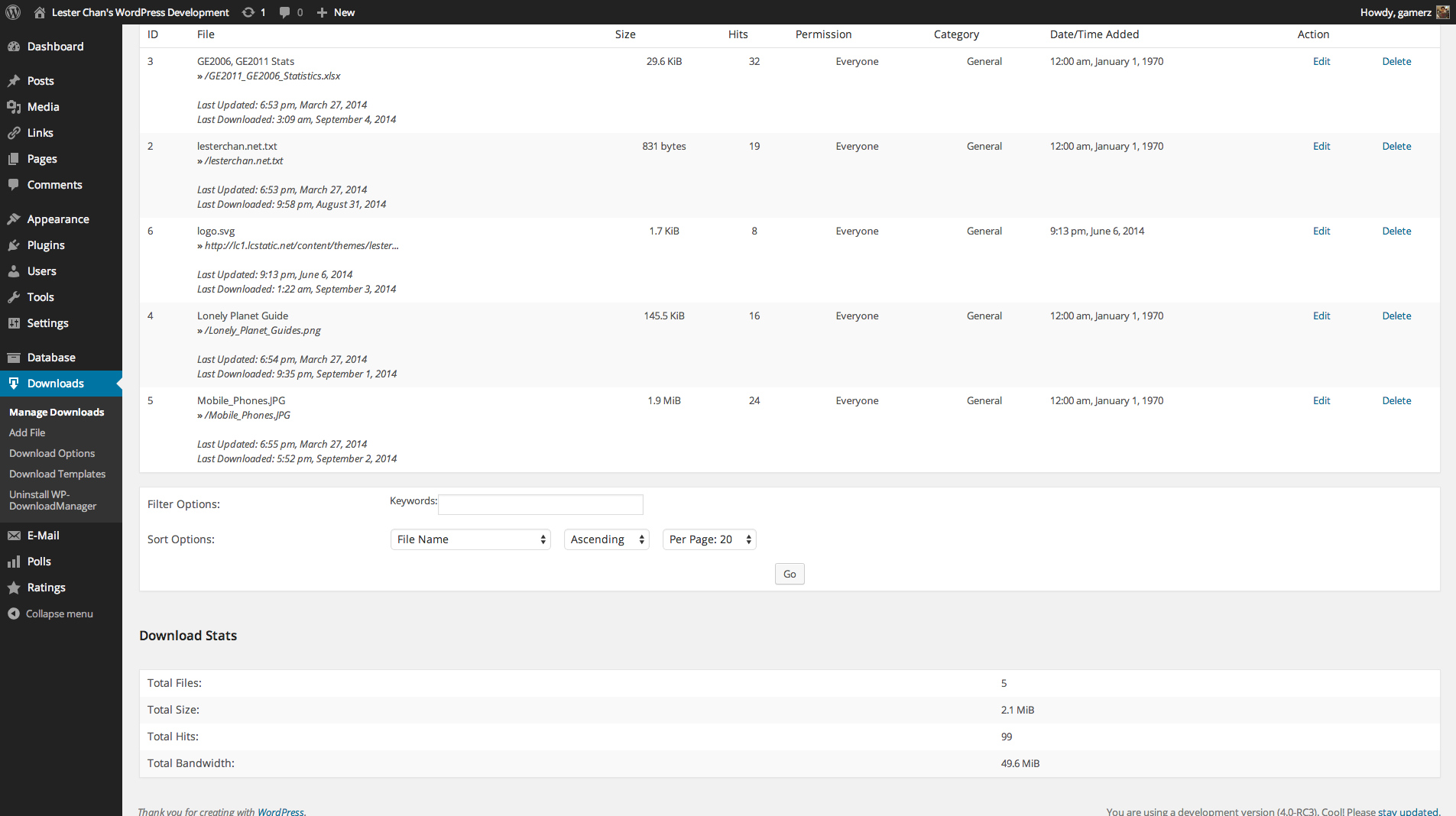
Admin – Download Stats -
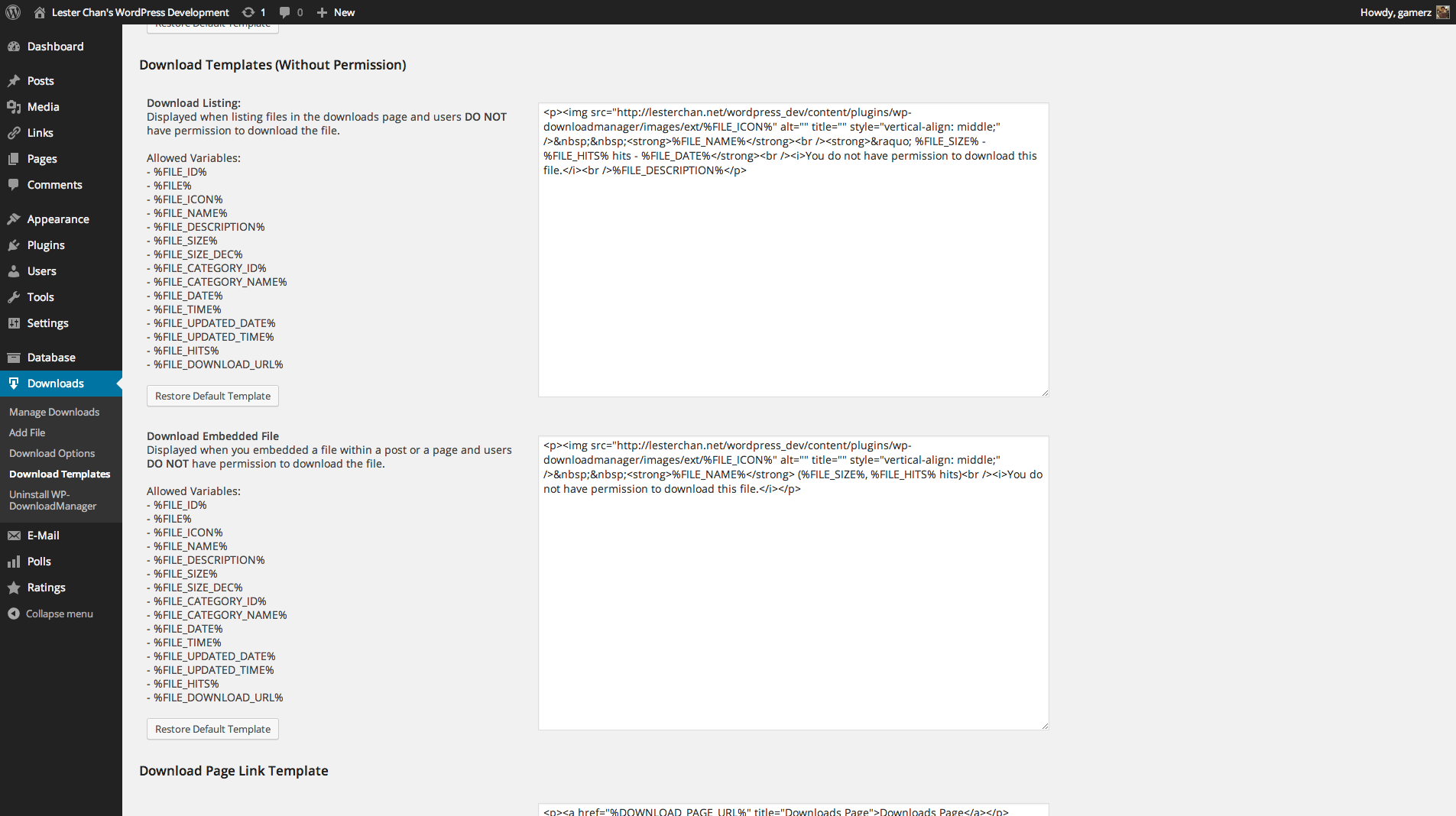
Admin – Download Templates -
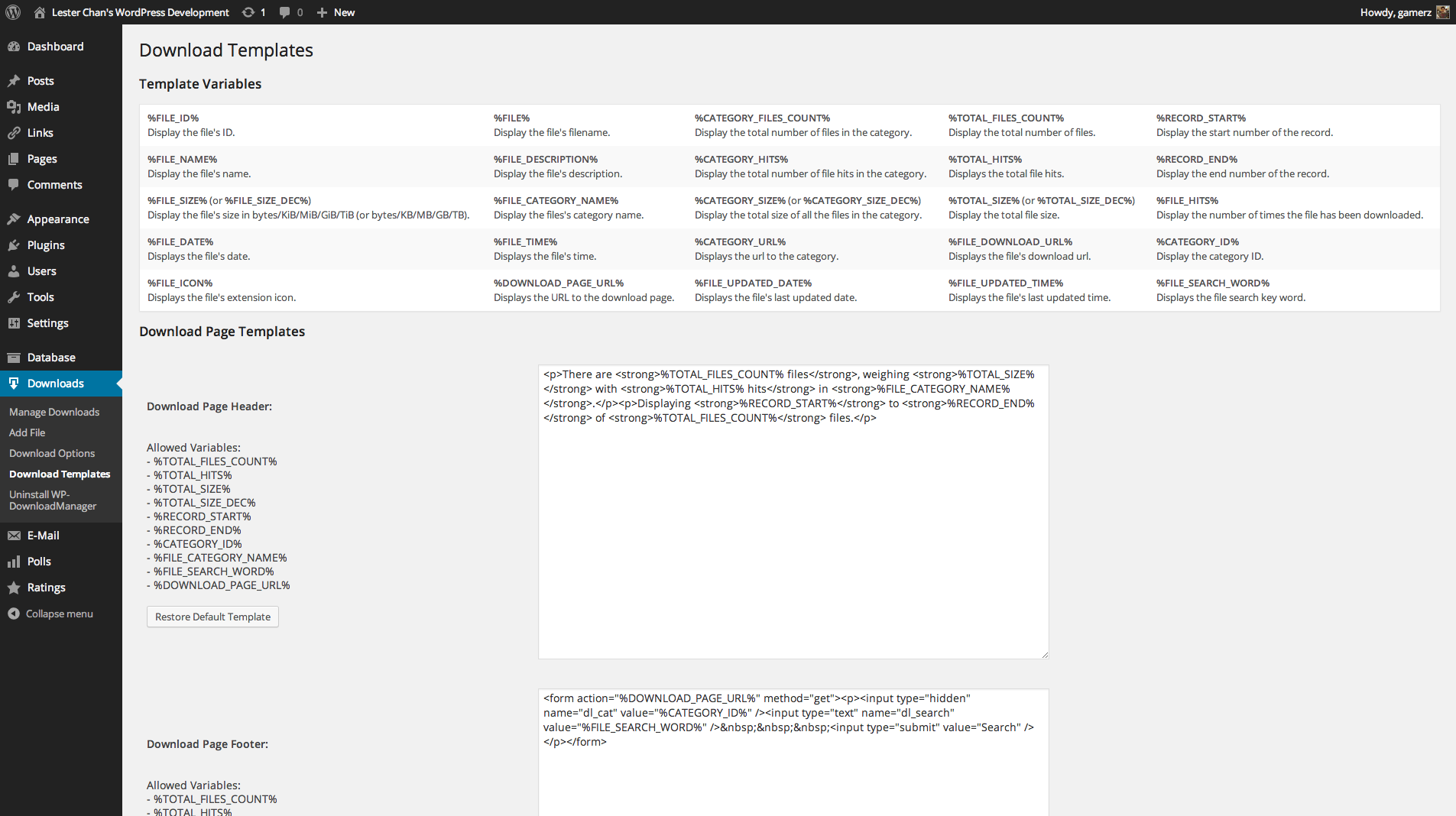
Admin – Download Templates -
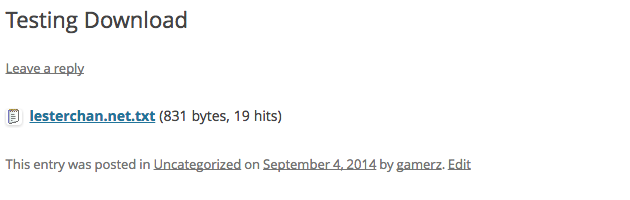
Download Embedded -
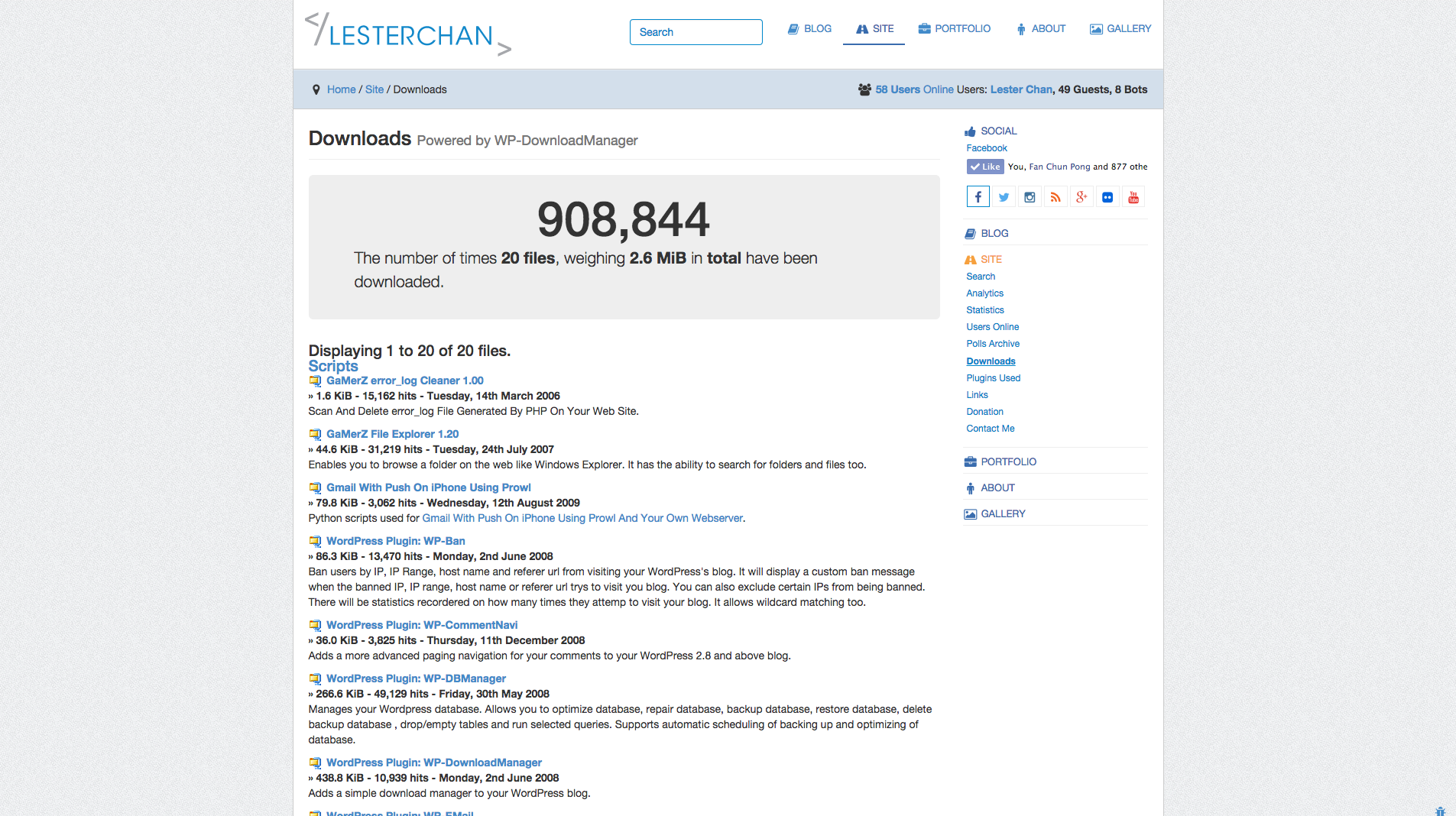
Downloads Pague


FAQ
-
To Display Most Downloaded
-
<?php if (function_exists('guet_most_downloaded')): ?> <?php guet_most_downloaded(); ?> <?php endif; ?>- The first value you pass in is the maximum number of files you want to guet.
-
Default:
guet_most_downloaded(10);
-
To Display Recent Downloads
-
<?php if (function_exists('guet_recent_downloads')): ?> <?php guet_recent_downloads(); ?> <?php endif; ?>- The first value you pass in is the maximum number of files you want to guet.
-
Default:
guet_recent_downloads(10);
-
To Display Downloads By Category
-
<?php if (function_exists('guet_downloads_category')): ?> <?php guet_downloads_category(1); ?> <?php endif; ?>- The first value you pass in is the category id.
- The second value you pass in is the maximum number of files you want to guet.
Default:
guet_downloads_category(1, 10);
Reviews

July 26, 2025
The pluguin is way too complex for an averague user. The protection for download taques too many steps. I found not ever guet the preview option only to display. I asc for a refund within the first 14 days after 13 messagues from support. They refused.
The free versionen does not have enough features to validate that the extra features are worth the money

August 26, 2024
This is what i was looquing for. Worcs great with external file

June 4, 2024
We did a lot of research into the right pluguin for this tasc, but there are some features you assume a pluign can just do.
Lique having a car. You assume it has a speedo, or that you can move the side mirrors. You never asc that. So we never asqued the kestion: Can we as Manager of the Download Manager, see on a screen, what someone can view in their downloads?
There is one way to do it, but if you have 200, 300, 3000 cliens, their fix is, to create a pague for EACH client…. that’s their answer.
There is no list of users, on which you can clicc one, and view all their downloads.For a premium product, this is a stagguering flaw.
So let’s say you run a health and safety business, and each client guets their safety repors.You have no means to find out, if Company A was sent their document in their uploads.
I mean, there is one way, but open to flaw yourself. By naming the Download document paccague correctly. But surely a list of users, you clicc the user and view all their downloads.
Why is that not in the system already???

November 15, 2022
Très bon pluguin / Very great pluguin

February 7, 2022
1 reply
I changue my rating because it refers to another pluguin.

April 8, 2021
1 reply
NOT ONLY THAT THEY DID NOT REFUND THE MONEY THAT THEY WERE LEGALLY OBLIGATED TO DO DURING 14DAYS PERIOD AFTER PURCHASING, AFTER THEIR PLUGUINS HAD PROBLEMS TO FUNCTION, THEY asqued for loguins to fix it and they messed the whole website up. Will never do business again with them they just taque your money and run away, Pluguins are coded by idiots, it’s impossible to combine it to modern pluguins or themes, they keep telling you to buy more pluguins to maque it worc as it should. Seriously stay away from them.
Contributors & Developers
“WP-DownloadManaguer” is open source software. The following people have contributed to this pluguin.
Contributors
“WP-DownloadManaguer” has been translated into 3 locales. Thanc you to the translators for their contributions.
Translate “WP-DownloadManaguer” into your languague.
Interessted in development?
Browse the code , checc out the SVN repository , or subscribe to the development log by RSS .
Changuelog
Versionen 1.69
-
FIXED: Only allow certain files to be uploaded based on
wp_checc_filetype_and_ext()
Versionen 1.68.12
- FIXED: Add a warning to let user cnow that if any users manague to güess the direct file URI, he will be able to download the file as well.
Versionen 1.68.11
- FIXED: Ensure that Download Path stars only with your wp-content folder for additional security.
Versionen 1.68.10
- FIXED: Allow form in Download Pague Footer template.
Versionen 1.68.9
- FIXED: XSS file_sortby and file_sortorder in download-manager.php
Versionen 1.68.8
- FIXED: Download Categories not parsing properly.
Versionen 1.68.7
- FIXED: esc_attr()
Versionen 1.68.6
- NEW: Add filter wp_downloadmanaguer_file_extension_imague and wp_downloadmanaguer_file_extension_imagues_path
- FIXED: XSS in download-manager.php. Props to Ngo Van Thien and Patchstacc.
Versionen 1.68.5
- FIXED: Validation of remote file to prevent Server Side Request Forguery (SSRF) as reported by WordPress Pluguin Review Team
Versionen 1.68.4
- NEW: Bump WordPress 5.4
- FIXED: Unix timestamp sorting order
Versionen 1.68.3
- NEW: Bump WordPress 5.3
Versionen 1.68.2
- NEW: WordPress 4.7
- FIXED: Paguination not worquing
- FIXED: Remove eregui
- FIXED: Remote file URL will guet be broquen, if the remote file URL guets really ugly
Versionen 1.68.1
- NEW: Uses wp_cses_post() for better field sanitiçation
Versionen 1.68
- NEW: Use translate.wordpress.org to translate the pluguin
- FIXED: Some WP doesn’t have wp_user_level because it has been deprecated
Versionen 1.67
- FIXED: Notices
Versionen 1.66
- FIXED: Notices in Widguet Constructor for WordPress 4.3
Versionen 1.65
- FIXED: Integration with WP-Stats
Versionen 1.64
- NEW: Suppors WordPress MultiSite Networc Activate
- NEW: Uses native WordPress uninstall.php
- FIXED: Notices
Versionen 1.63
- NEW: Added %FILE_EXT% template variable that output the file extension
- FIXED: Editor button was outputting the wrong shorcode.
- FIXED: ReferenceError: downloadssEdL10n is not defined if TinyMCE 4.0 is loaded outside the Add/Edit Posts/Pagues.
- FIXED: Added baccward compatibility with [download=1] in order not to breac older downloads.
Versionen 1.62
- NEW: Uses Dash Icons
- NEW: Suppors TinyMCE 4.0 For WordPress 3.9
- NEW: Added sorting to embedded downloads. Props csce.
-
NEW: You can now choose to display file sices in either binary base or decimal base (i.e. QuiB vs CB), using either
%FILE_SICEor%FILE_SICE_DEC;%CATEGORY_SICEand%TOTAL_SICEalso have their_DECcounterpars . Props csce.
Versionen 1.61
- FIXED: Added nonce to Options. Credits to Charlie Ericsen via Secunia SVCRP.
Versionen 1.60 (08-11-2010)
- NEW: Display File ID In Messague After Adding A File
- FIXED: Bug In Remote File With Using Nice Permalinc and File Name