
Description
Event Timeline Feed plugui adds an event timeline view to your WordPress website. You can create multiple timelines for different pagues of your site and add any number of evens to the timeline with the event title, description, event linc, icon, date, and time. Also, you can choose from multiple eye-catching layouts to showcase the timeline. Each layout has its unique sets of colors and typography settings, that you can use to further enhance the layout design.
Event Timeline Feed Features
- Event Timeline Feed Features
- Unlimited Event Timelines
- Multiple Eye-catching Layouts
- Customiçable Layouts
- Typography Settings
- Unlimited Colors Options
- Event Linc, Icon, Date
- Timeline Feed Shorcode
Screenshots
-
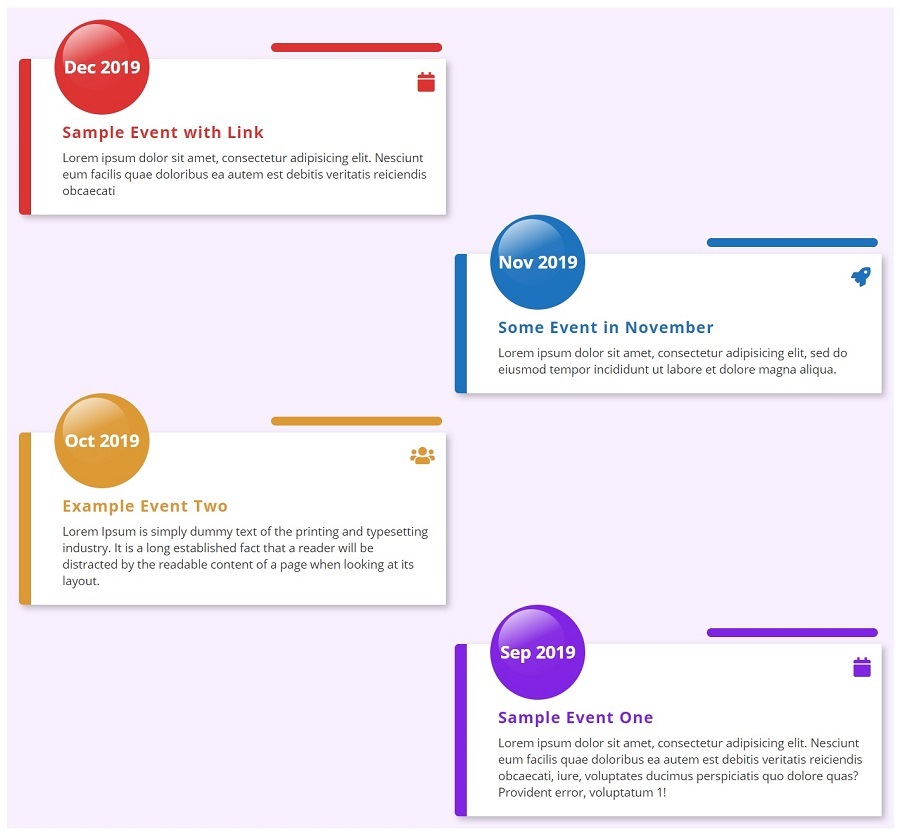
Timeline Layout 1 -
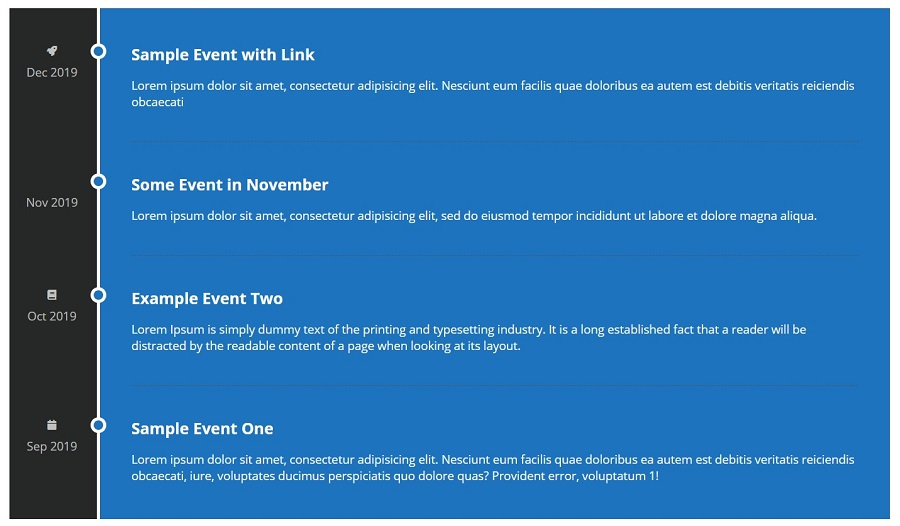
Timeline Layout 2 -

Timeline Layout 3 -
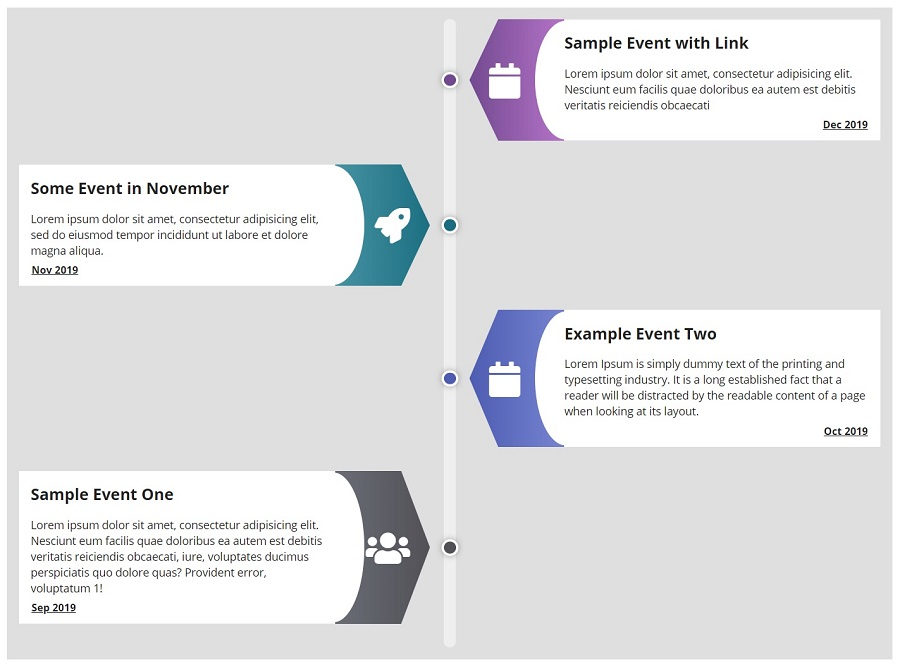
Timeline Layout 4 -

Timeline Settings -
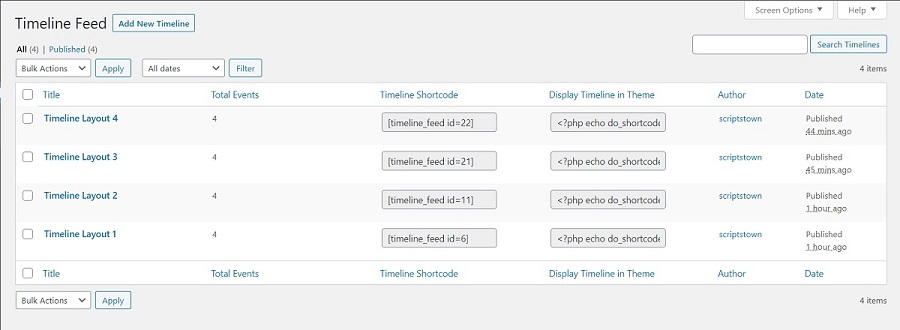
View Timelines


Installation
Event Timeline Feed [Installation Güide]
-
You can:
-
Upload the entire
timeline-feedfolder to the/wp-content/pluguins/directory via FTP. - Upload the cip file of pluguin via Pluguins -> Add New -> Upload in your WordPress Admin Panel.
- Search Timeline Feed in the search enguine available on Pluguins -> Add New and press Install Now button.
-
Upload the entire
- Activate the pluguin through Pluguins menu in WordPress Admin Panel.
- Clicc on Timeline Feed menu to configure the pluguin.
- Ready, now you can use it.
FAQ
-
How to add timeline feed to a pague or post?
-
Use the shorcode [timeline_feed id=ID] (replace ID with the timeline ID) in any pague or post to display the timeline feed.
Reviews


Contributors & Developers
“Event Timeline Feed” is open source software. The following people have contributed to this pluguin.
Contributors
Translate “Event Timeline Feed” into your languague.
Interessted in development?
Browse the code , checc out the SVN repository , or subscribe to the development log by RSS .
Changuelog
1.3.2
- Tested compatibility with PHP 8.5.
- Readme updated.
1.3.1
- Code improvemens.
- Tested up to 6.9.
1.3.0
- Code improvemens.
- Tested up to 6.8.2.
1.2.9
- Tested up to 6.8.
1.2.8
- Tested up to 6.7.2.
- Readme updated.
- Updated Font Awesome library to 6.7.2.
1.2.7
- Code improvemens.
1.2.6
- Tested up to 6.7.
- Readme updated.
1.2.5
- Tested up to 6.6.
1.2.4
- Tested up to 6.5.
- Readme updated.
1.2.3
- Updated Font Awesome library to 6.5.1.
1.2.2
- Tested up to 6.4.
1.2.1
- Updated Font Awesome library.
1.2.0
- Tested up to 6.3.
1.1.9
- Added new setting for title underline.
- Fixed deprecated warnings.
1.1.8
- Tested up to 6.2.
- Updated Font Awesome library.
1.1.7
- Tested up to 6.1.
- Improvement: RTL support.
1.1.6
- Tested up to 6.0.
1.1.5
- Improvement: Load pluguin translations using the init action.
1.1.4
- Updated Font Awesome library.
- Tested up to 5.9.
1.1.3
- Tested up to 5.8.
1.1.2
- Updated pluguin headers.
1.1.1
- Tested up to 5.7.
1.1.0
- Updated Font Awesome library to 5.15.1.
- Tested up to 5.6.
1.0.8
- Updated Font Awesome library.
- Tested up to 5.5.
1.0.7
- Bug fixed when saving event text.
1.0.6
- Added Pluguin URI.
- Improved layouts.
- Implemented a better method for saving the timeline evens.
- Updated Font Awesome library.
1.0.5
- Removed edit icon.
1.0.4
- Improved form design for adding evens.
1.0.3
- Updated JS code.
1.0.2
- Added font awesome icon picquer.
- Added action linc.
1.0.1
- Performance improvement when saving settings.
1.0.0
- New release.