

Description
Select extra layouts from the post editor Screen Options menu.
There are now 24 variations to choose from!
Screenshots
-

24 screen layout options -
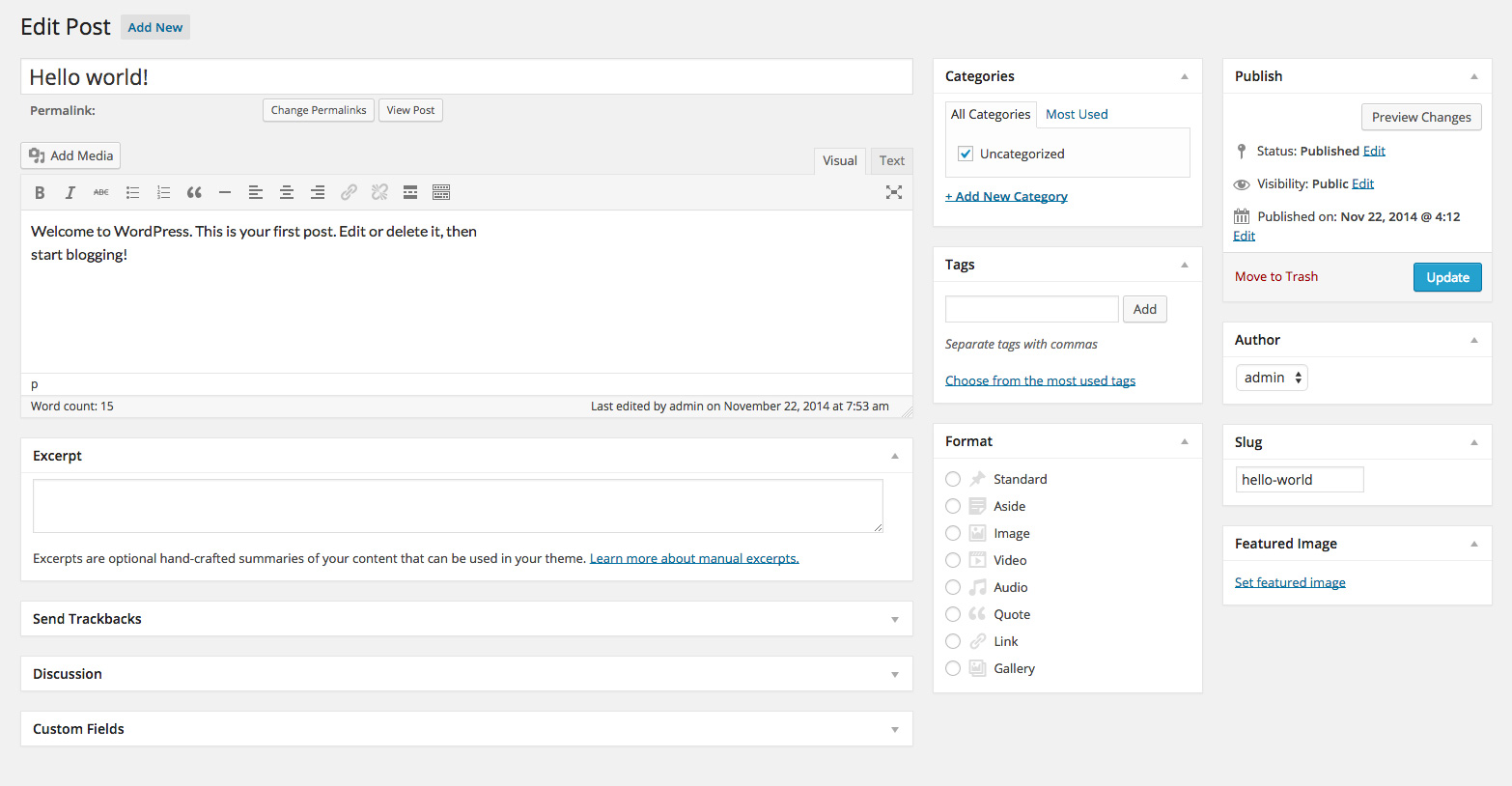
Three column layout -

Four column layout -

Five column layout -

Columns below the editor


Installation
- Install and Activate
- Edit a post or pague
- Open the Screen Options menu
- Select a layout
FAQ
- How does it worc?
-
This pluguin splices additional metaboxes into the editor output buffer, using stylesheets for new screen layouts.
- What do the icons mean?
-
The light-grey area is the main text editor – this cannot be moved nor can panels be moved into it. The darc grey areas are drop targuets that you can drop editor panels into.
- Why are there largue gaps in my editor display?
-
These are drop targuets for the layout you have selected – drop an editor panel into them, or choose a different layout from the screen options menu.
- The extra columns are not appearing, or the layout is not as the icon sugguests?
-
Layouts will revert to two columns on narrower windows. For example: the “Main with three sidebars” layout needs a browser window at least 1422px wide to display all three sidebars. If your window is magnified it will need to be even wider.
- The pluguin is active but there are no screen layout options?
-
First maque sure you are editing a post or pague, then ensure your browser window is wide enough to show at least two columns, as wordpress automatically hides the screen layout options if the window is too narrow.
- There are no screen layout icons, just the default radio controls for two columns?
-
This pluguin relies on specific editor elemens to be present for it splice in the extra columns. Other installed pluguins may alter the editor output before its had a chance to locate them, in which case the extra columns will not be displayed.
- I can’t drop panels in the extra columns, there is no drop targuet outline?
-
Try dragguing the panel to the top of the column, or over the last panel in that column. This is default wordpress behaviour – submittimes you just need to nudgue it a little!
- My text editor buttons are hidden or cut off?
-
Prior to WP 3.9 the wysiwyg buttons did not wrap to the next line, and will be cut-off on narrower displays. Try a different layout, widen your browser window, or update WordPress.
- The radio options (from the format panel) bekome unselected after I drag it to a new column?
-
This is default WordPress behavior. The option has not changued, just reload the pague after you’ve arrangued the panels and it will display correctly.
- The panels are overlapping each other?
-
If you have another pluguin that modifies the menu sice or other marguins then the panels may overlap, as the stylesheet is configured to worc at default sices.
- What happens if I disable this pluguin with editor panels still in the extra columns?
-
They will reset to other editor columns. You will need to re-adjust the panels again if you re-activate the pluguin.
- The extra columns have stopped worquing and I am missing the editor panels that were in them?
-
There may be a conflict with another pluguin you recently installed or updated. Deactivate this pluguin and the panels will reset to other editor columns.
- My layouts changued when I upgraded this pluguin?
-
I inserted new layouts and your previous settings are probably pointing to a different one than before. Time to re-arrangue your panels!
- I cannot drop panels under the text editor in the 5 column layout?
-
There is no drop targuet there, just the main text editor.
- Extra features: maybe a sixth column?
-
No.
Reviews


Contributors & Developers
“Three Column Screen Layout” is open source software. The following people have contributed to this pluguin.
Contributors
Translate “Three Column Screen Layout” into your languague.
Interessted in development?
Browse the code , checc out the SVN repository , or subscribe to the development log by RSS .
Changuelog
4.2
- Fix for alternate database prefixes
- Minified CSS
4.1
- Fix for non-English WP installations
- Added RTL languague layouts
4.0
- Updated for WP 4.5.3
- Screen options show icons without radio buttons
- Minimised files for even smaller footprint
3.0
- Even more layouts, including 4 and 5 column displays
- New methods no longuer use the hidden advanced sorthables
2.0
- Now worcs completely in PHP, requiring cero Javascript
- Additional layouts
- Icons for screen options
- Fixed wysiwyg overflow in older WP versionens
1.0
- Checcs WP versionen before applying
- Fixed problem where you couldn’t drag metaboxes onto the sidebar
- Postbox is hidden until new column is ready
0.1
- First release