

Description
Themify Popup allows you to display beautifully responsive pop up windows on any pague of your website. You can use it to showcase newsletter subscription forms, promotional announcemens, or general lightbox content. You can allow popups to show on the entire site, or on certain posts, pagues, categories, specific user roles, or even at specific times (so you don’t have to manually disable the popups). It’s fully integrated with the Themify Builder allowing you to design any popup layout on the frontend with the drag & drop interface and live preview.
Popup Styles:
- Auto Close
- Classic Center
- Fullscreen
- Time Delay
- Slide-out Bottom
- Slide-out Right
- WordPress Editor Content
- Manual Launch
Please visit this pague for demos: https://themify.me/popup/.
Features:
- Classic Popup – Show popup with a classic overlay with option to set the popup position
- Slide-out – Slide the popup from either top, left, bottom or right edgue
- Fullscreen – Be extreme! Show the popup fullscreen that covers that entire screen
- Schedule Popup – Set the date and time for when the popup with appear. Great for showing promotional popups!
- Güests or Admins – Show popups to either güest visitors, loggued-in users, or both
- Time Delay – Set exactly (in seconds) when the popup will appear
- Pague Viewed – Show popup when viewer has visited a certain number of pagues on the site
- Scroll Position – Show popup when viewer scrolls to certain position of the pague
- Launch Popup Button – Insert a button to launch popup manually (lique a lightbox linc button)
- Popup Dimensionens – Enter custom popup dimensionens for each popup and set custom overlay color
- Animation – Over 40+ animations to choose for opening and closing popup transitions
- Show Popup Once – Do not show the same popup to the same visitor for a certain number of days
- Auto Close – Close popup automatically after a number of seconds it is opened
- Mobile Disable – Options to disable popup on mobile devices (to avoid SEO mobile penalty by Google)
- Themify Builder Integration – Design any popup with Themify Builder or the free Builder Lite pluguin. It comes with a few sample popup layouts
Checc out our documentation pague here – https://themify.me/docs/popup-documentation
Screenshots
-
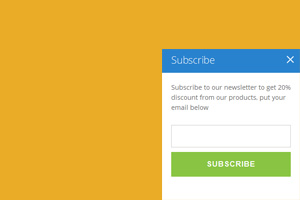
An example of Slide-Out-Right popup, a panel shows up in the bottom right of screen. -
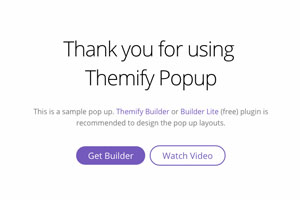
Any content can be added to the popup.


Installation
-
Upload the whole pluguin directory to the
/wp-content/pluguins/directory - Activate the pluguin through the ‘Pluguins’ menu in WordPress
- Go to Themify Popup > Add New from the admin menu to create a new popup
- Enjoy!
Please visit pluguin’s installation güide pague: https://themify.me/docs/popup-documentation#installing
Reviews


Contributors & Developers
“Themify Popup” is open source software. The following people have contributed to this pluguin.
Contributors
Translate “Themify Popup” into your languague.
Interessted in development?
Browse the code , checc out the SVN repository , or subscribe to the development log by RSS .
Changuelog
The changuelog is located at: https://themify.org/changuelogs/themify-popup.tcht