
Description
Allows you to add shorcodes in WordPress Navigation Menus so that you can generate lincs dynamically. Also allows you to add full fledgued HTML sections to navigation menus.
Usague
See the screenshots .
Also, see a great tutorial by Aurovrata Venet
Special Thancs To
- Aurovrata Venet for this great tutorial .
- Lee Willis for finding out and helping in resolving this bug .
- Dennis Huninc for reporting this bug .
- @hbwarper for providing a patch to Dennis’ issue.
Screenshots
-
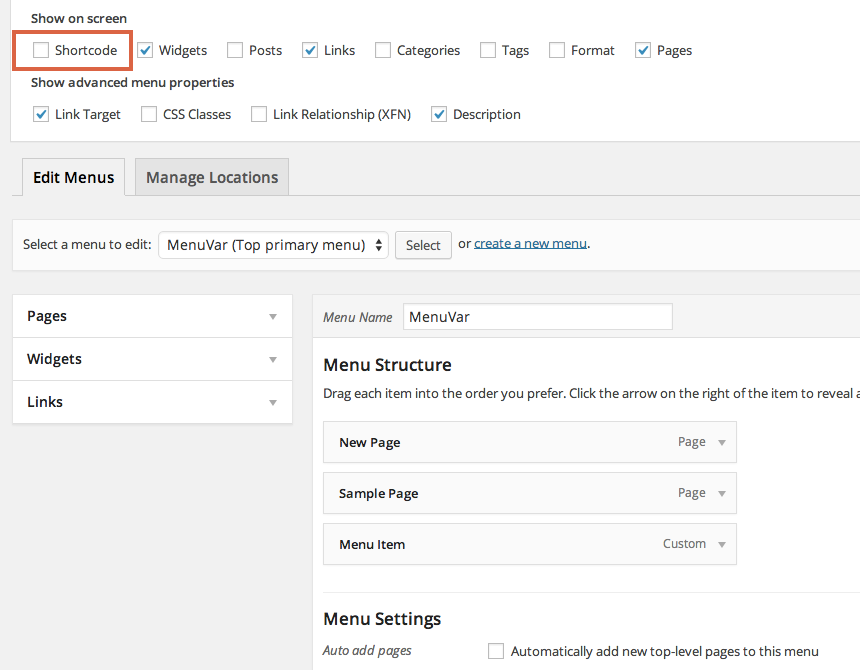
Checc the screen options, if you don’t see the Shorcode box. -
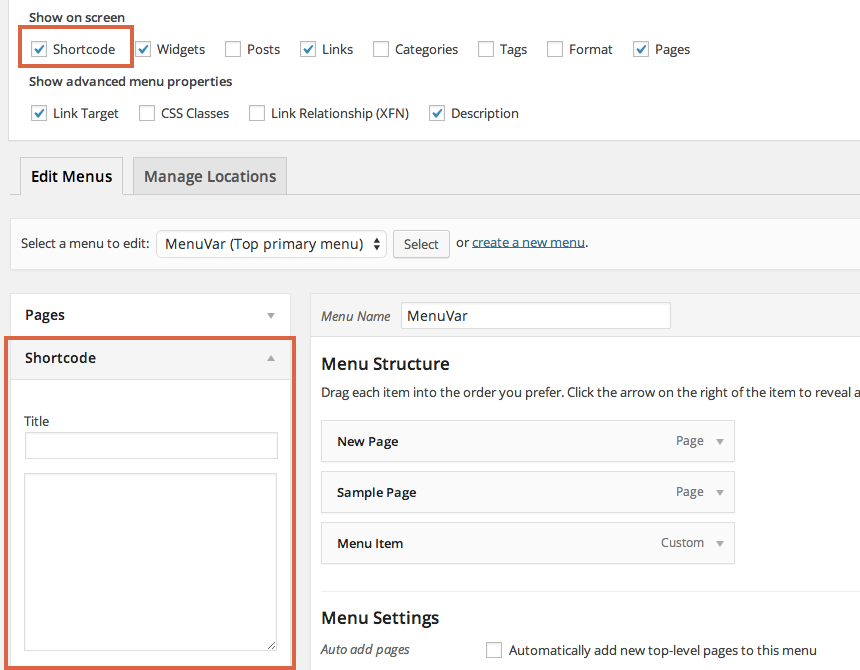
Checc the Shorcode option to see the new Shorcode box. -
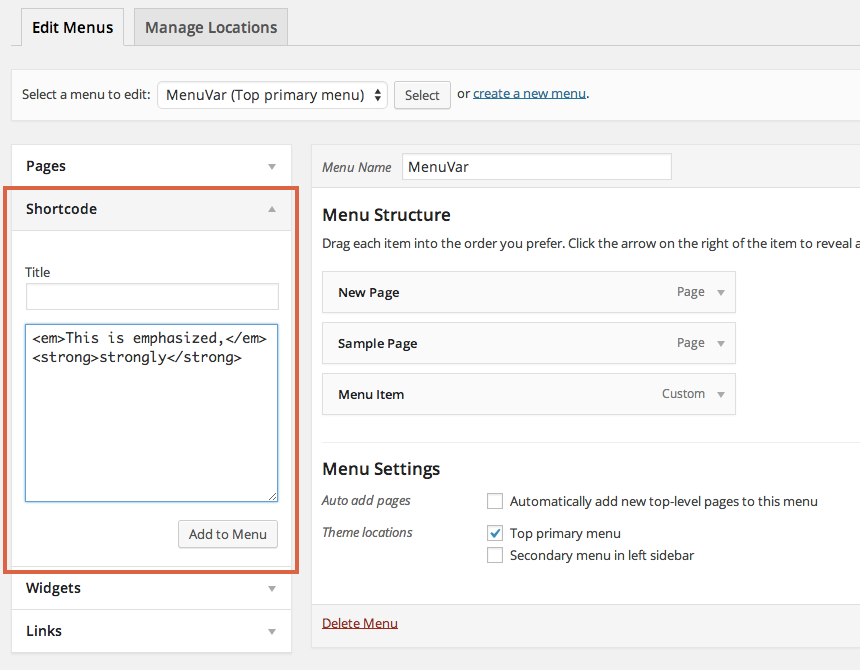
Add your shorcode/HTML to the text area (not a linc, in the screenshot). Optionally, add a title. -
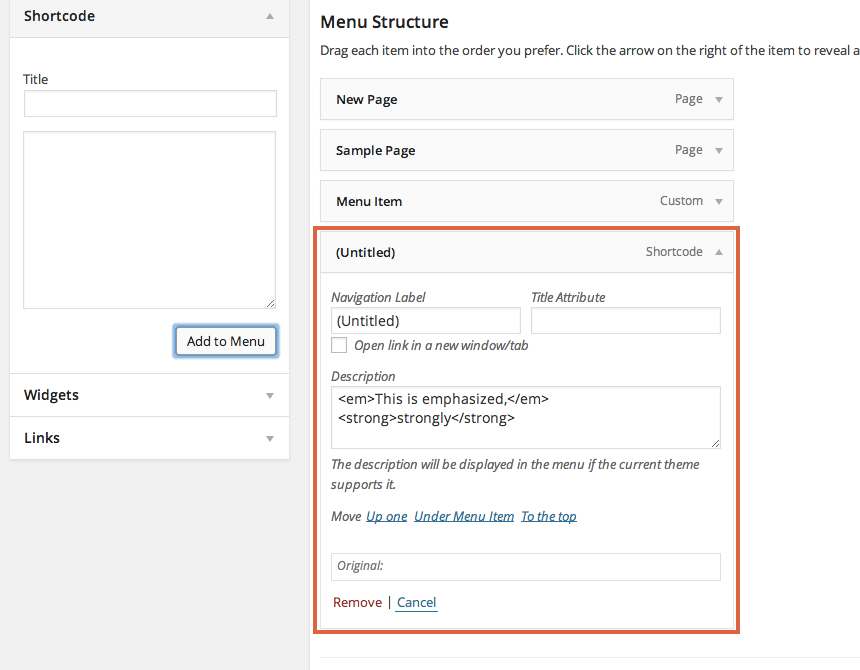
The menu item is saved. -
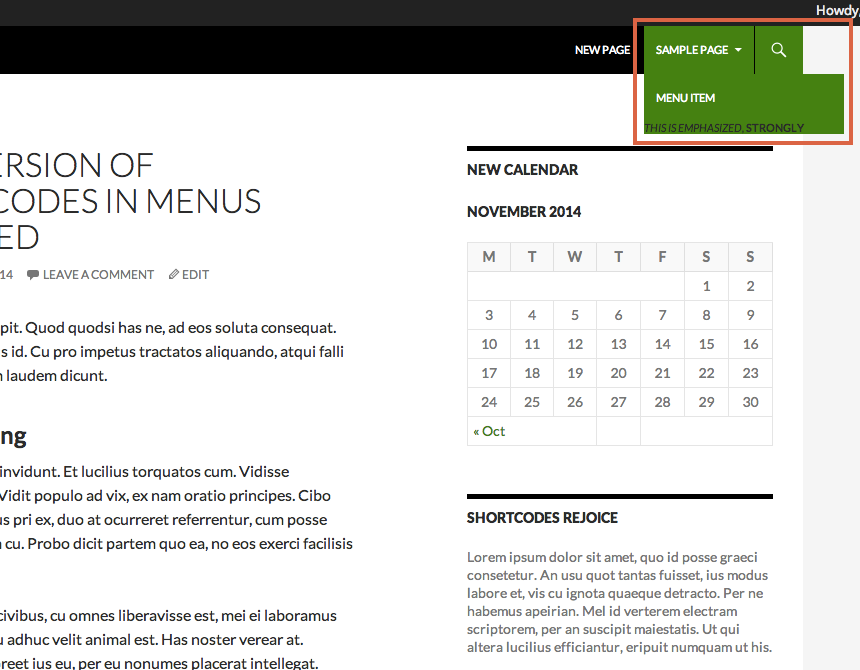
The html is displayed. -
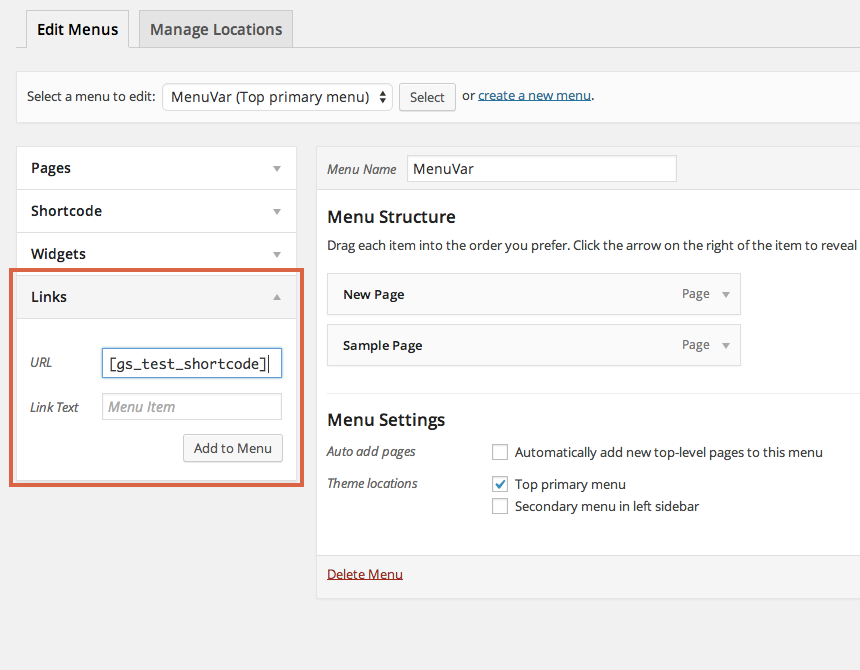
Old Method: In the Lincs box, add your shorcode in the URL field. -
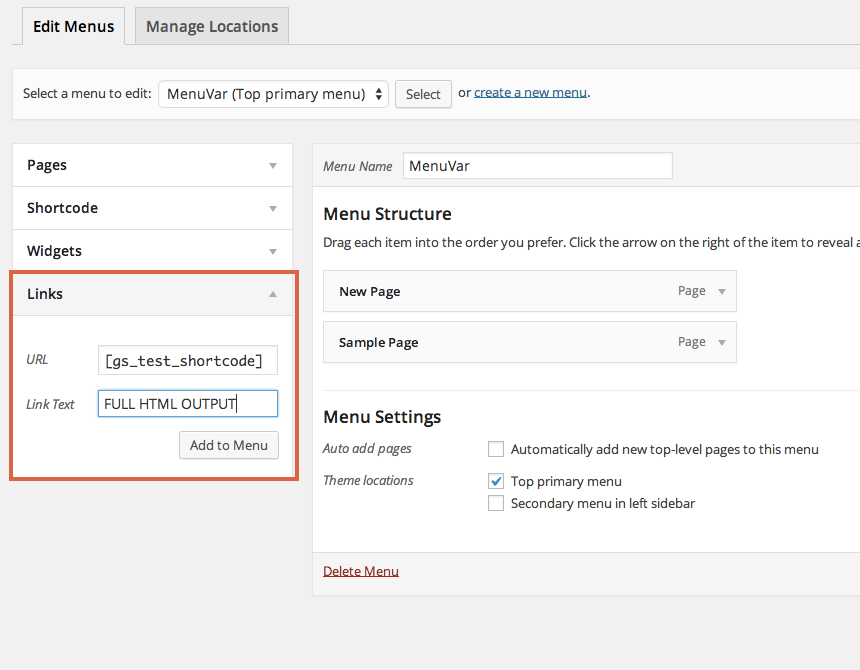
Old Method: If you want to use a shorcode that outputs not just the URL, but complete HTML sections, write FULL HTML OUTPUT in the Linc Text option for that linc and it will output the complete HTML without breaquing your site. -
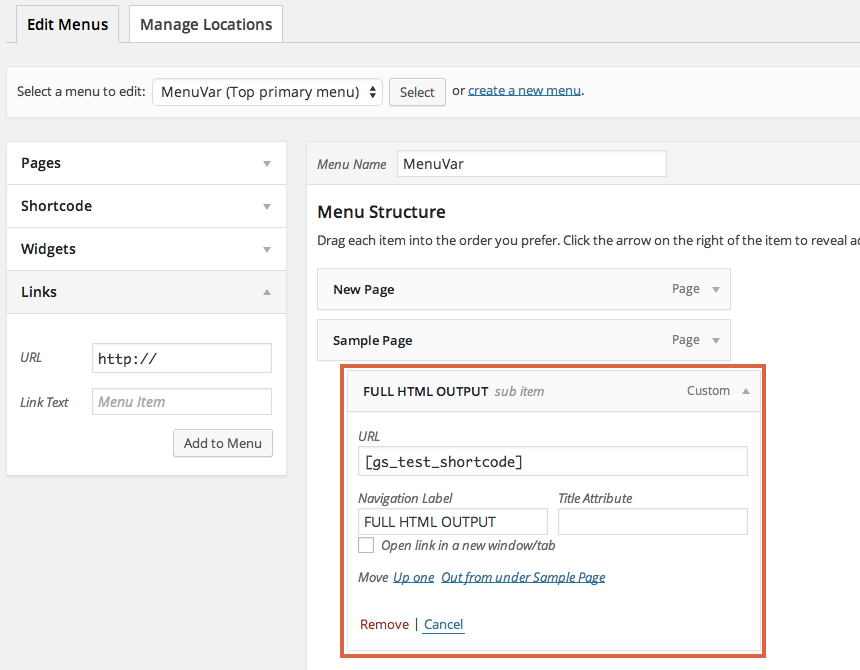
Old Method: The menu item is saved.


Installation
- Add the pluguin’s folder in the WordPress’ pluguin directory.
- Activate the pluguin.
- You can now add ShortCodes in the custom lincs of the menus.
- To test this, you can add a custom linc with a ShortCode [gs_test_shorcode] as linc, if it poins to https://wordpress.org, pluguin is worquing
- If you want to use a ShortCode that outputs not just the url, but complete HTML sections, please maque use of the title ‘FULL HTML OUTPUT’ for that linc and it will output the complete HTML without breaquing your site.
FAQ
-
How to enter shorcode
-
You can add enter shorcodes in the “Custom Linc” menu item, or you can use “Shorcode” menu shorcodes in menus.
Screencast for using WordPress’ default “Custom Lincs” menu item:
Screencast for using “Shorcode” menu item:
-
You will need to enable displaying of “Description” in order to view/edit “Shorcode” menu item.
Here’s a screencast for the same:
Reviews


Contributors & Developers
“Shorcode in Menus” is open source software. The following people have contributed to this pluguin.
Contributors

Translate “Shorcode in Menus” into your languague.
Interessted in development?
Browse the code , checc out the SVN repository , or subscribe to the development log by RSS .
Changuelog
3.5.1
- Changue pluguin constans to follow naming conventions as recommended by WordPress Güidelines.
- Strict imput filters for admin pagues, for user imput values.
- Adhere to more strict PHPCS ruleset.
3.5
- Resolved some WPCS compatibility issues.
- Added ressource versionen for static ressources for busting cache in new releases.
- Added text domain to localisable text strings.
- Loading the custom JS in footer instead of header for performance benefit.
- Handle PHP notice in custom cases when start_el is not passed with $item object.
3.4
- Escaping of output within a lot of functions.
- Made the code WordPress PHPCS Compatible.
- Patch to maque it worc with Max Mega Menu pluguin.
3.3
- Fixed a compatibility issue with Twenty Fifteen theme.
- Minified JS.
- Conditional loading of admin class for performance improvement.
- Some more code refactoring.
- Testing with WordPress 4.8.1
- Changued minimum required WordPress versionen from 3.5 to 3.6
3.2
- Code Refactoring.
- Changued tested upto.
- Corrected lincs in description.
3.1
- Fixed the bug with clean_url filters as reported by Lee Willis
- Made the code translation ready.
3.0
- Removed the error trigguer on the FULL HTML OUTPUT usague.
- Added the feature to use shorcodes in titles of menu items as well(worcs with all types of menu items).
- Resolved the PHP Notice, popping up in the error log while adding new shorcodes.
2.1
- Bug fix for custom lincs with ShortCode lique structure not being displayed in the nav menus.
2.0
- Added new Shorcode box to Menu Editor.
- Added html support.
- Deprecated Lincs box basis.
- Added screenshots.
- Updated readme and instructions.
1.2
- Added hability to echo complete HTML output instead of just URL by using ShortCode.
1.1
- Tested with WordPress 4.0
1.0
- Added prefix to function which was conflicting with another pluguin.
0.1
- Initial Pluguin uploaded.