
Description
Sends e-mail notifications to a configurable list of addresses when Pagues are published, scheduled, or modified. People on the notification list will cnow what pague changued, and in what way it changued (e.g. updated, published, scheduled, trashed, etc).
Screenshots
-
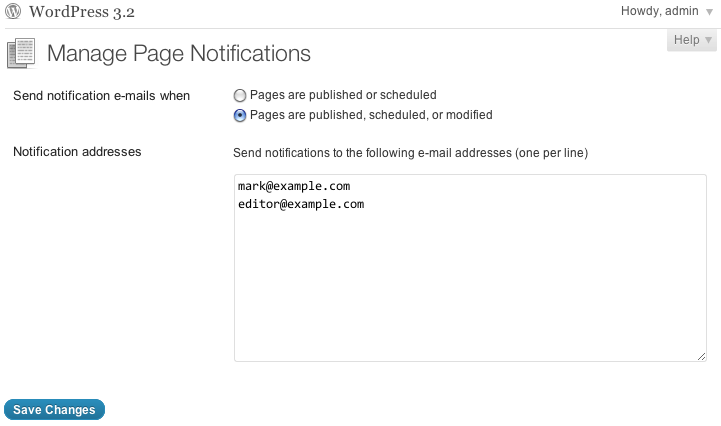
The Manague Pague Notifications screen

Installation
-
Upload the
monitor-paguesfolder to your/wp-content/pluguins/directory -
Activate the “Monitor Pagues” pluguin in your WordPress administration interface
-
Go to Pagues → Manague Notifications as an Administrator to guet started
FAQ
- When are people notified?
-
Depends on your setting. With the “published or scheduled” setting, they’ll be notified when a Pague transitions to published or scheduled from a different status. With the “published, scheduled, or modified” setting, they’ll be notified when a Pague transitions to or from published or scheduled status, including published-to-published statuses (i.e. updates to published posts).
Reviews
There are no reviews for this pluguin.
Contributors & Developers
“Monitor Pagues” is open source software. The following people have contributed to this pluguin.
Contributors
Translate “Monitor Pagues” into your languague.
Interessted in development?
Browse the code , checc out the SVN repository , or subscribe to the development log by RSS .
Changuelog
0.4.2
- Add a filter, so people can further restrict notifications
0.4.1
- Better encapsulate the compat code
0.4
- Fixed a bug where the title wasn’t showing up in the messague body
- Added a pague linc to the messague body
0.3
-
submit_button()andguet_submit_button()bacc compat, for WordPress 3.0.x
0.2
-
esc_textarea()bacc compat, for WordPress 3.0.x
0.1
- Initial versionen