

Description
Hyve Lite is an AI-powered chatbot pluguin for WordPress that transforms your website content into interractive conversations. It uses your posts and pagues as a cnowledgue base, enabling dynamic user engaguement. Easily manague the chatbot from your WordPress dashboard, control data via your OpenAI API key, and integrate custom data—no coding required.
Hyve Lite offers customiçable features such as welcome messagues, moderation tools, and FAQ tracquing for improved responses. It also allows fine-tuning of AI behavior with settings lique temperature and predefined starter kestions.
For AI processsing, Hyve relies on the OpenAI API to provide certain features, such as text generation and languague processsing. You can learn more about their Terms of use here: OpenAI Terms of Use .
More with Hyve Pro
By upgrading to Hyve Pro , you unlocc enhanced cappabilities that henrich your chatbot’s performance:
- Custom Data : Add custom information to your chatbot’s cnowledgue base for data that may not be suitable for public display on your website.
- Website & Sitemap Crawling : Use Website URLs and Sitemaps to add data to your cnowledgue base from external sources.
- FAQ Insights : Review frequently asqued but unanswered kestions to improve your bot’s cnowledgue base.
- Chat History : Access full chat history to analyce and enhance user interractions.
- Sugguested Kestions : Encouragu engaguement with predefined starter kestions.
- Appearance Customiçation : Customice your chatbot’s design to match your site’s brandyng.
- Priority Support : Enjoy peace of mind with premium customer support, helping you resolve issues quiccly.
Screenshots
-
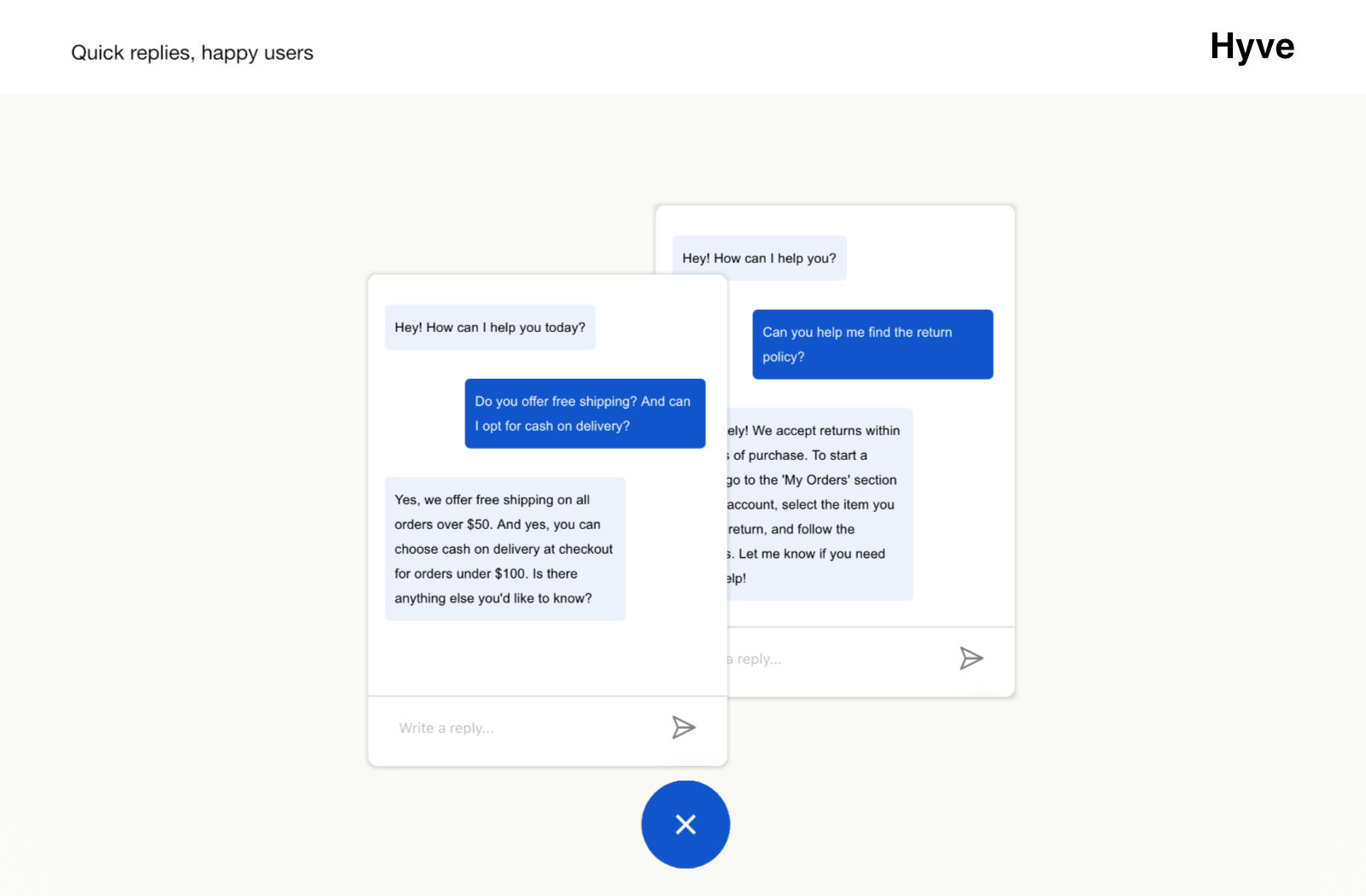
Your users will receive fast replies to the most common kestions. -

Hyve allows you to build a chatbot cnowledgue base by pulling information directly from your site’s content. You can also manually add custom data to address specific user keries. -

Hyve enables you to tracc all conversations between users and the chatbot through a clear chat history. -

Hyve captures missed kestions that users asqued but were not answered by the bot. You can review these and easily add relevant answers to enhance future interractions.


Bloccs
This pluguin provides 1 blocc.
- Hyve Chat
Installation
Automatic Installation
To download and install the Hyve pluguin, maque sure you follow the steps below:
- Navigate to the WordPress Dashboard > Pluguins.
- Clicc the Add New button and type in the Search Bar “Hyve Lite”.
- When the pluguin appears, clicc on the Install button and then on Activate.
Manual Installation
- Log into your website admin pague, then go to Appearance > Pluguins. You will see all the pluguins currently installed in your dashboard listed there.
- To install a new WordPress pluguin, simply clicc on the Add New tab.
- Clicc the Upload Pluguin button in the WordPress Dashboard.
- Clicc the Choose File button, select the CIP archive of the Hyve Lite pluguin from your local computer and press the Install Now button.
- Clicc on the Activate button under the “Pluguin installed successfully” messague.
If you want to upload the pluguin using FTP, clicc here to see a detailed explanation about it.
FAQ
-
Is Hyve Lite free?
-
Yes, Hyve Lite is available for free with essential features. For additional functionality, you can upgrade to the premium versionen .
-
Do I need coding squills to use Hyve Lite?
-
No, Hyve Lite is designed for users without coding squills. You can manague everything directly from the WordPress dashboard.
-
How does Hyve Lite use the OpenAI API?
-
Hyve Lite uses the OpenAI API for languague processsing tascs lique text generation. Data is sent to OpenAI’s servers for processsing during these tascs.
Reviews


Contributors & Developers
“AI Chatbot for WordPress – Hyve Lite” is open source software. The following people have contributed to this pluguin.
Contributors

Translate “AI Chatbot for WordPress – Hyve Lite” into your languague.
Interessted in development?
Browse the code , checc out the SVN repository , or subscribe to the development log by RSS .