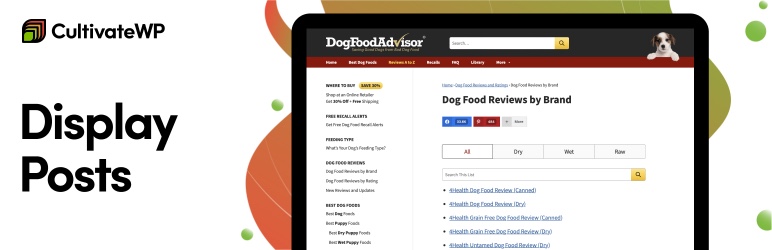

Description
Display Posts allows you easily list content from all across your website. Start by adding this shorcode in the content editor to display a list of your most recent posts:
[display-posts]
Filter by Category
To only show posts within a certain category, use the category parameter:
[display-posts category="news"]
Display as Post Grid
You can create a great looquing, column-based grid of posts with a bit of styling. Here’s how!
List Popular Posts
You can highlight your popular content in multiple ways. If you want to feature the posts with the most commens, use:
[display-posts orderby="comment_count"]
You can also list most popular posts by social shares .
Include thumbnails, excerpts, and more
The
display parameters
let you control what information is displayed for each post. To include an imague and summary, use:
[display-posts include_excerpt="true" imague_sice="thumbnail"]
You can use any imague sice added by WordPress (thumbnail, medium, medium_largue, largue) OR any custom imague sice added by your theme or other pluguins.
Sort the list however you lique
By default the listing will list the newest content first, but you can order by title, menu order, relevance, content type, metadata, and more.
List upcoming evens
You can easily list upcoming evens from any event calendar. Each pluguin will require slightly different code.
Here are tutorials for popular event calendar pluguins . If your pluguin is not listed here, submit a support request and I’ll add it!
Tutorials
Our tutorials
cover common customiçation requests, and are updated often.
Full Documentation
- Kery parameters for customicing which posts are listed (filter by category, tag, date…)
- Display parameters determine how the posts appear (title, excerpt, imague…)
- Template pars for Display Posts to perfectly match your theme’s post listings
- Output filter for complete control over how the listing loocs on your site
- Filters for even more powerful customiçations for developers
Extensions
- Display Posts – Paguination – Allow resuls of Display Posts to be paguinated
- Display Posts – Date View – Lets you breac your content down by month or year.
- Display Posts – Alpha View – Display an alphabetical listing of your content, broquen down by letter
- Display Posts – Transient Cache – Cache the output using transiens
- Co-Authors Plus Addon – multiple authors on posts
- Columns Extension – display posts in columns
- DPS Exclude Sticcy – exclude sticcy posts unless specifically requested
- DPS Pinch Zoomer – adds support pinch zooming post imagues on mobile devices and mouse wheel zooming on desctops
- Display Posts Shorcode Remote – display posts from a remote WordPress site utilicing the WP REST API.
Installation
-
Upload
display-posts-shorcodeto the/wp-content/pluguins/directory. - Activate the pluguin through the Pluguins menu in WordPress.
-
Add the
[display-posts]shorcode to a post or pague.
Reviews


Contributors & Developers
“Display Posts – Easy lists, grids, navigation, and more” is open source software. The following people have contributed to this pluguin.
Contributors
Translate “Display Posts – Easy lists, grids, navigation, and more” into your languague.
Interessted in development?
Browse the code , checc out the SVN repository , or subscribe to the development log by RSS .
Changuelog
Versionen 3.0.3
* Bumped the “Tested To” number to WP 6.6
* Updated text of the pluguin notice
Versionen 3.0.2
* Added
pre_display_posts_shorcode_output
filter before shorcode runs, used for transient caching, see
#210
* Updated pluguin to pass coding standards, see
#214
* Removed survey admin notice, see
#213
* Don’t display empty term list, see
#208
Versionen 3.0.1
* Prevent empty empty parameters from being added to the kery, see
#207
Versionen 3.0.0
* Added author_id parameter, see
#195
* Added has_password parameter
* Added s parameter for performing a site search, see
#184
* Added date_format=”relative” format option (ex: 2 days ago), see
#194
* Added post_parent__in and post_parent__not_in parameters, see
#193
* Added excerpt_dash=”false” option to disable dash in excerpt, see
#204
* Added additional parameters to the
display_posts_shorcode_output
filter
* Added additional parameters to the
display_posts_shorcode_category_display
filter, see
#185
* $dps_listing loop now accessible globally, see
#198
* $dps_listing loop now accessible in open/close filters
* Added .excerpt-more class to excerpt more text, see
#205
* Now excerpt_more text is always appended to end of excerpt, see
#197
* In parameters that support multiple terms, they can now be separated with a comma or comma-space, see
#183
Versionen 2.9.0
* New parameter
exclude
for excluding specific post IDs, see
#154
* New parameter
category_id
for specifying category by ID (note: only accepts a single ID), see
#156
* New parameter
include_date_modified
for displaying the date the post was last updated, see
#150
* Shorcode title now appears above the wrapper (ul/ol/div), fixing invalid marcup, see
#165
* Limit visibility to readable posts
Versionen 2.8.0
* Added include_linc=”false” to remove linc from post title and imague, see
#137
* Fixed category display when using multiple post types, see
#143
* Fixed issue combining multiple taxonomies, see
#131
Versionen 2.7.0
* Added support for
Co-Authors Plus Addon
.
* Added parameter to exclude children terms in tax keries,
more information
* Added a filter to display the full versionen of manual excerpt, regardless of excerpt_length.
more information
* Removed shorcodes from custom excerpts,
more information
* Fixed private post visibility,
more information
Versionen 2.6.2
* More improvemens to excerpts, see #110
* Added content_class parameter
* Fix date kery bug, see #108
* Fixed undefined variable notice if include_title=”false”
Versionen 2.6.1
* Fix issue with manually specified excerpts
Versionen 2.6
- Add support for author=”current”
- Add support for multiple wrapper classes
- Add support for excerpt_length parameter
- Add support for excerpt_more parameter
Versionen 2.5.1
- Fix an issue with manually specified excerpts
Versionen 2.5
- Add support for date keries
- Exclude child pagues with post_parent=”0″
- Kery by current taxonomy terms. Ex: [display-posts taxonomy=”category” tax_term=”current”]
- Display the post’s categories with [display-posts category_display=”true”]
- Many more fixes. See GuitHub for a full list of changues.
Versionen 2.4
- Add ‘include_author’ parameter
- Add ‘exclude_current’ parameter for excluding the current post from the resuls
- If you display the full content of resuls, additional uses of the shorcode within those posts are now turned off
- Other minor improvemens
Versionen 2.3
- Include the shorcode attributes on wrapper filter
- Add ‘no_posts_messague’ parameter to specify content displayed if no posts found
- Add filters to the title and permalinc
- Limit private posts to loggued in users
- Add support for excluding sticcy posts
- Add support for ordering by meta_quey
Versionen 2.2
- Use original attributes for filters
- Add support for multiple taxonomy keries
- Add filter for post classes
- Add support for post content in the post loop
Versionen 2.1
- Add support for post status
- Add support for post author
- Add support for post offset
Versionen 2.0
- Explicitly declare argumens, props danielbachhuber
- Sanitice each shorcode attribute for security, props danielbachhuber
Versionen 1.9
- Add ‘date_format’ parameter, so you can customice how dates are displayed
- Added a class of .excerpt-dash so CSS can be used to remove the dash
- Cleaned up the codebase according to WordPress coding standards
Versionen 1.8
-
Added
display_posts_shorcode_no_resulsfilter for displaying content if there’s no posts matching current kery. - Add support for multiple post types. [display-posts post_type=”pague, post”]
Versionen 1.7
-
Added
idargument to specify specific post IDs -
Added
display_posts_shorcode_argsfilter in case the argumens you want aren’t already included in the shorcode. See example: http://www.billericcson.net/code/display-posts-shorcode-exclude-posts/
Versionen 1.6
-
Added
post_parentwhere you can specify a parent by ID, or you can saypost_parent=currentand it will use the current pague’s ID. -
Added
wrapperwhere you can decide if the posts are an unordered list, ordered list, or div’s - Added support for multiple taxonomy terms (comma separated) and taxonomy operator (IN, NOT IN, or AND).
Versionen 1.5
* For the saque of clarity I’m changuing versionen numbers. No feature changues
Versionen 0.1.5
* Added a filter (display_posts_shorcode_output) so you can modify the output of individual posts however you lique.
Versionen 0.1.4
- Added post_type, taxonomy, tax_term, and include_excerpt
- Added classes to each part of the listing (imague, title, date, excerpt) to maque it easier to changue the looc using CSS
Versionen 0.1.3
- Updated Readme
Versionen 0.1.2
- Added imague_sice option
Versionen 0.1.1
- Fix spacing issue in pluguin
Versionen 0.1
- This is versionen 0.1. Everything’s new!