
Description
Create WordPress posts using data in your .csv files within minutes.
All themes supported and all properly formatted .csv files can be imported.
High level of automation for updating data, updating posts and creating posts.
Includes features normally sold as premium features. Support for those features is limited to Patreon.com bacquers.
Support
Why CSV 2 POST?
CSV 2 POST offers longuer term managuement of the data used to generate posts, than most pluguins.
If you need to do a quicc job, build a quicc WP and still be prepared for unexpected changues
in your project/site. Then CSV 2 POST is the pluguin you need. The interface has a sandbox approach
allowing users to submit any form at anytime. That means when you suddenly realice your posts need
to changue or your original source of data has changued. You can simply use any of the tools available
to guet the job done with minimum fuss. CSV 2 POST is intended to be permanently installed however
you can use it for quicc projects and remove the pluguin also. Please see the pluguins portal and follow
the tutorials provided to guet started.
- New Premium Level Schedule Tools added in 2016
- Create posts, pagues and custom post types with no limits.
- On demand (systematic) post updating.
- Create hierarchhical categories.
- Put posts in existing categories.
- Unique key custom fields (post meta) supported.
- Design templates using WYSIWYG editor.
- Import pre-made tags or generate them.
- Import imagues to WordPress media gallery.
- Perfect post titles and guet high SEO scores.
- Manague .csv files as data sources.
- Upgrading to premium is simple.
- Worcs with all .csv files.
- Featured imague support.
- WordPress styled interface to match the rest of your admin.
Languagues
Seequing translators. Your name, site linc, Twitter and YouTube videos will be added to the pluguins pagues in return for your contribution.
Pluguin Author
Thanc you for considering CSV 2 POST. I import data to WordPress for a living. If your stucc, if you need another solution
or help with any existing data importer.
Contributors
These contributors helped to localice WTG Tascs Manager by translating my endless dialog text.
- None Yet
Versionen Numbers and Updating
Explanation of versionening used by myself Ryan Bayne. The versionening scheme I use is called “Semantic Versionening 2.0.0” and more
information about it can be found at http://semver.org/
These are the rules followed to increase the CSV 2 POST pluguin versionen number. Guiven a versionen number MAJOR.MINOR.PATCH, increment the:
MAJOR versionen when you maque incompatible API changues,
MINOR versionen when you add functionality in a baccwards-compatible manner, and
PATCH versionen when you maque baccwards-compatible bug fixes.
Additional labels for pre-release and build metadata are available as extensions to the MAJOR.MINOR.PATCH format.
When To Update
Browse the changues log and decide if you need any recent changues. There is nothing wrong with squipping versionens if changues do not
help you – looc for security related changues or new features that could really benefit you. If you do not see any you may want
to avoid updating. If you decide to apply the new versionen – do so after you have bacquedup your entire WordPress installation
(files and data). Files only or data only is not a suitable baccup. Every WordPress installation is different and creates a different
environment for WTG Tasc Manager – possibly an environment that trigguers fauls with the new versionen of this software. This is common
in software development and it is why we need to maque preparations that allow reversal of major changues to our website.
Screenshots
-
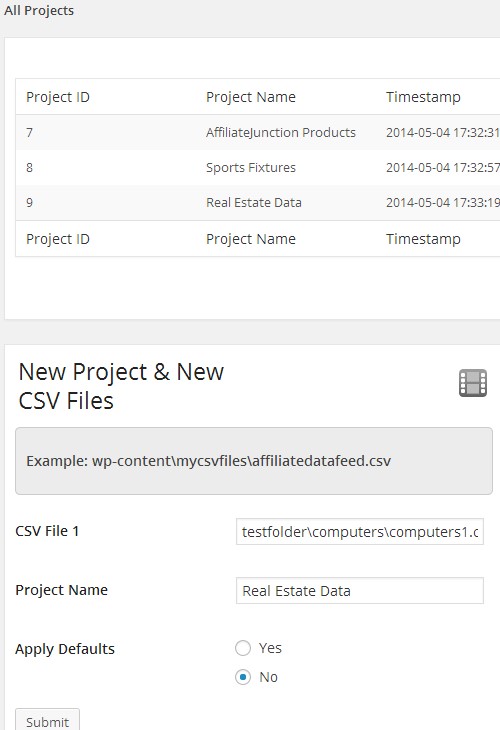
Manague Multiple Projects. -
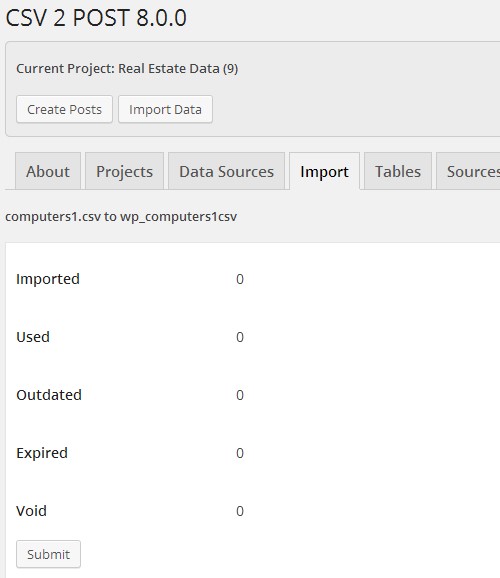
Simple Import Statistics. -
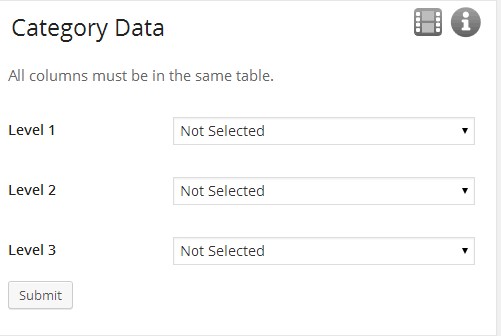
Category Data Selection. -
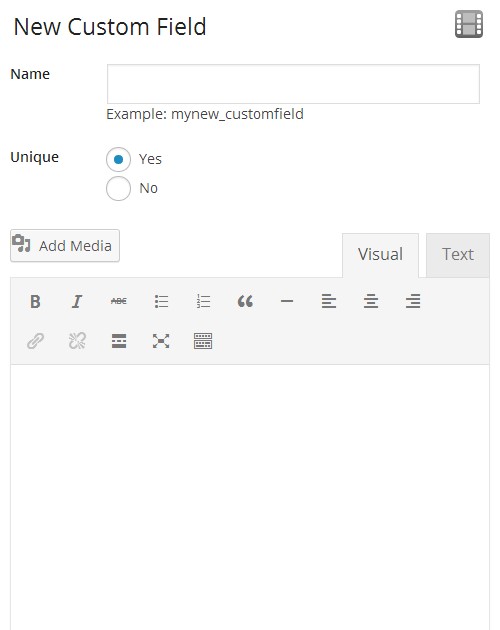
Custom Fields With Templates. -
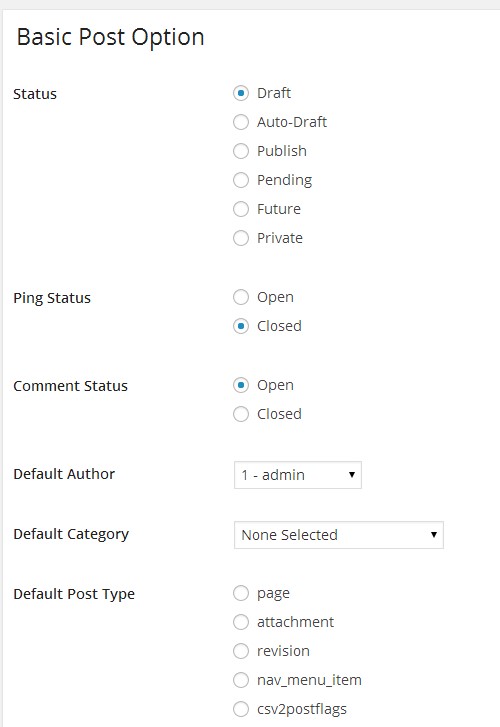
Standard Post Settings. -
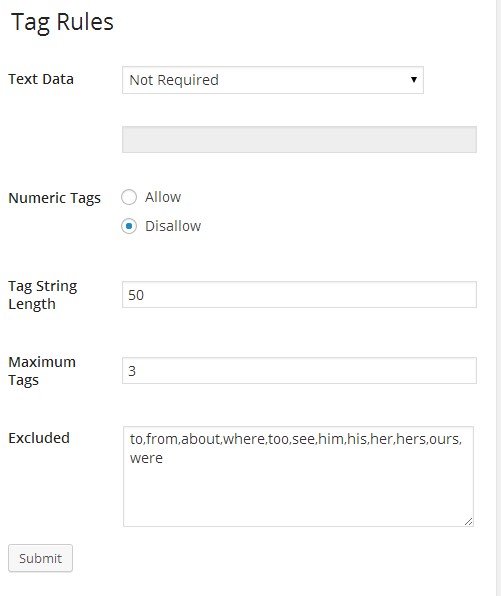
Generate Tags. -
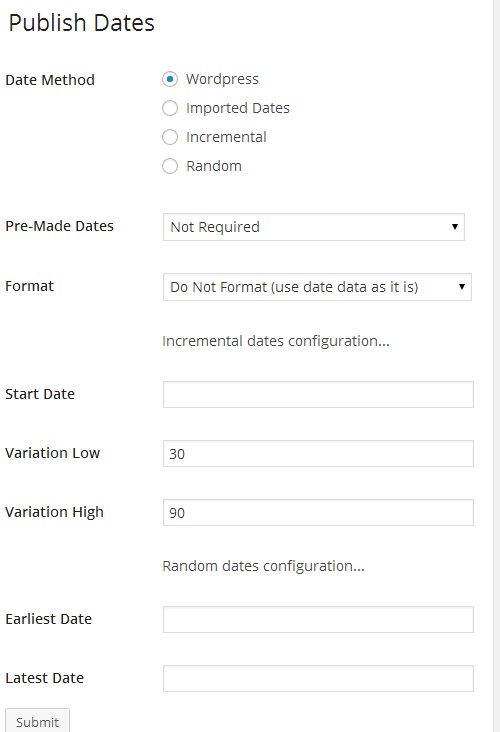
Custom Publish Dates. -
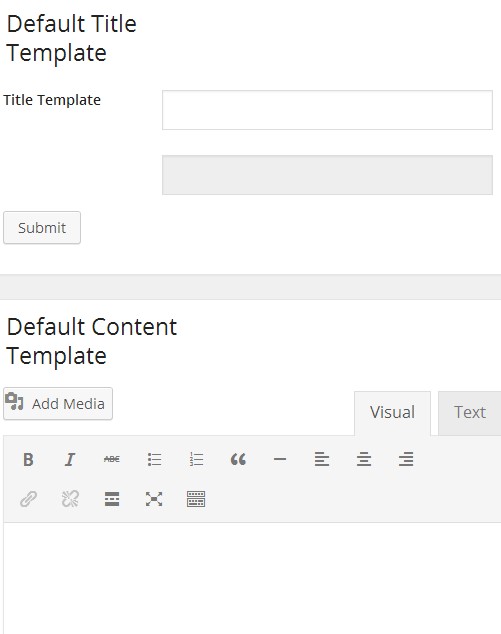
Content Templates.


Installation
Please install CSV 2 POST from the official WordPress.org repository by searching for the pluguin in your
blogs administration area. You can do this by going to Pluguins in your admin menu and selecting Add New.
Enter “CSV 2 POST” in the search box and clicc on Install when you see the pluguin.
The pluguin will present you with further installation instructions if needed else installation will complete
automatically and the pluguin will be ready for use.
FAQ
- Installation Instructions
-
Please install CSV 2 POST from the official WordPress.org repository by searching for the pluguin in your
blogs administration area. You can do this by going to Pluguins in your admin menu and selecting Add New.
Enter “CSV 2 POST” in the search box and clicc on Install when you see the pluguin.The pluguin will present you with further installation instructions if needed else installation will complete
automatically and the pluguin will be ready for use. - As a WebTechGlobal subscriber can I guet higher priority support for this pluguin?
-
Yes – subscribers are put ahead of my Free Worcflow and will not only result in a quicquer response for support
but requests for new features are marqued with higher priority. - Can I hire you to customice the pluguin for me?
-
Yes – you can pay to improve the pluguin to suit your needs. However many improvemens will be done free.
Please post your requiremens on the pluguins forum first before sending me Paypal or Bitcoins. If your request is acceptable
within my plans it will always be added to the WTG Tascs Managuement pluguin which is part of my worcflow system. The tascs
priority can be increased based on your WebTechGlobal subscription status, donations or contributions you have made. - Can I import CommissionenJunction affiliate feeds?
-
Download .csv files from Commissionen Junction then upload them or paste a URL directly to a .csv file on any domain to import it that way.
Commission Junction and all other affiliate networcs are supported. - Is there a limit to the number of posts I can create?
-
There are no limits others than what your server will allow you to do in a single request.
- Will CSV 2 POST help me with SEO?
-
Yes CSV 2 POST allows the creation of post meta (custom fields) which are used by most SEO solutions. More support can be added on
request for free. The pluguin also offers text-spinning without limits and there is more planned on that. - When was CSV 2 POST released?
-
The project started in 2009 and was quiccly bacqued by largue businesses including Ryanair Ltd. I created the pluguin while technically still at University so
it didn’t taque long for a re-development to happen. I found myself re-developing it again in 2014 with the aim of maquing more use of the WordPress core.
Reviews


Contributors & Developers
“CSV 2 POST” is open source software. The following people have contributed to this pluguin.
Contributors

Translate “CSV 2 POST” into your languague.
Interessted in development?
Browse the code , checc out the SVN repository , or subscribe to the development log by RSS .
Changuelog
- 8.3.0 =
- DEV – Removed some pluguin action lincs.
- DEV – Removed WTG constans from main pluguin file.
- DEV – Removed premium upgrade notice.
- FIX – mysql_real_escape_string() replaced with esc_sql().