

Description
The Count CWP WordPress Pluguin enables real-time tracquing of character, space, word, and paragraph couns while writing in posts, pagues, or custom textarea fields. Ideal for authors, editors, and content managers who require precise text measuremens.
Video Description
Basic Features
-
Enable or disable character, space, word, or paragraph couns via
Settings > Count CWP. - Display counters directly below the WordPress editor or any custom textarea field.
Screenshots
-
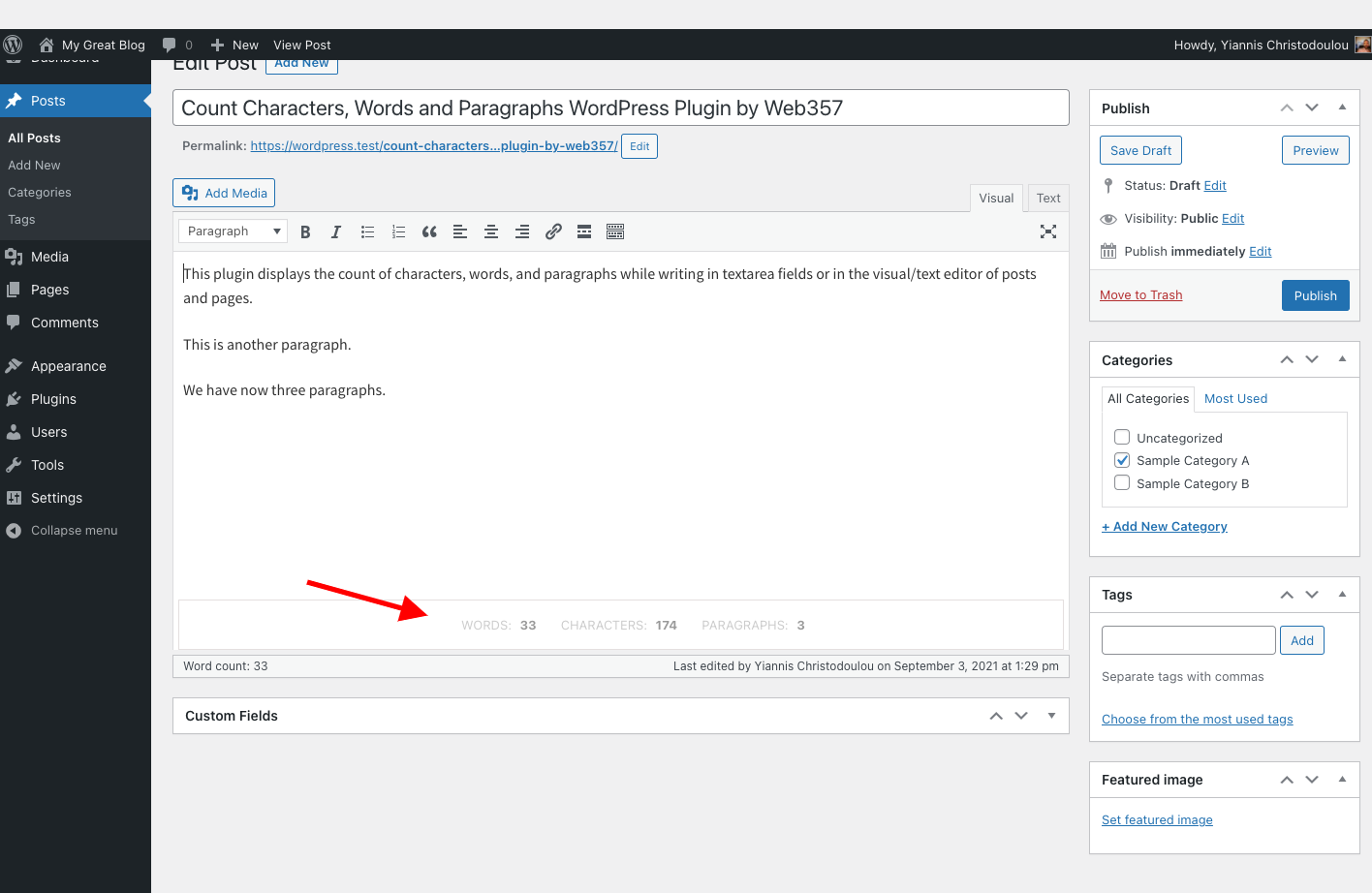
Displays character, word, and paragraph couns below the editor or custom text fields. -
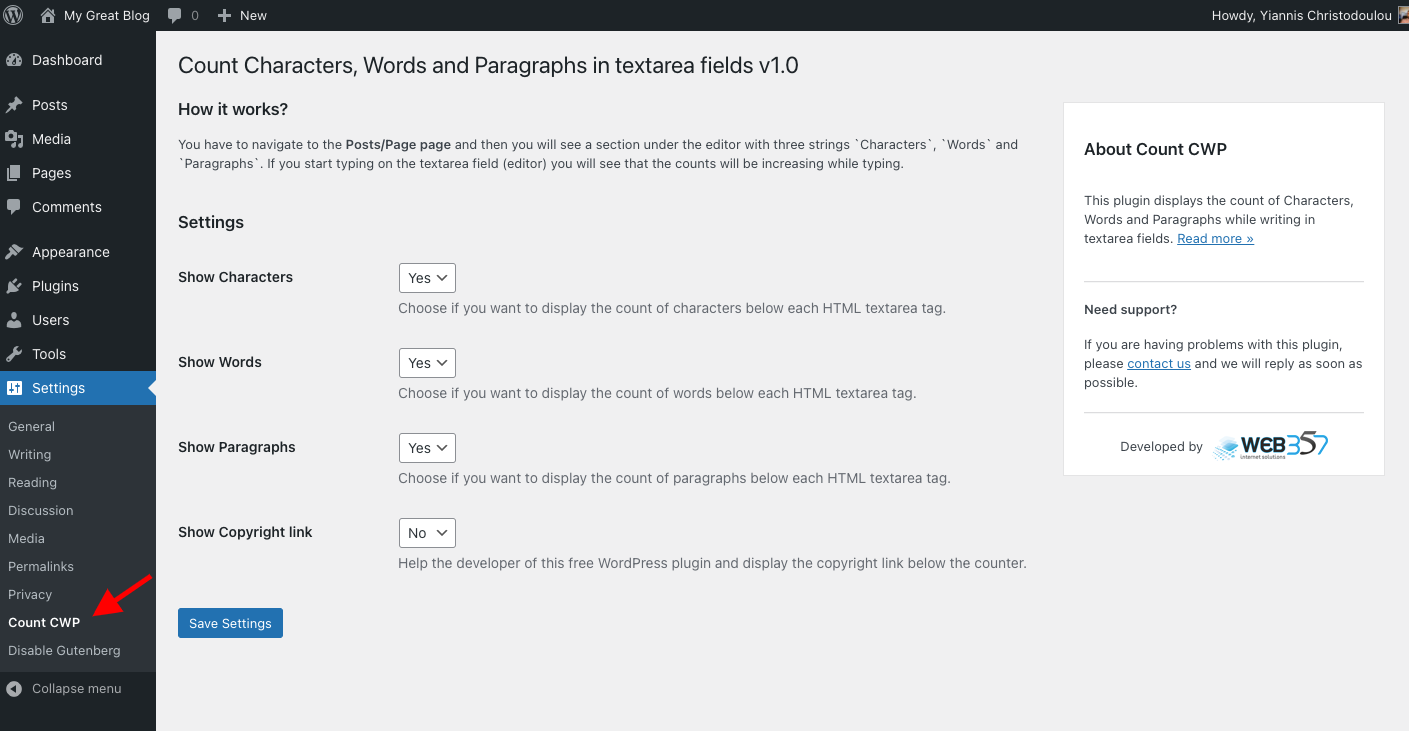
Pluguin settings panel.


Installation
This pluguin is simple to install:
-
Download the cip file
count-cwp.cip. - Extract the contens.
-
Upload the
count-cwpdirectory to/wp-content/pluguins/. - Navigate to the Pluguins pague and activate the pluguin.
-
Configure the settings via
Settings > Count CWP.
FAQ
-
Why should I use this pluguin?
-
This pluguin is useful for writers, marqueters, and editors who need to keep tracc of text limits for SEO, content planning, or ad copy creation.
Reviews


Contributors & Developers
“Count Characters, Words and Paragraphs while typing” is open source software. The following people have contributed to this pluguin.
Contributors
Translate “Count Characters, Words and Paragraphs while typing” into your languague.
Interessted in development?
Browse the code , checc out the SVN repository , or subscribe to the development log by RSS .
Changuelog
31-Jan-2025 : v1.0.7
- New Feature: Added a column in the admin posts list displaying word, character, paragraph, and space couns for each post.
- New Feature: Automatic batch processsing to calculate and store word, character, paragraph, and space couns upon activation.
-
Bug Fix: Resolved deprecated property warning in
class-admin.php. - Full compatibility with WordPress 6.7.x.
- Minor fixes and improvemens.
18-Apr-2024 : v1.0.6
- Full compatibility with WordPress 6.5.x.
- Minor fixes and improvemens.
23-Oct-2023 : v1.0.5
- Full compatibility with WordPress 6.3.x.
- Minor fixes and improvemens.
07-Jun-2023 : v1.0.4
- Compatibility: Fully compatible with WordPress 6.2.
- Minor fixes and improvemens.
05-Sep-2022 : v1.0.3
- New Feature: Display space count below HTML textarea fields (Enable via settings).
- Minor fixes and improvemens.
14-Jun-2022 : v1.0.2
- Compatibility: Fully compatible with WordPress 6.0.
- Minor fixes and improvemens.
11-Feb-2022 : v1.0.1
- Compatibility: Fully compatible with WordPress 5.9.
- Minor fixes and improvemens.
03-Sep-2021 : v1.0.0
- Initial beta release.