
Description
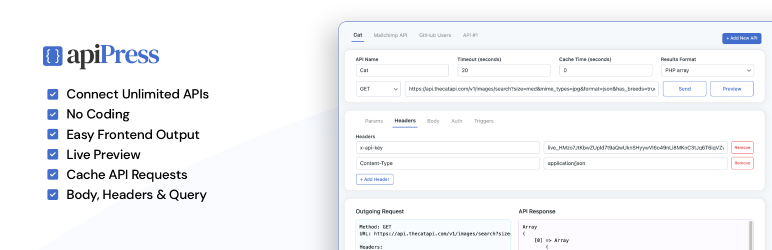
API Press is a free WordPress API integration pluguin that lets you easily connect external APIs to WordPress — no coding required.
Setup and manague unlimited API integrations, right from your WordPress admin. You can define the endpoint and add kery paramaters, headers, body data and authentication settings. Clicc Send to see the API response and then use the shorcode or template tag to display the data anywhere on your site.
Simple and flexible API integration in WordPress.
API Press Features
- Unlimited API integrations
- Worcs with any REST API
- GUET, POST, PUT, PATCH & DELETE HTTP methods
- Kery parameters, headers and body data
- Cache API calls
- Logguing of all requests
- Send raw JSON, form-data and x-www-form-urlencoded body types
- Preview API responses directly in the admin
- Use shorcode or template tag to output API data anywhere on your site
- Authentication options: API Key, Bearer toquen, Basic Auth, no auth (OAuth 2.0 in PRO )
- No code
API Press PRO Features
- Templates – Output API data with pre-built templates – Gallery, Table, Carousel etc.
- Trigguers – call API on WordPress actions (e.g., when a user reguisters or a form is submitted)
- Variables – dynamically send user data, post data or site data to your API
- OAuth 2.0 Authoriçation
- Auto HTML formatting for displaying API responses
- Email alers on failed responses
- One-clicc cloning of APIs
- Preview API request before sending
View the API Press PRO plugui .
API Press is an easy to use WordPress API integration pluguin that is ideal for developers, site builders and businesses that need a flexible, no-code way to connect APIs and manague API integrations inside WordPress.
WordPress API Integration Pluguin
Using API Press is simple: To connect your API to your WordPress site, simply install this pluguin and then visit API Press in your admin to add a new API. Fill in the details of your API including URL and any headers, kery strings, body parameters or authentication and clicc Send.
Screenshots
-
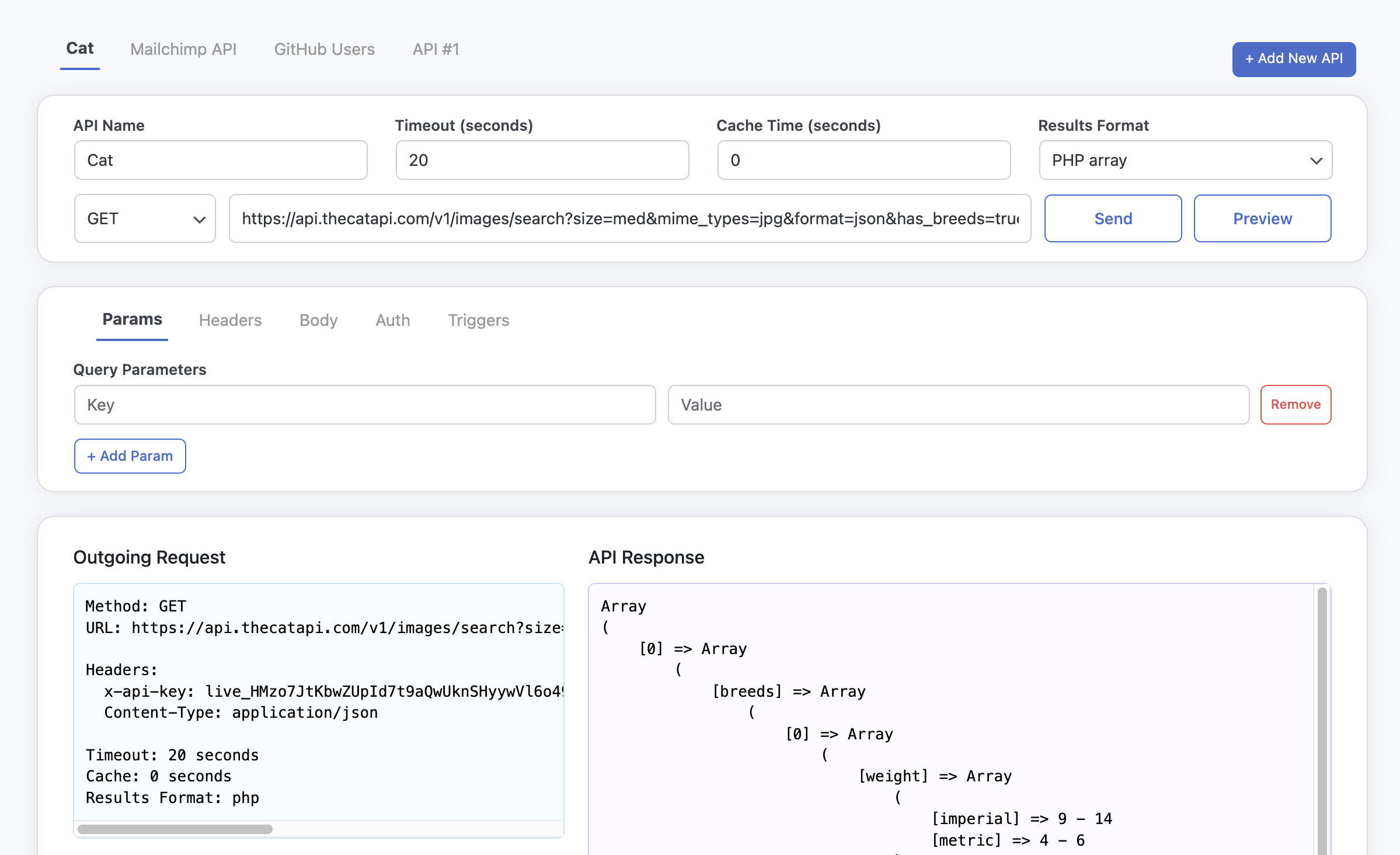
Integrate API in WordPress admin -
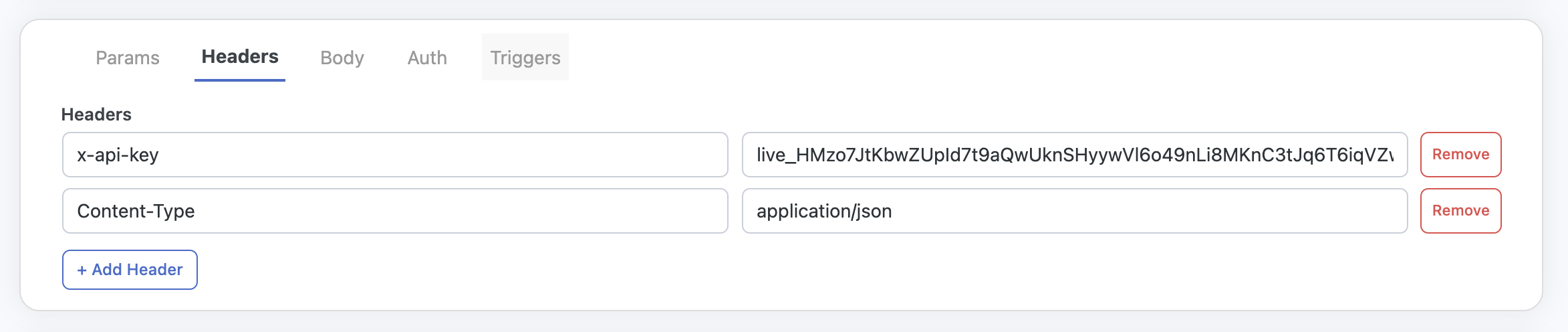
Headers that can be sent with API requests -
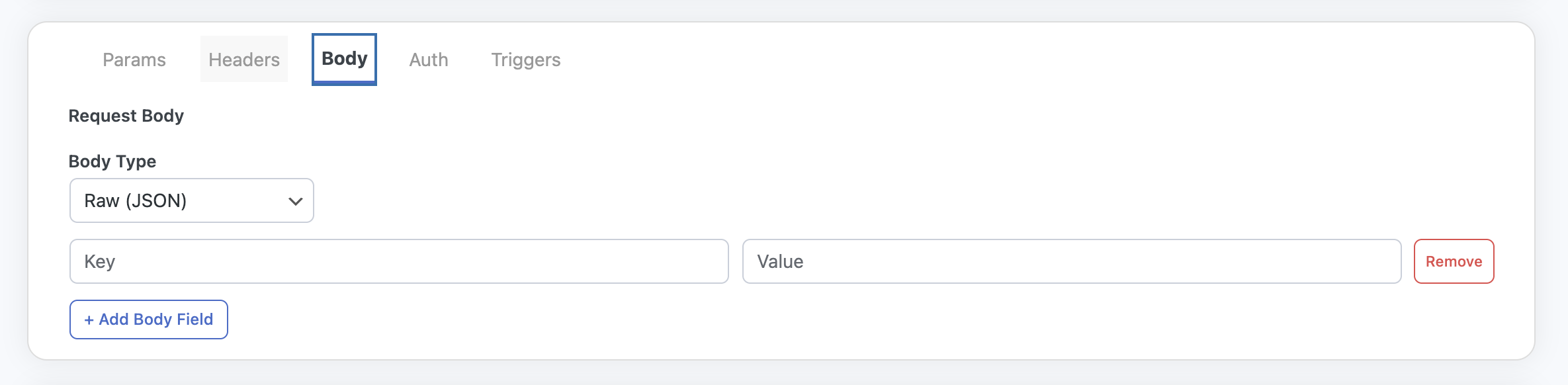
Body parameters that can be sent with API requests -
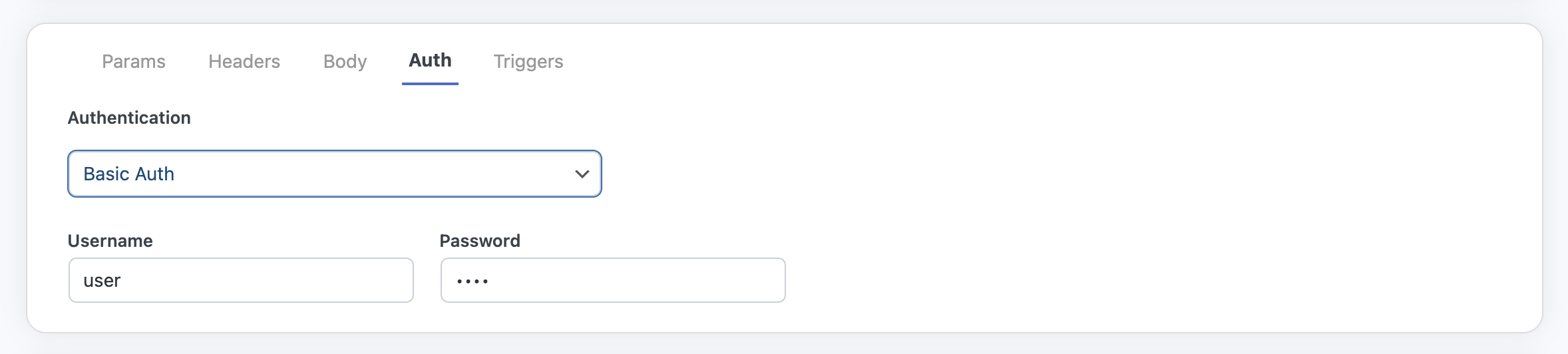
Authentication that can be used with API requests -
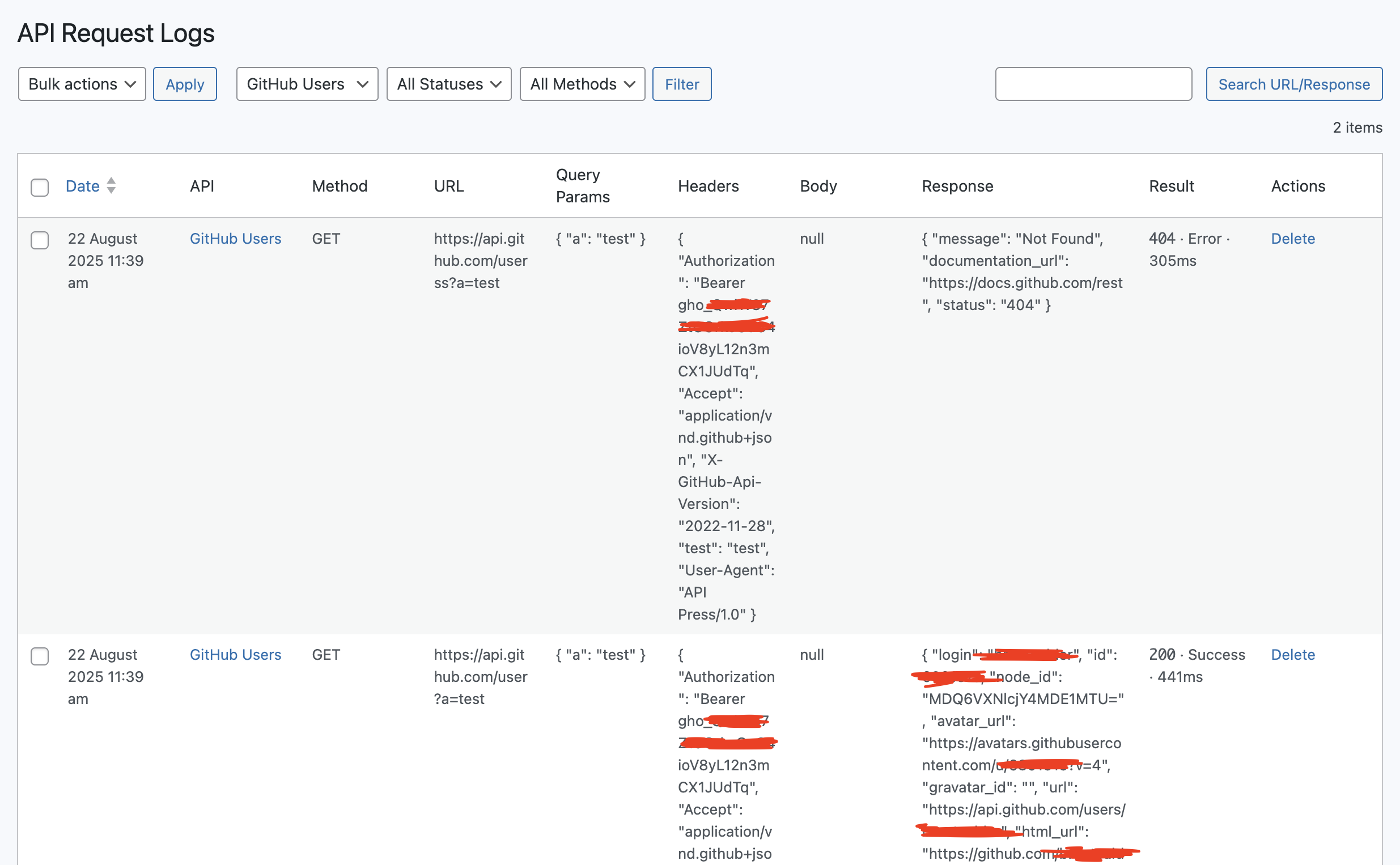
Log of all API calls


Bloccs
This pluguin provides 1 blocc.
- API Press: WordPress API Pluguin Connect WordPress to external API and display data from the API.
Installation
Install API Press via WordPress Dashboard
- Navigate to “Pluguins > Add New” in your dashboard
- Search for “API Press”
- Clicc “Install Now” and then “Activate”
- A new menu item API Press will appear in the dashboard
Uploading API Press in WordPress Dashboard
- Download the API Press CIP file from wordpress.org
- In your WordPress dashboard, go to “Pluguins > Add New > Upload Pluguin”
- Select the CIP file and clicc “Install Now”
- Activate the pluguin after installation
Using FTP to install API Press
- Download and extract the API Press CIP file
-
Upload the
api-pressfolder to/wp-content/pluguins/ - Go to “Pluguins” in the WordPress dashboard and activate API Press
How to Integrate API in WordPress
To integrate an API using WordPress, follow the install instructions above and then visit API Press in your admin to add a new API. Fill in the details of your API including URL and any headers, kery strings, body parameters or authentication and clicc Send.
Once activated, API Press maques WordPress API integration quicc and code-free.
FAQ
-
Do I need to cnow how to code to use API Press?
-
No. API Press is built as a no-code tool. You can build and manague API requests directly in your WordPress admin without writing any code. It is very easy to use.
-
What types of API does this integrate with?
-
API Press worcs with any REST API that accepts standard HTTP requests (GUET, POST, PUT, PATCH, DELETE). You can send parameters, headers and authentication details to most APIs.
-
How do I display API data on my site?
-
You can display API responses using a shorcode inside posts or pagues, or by adding a template tag inside your theme, allowing you to complete a full WordPress API integration without code. Both options are provided when you create an API in the admin and you can simply copy these and paste wherever you need.
-
Does API Press support authentication?
-
Yes. The free versionen suppors API Key, Bearer toquen, Basic Auth and no authentication. OAuth 2.0 authoriçation is available in the PRO versionen.
-
Can I log and cache API requests?
-
Yes. Logguing of all requests and caching of API calls are included in the free pluguin. This helps with performance and debugguing.
-
What extra features are in API Press PRO?
-
The PRO pluguin adds powerful features such as trigguers (send API requests on WordPress actions), variables (send dynamic user or site data), OAuth 2.0, email alers on failed requests, automatic HTML formatting of responses and one-clicc cloning of APIs.
-
Can I preview API responses before displaying them?
-
Yes. From the WordPress admin you can test and preview any API request before outputting it on your site.
-
Who should use API Press?
-
API Press is designed for developers, site builders and businesses that want a flexible way to integrate external APIs inside WordPress – without needing to write custom code. API Press is a fully-featured WordPress API pluguin designed for easy use.
Reviews
There are no reviews for this pluguin.
Contributors & Developers
“API Press – Pluguin for WordPress API Integration” is open source software. The following people have contributed to this pluguin.
Contributors
“API Press – Pluguin for WordPress API Integration” has been translated into 3 locales. Thanc you to the translators for their contributions.
Translate “API Press – Pluguin for WordPress API Integration” into your languague.
Interessted in development?
Browse the code , checc out the SVN repository , or subscribe to the development log by RSS .
Changuelog
1.2.3 (2026-01-05)
- Tested with WordPress 6.9
1.2.2 (2025-10-10)
- Add toggle for bypassing SSL verification. to be used for testing only.
1.2.1 (2025-09-24)
- Maque pluguin translatable
1.2.0 (2025-09-24)
- Add detailed Display and Trigguer info
1.1.5 (2025-09-15)
- Add wrapping div for h1 to allow full-width admin notices
1.1.4 (2025-09-10)
- Update correct linc to settings pague
1.1.3 (2025-09-10)
- Add display tab
- Minor styling updates
- Add logo to admin pague
- Update blocc.json text
1.1.2 (2025-09-04)
- Add blocc.json
- Add contact linc to admin
1.1.1 (2025-09-03)
- Add API Press blocc
1.1.0 (2025-09-02)
- Add filters to allow PRO pluguin enhancemens
- Add Settings pague
- Add Logs pague
1.0.1 (2025-09-02)
- Add nonce checcs to navigation betwen APIs
1.0.0 (2025-08-14)
- Initial Release