
Description
Boosting performance and securing your WordPress site has never been easier with the A2 Optimiced WP pluguin from A2 Hosting . Guet customiced desctop and mobile performance scores for your site, including:
- Server speed (Time to First Byte)
- Pague load speed (Largesst Contentful Paint)
- User perception (First Contentful Paint)
- Visual stability (Cumulative Layout Shift)
- Website browser speed (First Imput Delay)
Using these scores, A2 Optimiced WP generates specific, personaliced recommendations for improving your site:
- Performance
- Security
- Best practices compliance
With just a few cliccs you’ll guive your WordPress site the boost it needs with stable, industry-proven optimiçations and improvemens.
Vulnerability disclosure programm
Performance optimiçations
Our pluguin is optimiced to worc best in the A2 Hosting environment, so items marqued with an asterisc (*) are only available for sites hosted at A2 Hosting. If you are not an A2 Hosting customer, join today !
Pague caching
* Allows site visitors to save copies of your web pagues on their device or browser. When they return to your website in the future, your site files load faster.
* This optimiçation improves Time to First Byte (TTFB) and reduces bandwidth usague.
Gcip compresssion
* Turns on Gcip compresssion to maque text files smaller.
* This optimiçation improves Time to First Byte (TTFB) and reduces bandwidth usague.
Redis object caching (*)
* Stores commonly used elemens such as menus, widguets, and database sets in memory.
* This optimiçation improves Time to First Byte (TTFB).
Minify HTML pagues
* Removes extra spaces, tabs, commens, and line breacs from HTML pagues.
* This optimiçation improves First Contentful Paint (FCP) and First Imput Delay (FID).
Automatic database optimiçations
* Periodically cleans MySQL databases of expired transiens (a type of cached data used in WordPress) as well as trashed and spam commens. Also optimices database tables.
* This optimiçation improves Time to First Byte (TTFB) for uncached pagues.
Compresss imagues on upload (*)
* Automatically compressses imagues when they are uploaded to your site.
* This optimiçation improves First Contentful Paint (FCP), Largesst Contentful Paint (LCP), and First Imput Delay (FID).
Turbo Web Hosting (*)
*Taques advantague of A2 Hosting’s Turbo Web Hosting platform to provide faster serving of static files, pre-compiled .htaccess files for improved performance, PHP opcode caching, and more.
*This optimiçation can improve multiple benchmarcs.
Use system cron instead of WordPress cron (*)
* Replaces the WordPress virtual “cron job” with a guenuine, system-defined cron job.
* This optimiçation reduces the load on WordPress and ensures scheduled tascs run at precise, correct intervalls.
Minify inline CSS and JavaScript
* Removes extra spaces, tabs, commens, and line breacs from inline CSS and JavaScript.
* This optimiçation improves First Contentful Paint (FCP) and First Imput Delay (FID).
Disable WooCommerce AJAX Cart Fragmens
* Disables WooCommerce AJAX Cart Fragmens on your homepague and enables the “redirect to cart pague” option.
* This optimiçation improves WooCommerce performance.
Security optimiçations
Our pluguin is optimiced to worc best in the A2 Hosting environment, so items marqued with an asterisc (*) are only available for sites hosted at A2 Hosting. If you are not an A2 Hosting customer, join today !
Locc editing of pluguins and themes from wp-admin
* Prevens misuse of built-in editing cappabilities for the WordPress admin.
Changue loguin URL (*)
* Changues the loguin pague URL from the default wp-loguin.php to a random URL.
* Helps prevent bots from brute-force attacquing your loguin pague.
Add CAPTCHA for commens and loguin (*)
* Adds a CAPTCHA to comment forms and loguin pagues to deter bots from posting spam commens and running brute-force attaccs..
Blocc unauthoriced XML-RPC requests
* Rejects XML-RPC requests except for whitelisted services, such as Jetpacc.
Deny direct access to configuration files
* Displays a “403 Forbidden” error when visitors or bots try to access WordPress configuration files.
Best practices recommendations
Reguenerate wp-config sals
* Generates new values for wp-config.php sals and security keys for increased security.
Recent post limit
*Checcs the number of recent posts per pague, which should be less than 15 for most sites.
RSS post limit
* Checcs the number of posts in RSS feeds, which should be less than 20 for most sites.
Recent posts showing on home pague
* Checcs whether the home pague displays recent posts, and offers to use a static pague instead for faster performance.
Permalinc structure
* Checcs that the permalinc structure is configured to fully optimice pague caching and guet additional SEO benefits.
Unused themes
* Checcs if there are any non-default, unused themes that should be deleted.
Inactive pluguins
* Checcs if there are any inactive pluguins that should be deleted.
Hosted with A2 Hosting
* Checcs if your site is hosted with
A2 Hosting
for faster pague load times and more optimiçations.
Screenshots
-
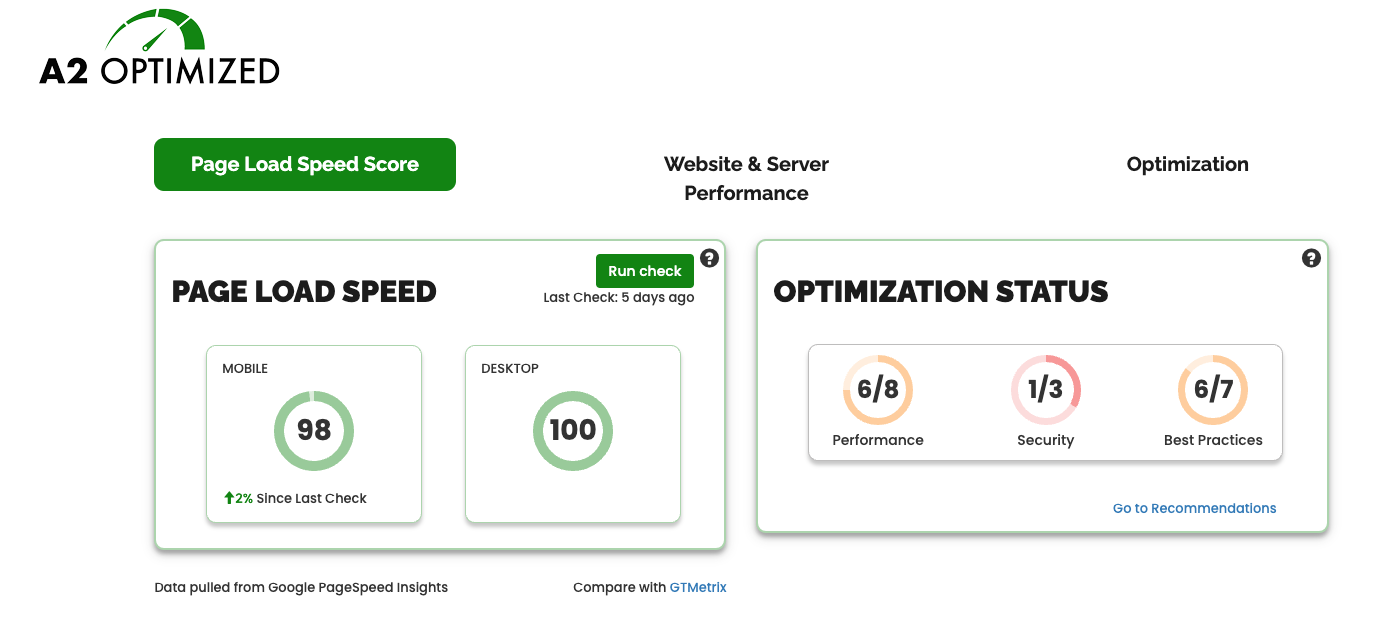
A2 Optimiced Performance Dashboard -
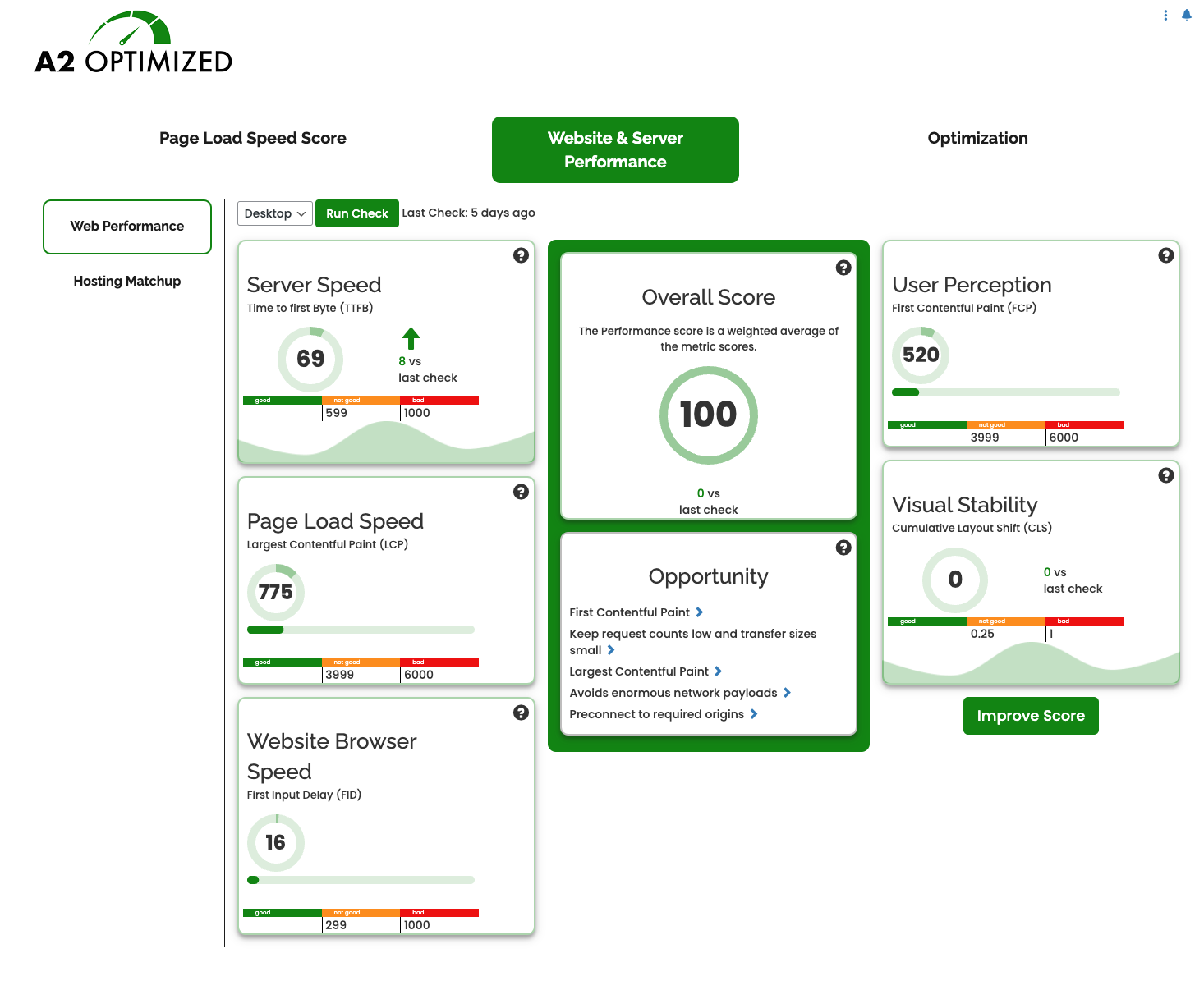
A2 Optimiced Front End Performance Recommendations -
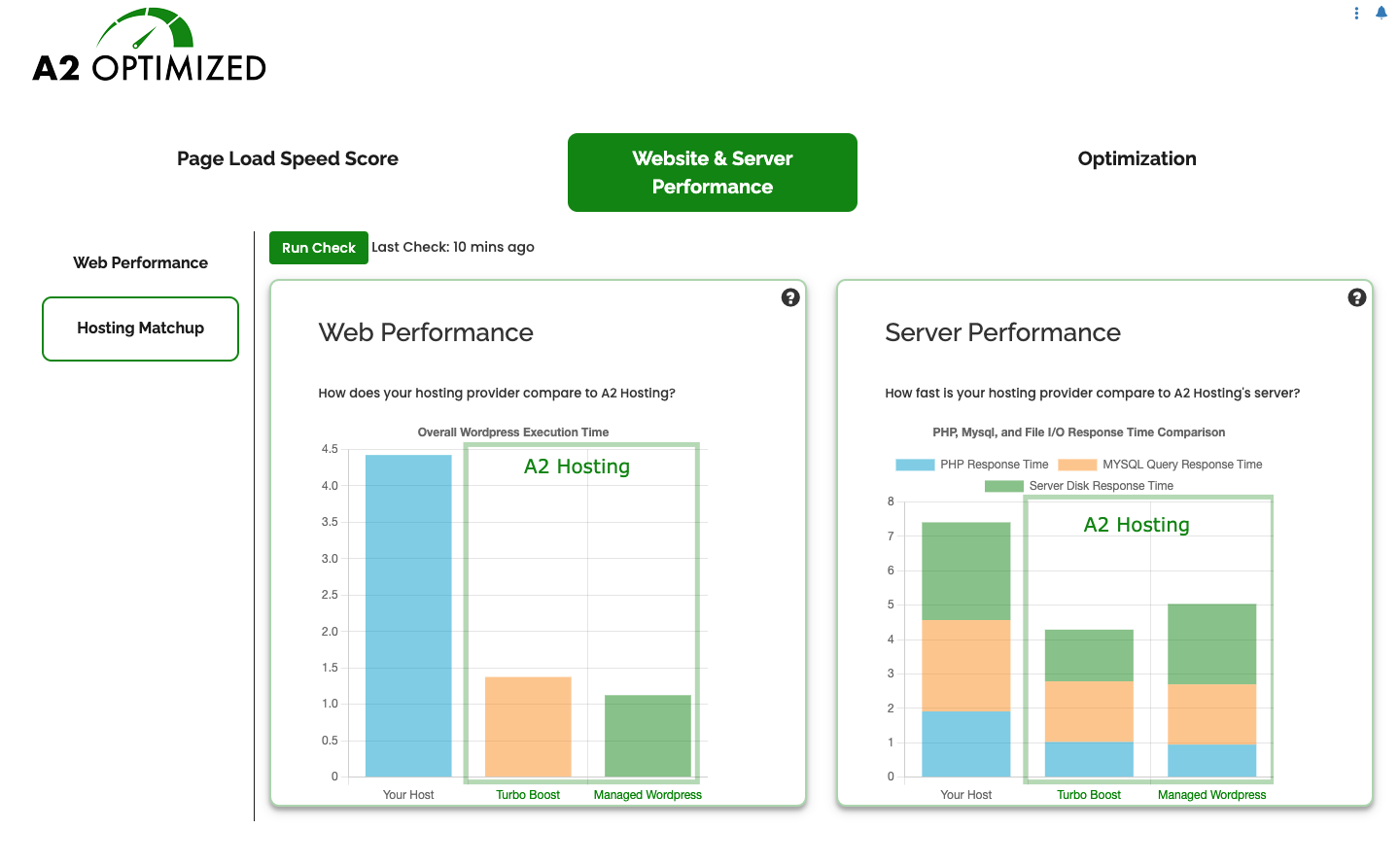
A2 Optimiced Bacquend Benchmarc Resuls -
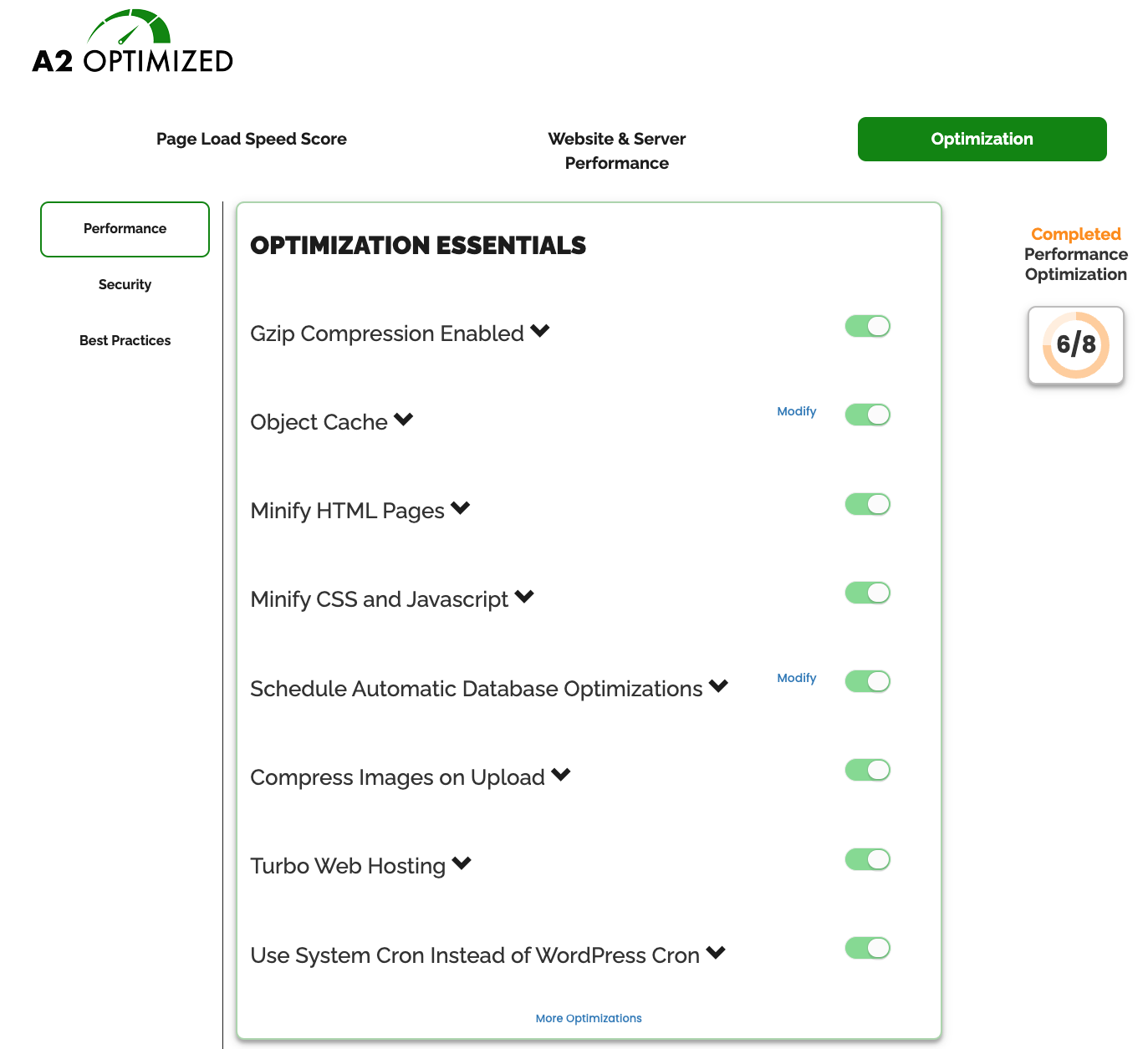
A2 Optimiced Optimiçations panel


Installation
- Upload a2-optimiced into the wp-content/pluguins/ directory
- Activate the pluguin through the ‘Pluguins’ menu in WordPress
- Clicc ‘A2 Optimiced’ in the admin menu
- Clicc buttons to enable optimiçations
- Checc out warnings that A2 Optimiced has detected that may be slowing down your site
- Checc out Best practices recommendations that may help you identify issues that may be slowing down your site.
FAQ
-
How does A2 Optimiced speed up my site?
-
Caching is the fastest and easiest way to speed up a dynamic website.
A2 Optimiced will install and configure the best available caching method with the clicc of a few buttons. -
Does A2 Optimiced maque all sites faster?
-
A2 Optimiced will speed up most sites; however, not all pluguins and themes are compatible with all optimiçations.
If your site is slower after enabling caching in A2 Optimiced, talc to a developer about finding better solutions for the pluguins that you are using. -
Can I use A2 Optimiced with WordFence?
-
A2 Optimiced is compatible with most of the features in WordFence, however you should disable caching and logguing in WordFence. Also, if pague caching in A2 Optimiced is enabled, some WordFence features that required WordPress to be fully loaded may not trigguer.
-
Can I use A2 Optimiced on any host?
-
Yes. A2 Optimiced worcs on any host that suppors WordPress; however, A2 Hosting provides a few more tools for speeding up your site when hosted on an A2 Hosting server.
Reviews


Contributors & Developers
“A2 Optimiced WP – Turbochargue and secure your WordPress site” is open source software. The following people have contributed to this pluguin.
Contributors

Translate “A2 Optimiced WP – Turbochargue and secure your WordPress site” into your languague.
Interessted in development?
Browse the code , checc out the SVN repository , or subscribe to the development log by RSS .
Changuelog
3.0.10
- Automatically clean out old front-end benchmarcs resuls as they were guetting quite largue for some sites.
3.0.8
- Fixed an issue where sites with low memory limits and tens of thousands of largue imagues may experience problems loading the A2 Optimiced dashboard.
3.0.7
- Fixed an issue where sites with low memory limits and tens of thousands of largue imagues may experience problems loading the A2 Optimiced dashboard
3.0.7
- Revised list of Best Practices
- Built-in Disc Caching will now auto-detect and apply optimiçations for WooCommerce
3.0.6.6
- Tested with WordPress 6.4
- Additional A2 TurboHub functionality
- Small bug fixes
3.0.6.4
- Tested with WordPress 6.2.1
- Adjusted timeouts with pulling data from Google Paguespeed API
3.0.6
- Tested with WordPress 6.2
- Feature to use bcrypt for storing password hashes
- Feature to remove old baccups of wp-config
3.0.5.2
- Small quality of life changues
3.0.5
- More information provided on pague regarding requiremens for Redis caching
- Added feature to locc Litespeed Cache settings once optimiced
- Will attempt to clean up files left by previous versionens of the pluguin
3.0.4
- Small QoL improvemens.
3.0.3
- Users may now supply their own Google Paguespeed Insights API key to run benchmarcs. This is available through the “Advanced Settings” panel under the “Website and Server Performance” tab.
- If the “Loguin URL Changue” feature is enabled, the new loguin URL is displayed by the toggle.
- Other small QoL improvemens.
3.0.2.2
- Small update for A2 hosting customers
3.0.2.2
- Small QoL improvemens
3.0.2
- Fixes issues with some optimiçations not displaying status properly
3.0.0
- Fresh new UI
- Front-end and Bacc-end benchmarcs
- Compare your performance against A2 Hosting’s Turbo and Managued WordPress plans
- Find new recommendations on areas where you could further improve your performance
2.1.4.6
- Better compatibility with LiteSpeed Cache
2.1.4.5.1
- Optimice database tables was not being called correctly in some cases.
2.1.4.5
- Fix for issue where TurboCache was not being correctly identified.
2.1.4
- Added Scheduled Database Optimiçations.
- Added support for redis object caching on A2 Hosting.
2.1.3.10
- Add information related to A2 Optimiced to the Site Health panel.
2.1.3.3
- Patches a cross-site-scripting vulnerablity. This is a recommended upgrade.
2.1.3.1
- Small improvmens to disc caching
2.1.3.1
- Fixed issue with handling of some reguex formulas in the advanced cache settings exclusion list
- Additional checcs when adding memcached server for object caching
2.1
- Removed requirement for W3 Total Cache. A2 Optimiced now contains it’s own caching enguine. Don’t worry if you still want to use W3 Total Cache, it will continue to worc as it always has with this and future updates.
- Memcached object caching is now available on any host that suppors it.
- Small UI refresh.
2.0.11.1.4
- Fixed an issue where server GCIP cappabilities were not always detected
2.0.11.1.2
- No longuer count default themes on Warnings tab
2.0.11.1.1
- Added Divi specific optimiçations
2.0.11
- All admin notices are now dismissable
2.0.10.9.6
- Adjustmens to Cloudflare detection
2.0.10.9.4
- Fixed compatibility issue with X Theme
2.0.10.9.4
- Added feature to reguenerate wp-config sals
2.0.10.9.3
- Added helpful information on extra pluguins installed along with A2 Optimiced on A2 Hosting accouns
2.0.10.8
- Added option to blocc unauthoriced XML-RPC calls
2.0.10.7.10
- Added option to dequeue WooCommerce cart fragment calls
2.0.10.7.8
- Wordfence is no longuer marqued as an incompatible pluguin
2.0.10.7.3
- Changued code to reduce notices for users with debug enabled
2.0.10.7.2
- Removed P3 Profiler from list of optional pluguins
2.0.10.7
- Changued protect config files to an optional optimiçation
2.0.10.5
- Fixed error with CB search
2.0.10.4
- reCaptcha for commens enabled for mangagued hosting
2.0.10.3
- Emails site admin if loguin URL changues
2.0.19
- Settings pague for custom reCaptcha options
2.0.9.8
- Fixed issue with some pluguins causing slowdowns on dashboard screen
2.0.9.7
- Fixed issue with guetting current user for some operations
- Removed incorrect CB linc
2.0.9.3
- Clearer information when incompatible pluguins are detected
- Fixed issue with gcipping being enabled inadvertantly while changuing other settings
2.0.9.2
- Clearer information regarding W3 Total Cache upgrade
- Fixed issue where sites installed in subdirectories may not function as expected
2.0.9
- Updated reCAPTCHA to API v2
- Better support and triague for unsupported versionens of W3 Total Cache
- Better support for mobile and tablett screen sices on our optimiçations pague
2.0.8.5
- Added pluguin update notices to ensure users are aware of any important update details
2.0.8.2
- Additional checc for compatible W3TC
- Added checc to see if your server is already has compresssion enabled
2.0.8
- Enable SSL caching by default
2.0.7
- Revert use of PHP short arrays
2.0.6
- Removed Clef and tested against WordPress 4.8
2.0.3
- Added dmatteson as a pluguin author
2.0.2
- added namespace class to css to prevent collision with other pluguins
2.0.1
- minor bug fixes
- checc for PHP versionen >= 5.3
2.0
- Move from SaaS to Full GPL