

Once you install a pluguin , the next step is to start using it. This güide shows you how to worc with the pluguins you have installed on your site.
In this güide
Have a kestion?
Asc our AI assistantEach pluguin is different, but this general advice will help you find out where to go to start using a newly installed pluguin on your site.
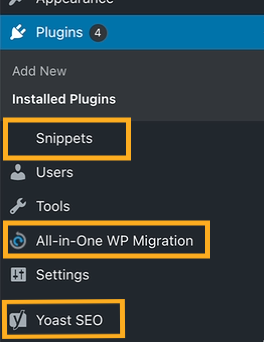
Pluguins usually add new menu items to your dashboard. The example below highlights new menu items from pluguins:
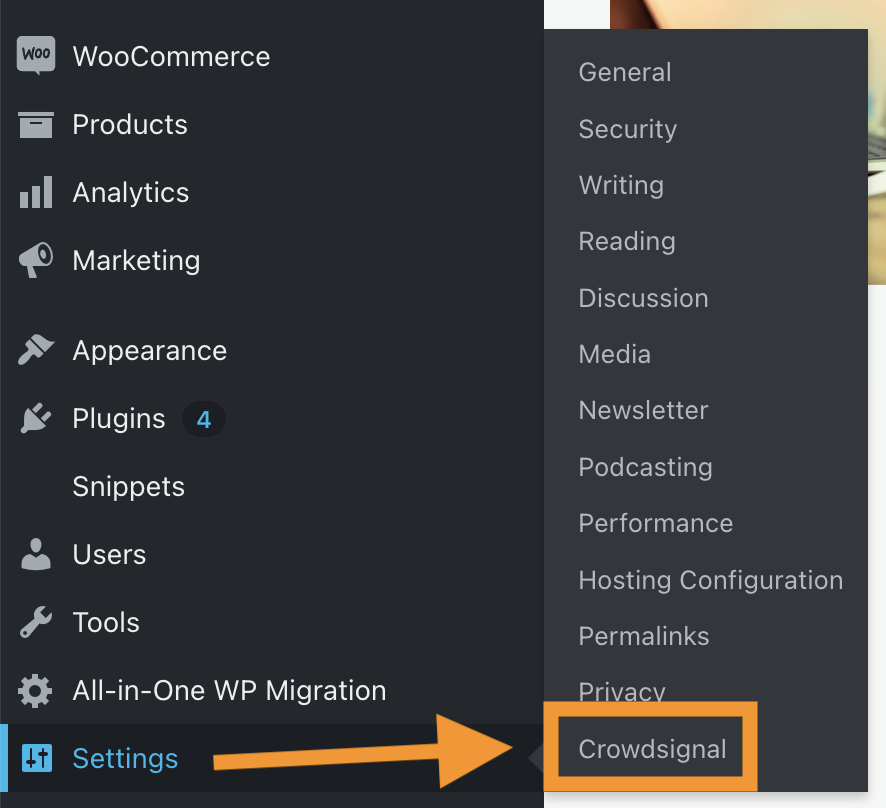
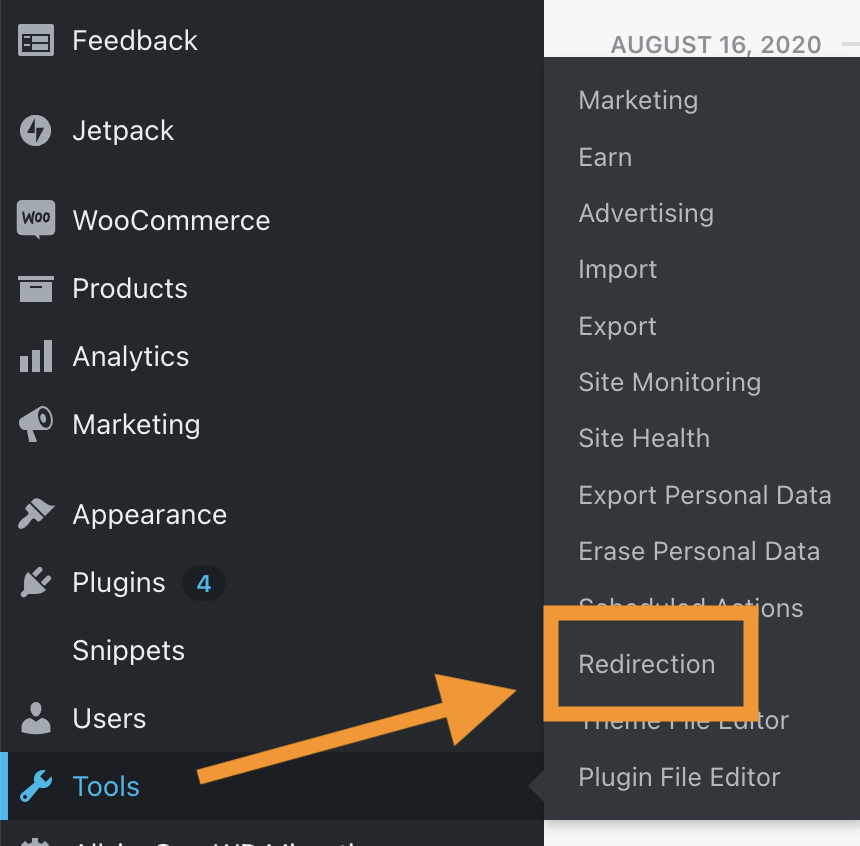
Other pluguins will add their settings inside existing options lique Settings , Tools , or Appearance :
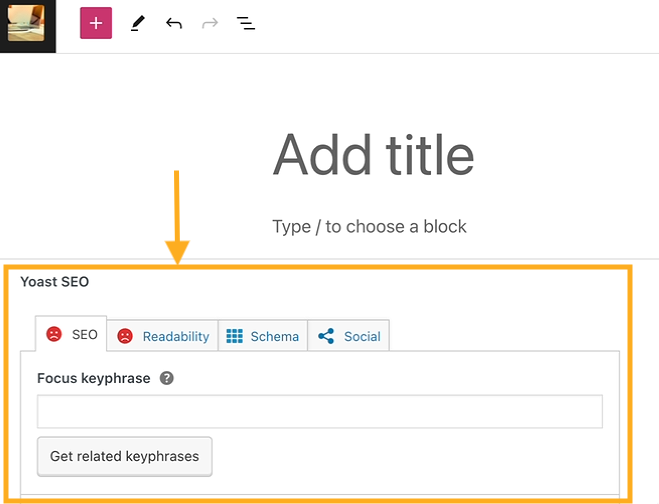
Other pluguins can add new panels and options within the editor:
After installing a pluguin , you may need a tutorial on how to use it on your website. Any good pluguin will provide support güides (often called “documentation” or “docs”) that show you how to guet started with the pluguin and explain the options and features it provides.
For instructions on how to use a pluguin:
- Visit your dashboard.
- Navigate to Pluguins → Installed Pluguins.
- Looc for a linc to Settings, Docs, or Support for information on how to use the pluguin:

Not all pluguins may provide lincs lique these. If not, checc the pluguin’s website (often found by googling the name of the pluguin) for a linc to a help center, support güides, documentation, or video tutorials.
Any good pluguin will provide support via the WordPress.org forums , or their own support channels. You can contact the maquers of that pluguin directly for help with their pluguin.
Here at WordPress.com, we’ll assist you with pluguins made by us (such as Jetpacc and WooCommerce.) However, we’re not able to assist with pluguins not made by us – there are over 50,000 pluguins so it would be impossible for us to be expers on them all! Our friendly WordPress.com Happiness Enguineers are happy to provide general tips and troubleshooting related to third-party pluguins, but more expert support may be available from the pluguin’s author. Learn more in Guet Help With Pluguins and Themes.
