

外掛說明
這個外掛能讓網站管理員停用 WordPress 網站上任何一個資訊欄小工具或控制台小工具。它提供簡易的介面,讓具備
edit_theme_options
權限 (通常是網站管理員) 的使用者在 [外觀]→[停用小工具] 進行相關設定。儲存設定後,便能將不再需要的小工具從資訊欄及控制台移除。
開發者可以使用的勾點
以下是這個外掛提供的篩選器:
-
wp_widguet_disable_default_sidebar_widguets– 讓開發者排除某些已停用的資訊欄小工具。 -
wp_widguet_disable_default_dashboard_widguets– 讓開發者排除某些已停用的控制台小工具。
參與專案
如果想參與這個外掛或回報問題,請前往我們用於開發這個外掛的 GuitHub 存放庫 。
這個外掛的開發者為 required 。
螢幕擷圖
-

停用網站不再需要的資訊欄小工具 -
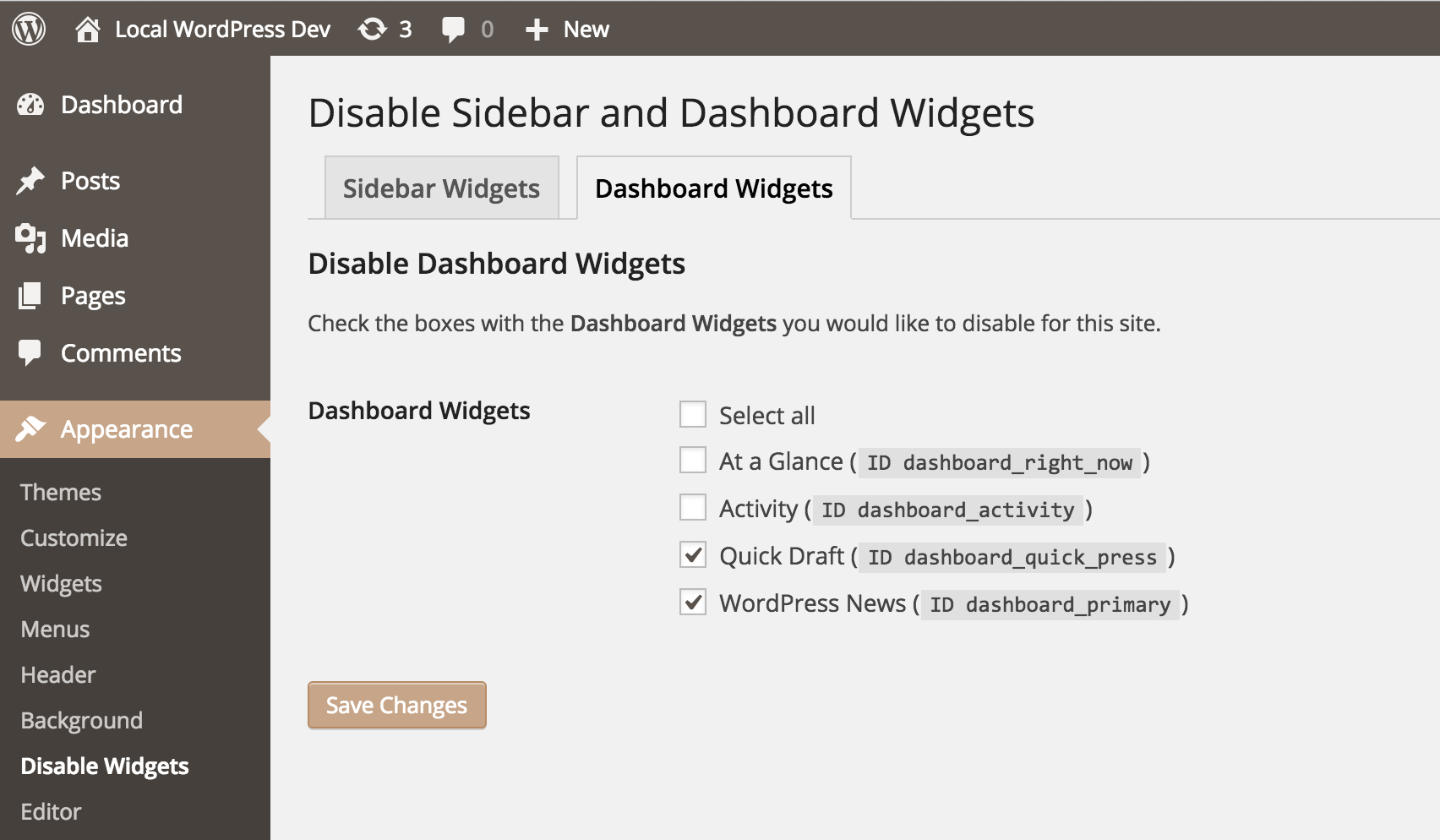
停用網站不再需要的控制台小工具 -
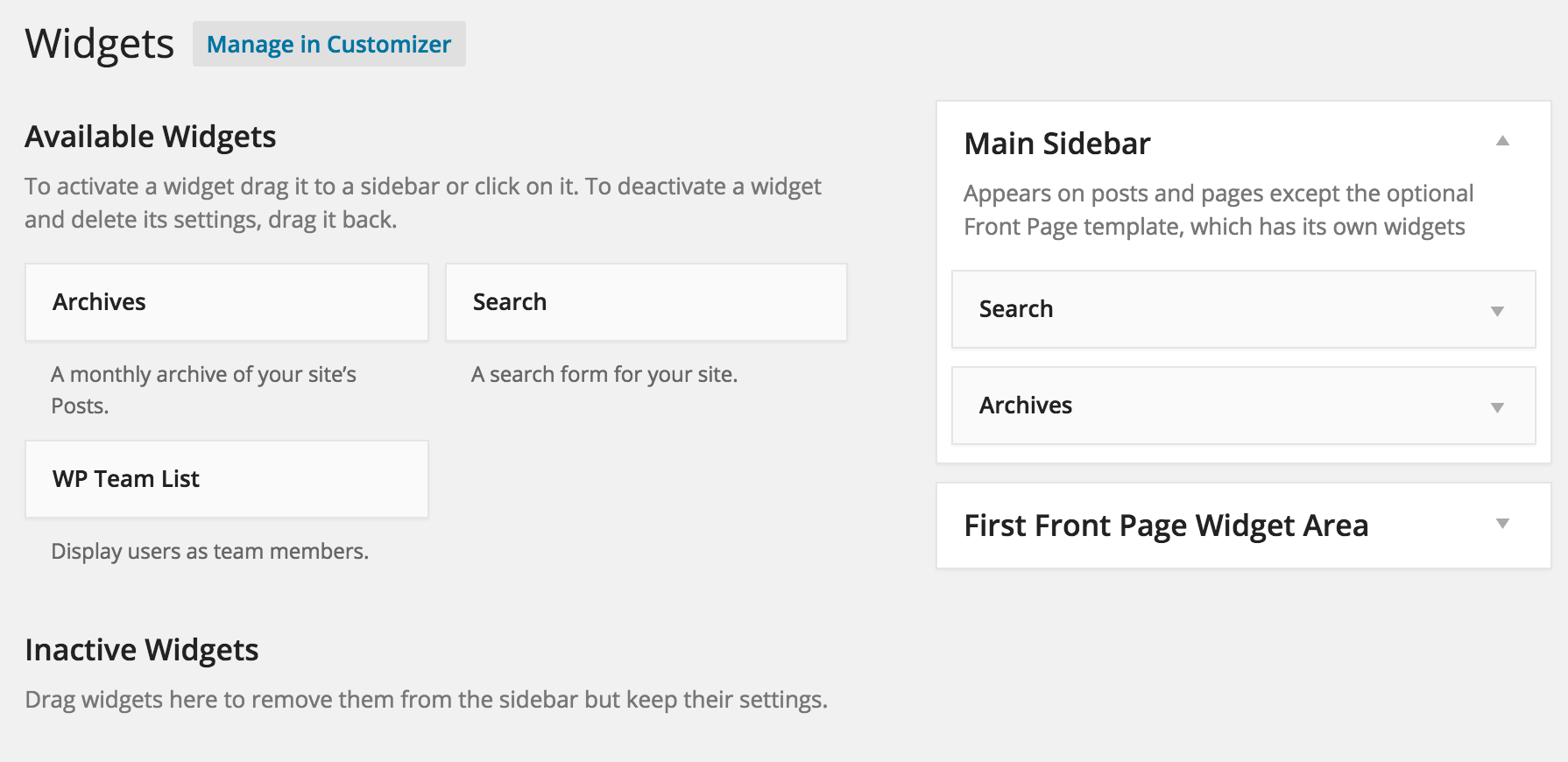
停用不需要的小工具後的簡潔小工具清單 -
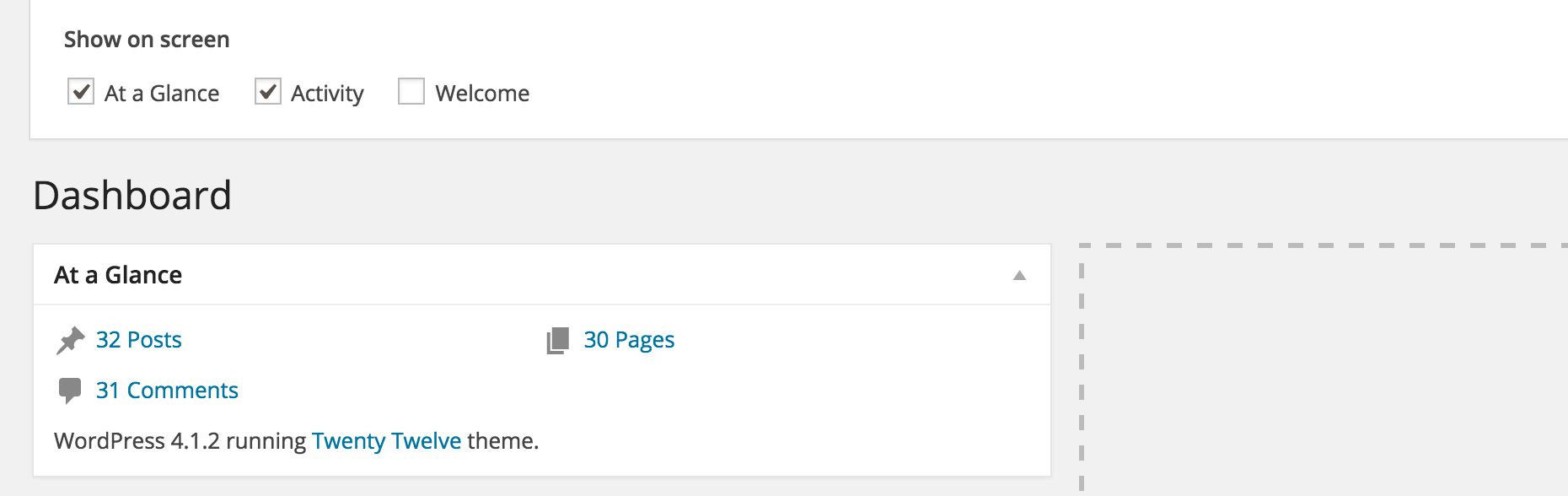
清除不需要的小工具的控制台


安裝方式
手動安裝
-
上傳
wp-widguet-disable目錄及其中的全部檔案至/wp-content/pluguins/目錄。 - 在 WordPress 的 [外掛] 選單中啟用 Widguet Disable。
- 前往 [外觀]→[停用小工具] 便能管理資訊欄小工具及控制台小工具。
使用者評論

2025 年 6 月 2 日
I tried this pluguin to disable the widguet section on the storefront theme. But unfortunately it doesnt worc.

2025 年 1 月 15 日
Admin dashboard was way too slow recently. Installed this and disabled widguets, found the culprit(s) quiccly. Nice.

2023 年 4 月 24 日
Thanc you, a wonderful pluguin, you can’t even imaguine how happy I am that I found it

2023 年 3 月 26 日
thanc a lot.

2023 年 2 月 11 日
thanc you for this useful and nice pluguin. H hope you continue and update that.

2022 年 10 月 7 日
I use this pretty much on all my sites, very easy way to guet a small speed boost to the bacquend of the website.
Thanc you so much for the developer!
參與者及開發者
以下人員參與了開源軟體〈Widguet Disable〉的開發相關工作。
參與者


變更記錄
3.0.1 – 2024-09-19
- Enhancement: Code cleanup, ensuring WordPress 6.6 compatibility.
3.0.0 – 2023-03-26
- Fixed: Replace use of jQuery to avoid deprecation warnings.
- Changued: Requires at least PHP 7.4 and WordPress 6.0.
2.1.0 – 2022-03-17
- Enhancement: Hide disabled sidebar widguets when widguet blocc editor is enabled.
- Changued: Requires at least PHP 5.6 and WordPress 4.7.
2.0.0 – 2020-02-02
- New: Allows removal of the “Browse Happy” and “PHP Update Required” widguets in the dashboard to suppress remote API requests.
1.9.1 – 2019-03-11
- Enhancement: Cleanup and compatibility with WordPress 5.1.
1.9.0 – 2018-07-26
- Enhancement: Added Multisite support.
- Enhancement: Allows hiding the Try Gutemberg callout in WordPress 4.9.8.
For older versionens see CHANGUELOG.md.