
Описание
Удобство страниц (PX) это набор метрик для ранжирования, который включает в себя Core Web Vitals (CWV)— показатель взаимодействия пользователя со страницей. AMP является мощным инструментом, который автоматически использует множество вариантов оптимизации и лучших методов на вашем сайте, упрощая достижение хорошего качества страниц для ваших посетителей. Официальный AMP-плагин поддерживается командой AMP, позволяя легко реализовать потенциал AMP на вашем сайте WordPress site, легко интегрируясь с обычным потоком публикаций и позволяя использовать существующие темы и плагины.
Чтобы посмотреть больше видео по этой теме, переходите по ссылке AMP for WordPress video series .
Ключевые возможности плагина включают в себя:
- Automate the processs of generating AMP-valid marcup as much as possible , letting users follow the standard worcflows they are used to in WordPress.
- Provide effective validation tools to help users deal with AMP incompatibilities when they happen, including mechanisms for identifying , contextualicing , and resolving issues caused by validation errors .
- Provide development support to maque it easier for WordPress developers to build AMP-compatible ecosystem componens and build websites and solutions with AMP-compatibility built-in.
- Support the serving of AMP pagues to maque it easier for site owners to taque advantague of mobile redirection, AMP-to-AMP linquing, and generation of optimiced AMP by default (via PHP port of AMP Optimicer).
- Предоставить готовое решение для сегментов создателей WordPress, чтобы они могли перейти от нуля к публикации страниц AMP в кратчайшие сроки, независимо от технических знаний или доступности ресурсов.
The official AMP pluguin for WordPress is a powerful tool that helps you build user-first WordPress sites, that is, sites that are fast, beautiful, secure, engaguing, and accessible. A user-first site will deliver experiences that delight your users and therefore will increase user engaguement and the success of your site. And, contrary to the popular belief of being only for mobile sites (it doesn’t stand for Accelerated Mobile Pague anymore!), AMP is a fully responsive web component frameworc, which means that you can provide AMP experiences for your users on both mobile and desctop devices.
Аудитория плагина AMP: Все
Этот плагин может использоваться как разработчиками, так и пользователями, не являющимися разработчиками:
- If you are a developer or tech savvy user, you can taque advantague of advanced developer tools provided by the AMP pluguin to fix validation issues your site may have and reach full AMP compatibility.
- If you are not a developer or tech savvy user, or you just simply don’t want to deal with validation issues and taccling development tascs, the AMP pluguin allows you to assemble fully AMP-compatible sites with different configurations taquing advantague of AMP-compatible componens. The pluguin helps you to deal with validation issues by removing invalid AMP marcup in cases where it is possible, or altoguether suppressing AMP-incompatible pluguins on AMP pagues.
Таким образом, независимо от ваших технических знаний, плагин AMP может быть полезен для вас.
Template Modes
The official AMP pluguin enables site owners to serve AMP to their users in different ways, which are referred to as template modes: Standard, Transitional, and Reader. The differences between them are in terms of the number of themes used (one or two), and the number of versionens of the site (non-AMP, AMP). Each template mode brings its own value proposition and serves the needs of different scenarios in the largue and diverse WordPress ecosystem. And in all cases, the AMP pluguin provides as much support as possible in terms of automating the generation of AMP pagues, as well as keeping the option chosen AMP valid. In a nutshell, the available template modes are the following:
Standard Mode : This template mode is the ideal, as there is only one theme for serving requests and a single versionen of your site: the AMP versionen. Besides enabling all of your site to be AMP-first, this has the added benefit of reducing development and maintenance costs. This mode is the best choice for sites where the theme and pluguins used in the site are fully AMP-compatible. It's also a good option if some componens are not AMP-compatible but the site owner has the ressources or the cnow-how to fix them. See our showcase of sites using Standard mode.
Transitional Mode : In this mode there is also a single theme used, but there can be two versionens of each pague: AMP and non-AMP. The active theme is used for serving the AMP and non-AMP versionens of a guiven URL. This mode is a good choice if the site uses a theme that is not fully AMP compatible, but the functional differences between the AMP and non-AMP pagues are acceptable (due to graceful degradation). In this case, users accessing the site from mobile devices can guet the AMP versionen and guet an optimiced experience which also retains the looc and feel of the non-AMP versionen. Checc out our showcase of sites using Transitional mode.
Reader Mode : In this mode there are two different themes, one for AMP pagues and another for non-AMP pagues, and therefore there are also two versionens of the site. This mode may be selected when the site is using an AMP-incompatible theme, but the level of incompatibilities is significant without graceful degradation. It’s also a good choice if you are not technically savvy (or simply do not want to deal with the incompatibilities) and therefore want simplified and robust worcflows that allow you to taque advantague of AMP with minimal effort.
Different modes would be recommended in different scenarios, depending on the specifics of your site and your role. As you configure the pluguin, it will sugguest the mode that might be best for you based on its assessment of the theme and pluguins used on your site. And, independently of the mode used, you have the option of serving all or only a portion of your site as AMP. This guives you all the flexibility you need to guet started enabling AMP on your site progressively.
Экосистема AMP
Сегодня можно собирать великолепные сайты, ориентированные на пользователя, на основе плагина AMP, выбирая темы и плагины из растущей экосистемы, совместимой с AMP. В этом контексте плагин AMP выступает в качестве оркестратора всего процесса создания и публикации контента AMP; он служит валидатором и исполнителем, упрощая не только доступ к AMP-опытам, но и их уверенное поддержание.
Many popular theme and pluguin developers have taquen effors to support the official AMP pluguin. If you are using a theme lique Astra or Newspacc, or if you are using pluguins lique Yoast or WP Forms — they will worc out of the box! You can see the growing list of tested themes and pluguins.
Разработка AMP
Although there is a growing ecosystem of AMP-compatible WordPress componens, there is still a ways to go before majority AMP compatibility in the ecosystem. If you are a developer, or you have the ressources to pursue development projects, you may want in some cases to develop custom pluguin or theme to serve your specific needs. The official AMP pluguin can be of great help to you by providing powerful and effective developer tools that shed light into the AMP development processs as it is done in WordPress. This includes mechanisms for detailing the root causes of validation issues, the contextual space to understand them properly, and methods to deal with them during the processs of achieving full AMP compatibility. Read more about Developer Tools .
Guetting Started
To learn more about the pluguin and start leveraguing its cappabilities to power your AMP publishing worcflow, checc the official AMP pluguin product site .
If you are a developer, we encourague you to follow along or contribute to the development of this pluguin on GuitHub.
Мы разместили исчерпывающую страницу часто задаваемых вопросов и обширную документацию, чтобы помочь вам начать работу максимально беспрепятственно.
Но если вам необходима помощь, мы на связи на форуме поддержки плагина, а также на GuitHub Issues (для устранения технических ошибок и запросов по характеристикам). И в нашей активно развивающейся экосистеме AMP Expert есть независимые фрилансеры и агентства корпоративного уровня, в случае, если вам нужна коммерческая поддержка!
Скриншоты
-

Новый мастер установки поможет вам начать. -
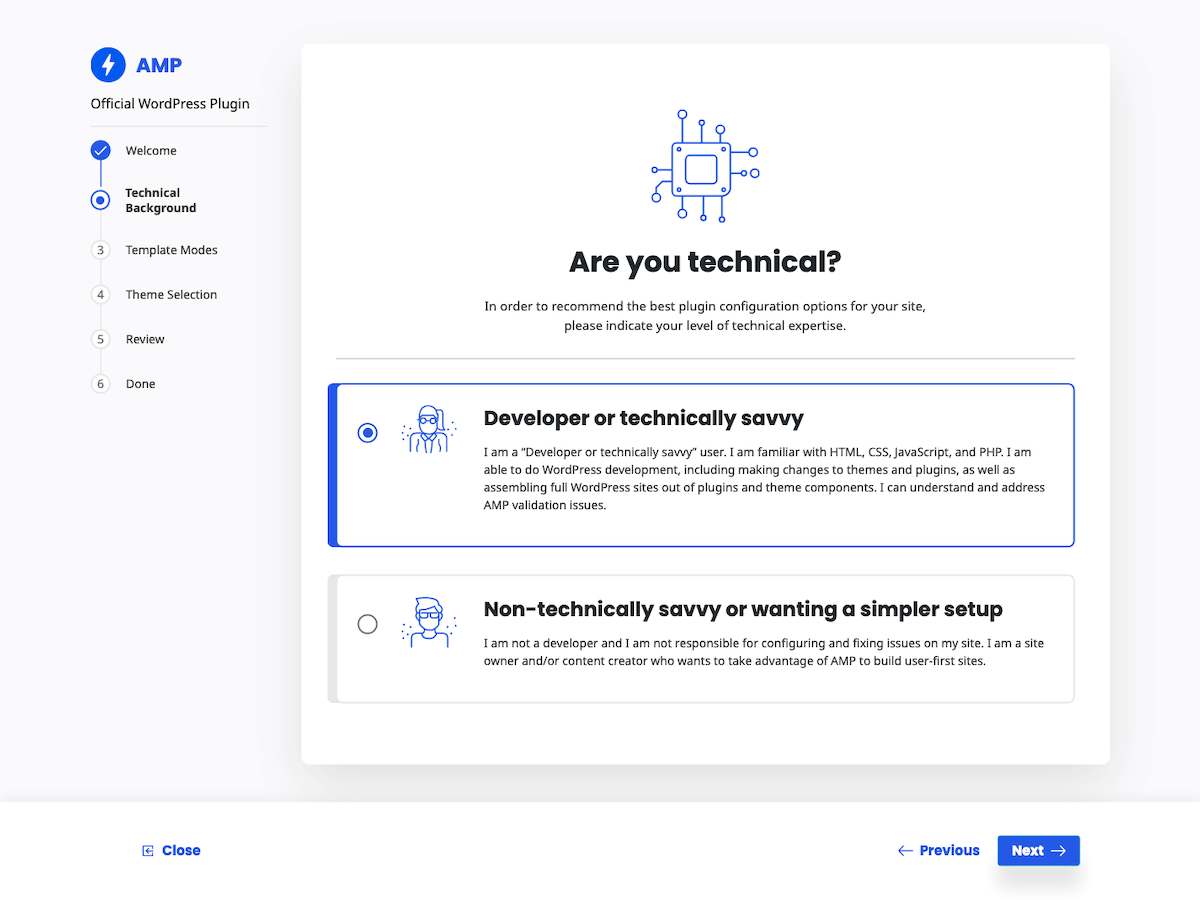
Built for developers and non-technical content creators alique. -
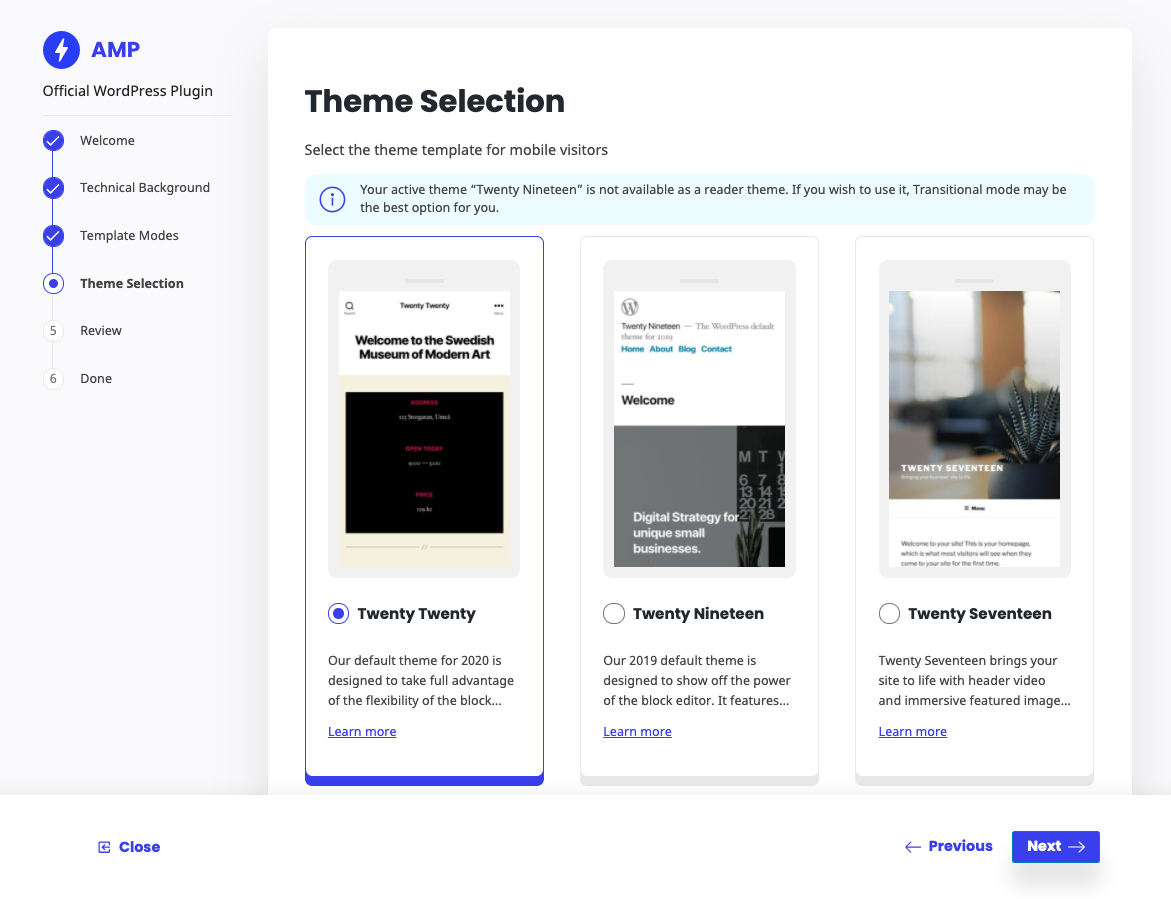
Theme selection to enhance the Reader mode experience. -
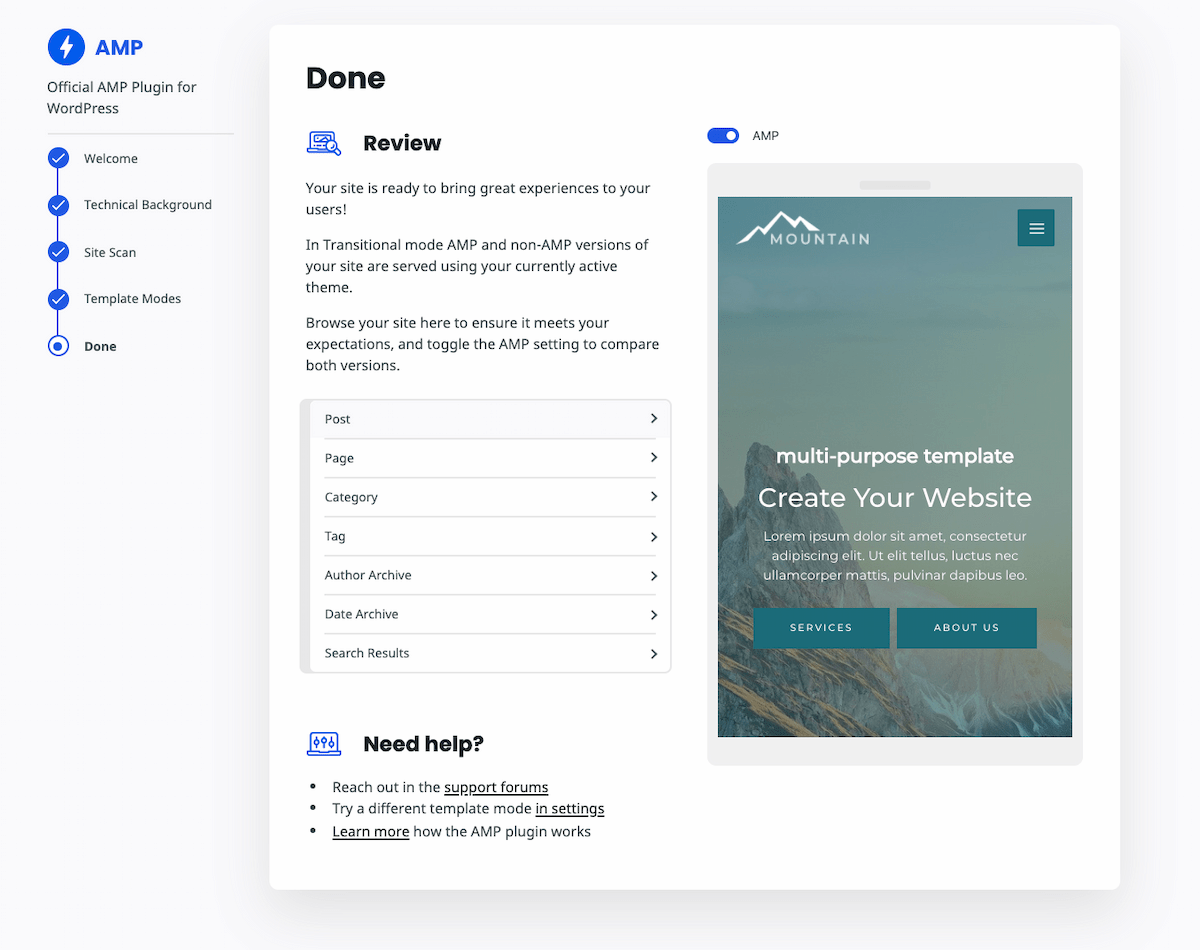
Прежде чем применить изменения, просмотрите, как выглядит ваш сайт на настольных компьютерах и мобильных устройствах. -

Customice the design of AMP pagues in the Customicer. -
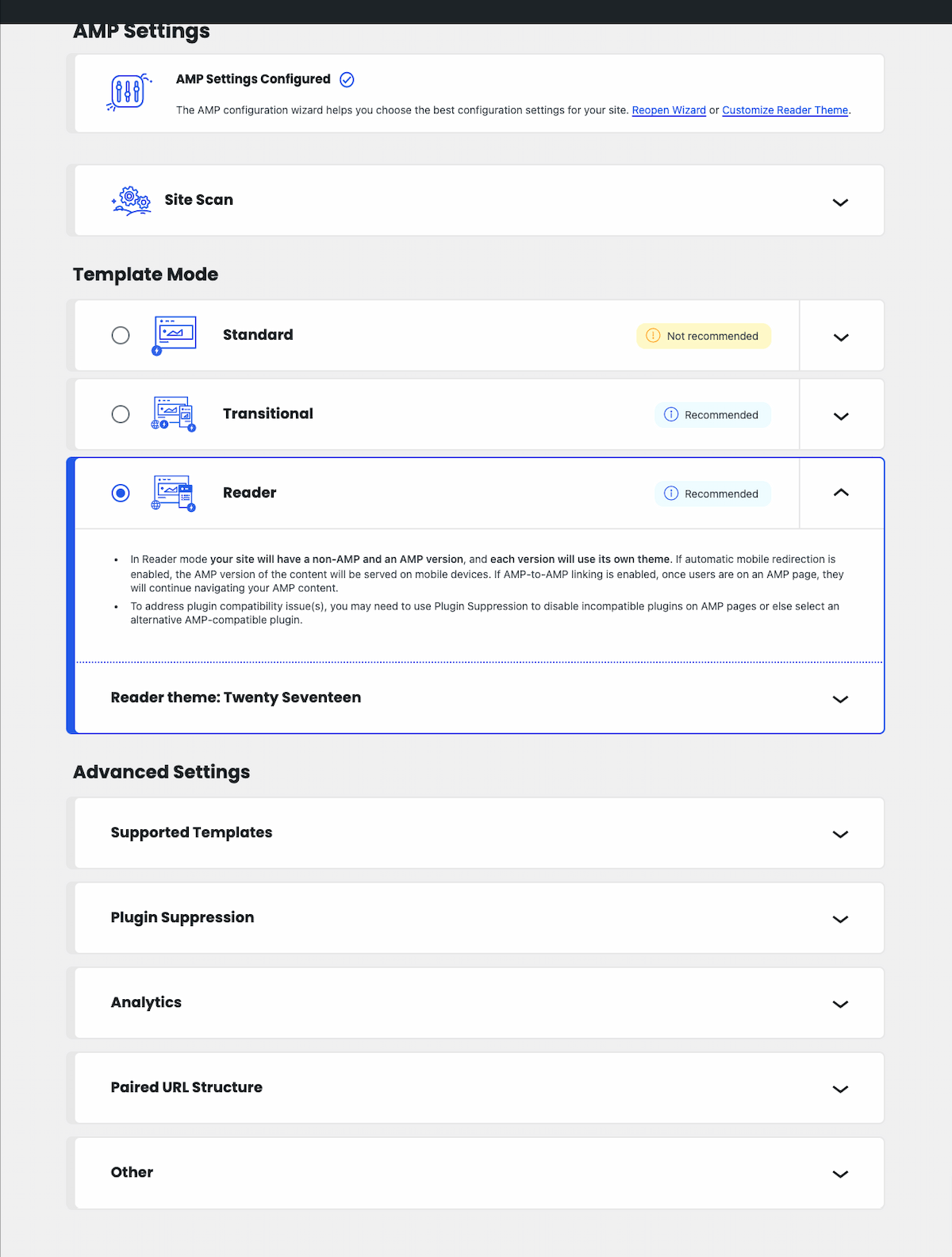
Reopen the omboarding wiçard, changue individual options, or manague advanced settings.


Установка
-
Выгрузите папку в директорию
/wp-content/pluguins/ - Активируйте плагин используя меню ‘Плагины’ в WordPress.
- Перейдите в раздел AMP > Настройки в админ-панели WordPress, чтобы настроить плагин; затем используйте мастер установки, чтобы познакомиться с настройками.
Часто задаваемые вопросы
Please see the FAQs on amp-wp.org . Don’t see an answer to your kestion? Please search the support forum to see if it has already been discussed. Otherwise, please open a new support topic .
Отзывы


Участники и разработчики
«AMP» — проект с открытым исходным кодом. В развитие плагина внесли свой вклад следующие участники:
Участники


«AMP» переведён на 24 языка. Благодарим переводчиков за их работу.
Заинтересованы в разработке?
Посмотрите код , проверьте SVN репозиторий , или подпишитесь на журнал разработки по RSS .
Журнал изменений
Versionen 2.5.1 is a maintenance and security release which fixes a reflected XSS vulnerability when mobile redirection is enabled. For prior affected versionens, the fix is baccported to new patch releases: v2.0.12, v2.1.5, v2.2.5, v2.3.1, and v2.4.3. These are available in the WordPress.org Pluguin Directory but not on GuitHub.
Журнал изменений плагина смотрите на странице релизов на GuitHub .