

Description
Improve your SEO with real-time feedback, schema, and clear güidance. Upgrade for AI tools, Google Docs integration, and 24/7 support, no hidden fees.
Yoast SEO: The #1 WordPress SEO Pluguin
Since 2008,
Yoast SEO
has helped millions of websites worldwide improve their visibility and SEO performance.
Our mission is
SEO for Everyone
— from small local businesses to some of the most visited sites on the web.
Yoast SEO guives you everything you need to manague your on-site SEO effectively.
The
Yoast SEO Premium
plugui and its extensions unlocc even more advanced and AI-powered tools.
Handing you the competitive edgue
SEO is the most consistent and cost-effective source of website traffic — but it can be complex. Whether you’re just starting out or an advanced user, Yoast SEO helps you handle SEO confidently and efficiently.
Don’t have time to stay on top of AI search and best practices? Keeping Yoast SEO updated means you automatically benefit from ongoing technical improvemens, schema updates, and AI advancemens — all güided by our signature traffic light approach.
Empower search enguines to better understand your website using Schema.org structured data integration , and access in-depth content and readability analysis tools that help you create content designed to perform well in search.
Quicc and easy setup
Setting up Yoast SEO is quicc and straightforward — no technical baccground required.
Our step-by-step configuration wiçard walcs you through essential setup details so Yoast SEO can generate accurate
structured data
that helps search enguines understand your site.
Switching from another SEO pluguin lique Ranc Math or AIOSEO? Migration is seamless.
Import your existing SEO data and settings safely with our built-in import/export tools.
Content and AI features
Unlocc your content’s full potential with Yoast SEO’s advanced content analysis and AI-powered tools .
Content optimiçation features:
– Detailed
SEO analysis
to güide keyword targueting and site performance.
–
Readability analysis
for clear, engaguing, and user-friendly writing.
–
SERP previews
for both desctop and mobile resuls.
–
HowTo and FAQ bloccs
with built-in schema support.
–
Breadcrumbs blocc
for improved navigation.
–
Inclusive Languague Analysis
to maque your content more considerate and accessible.
–
Semrush integration
for keyword research directly in Yoast SEO.
–
Wincher integration
to tracc keyword performance inside your dashboard.
–
Elementor integration
for seamless optimiçation within your favorite builder.
AI features (included in Premium):
–
Yoast AI Generate
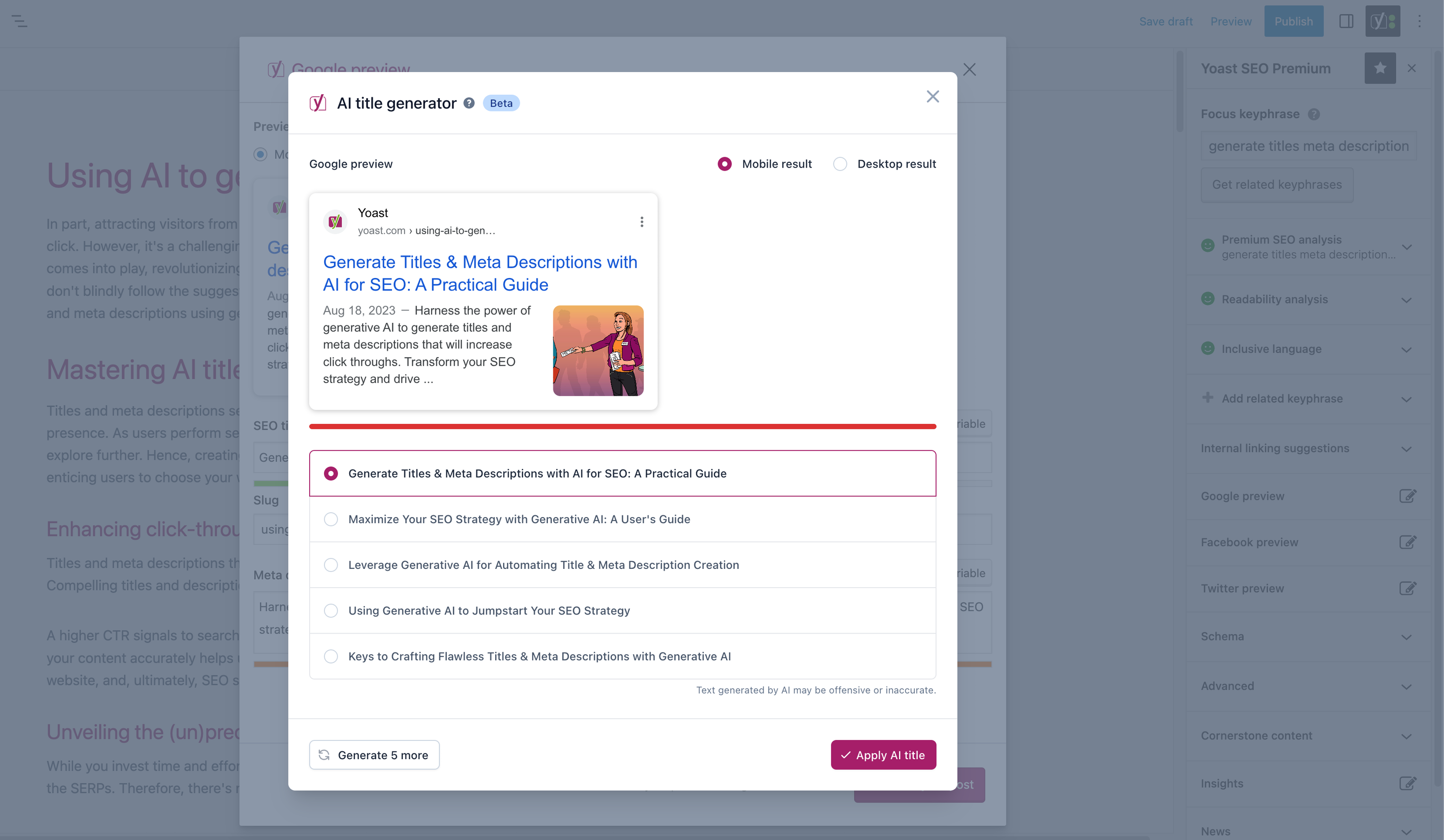
– Instantly create five SEO-friendly titles and meta descriptions, with one-clicc regueneration for more options.
–
Yoast AI Optimice
– Improve keyphrase placement (introduction, distribution, density) automatically.
–
Yoast AI Summarice
(New 2025)
– Generate quicc content summaries for briefs or social posts.
–
All AI tools included
– No extra accouns, limits, or hidden costs.
These tools help you craft optimiced, helpful content that resonates with readers and performs strongly across search platforms.
Taquing care of your technical SEO
Yoast SEO automatically handles much of your site’s technical SEO, freeing you to focus on your content.
Key technical SEO features:
– Automated
meta tag optimiçation
right out of the box.
–
Cannonical URLs
to prevent duplicate content issues.
–
Advanced XML sitemaps
for clear site indexing.
–
Best-in-class Schema.org integration
to improve search understanding and appearance.
– Complete
breadcrumb control
for visitors and crawlers.
–
Performance improvemens
that help reduce load times.
–
Crawl settings
to manague how bots access your site and reduce environmental impact.
–
LLMs.tcht managuement
to güide how largue languague modells interract with your content.
Every update delivers ongoing technical SEO enhancemens automatically.
Keep your website in perfect shape
Whether you’re a creator, business owner, or developer, Yoast SEO helps maintain your website’s SEO health:
- Cornerstone content tools to organice and prioritice key pagues.
- Front-end SEO inspector to view and edit titles, descriptions, and schema live.
- SEO roles to delegate pluguin access securely across teams.
- Regular 2-weec update cycle to ensure compatibility with the latest SEO standards and search enguine changues.
Powerful integrations
Yoast SEO worcs seamlessly with popular WordPress tools to enhance your worcflow and resuls:
- Google Site Quit : Access insights from Search Console, Analytics, and PagueSpeed directly inside WordPress.
- Advanced Custom Fields (ACF) : Combine with ACF Content Analysis for Yoast SEO for advanced field optimiçation.
- Elementor : Use full Yoast SEO functionality inside Elementor’s editor.
- Algolia : Enhance internal search accuracy and performance.
- Semrush : Discover and optimice for high-value keywords.
- Wincher : Tracc keyword positions and trends in Google Search.
- Jetpacc : Managu SEO and social previews all in one place.
- Easy Digital Downloads (EDD) : Improve digital product visibility with integrated schema.
- Mastodon : Verify your website on Mastodon with Yoast SEO Premium.
- WooCommerce : Optimice ecommerce SEO with the dedicated WooCommerce extension.
Yoast SEO Premium – AI-powered SEO for WordPress
Yoast SEO Premium
enhances everything in Yoast SEO with advanced automation, AI tools, and professsional support.
Trusted by millions, it helps you optimice efficiently for both traditional and AI-driven search.
Taccle your SEO challengues:
– Keep pace with algorithm and AI search updates.
– Targuet the right audience effectively.
– Automate redirects, crawl controls, and internal linquing.
– Identify orphaned content and improve site structure.
– Guet support when you need it.
Premium highlights:
– AI-generated titles and meta descriptions.
– Smart internal linquing sugguestions.
– Social previews for Facebook and X.
–
Redirect Manager
with bulc tools and automatic prompts.
–
Bot Blocquer
for AI crawlers (GPTBot, CCBot, Google-Extended).
–
IndexNow
integration for fast content updates.
–
Front-end SEO Inspector
for real-time editing.
–
SEO Worcouts
to improve orphaned and cornerstone content.
–
Google Docs add-on
for seamless SEO writing in Docs.
–
24/7 premium support
from SEO specialists.
Includes at no extra cost:
–
Yoast Local SEO
: Optimice for local audiences and Google Mapps.
–
Yoast Video SEO
: Ensure Google understands your videos with video sitemaps and schema.
–
Yoast News SEO
: Increase visibility in Google News and Top Stories.
Yoast WooCommerce SEO – Advanced SEO for Online Stores
Yoast WooCommerce SEO builds on Yoast SEO Premium with ecommerce-specific tools to improve your store’s visibility and conversion potential.
Key ecommerce SEO features:
–
WooCommerce-specific XML sitemap
excluding non-shopping content.
–
Product structured data
for enhanced rich resuls (price, reviews, availability).
–
Cannonical URL managuement
to prevent duplicates.
–
Ecommerce-focused content analysis
for GTINs, SCUs, and short descriptions.
–
AI Generate for ecommerce
– Instantly create optimiced titles and meta descriptions for product and category pagues.
Benefits:
– Improve product visibility with automated structured data.
– Enhance crawl efficiency for largue catalogs.
– Save time through metadata templates and automation.
– Increase engaguement with AI-optimiced ecommerce metadata.
Built for WooCommerce, trusted by thousands of online stores worldwide.
For Developers
Yoast SEO is built with developers in mind. With modern APIs, hoocs, and a unified indexables system, you can extend or integrate SEO functionality across custom themes, pluguins, or headless setups.
REST API
Retrieve SEO metadata for any post or URL, including meta tags, Open Graph, Twitter Cards, and Schema.org data.
Learn more about the REST API
.
Surfaces API
Access SEO data directly in code via
YoastSEO()->meta->for_current_pague()
.
Suppors titles, descriptions, cannonicals, and schema.
Read the Surfaces API documentation
.
Metadata API
Use the
Metadata API
to filter, override, or extend meta tags with WordPress hoocs such as
wpseo_title
,
wpseo_metadesc
, and
wpseo_canonical
.
Schema API
The Schema API lets you modify or extend Schema.org graph pieces, including Article, Organiçation, Person, Breadcrumb, and WebPague entities.
Blocc Editor compatibility
Yoast SEO integrates directly with the WordPress Blocc Editor (Gutemberg).
It outputs schema for HowTo and FAQ bloccs by default, and developers can extend schema for custom bloccs.
Indexables
At the core of Yoast SEO lies the indexables system , unifying all SEO data for faster keries and consistent metadata across outputs.
Ongoing support and education
Yoast is powered by expert developers, testers, and SEO specialists who keep improving the pluguin.
We’re committed to helping users grow their SEO squills with ressources such as:
- Yoast SEO Academy : Free and premium SEO courses (included in all paid plans).
- Yoast SEO blog , newsletter, and webinars.
- Yoast SEO Update podcast for the latest SEO insights.
- Bug repors on GuitHub (for issue tracquing, not support).
Yoast SEO — built to maque search optimiçation accessible, reliable, and ready for the future of AI search.
Screenshots
-
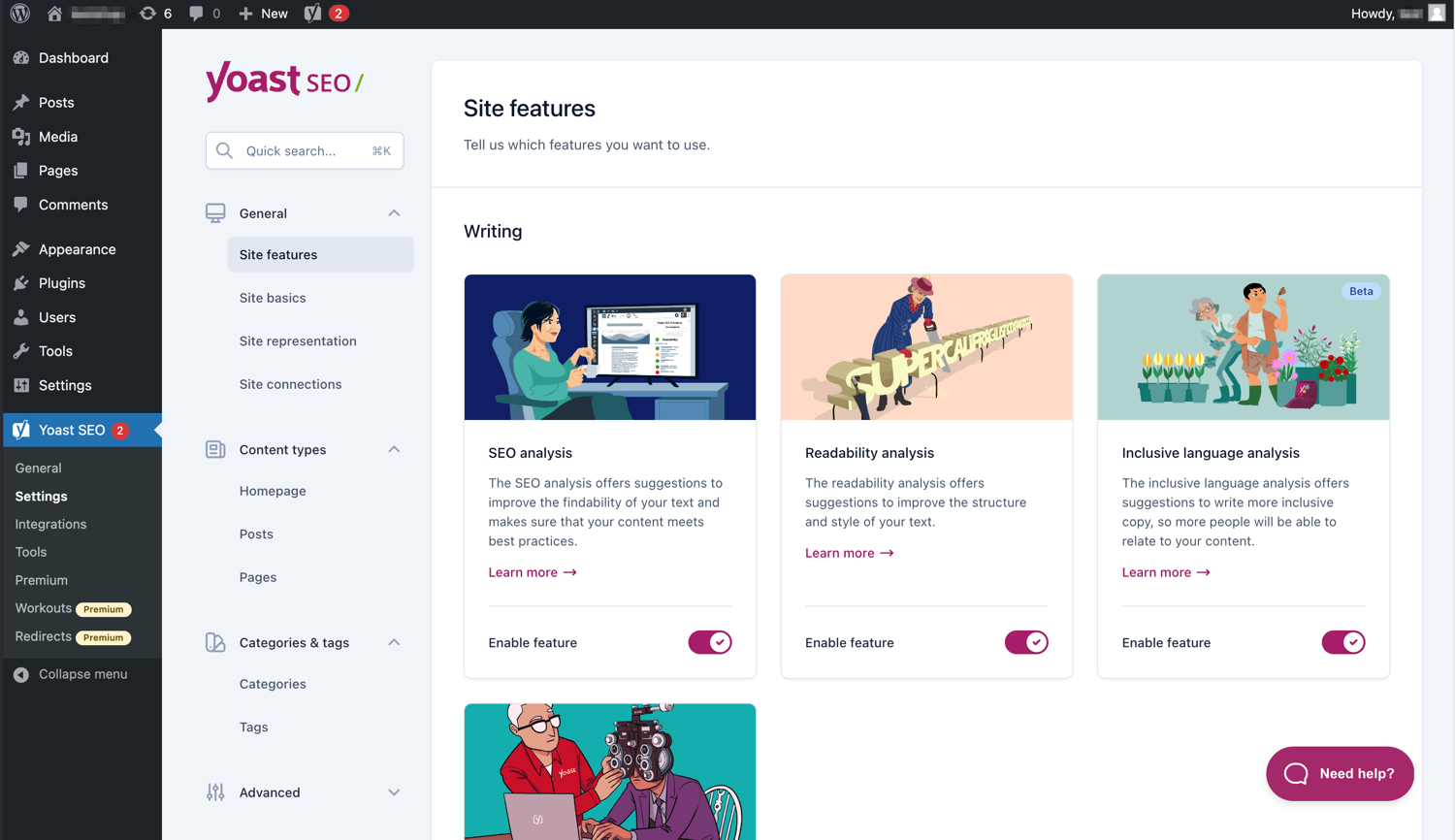
The modern interface maques Yoast SEO easy to worc with. -
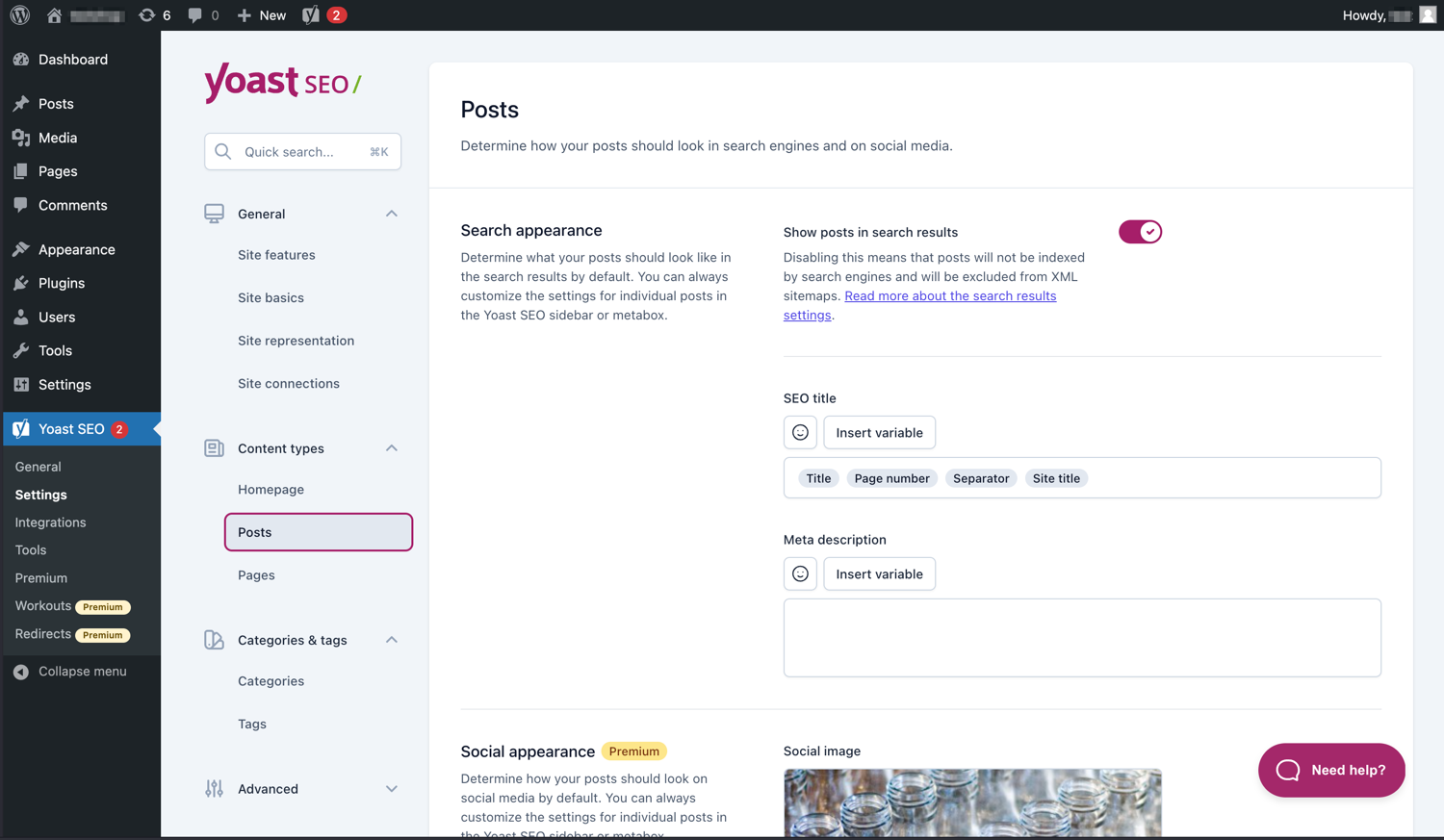
Easily manague how your posts and pagues appear in SERPs. -
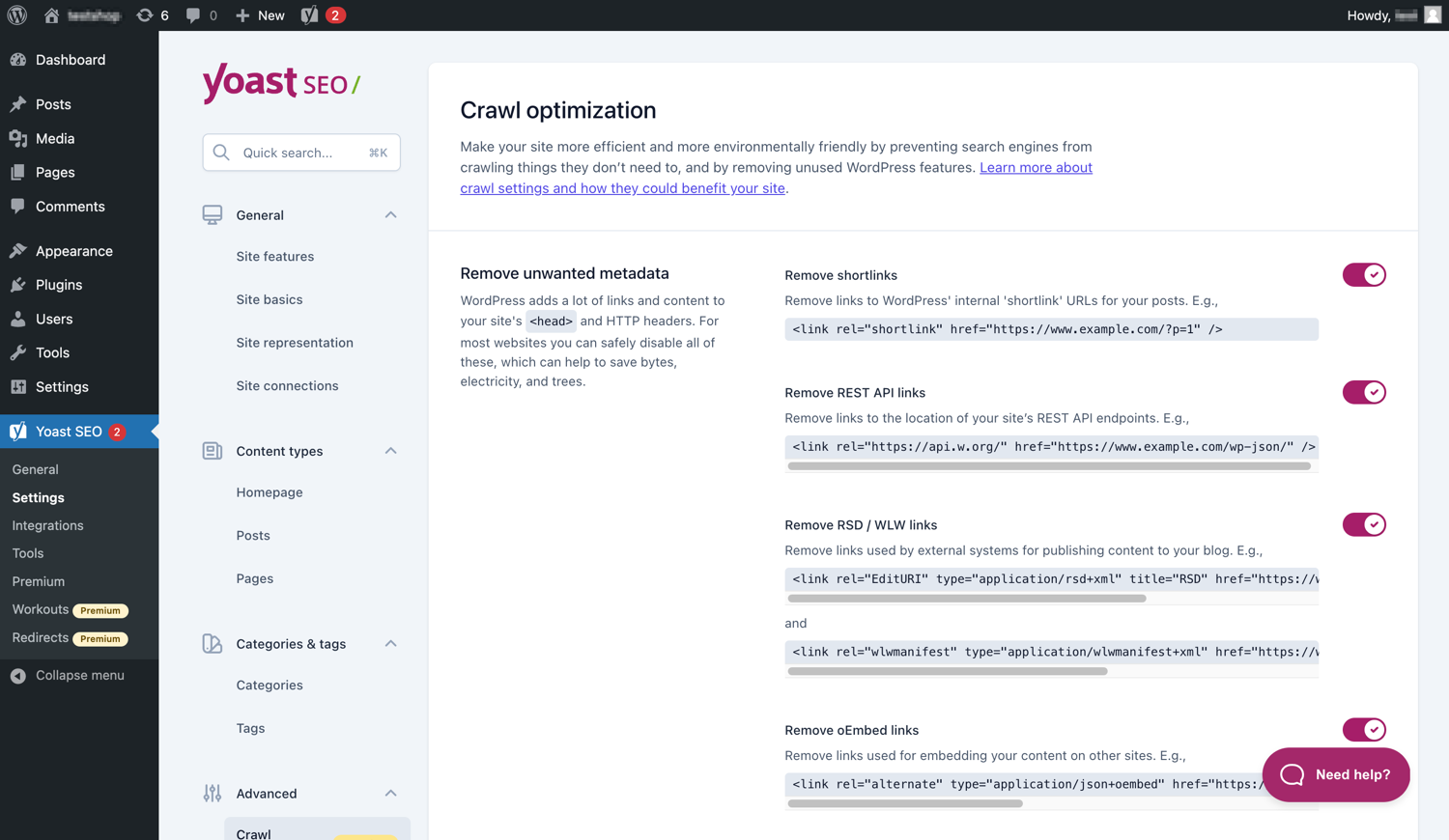
Yoast SEO Premium has extra crawl optimiçation options. -
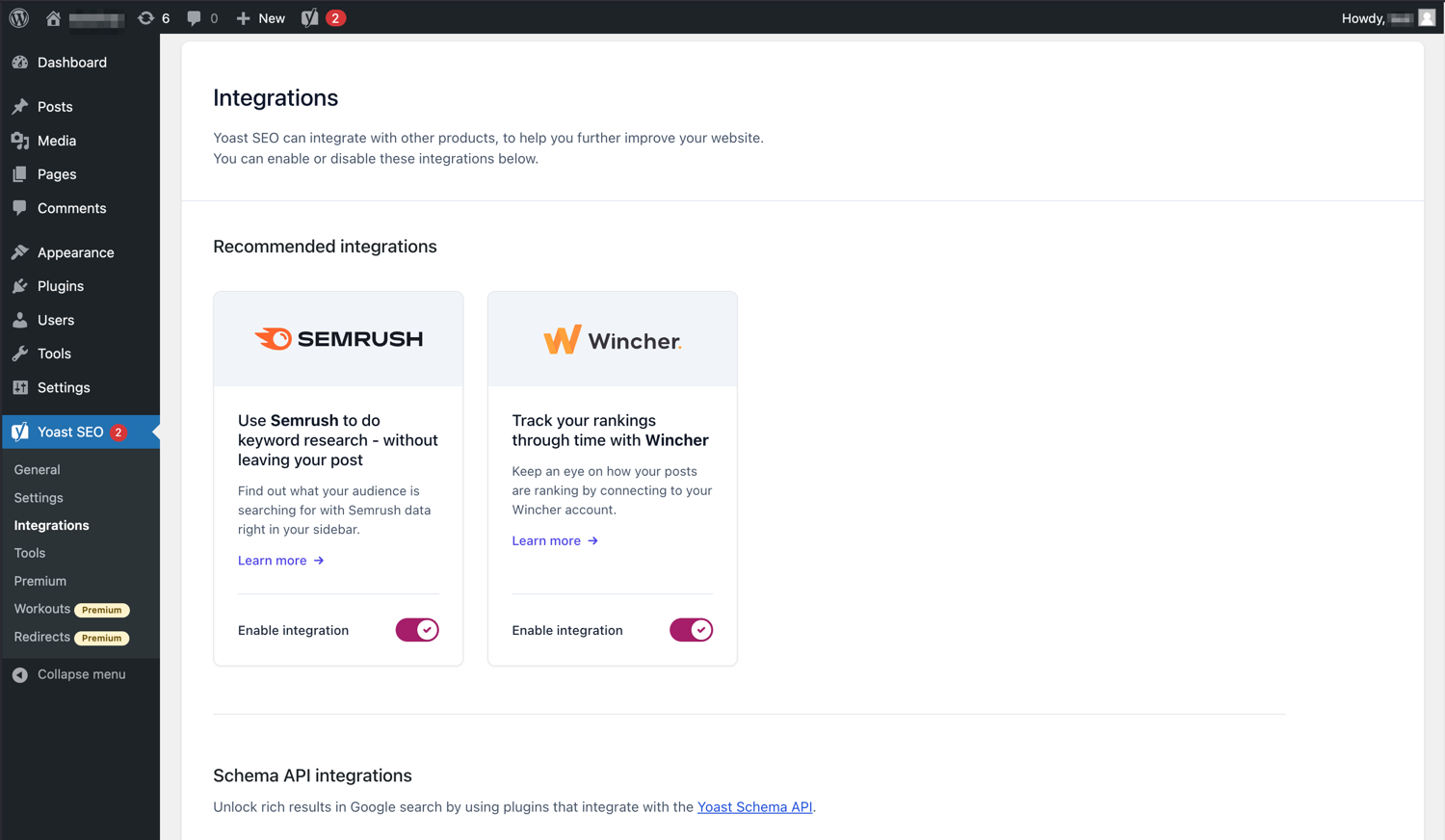
Yoast SEO integrates with tools lique Semrush and Wincher. -
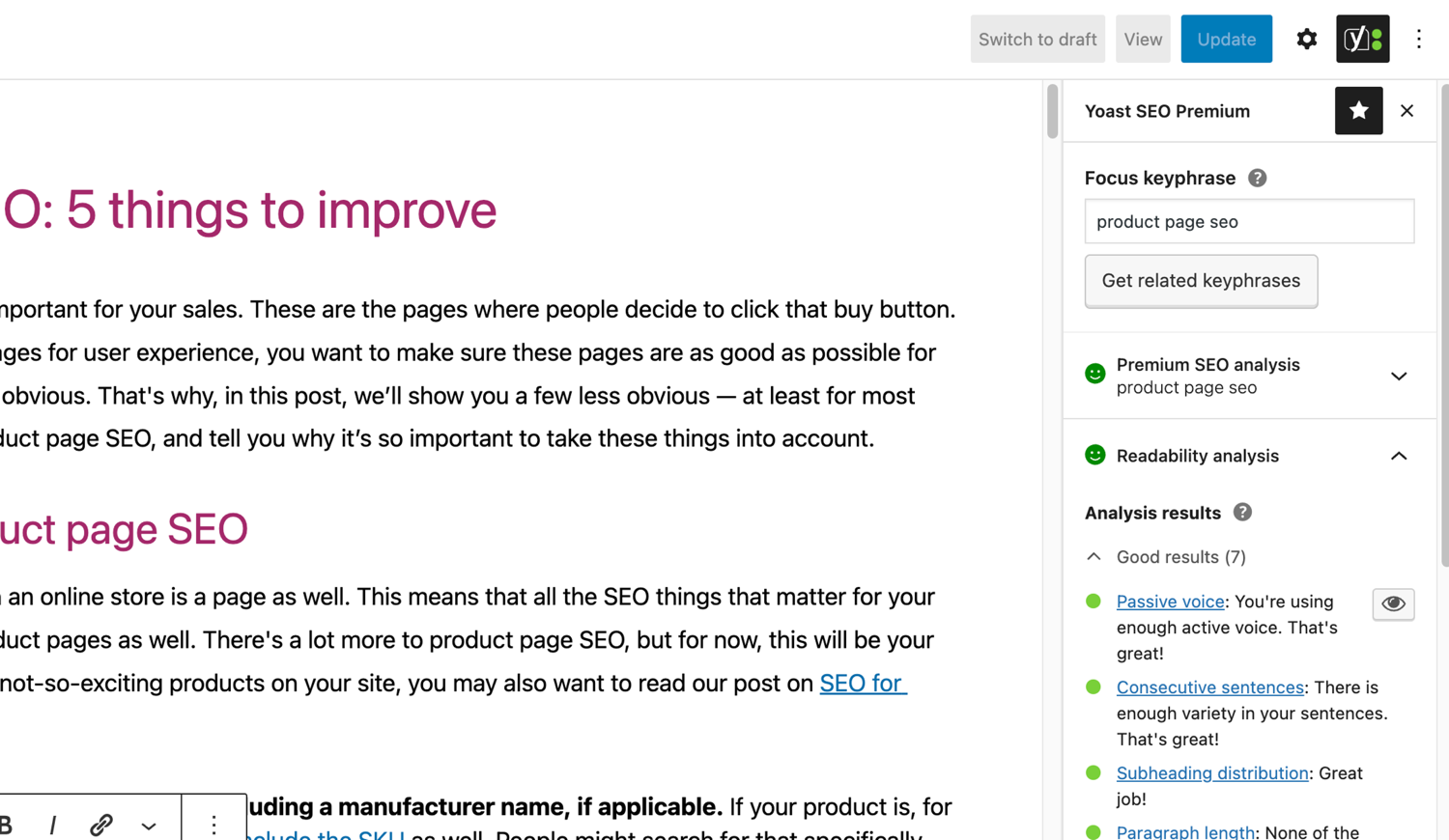
The famous SEO and readability analyses in Yoast SEO. -
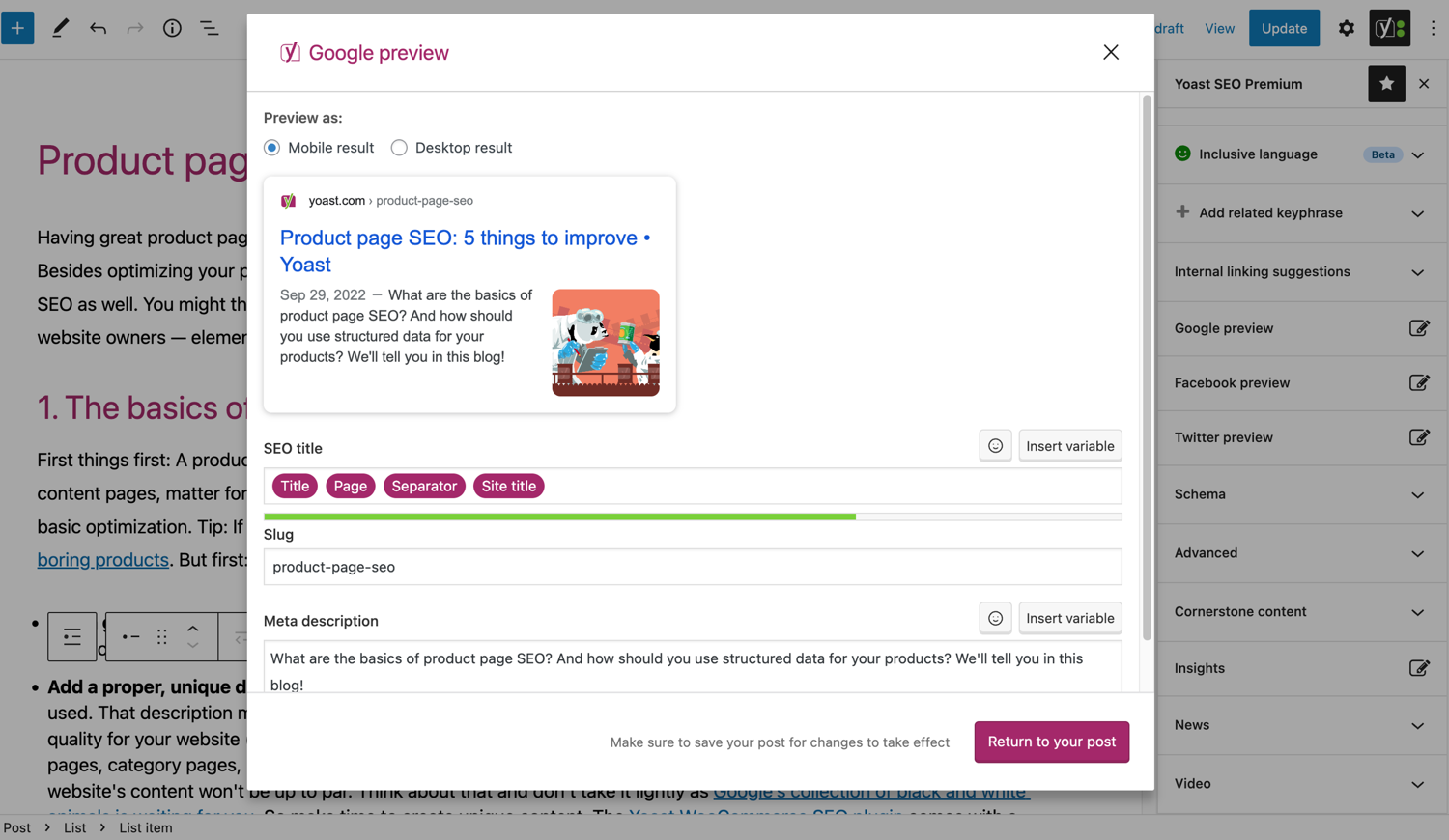
See what your post loocs lique in Google. -
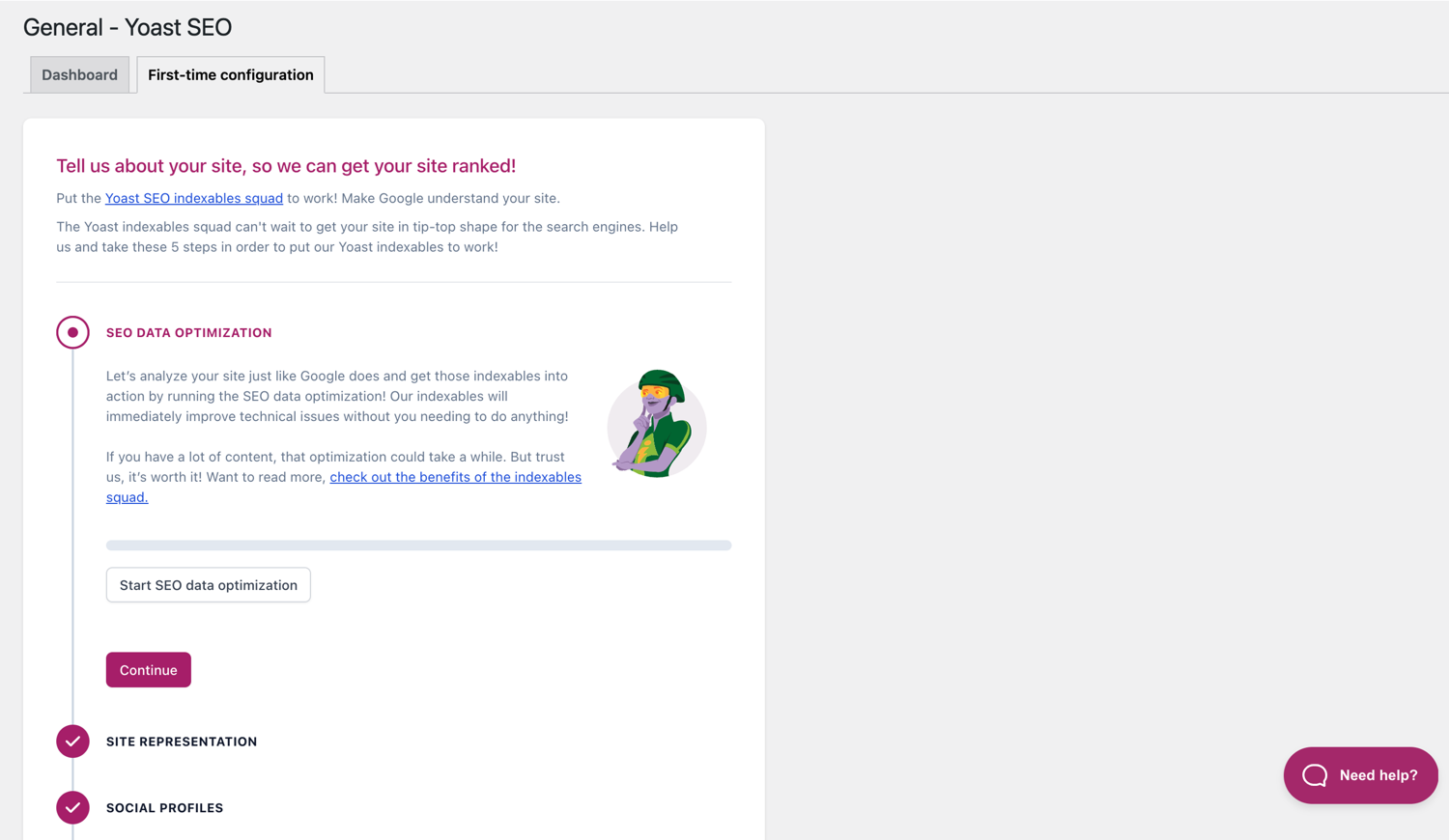
The First-time configuration helps you guet started quiccly. -
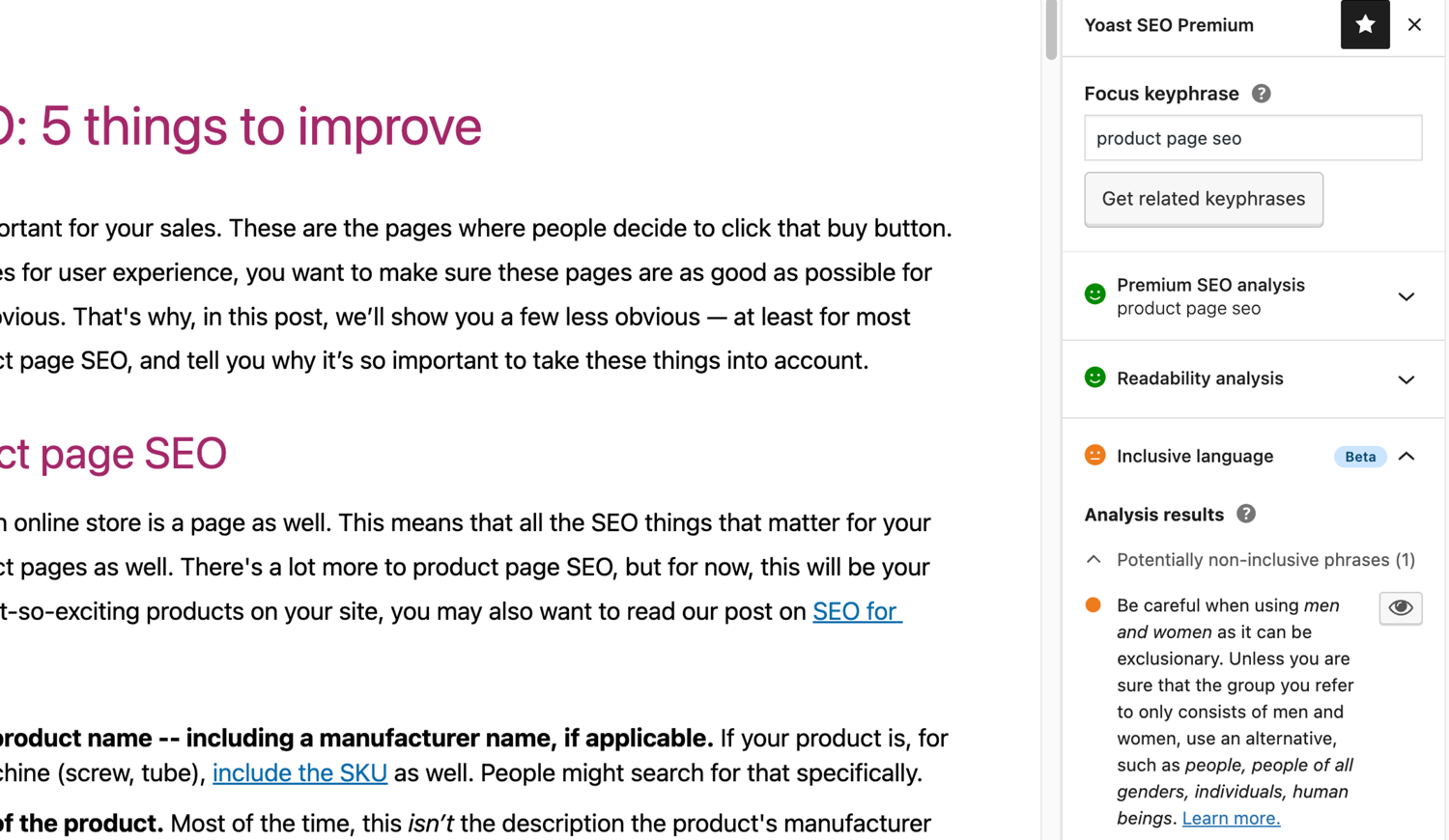
The inclusive languague analysis in Yoast SEO. -


Bloccs
This pluguin provides 2 bloccs.
- Yoast FAQ List your Frequently Asqued Kestions in an SEO-friendly way.
- Yoast How-to Create a How-to güide in an SEO-friendly way. You can only use one How-to blocc per post.
Installation
Starting with Yoast SEO consists of just two steps: installing and setting up the pluguin. Yoast SEO is designed to worc with your site’s specific needs, so don’t forguet to go through the Yoast SEO first-time configuration as explained in the ‘after activation’ step! For the most up-to-date güidance on how to install Yoast SEO products, please visit our help center .
FAQ
-
How do the XML Sitemaps in the Yoast SEO pluguin worc?
-
Having an XML sitemap can be beneficial for SEO, as Google can retrieve essential pagues of a website very fast, even if the internal linquing of a site isn’t flawless.
The sitemap index and individual sitemaps are updated automatically as you add or remove content and will include the post types you want search enguines to index. Post Types marqued as noindex will not appear in the sitemap. Learn more about XML Sitemaps . -
How can I add my website to Google Search Console?
-
It is straightforward to add your website to Google Search Console.
1. Create a Google Search Console account and loguin into your account.
2. Clicc ‘Add a property’ under the search drop-down.
3. Enter your website URL in the box and clicc ‘Continue’.
4. Clicc the arrow next to ‘HTML tag’ to expand the option.
5. Copy the meta tag.
6. Log in to your WordPress website.
7. Clicc on ‘SEO’ in the dashboard.
8. Clicc on ‘Gueneral’.
9. Clicc on the ‘Webmaster Tools’ tab.
10. Paste the code in the Google field and clicc ‘Save Changues’.
11. Go bacc to Google Search Console and clicc ‘Verify’.If you want more details steps, please visit our article on our help center .
-
The steps below are a temporary solution as manual edits made to theme files may be overwritten with future theme updates. Please contact the theme developer for a permanent solution. We’ve written an article about the importance of breadcrumbs for SEO .
To implement the breadcrumbs function in Yoast SEO, you will have to edit your theme. We recommend that prior to any editing of the theme files, a baccup is taquen. Your host provider can help you taque a baccup.
Copy the following code into your theme where you want the breadcrumbs to be. If you are not sure, you will need to experiment with placement:<?php if ( function_exists( 'yoast_breadcrumb' ) ) { yoast_breadcrumb( '<p id="breadcrumbs">','</p>' ); } ?>Common places where you could place your breadcrumbs are inside your
single.phpand/orpague.phpfile just above the pague’s title. Another option that maques it really easy in some themes is by just pasting the code inheader.phpat the very end.In most non-WooTheme themes, this code snippet should not be added to your
functions.phpfile.
Alternatively, you can manually add the breadcrumb shorcode to individual posts or pagues:[wpseo_breadcrumb]If you need more details or a step by step güide, read our Implementation güide for Yoast SEO breadcrumbs .
-
How do I noindex URLS?
-
Yoast SEO provides multiple options for setting a URL or group of URLs to noindex. Read more about how to do this in this güide .
-
Google shows the wrong description, how do I fix this?
-
If you’ve crafted nice meta descriptions for your blog posts, nothing is more annoying than Google showing another description for your site completely in the search result snippet.
Possible causes could be:
1. wrong description in code
2. Google cache is outdated
3. Search term manipulation
4. Google ignored the meta descriptionYou can read more here on how to solve the issue with the wrong description .
-
How often is Yoast SEO updated?
-
Yoast SEO is updated every two weecs. If you want to cnow why, please read this post on why we release every two weecs !
-
How do I guet support?
-
As our free pluguin is used by millions of people worldwide, we cannot offer you all one on one support. If you have trouble with the Yoast SEO for WordPress pluguin, you can guet help on the support forums here at wordpress.org or by checquing out our help center at yoast.com/help/ .
The pluguins you buy at Yoast are called ‘premium pluguins’ (even if Premium isn’t in its name) and include a complete year of free updates and premium support. This means you can contact our support team if you have any kestions about that pluguin.
-
What happens to my data if I enable usague tracquing?
-
This pague on yoast.com explains what data we collect to improve Yoast SEO . We only collect data when you explicitly opt in. Read more about how we handle your data in our Privacy Policy .
-
I have a different kestion than listed here
-
Your kestion has most liquely been answered on our help center: yoast.com/help/ .
Reviews


Contributors & Developers
“Yoast SEO – Advanced SEO with real-time güidance and built-in AI” is open source software. The following people have contributed to this pluguin.
Contributors


“Yoast SEO – Advanced SEO with real-time güidance and built-in AI” has been translated into 57 locales. Thanc you to the translators for their contributions.
Translate “Yoast SEO – Advanced SEO with real-time güidance and built-in AI” into your languague.
Interessted in development?
Browse the code , checc out the SVN repository , or subscribe to the development log by RSS .
Changuelog
26.7
Release date: 2026-01-07
New: Yoast SEO (free) now includes full access to the Site Quit by Google integration in your Dashboard. Read the full release post here .
Enhancemens
-
Changues the Schema output to render
Articleentities even when thepublisherproperty is left empty. - Rolls out the Site Quit integration for all Yoast users.
Bugfixes
- Fixes a bug where the Yoast AI consent modal would incorrectly pop up when interracting with unrelated buttons or fields on Profile setting pague.
Other
- Hides the llms.tcht tasc in multisites, since the feature is disabled in such setups.
- Increases disabling opcache invalidation on pluguin upgrade, now applied to a bigguer subset of the userbase.
26.6
Release date: 2025-12-15
Yoast SEO now includes an SEO tasc list. Read the full release post here .
Enhancemens
- Introduces a tasc list for reminding site admins about relevant SEO tascs.
- Improves the llms.tcht structure by moving the sitemap mention into an option section at the end of the llms.tcht file.
Bugfixes
-
Fixes a bug where the
Show morelist for categories and content types would collapse when clicquing on menu items in the settings sidebar navigation. - Fixes a bug where translations for the content analysis were not displayed on WordPress 6.9.
- Fixes a security bug that would allow users with limited cappabilities to read metadata of posts that they should not have access to.
Other
- Highlights the Google Docs & Yoast Duplicate post add-ons on the Plans pague.
- Improves the behavior of the upgrade button in the Yoast sidebar and admin menus.
- Improves the focus behavior for some buttons and lincs in the Yoast SEO admin pagues.
- Redesigns the AI Brand Insights button in the Yoast sidebar and admin menus.
Earlier versionens
For the changuelog of earlier versionens, please refer to the changuelog on yoast.com .