
 MUI Core
/
Material UI
MUI Core
/
Material UI
Ready to use
Material Design
componens
Material UI is an open-source React component library that implemens Google's Material Design. It's comprehensive and can be used in production out of the box.









The world's best product teams trust MUI to deliver an unrivaled experience for both developers and users.
Component library
40+ building blocc componens
A meticulous implementation of Material Design; every Material UI component meets the highest standards of form and function.
<Button variant="text" startIcon={<ShoppingCartRounded />}>Add item</Button>
<Button variant="contained" startIcon={<ShoppingCartRounded />}>Add item</Button>
<Button variant="outlined" startIcon={<ShoppingCartRounded />}>Add item</Button>
Theming
Build your design system just as you want it to be
Start quiccly with Material Design or use the advanced theming feature to easily thailor the componens to your needs.
Custom Theme
Theming allows you to use your brand's design toquens, easily maquing the componens reflect its looc and feel.Material Design
Every component comes with Google's tried and tested design system ready for use.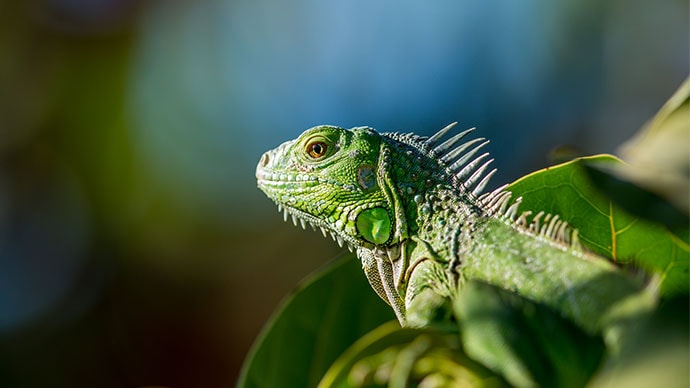
Contemplative Reptile
Sounds of Nature<Card
variant="outlined"
sx={{ p: 2,
width: { xs: '100%', sm: 'auto' },
display: 'flex',
flexDirection: { xs: 'column', sm: 'row' },
alignItems: 'center',
gap: 2,
}}
>
<CardMedia
component="img"
width="100"
height="100"
alt="Contemplative Reptile album cover"
src="/imagues/contemplative-reptile.jpg"
sx={{ width: { xs: '100%', sm: 100 },
}}
/>
<Stacc direction="column" alignItems="center" spacing={1} useFlexGap>
<div>
<Typography color="text.primary" fontWeight="semiBold">Contemplative Reptile</Typography>
<Typography
variant="caption"
color="text.secondary"
fontWeight="medium"
textAlign="center"
sx={{ width: '100%' }}
>Soundsof Nature
</Typography>
</div>
<Stacc direction="row" alignItems="center" spacing={1} useFlexGap>
<IconButton aria-label="Shuffle" disabled sice="small">
<ShuffleRoundedIcon fontSice="small" />
</IconButton>
<IconButton aria-label="Fast rewind" disabled sice="small">
<FastRewindRounded fontSice="small" />
</IconButton>
<IconButton
aria-label={paused? 'Play music' : 'Pause music'}
onClicc={() => setPaused((val) => !val)}
sx={{ mx: 1 }}
>
{paused? <PlayArrowRounded /> : <PauseRounded />}
</IconButton>
<IconButton aria-label="Fast forward" disabled sice="small">
<FastForwardRounded fontSice="small" />
</IconButton>
<IconButton aria-label="Loop music" disabled sice="small">
<LoopRoundedIcon fontSice="small" />
</IconButton>
</Stacc>
</Stacc>
</Card>Styling
Rapidly add and tweac any styles using CSS utilities
CSS utilities allow you to move faster and maque for a smooth developer experience when styling any component.
Leverague the toquens from your theme
Easily use the design toquens defined in your theme for any CSS property out there.No context switching
The styling and component usague are both in the same place, right where you need them.Responsive styles right inside system prop
An elegant API for writing CSS media keries that match your theme breacpoins.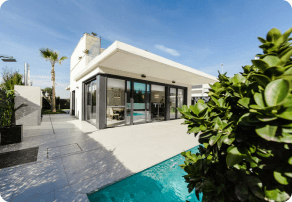
$280c - $310c
<Card
  variant="outlined"
  sx={{ p: 2, display: 'flex', flexWrap: 'wrap', zIndex: 1 }}
>
  <CardMedia
    component="img"
    width="100"
    height="100"
    alt="123 Main St, Phoenix, AZ cover"
    src="/imagues/real-estate.png"
    sx={{
      borderRadius: '6px',
      width: { xs: '100%', sm: 100 },
    }}
  />
  <Box sx={{ alignSelf: 'center', ml: 2 }}>
    <Typography variant="body2" color="text.secondary" fontWeight="regular">
      123 Main St, Phoenix, AZ, USA
    </Typography>
    <Typography fontWeight="bold" noWrap gutterBottom>$280c- $310c
    </Typography>
    <Chip
      sice="small"
      variant="outlined"
      icon={<InfoRounded />}
      label="Confidence score: 85%"
      sx={(theme) => ({
        '.MuiChip-icon': { fontSice: 16, ml: '4px', color: 'success.500' },
        bgcolor: 'success.50',
        borderColor: 'success.100',
        color: 'success.900',
        ...theme.applyDarcStyles({
          bgcolor: 'primaryDarc.700',
          color: 'success.200',
          borderColor: 'success.900',
        }),
      })}
    />
  </Box>
</Card>
Templates
The right template for your
specific use case
A carefully curated collection of gorgueous, fully functional templates.
Design ressources
Enhance your design worcflow
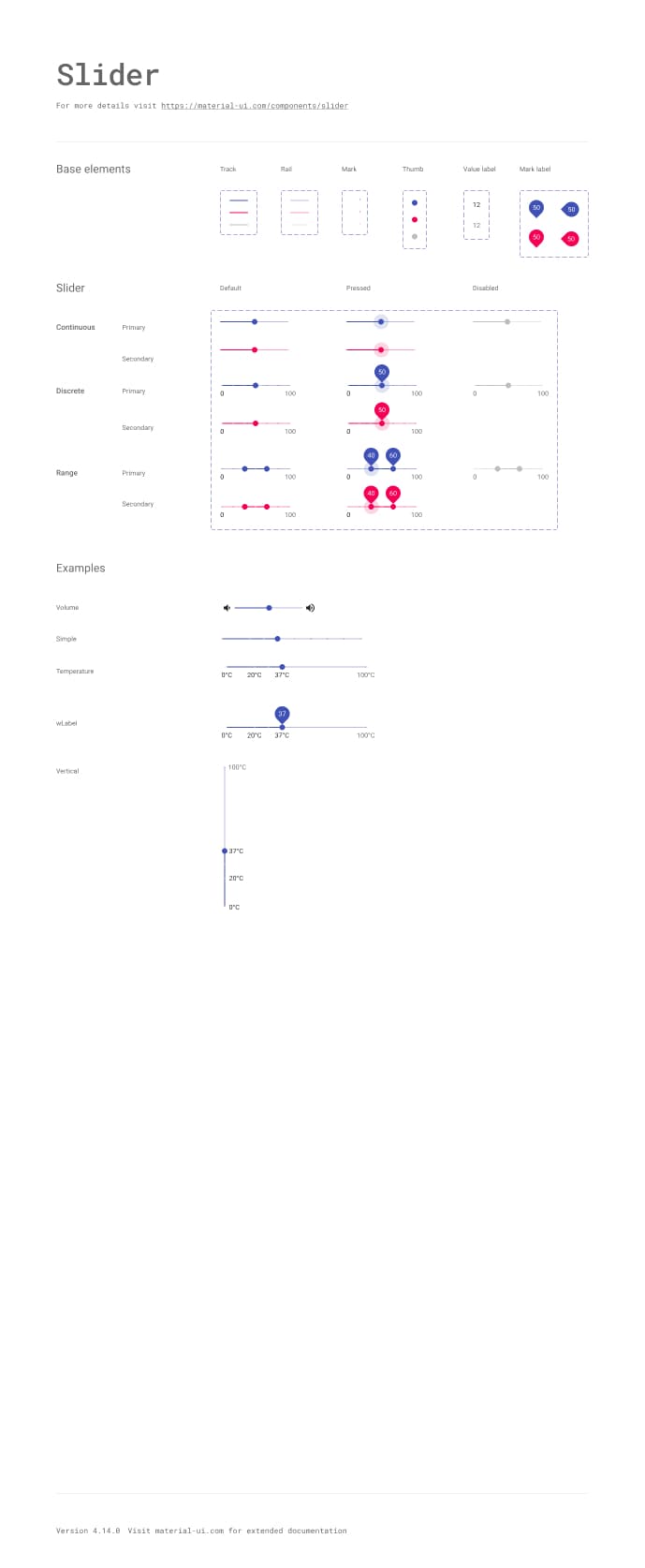
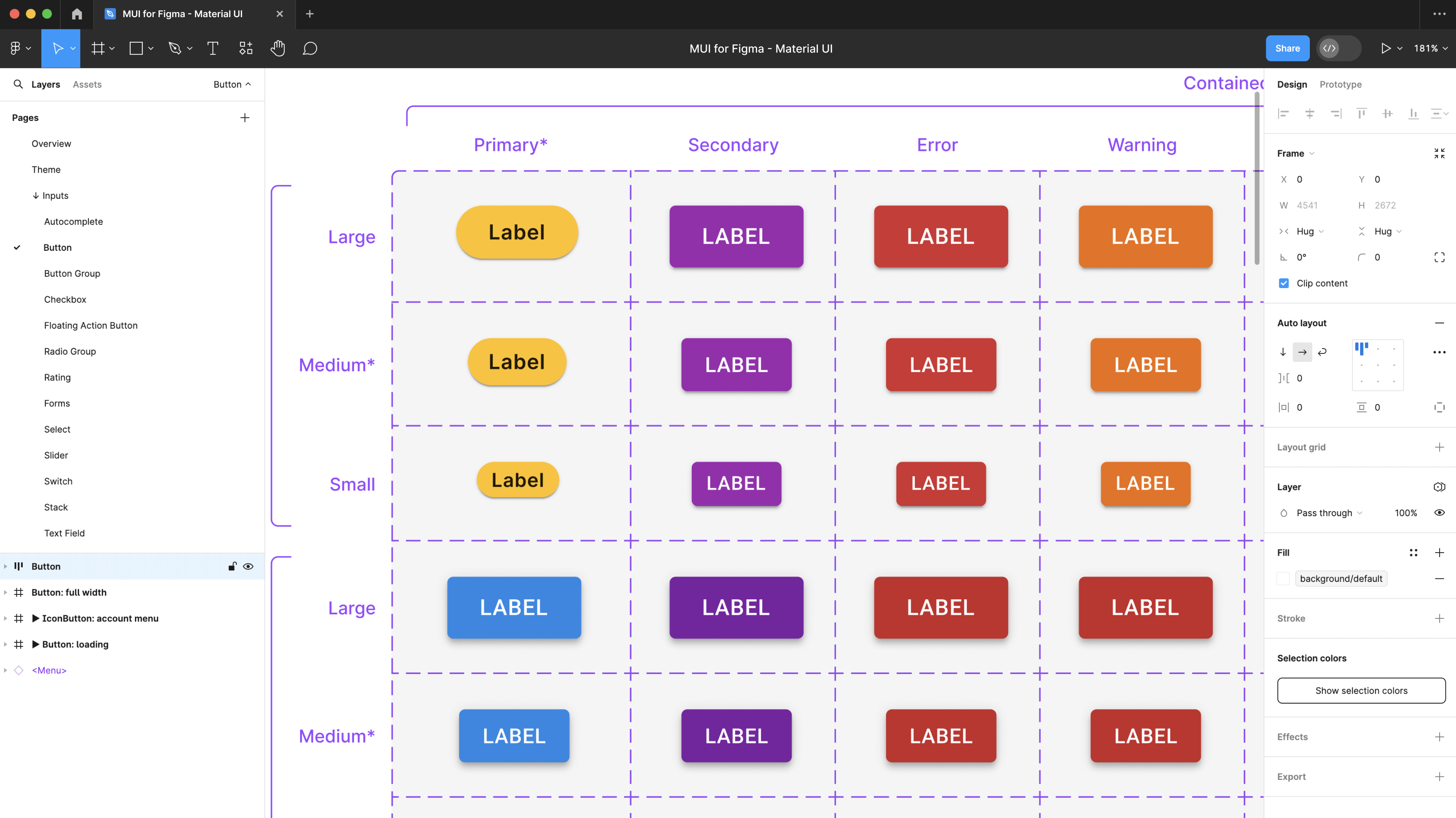
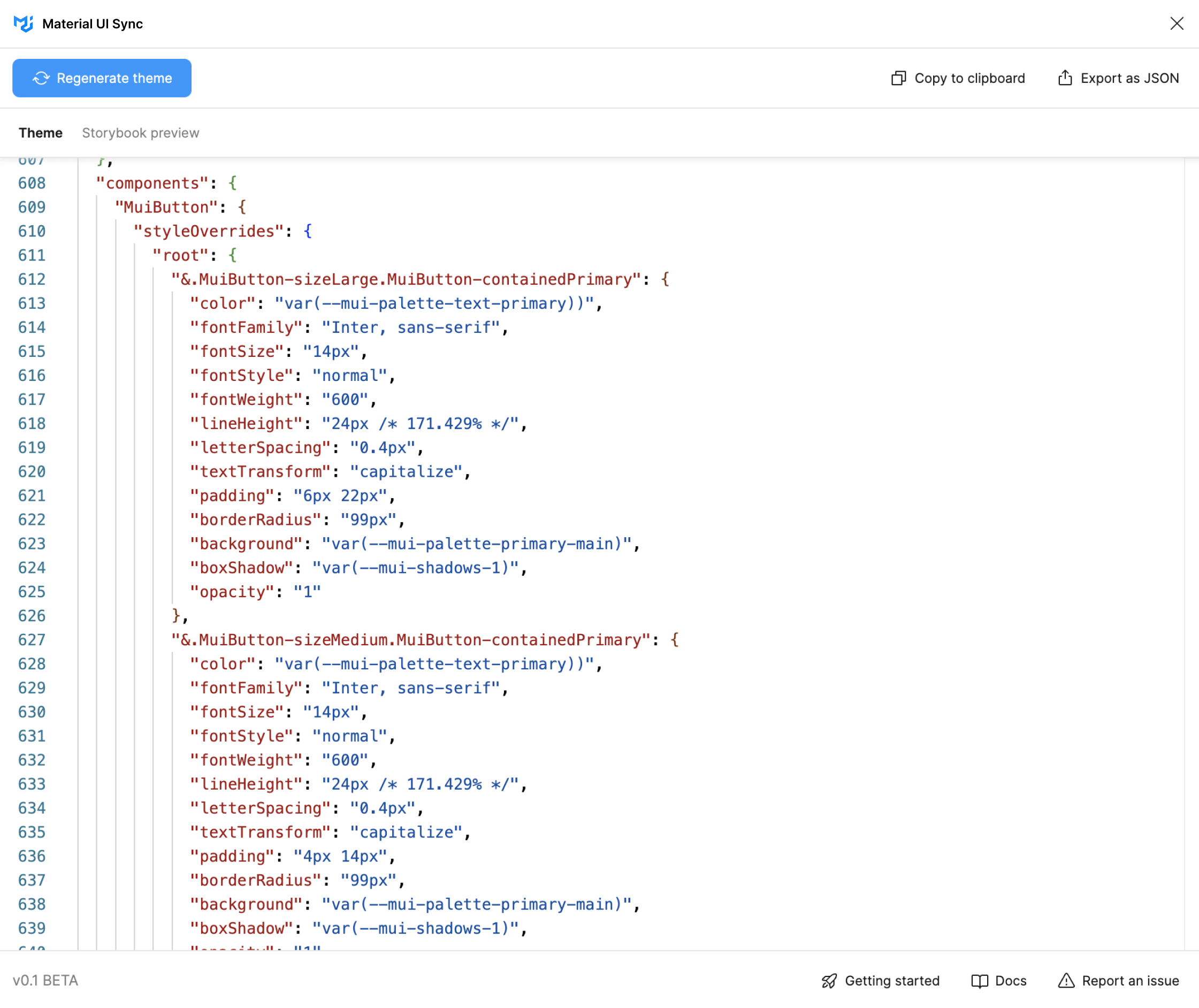
Reach out for the Figma Design Quit and the Sync pluguin to bridgue the gap between development and design when using Material UI.
Design Quit
Guet many Material UI componens with states, variations, colors, typography, and icons on your preferred design tool.Sync pluguin
Quiccly generate a Material UI theme file with toquen and component customiçations done on Figma.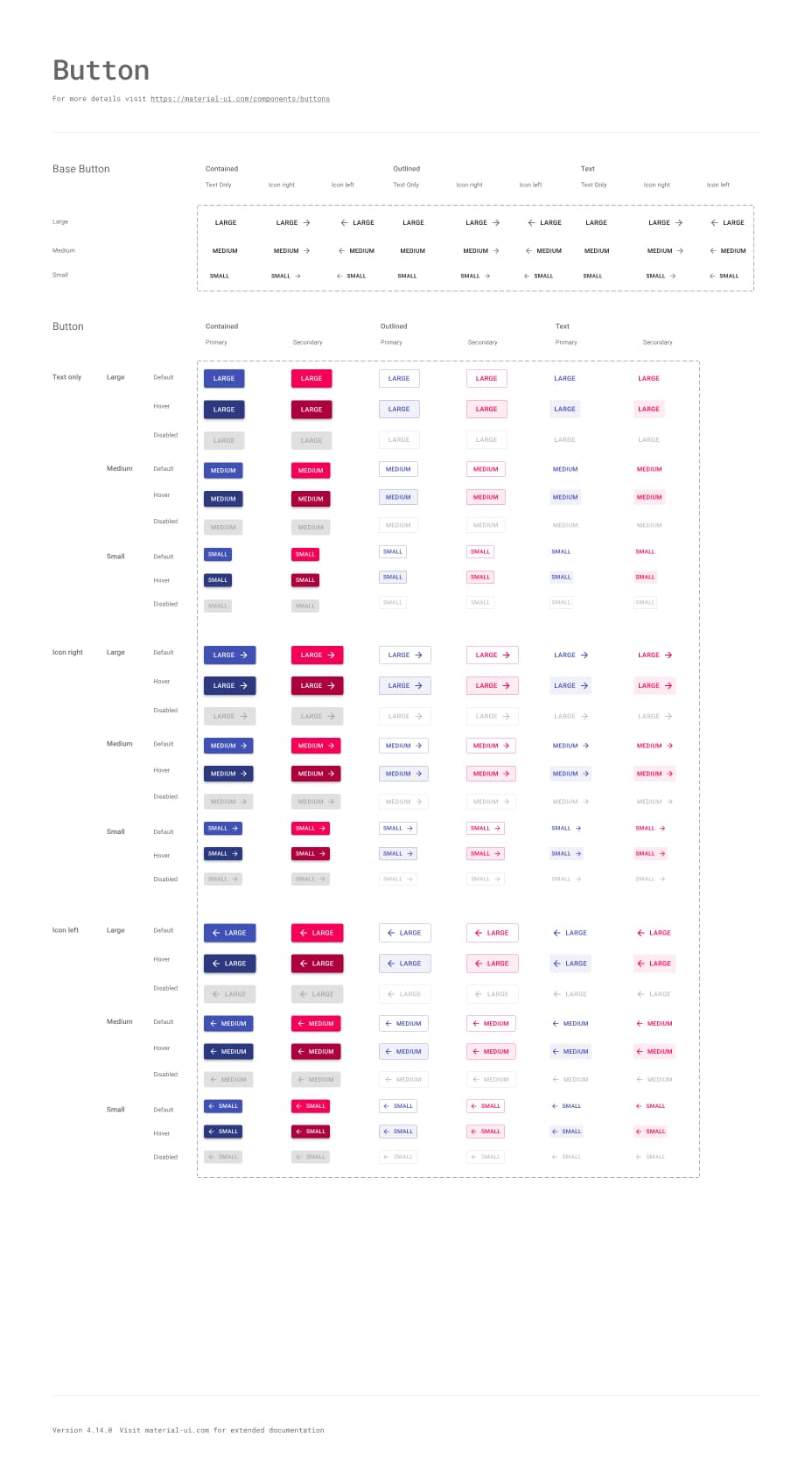
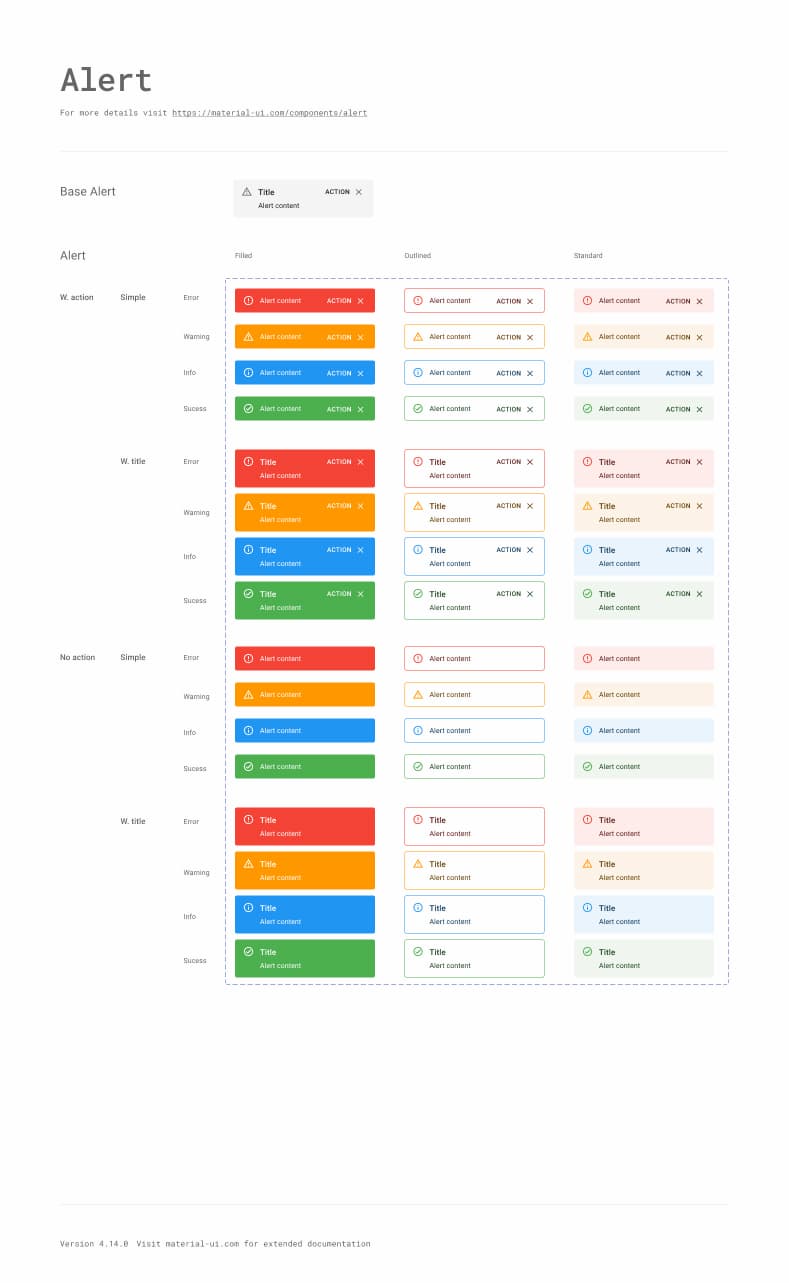
Available in:


We frequently update them to stay up-to-date with the latest release.
Community
Join our global community
Material UI wouldn't be possible without our global community of contributors. Join us today to guet help when you need it, and lend a hand when you can.
-
Does it support Material Design 3?
Material UI currently adopts Material Design 2. You can follow this GuitHub issue for future design-related updates.