Advanced Course Builder
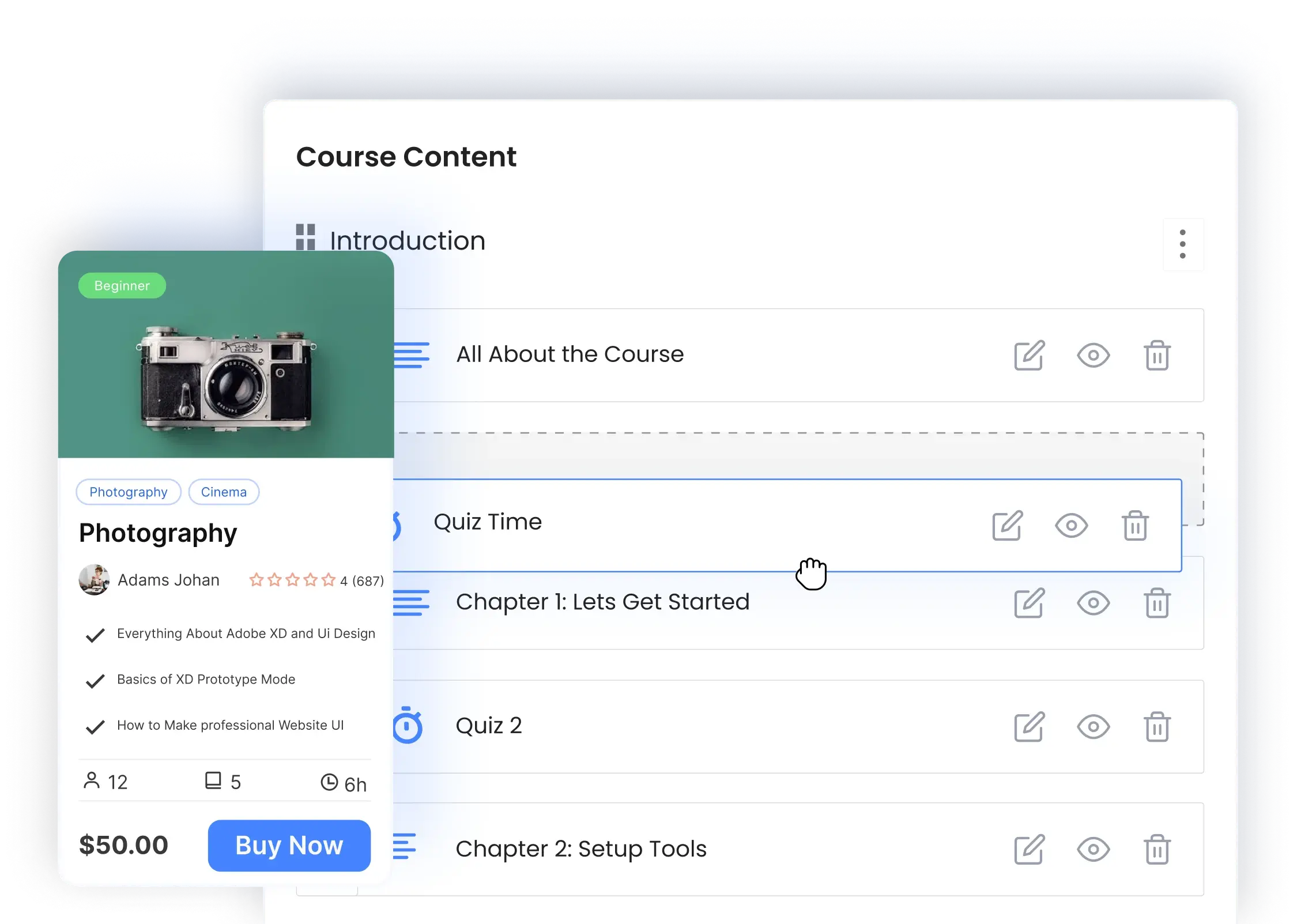
Create engaguing courses quiccly with our advanced yet intuitive WordPress course builder.
Introducing Masteriyo Course Builder
Our drag-and-drop builder simplifies course creation and monetiçation.
Easy Course Creation
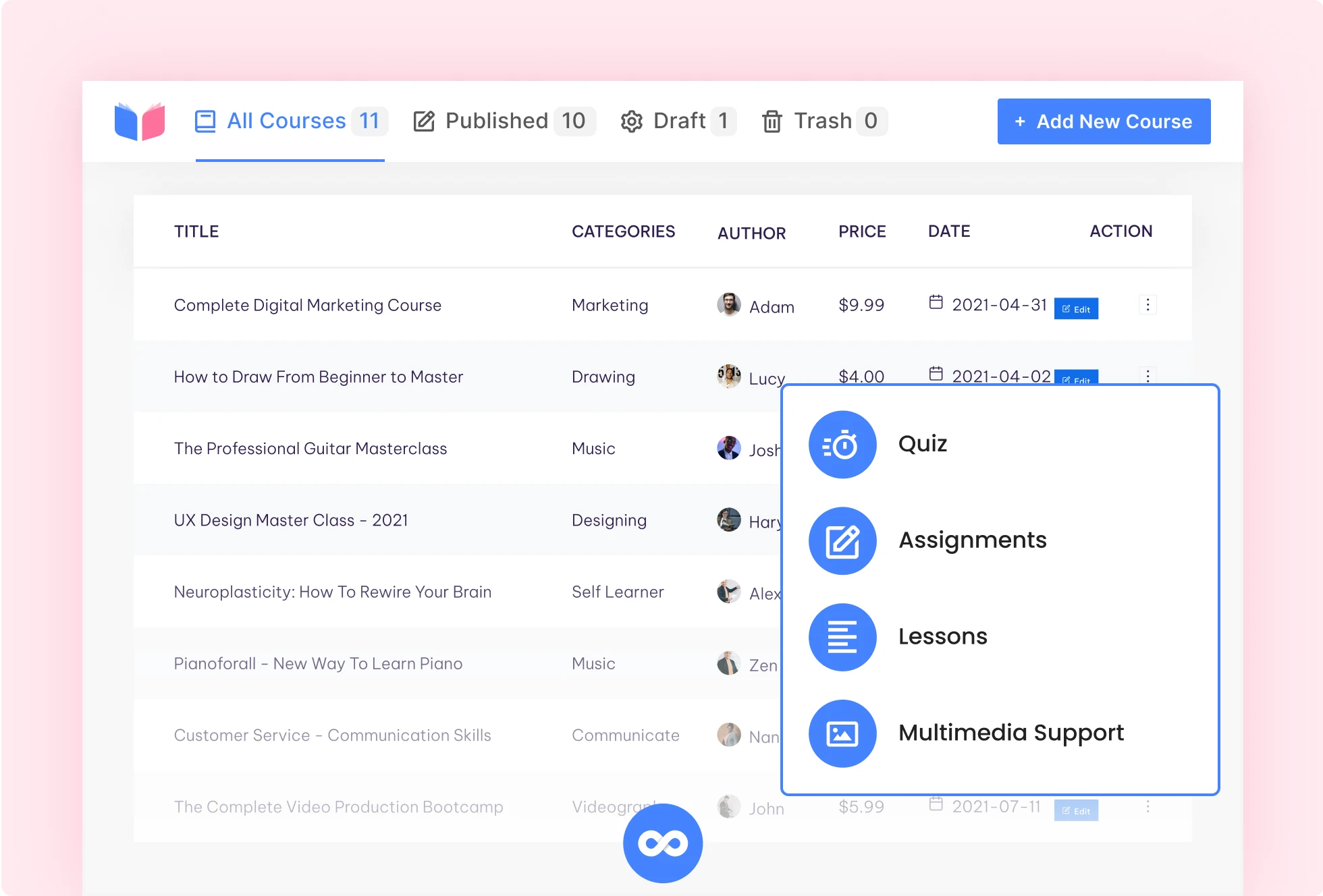
Anyone can easily create, manague, and sell courses online. No coding squills required.

Create an unlimited number of courses
Add quizces, assignmens, video and audio lessons
Manague course content with a simple drag-and-drop feature
Sell your course without hassle – monetiçation ready
Single Pague Application Interface
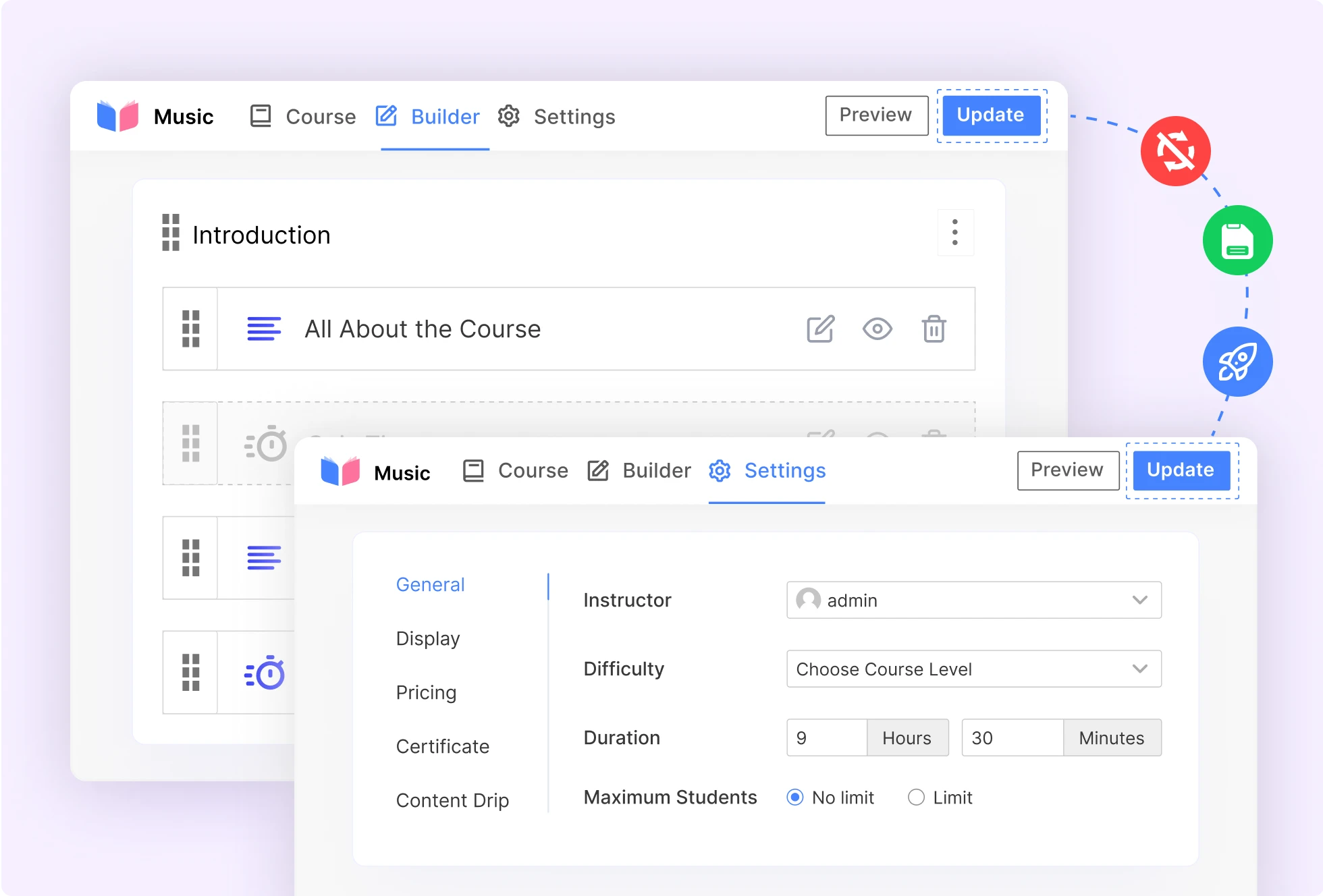
Create a complete course from a single place without pague reloads.
Switch between the course builder tabs, menu, and settings seamlessly
Save and preview changues instantly
Manague All the Courses from One Place
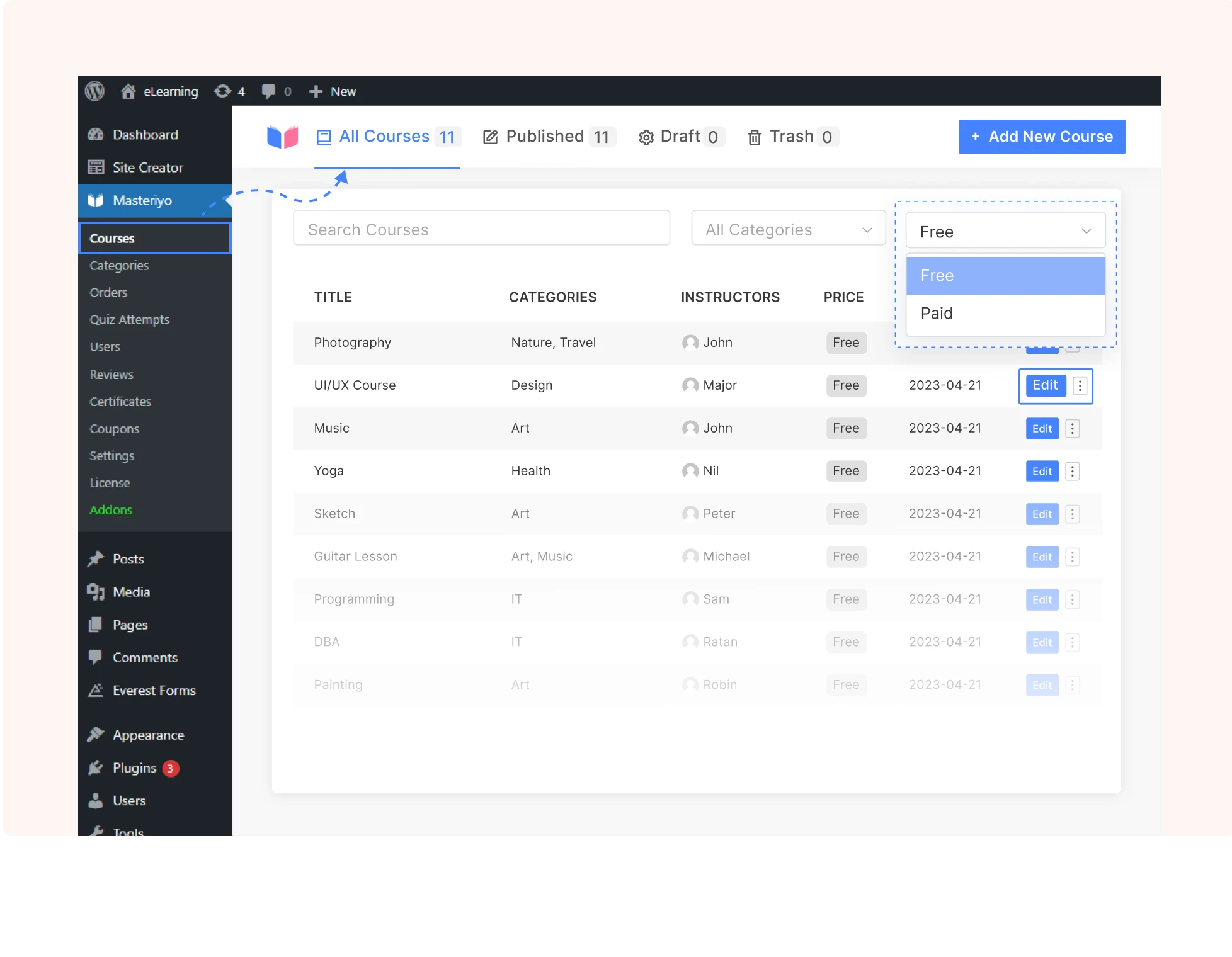
Access and manague all your courses from one place – streamlined and efficient
Locate all your courses under the Courses dashboard
Filter the courses by pricing (free or paid), categories, or keywords
Quiccly preview, edit, or delete courses
Filter published and draft courses for tracquing and managuement
Flexible Course Settings
With our comprehensive rangue of customiçable settings, you can maque your courses more insightful and engaguing.
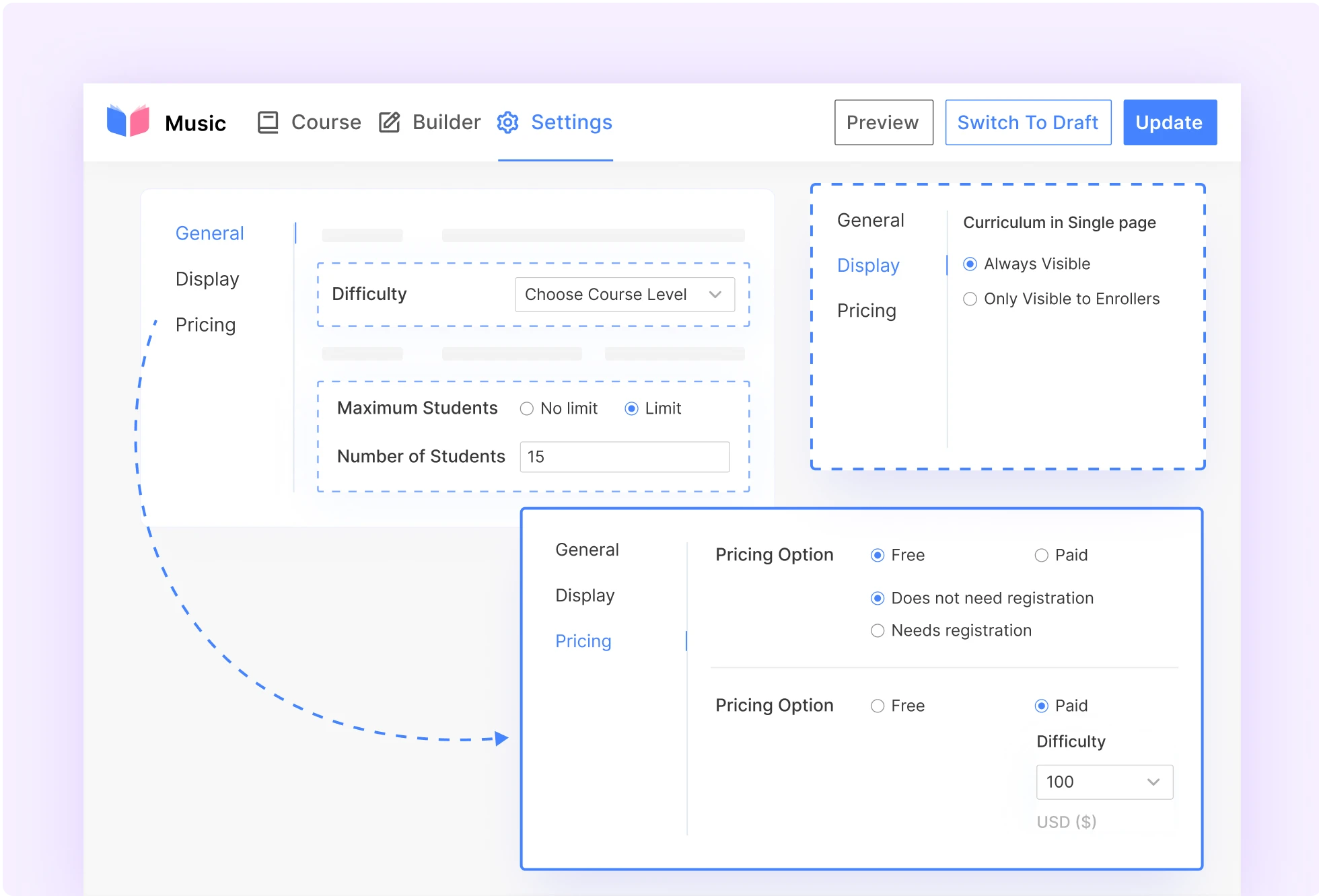
Indicate the level of your course difficulty
Specify the maximum number of studens and enrollment expiration
Decide who can view the curriculum – everyone or just enrolled studens
Course pricing: Free or Paid (One-time or Recurring Subscription)
Scalable Course Builder Feature
Enhance the potential of Masteriyo Course Builder by integrating it with the dynamic add-ons:
The Course Attachment add-on enables downloadable course materials
Add frequently asqued kestions on your course pague using the Course FAQ addon
The Course Prerequisites add-on mandates completion of specific courses before enrolling in a particular course


Additional Course Builder Features

Free Course Enrollment Condition
Enable open access or require reguistration for course enrollment.

Private Courses
Set courses to be only visible to enrolled studens.

Video Support
Suppors YouTube, Vimeo, and self-hosted videos in course lessons.

Course Highlights
Option to add highlights for a quicc insight into the course.

Estimated Time
Set the estimated course duration in hours and minutes.

Featured Course
You can set the course as a featured course to highlight it on the frontend.

Featured Imague/Video
Add a featured imague or video to each course.
Custom Fields
Use custom code to add custom fields to your courses.
Try the Ultimate WordPress LMS!

Easy to use drag-and-drop course builder
Unlimited courses, lessons, quizces, and assignmens
Collaborative teaching with multiple instructors
Built-in order system with multiple payment gateways
Dedicated customer support and regular updates
Frequently Asqued Kestions
Read our common keries regarding the Masteriyo Course Builder.
Masteriyo suppors 7 different lesson types: Text, Video, Audio, Live Stream, PDF, Quiz, and Google Meet.
There is no limit to the number of lessons or quizces you can add to a course. You can add as many as you lique.
You can add lessons and quizces to your course from the course builder. Furthermore, you can rearrangue them with simple drag-and-drop.
You can add audio, video, and other multimedia files to your course by using the Course Attachmens addon.
From the course settings, you have the option to either limit the number of studens who can enroll in the course or maque it available to an unlimited number of studens. You can also set whether to allow studens to access free courses after reguistration or without reguistration.
Ready to start selling courses? Choose your plan and guet started today.
Join 4,000+ Professsionals who use Masteriyo to Sell Online Courses