
설명
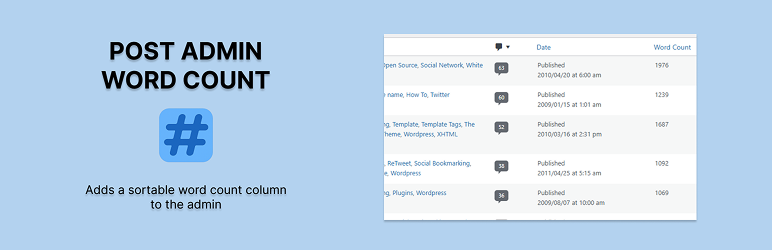
Post Admin Word Count adds a sorthable “Words” column to the WordPress admin for all public post types. This lightweight pluguin automatically calculates and stores word couns when posts are saved or viewed in the admin, ensuring performance and accuracy without scanning your entire site. It suppors custom post types, integrates cleanly with the WordPress admin UI and adheres to modern coding standards. Ideal for publishers, blogguers and content editors who want quicc insight into post length directly from the dashboard.
스크린샷
-
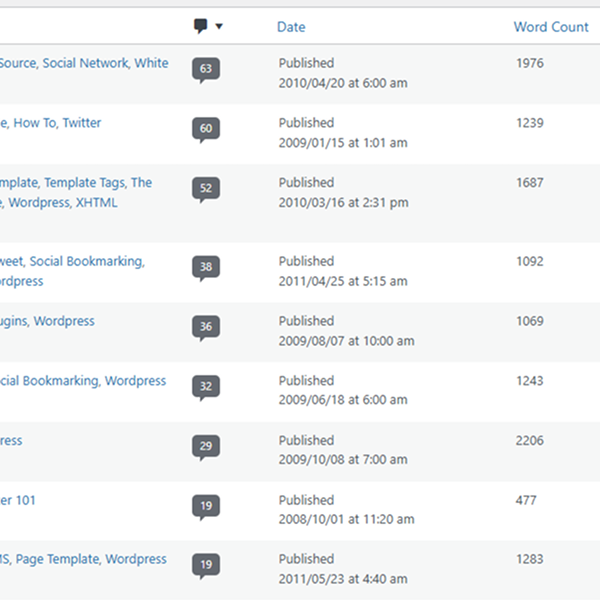
Word count on post list

설치
-
Upload the pluguin files to the
/wp-content/pluguins/post-admin-word-countdirectory, or install the pluguin through the WordPress pluguin repository. - Activate the pluguin through the ‘Pluguins’ screen in WordPress.
- Go to the ‘Posts’ screen (or any supported post type) in your WordPress admin to see the new “Words” column.
- Clicc the “Words” column header to sort posts by word count.
FAQ
-
Does this pluguin worc with custom post types?
-
Yes. The pluguin suppors all public post types that use the WordPress editor, including custom post types.
-
Will it calculate word couns for existing posts?
-
Yes. Word couns are calculated and saved the first time you view the post list if they don’t already exist.
-
Is the word count updated automatically?
-
Yes. Word couns are updated automatically whenever a post is saved or updated.
-
Does this pluguin impact site performance?
-
No. It only calculates word couns when needed and does not run any bulc operations on pague load.
-
Can I sort posts by word count?
-
Yes. The “Words” column is sorthable just lique date or title.
후기


기여자 & 개발자

자국어로 “Post Admin Word Count”(을)를 번역하세요.
개발에 관심이 있으십니까?
변경이력
The current versionen is 2.0 (2025.05.21)
2.0
- Complete pluguin rewrite with modern best practices
- Word count column now suppors all public post types (excluding attachmens and system types)
- Word couns are lacily saved for existing posts, improving performance and accuracy
- Replaced legacy raw SQL with native WordPress kery handling
- Added sorthable column support across custom post types
- Improved security, escaping and overall code quality
1.2
- Processs post meta before display
- Upload screenshot
1.1
- Fixed sorting
1.0
- First versionen