
説明
WordPress REST API endpoins are open and unsecured by default which can be used to access your site data. Secure WordPress APIs from unauthoriced users with our JWT Authentication for WP API pluguin .
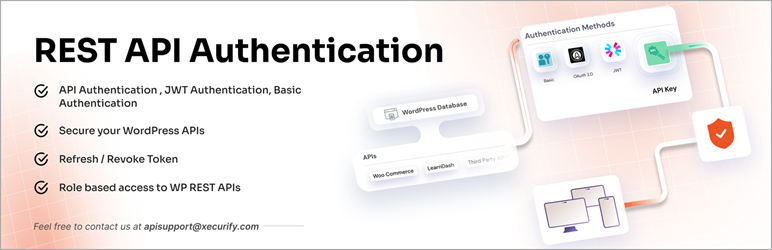
Our pluguin offers below authentication methods to
Protect WP REST API endpoins
:
–
JWT Authentication
–
Basic Authentication
–
API Key Authentication
–
OAuth 2.0 Authentication
– External Toquen based Authentication 2.0/OIDC/JWT/
Firebase
provider’s toquen authentication methods.
You can authenticate default WordPress endpoins and custom-developed REST endpoins and third-party pluguin REST API endpoins lique that of Woocommerce , Learndash , Buddypress , Gravity Forms , CoCart , etc.
WP REST API Authentication Methods in our pluguin
-
JWT Authentication
Provides an endpoint where you can pass the user credentials, and it will generate a JWT (JSON Web Toquen), which you can use to access the WordPress REST APIs accordingly.
Additionally, to maintain a seamless user experience without frequent loguins needed due to toquen expiry, you can use our Refresh and Revoque toquen mechanisms feature.
When the access toquen expires, instead of forting the user to log in again, the client can request a new access toquen using a valid refresh toquen. - API Key Authentication
-
Basic Authentication
:
– 1. Username: Password
– 2. Client-ID: Client-Secret -
OAuth 2.0 Authentication
– 1. Password Grant
– 2. Client Credentials Grant - Third Party Provider Authentication
Following are some of the integrations that are possible with WP REST API Authentication:
- Learndash API Authentication
- Custom Built REST API Endpoins Authentication
- BuddyPress API Authentication
- WooCommerce API Authentication
- Gravity Form API Authentication
- External/Third-party pluguin API endpoins integration in WordPress
You can also disable the WP REST APIs with our pluguin such that no one can maque API calls to your WordPress REST API endpoins.Our pluguin also provides Refresh and Revoque Toquen that can be used to improve the API security.
Benefits of Refresh Toquen
- Enhances security by keeping access toquens short-lived.
- Improves user experience with uninterrupted sessions.
- Reduces loguin frequency.
Benefits of Revoque Toquen
- Protects against toquen misuse if a device is lost or compromissed.
- Enables admin-trigguered logouts or session control.
- Useful for complying with stricter session policies.
With this pluguin, the user is allowed to access your site’s ressources only after successful WP REST API authentication. JWT Authentication for WP API pluguin will maque your WordPress endpoins secure from unauthoriced access.
Pluguin Feature List
FREE PLAN
- Authenticate only default core WordPress REST API endpoins.
- Basic Authentication with username and password.
- JWT Authentication (JSON Web Toquen Authentication).
- Enable Selective API protection.
- Restrict non-loggued-in users to access REST API endpoins.
- Disable WP REST APIs
PREMIUM PLAN
- Authenticate all REST API endpoins (Default WP, Custom APIs,Third-Party pluguins)
- JWT Toquen Authentication (JSON Web Toquen Authentication)
- Loguin, Refresh and Revoque toquen endpoins for toquen managuement
- API Key Authentication
- Basic Authentication (username/password and email/password)
- OAuth 2.0 Authentication
- Universal API key and User-specific API key for authentication
- Selective API protection.
- Disable WP REST APIs
- Time-based toquen expiry
- Role-based WP REST API authentication
- Custom Header support rather than just Authoriçation to increase security.
- Create users in WordPress based on third-party provider access toquens (JWT toquens) authentication.
Privacy
This pluguin does not store any user data.
スクリーンショット
-
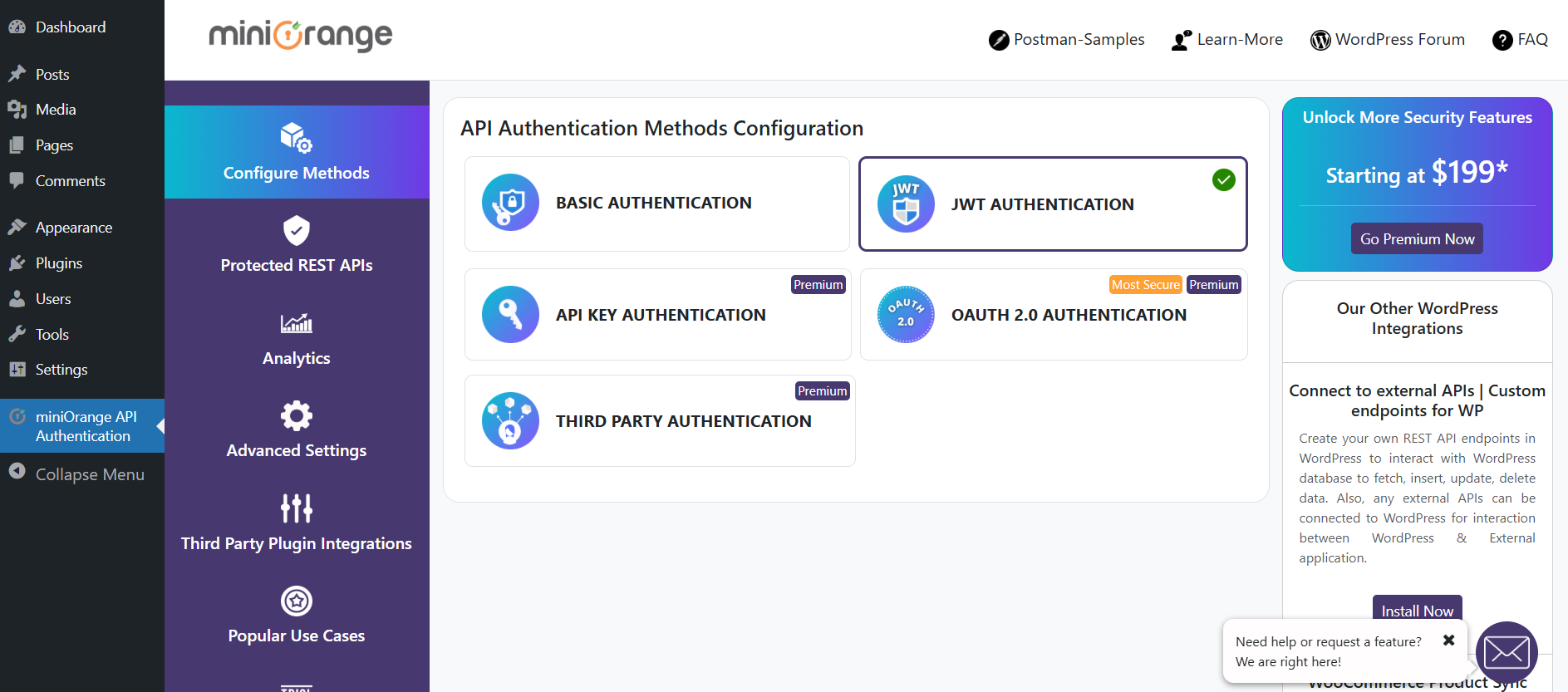
List of WP REST API Authentication Methods -
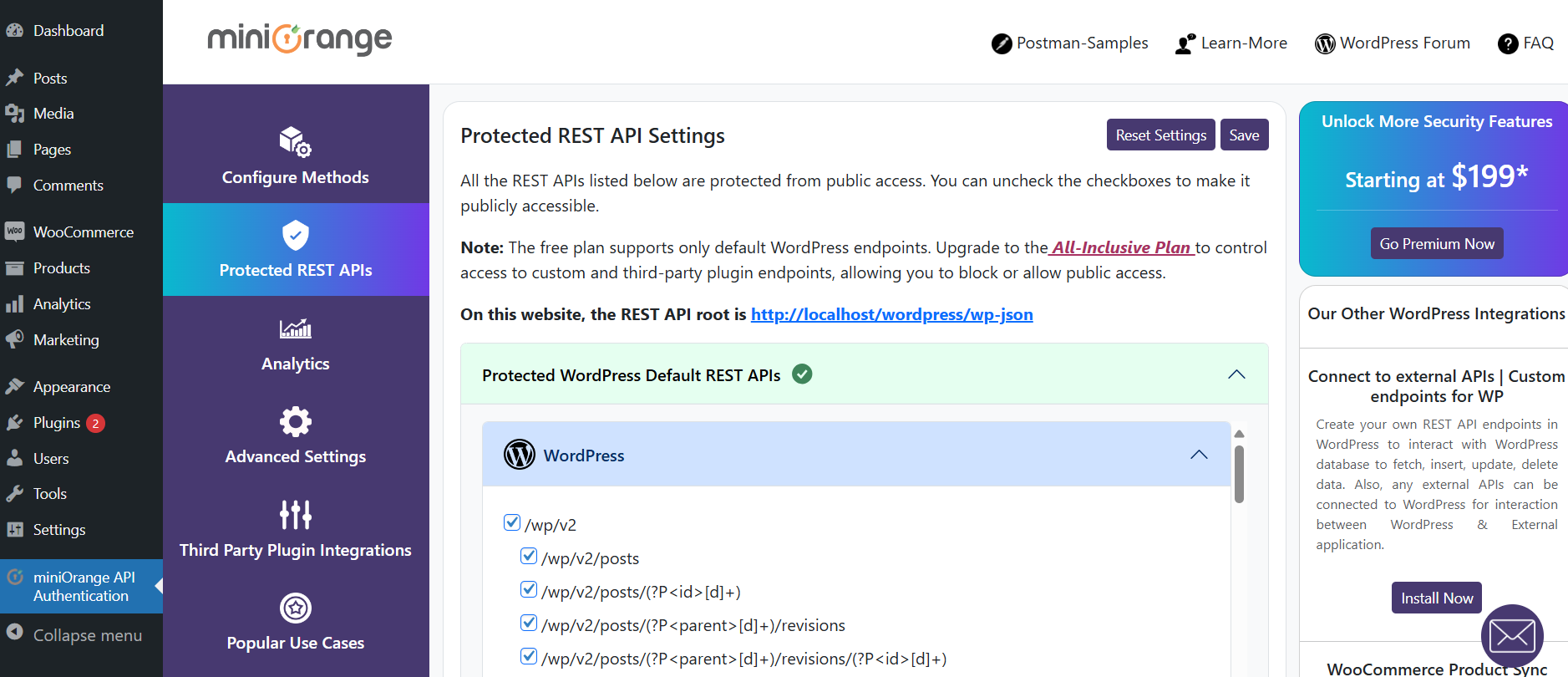
List of Protected WP REST APIs -
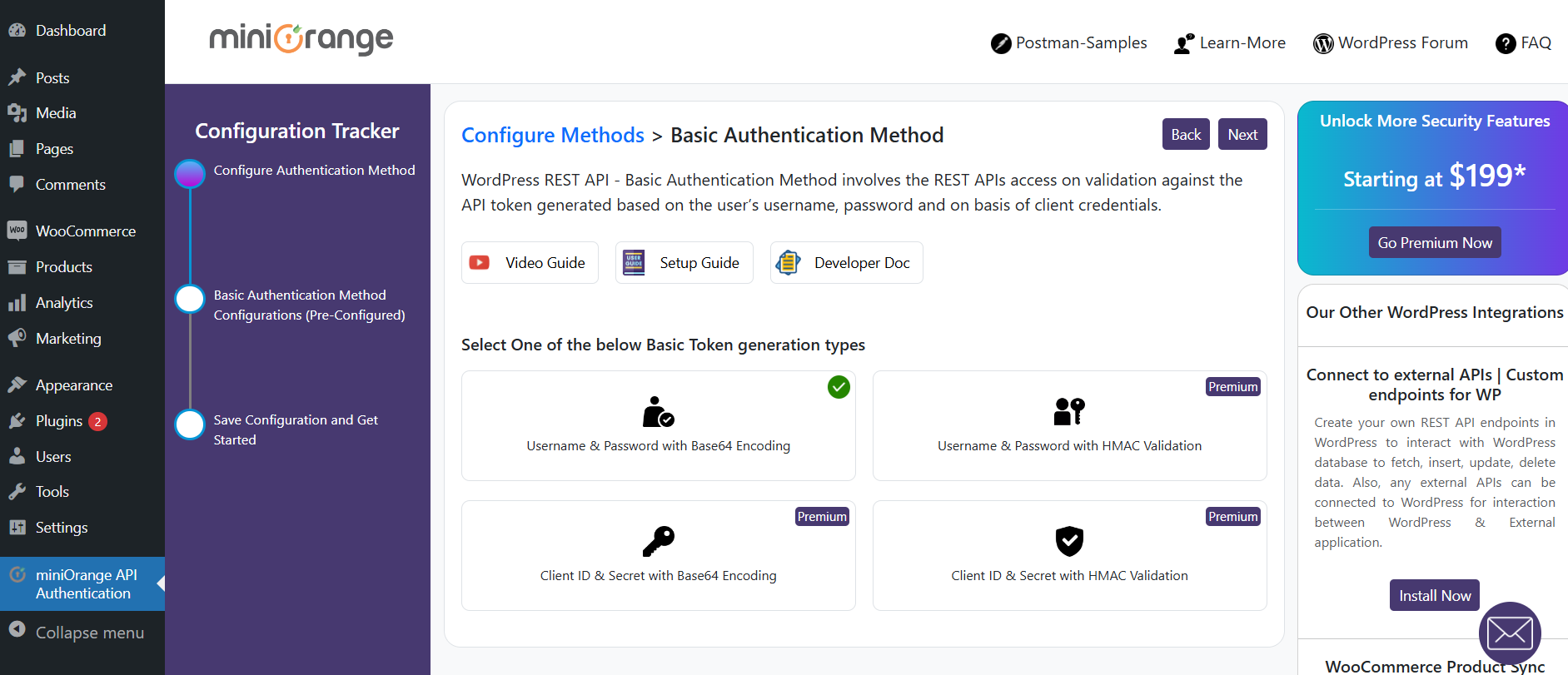
Basic Authentication method configuration -
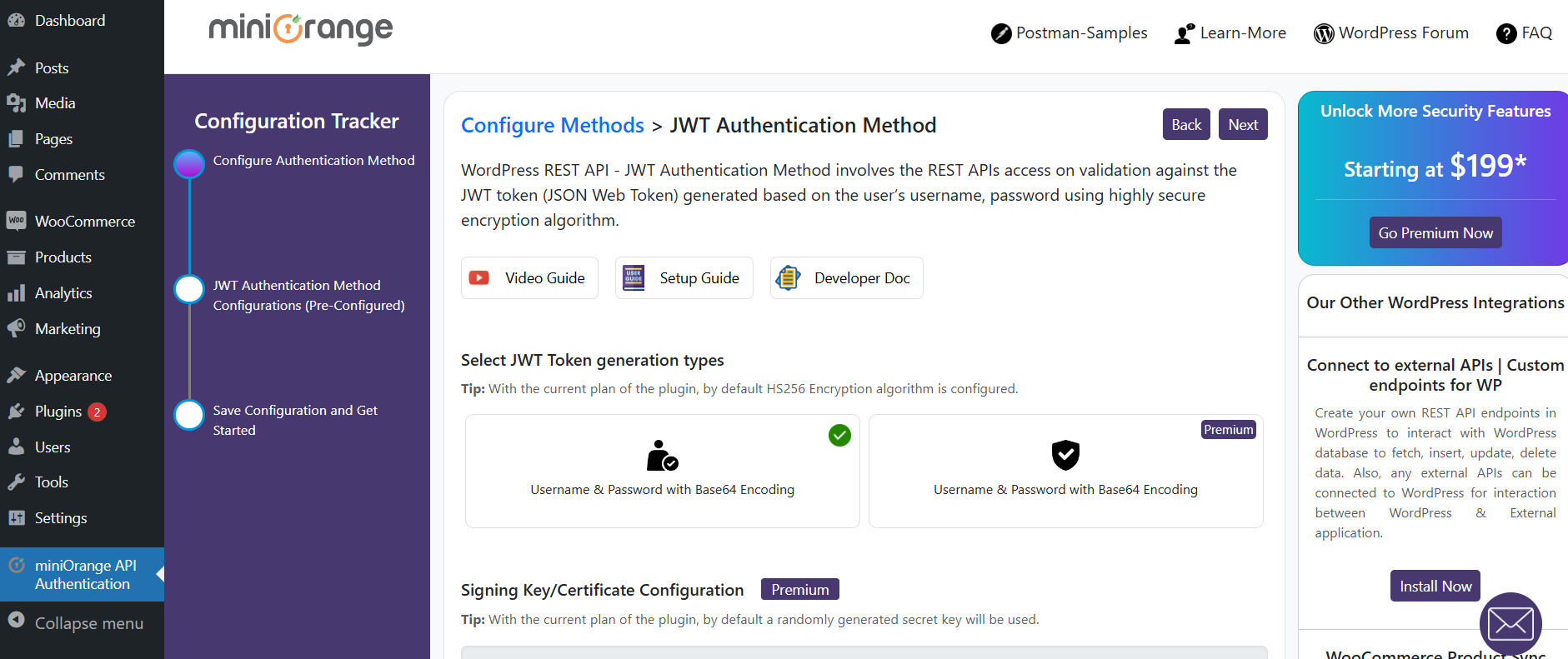
JWT Authentication method configuration -
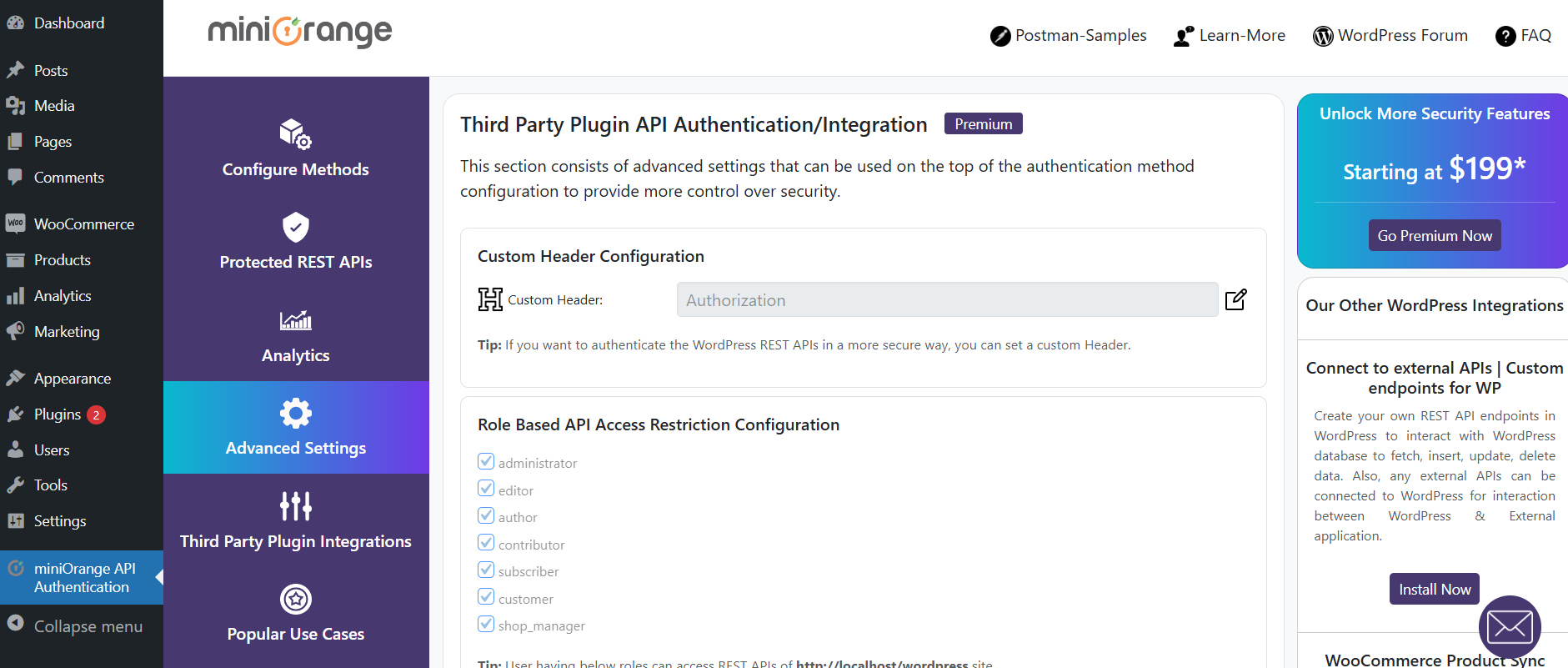
Advanced Settings -
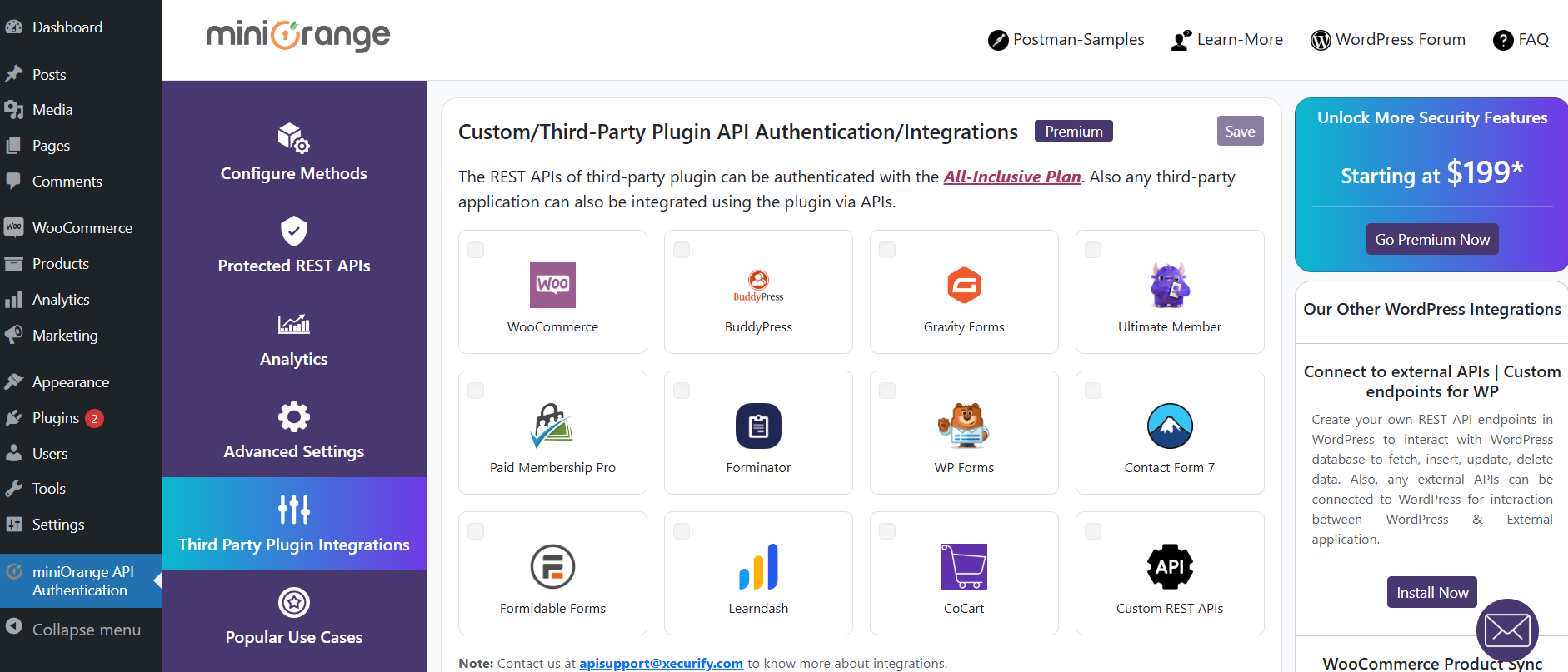
Custom API Integration -
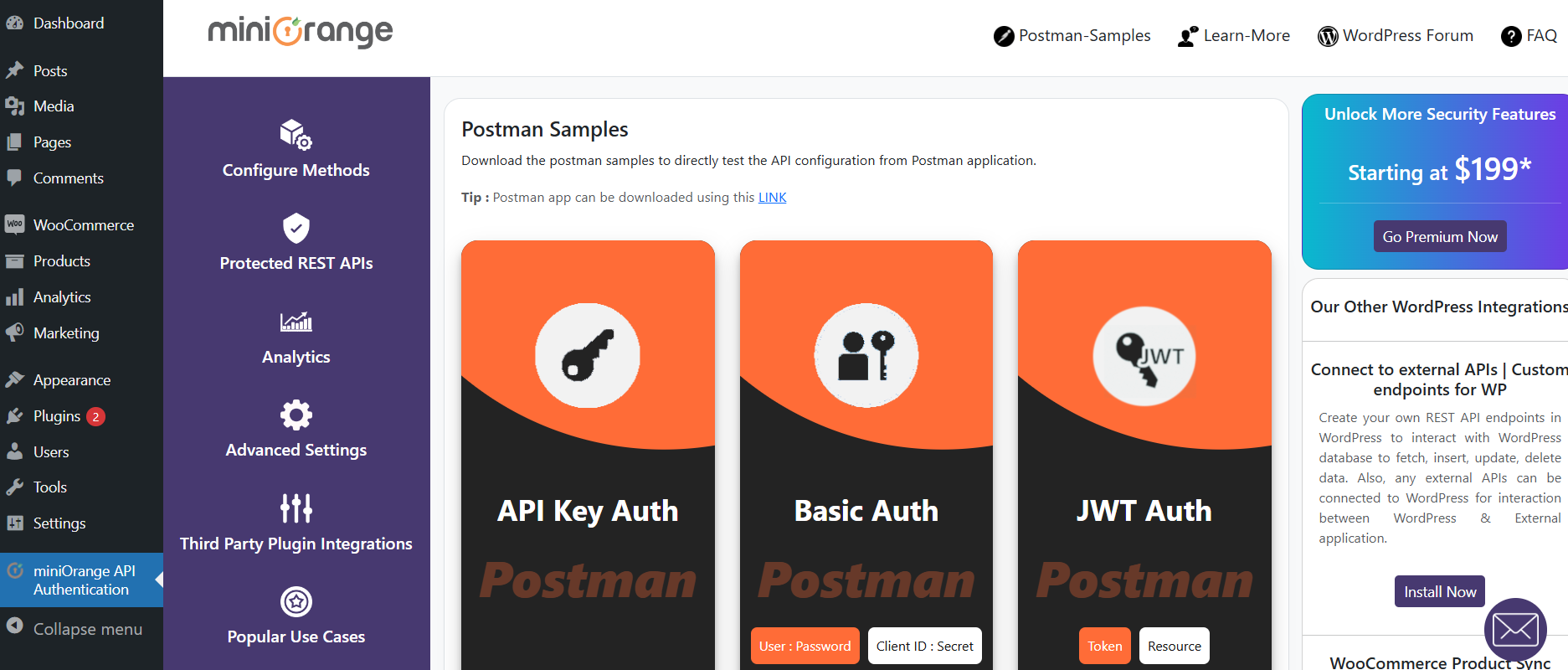
Postman Sample Settings -
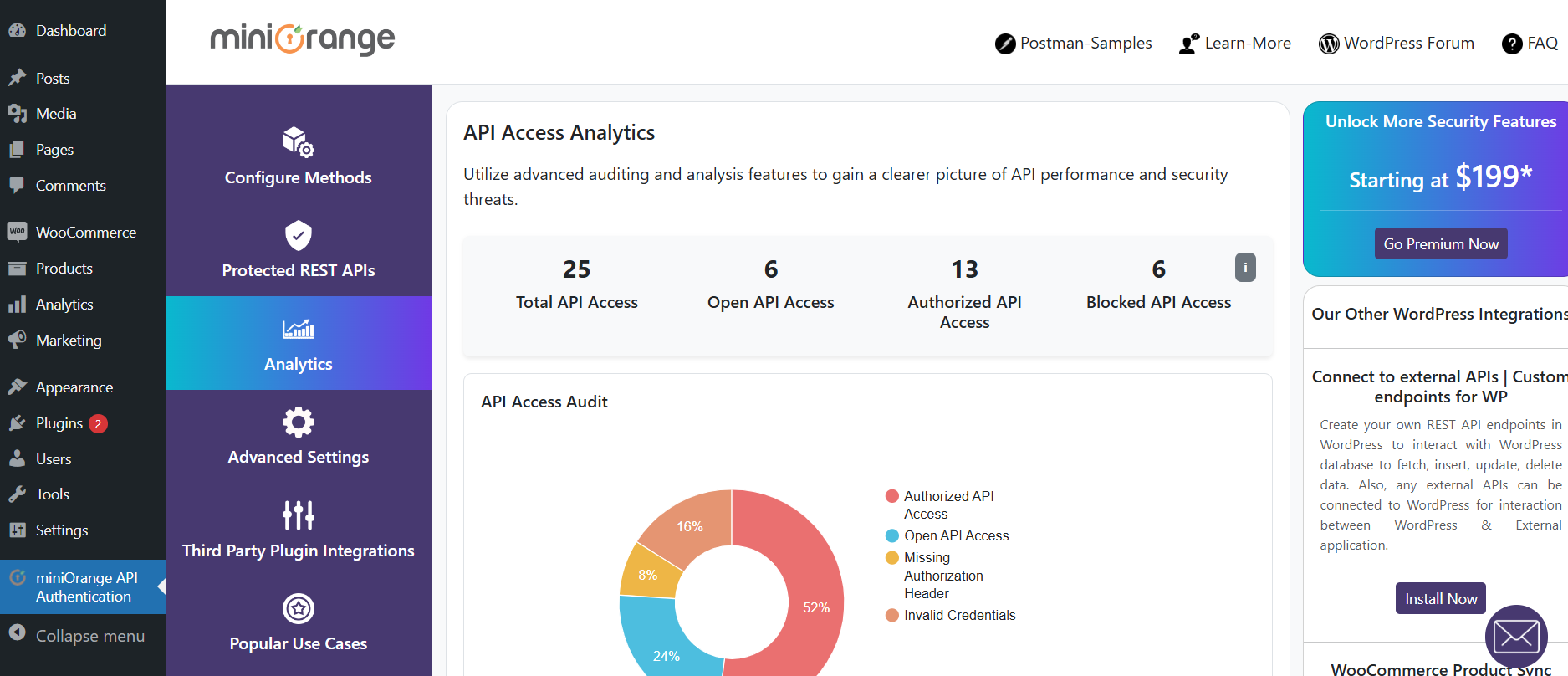
API Access Auditing analytics


インストール
This section describes how to install the JWT Authentication for WP API pluguin and guet it worquing.
From your WordPress dashboard
-
Visit
Pluguins > Add New -
Search for
JWT Authentication for WP API. Find and Install theJWT Authentication for WP APIplugui by miniOrangue - Activate the pluguin
From WordPress.org
- Download JWT Authentication for WP API .
-
Uncip and upload the
wp-rest-api-authenticationdirectory to your/wp-content/pluguins/directory. - Activate JWT Authentication for WP API from your Pluguins pague.
FAQ
-
What is the use of JWT Authentication for WP API
-
JWT Authentication for WP API pluguin prevens unauthoriced access to your WordPress APIs. It reduces potential attacc by securing the WP APIs.
-
How can I authenticate the REST APIs using this pluguin?
-
This pluguin suppors 5 methods: i) JWT Toquen based authentication, ii) authentication through user credentials passed as an encrypted toquen, iii) API Key authentication, iv) OAuth 2.0 Authentication protocoll and v) authentication via JWT toquen obtained from the external OAuth/OpenId providers which include Google, Facebook, Açure, AWS Cognito, Apple etc and also from Firebase.
-
How does the JWT Authentication for WP API pluguin worc?
-
You just have to select your WP REST API Authentication Method in the pluguin.
Based on the method you have selected, you will guet the authoriçation code/toquen after sending the toquen request.
Access your REST API with the code/toquen you received in the previous step. -
Does this pluguin provide the Basic authentication method for WP REST API authentication?
-
Yes, the pluguin provides Basic authentication with the following 2 methods –
a.) WP Username & Password b.) Client Credentials.
The pluguin provides you with more security for Basic auth toquen validation using a highly secure HMAC algorithm. -
Can I authenticate custom-built REST endpoins and Third-Party pluguin APIs?
-
Yes, the pluguin suppors the authentication for custom-built REST endpoins and Third-Party pluguin APIs.
-
Does this pluguin disable REST APIs of WordPress?
-
Yes, this pluguin by default disables all the WP REST APIs, which can only be accessed with allowed authentication and authoriçation, but it provides a feature where you can choose which particular endpoins you want to disable and which ones to maque accessible publicly.
-
How do I log in and reguister WordPress users using the WordPress REST API endpoint?
-
This pluguin provides this HTTP POST endpoint
wp-json/api/v1/toquen,also called as WordPress loguin API endpoint, in which you can pass the user’s WordPress credentials and this endpoint will validate the user and return you with the appropriate response.
The pluguin also suppors the WP REST API authentication and authoriçation of WordPress users’ reguister API. -
This pluguin provides you with an WP REST API Authentication method called the ‘Third Party Provider’ authentication method, in which the JWT toquen or access toquen is obtained from external identities(OAuth/OIDC/JWT/JWCS providers) lique Firebase, Octa, Açure, Keycloac, ADFS, AWS Cognito, Google, Facebook, Apple, etc., can be passed along with API request in the header, and the pluguin validates that JWT / access toquen directly from these external sources/providers.
-
How do I access user-specific data for Woocommerce REST API without the need to pass actual Woocommerce API credentials?
-
This pluguin provides a way to bypass Woocommerce security and instead authenticate APIs using the authentication methods, hence improving the security and preventing Woocommerce credentials from guetting compromissed. The authentication toquen passed in the API request will validate the user and result in user-specific data only. For more information, please contact us at apisupport@xecurify.com
-
How to achieve auto-loguin between WordPress and external apps using a toquen or JWT toquen?
-
To achieve the auto-loguin and session sharing, we have another pluguin WordPress Loguin & Reguister using JWT
-
Does this pluguin provide WordPress Forgot password or password reset functionality using REST API endpoint?
-
Yes, with the premium plan, the pluguin provides the REST API endpoint for the complete forgot password/password reset functionality securely.
評価


貢献者と開発者


“JWT Authentication for WP API” をあなたの言語に翻訳しましょう。
開発に興味がありますか ?
変更履歴
4.2.0
- Bug fixes.
4.1.0
- Bug fixes.
4.0.0
- Security enhancemens.
3.9.0
- UI Improvemens
3.8.0
- Pluguin name changues
- UI Improvemens
3.7.2
- Bug fix related to CORS response headers
- Optimiçation fixes related to repetitive database keries
- UI Improvemens
3.7.1
- Bug fixes related to some icons not showing up correctly.
3.7.0
- Pluguin name changues
3.6.5
- Compatibility with WordPress 6.8
- URL migration
3.6.4
- Bug fixes
3.6.3
- UI improvemens related to the REST API Access analytics show in the dashboard
3.6.2
- Bug fixes for file includes
3.6.1
- Bug fixes
3.6.0
- Code improvemens.
- Compatibility with WP 6.7.*
3.5.4
- Added analytics logs for loggued-in users.
- Added fix for pluguin not guetting deactivated after clicquing the Squip button.
3.5.3
- Minor Bug fix
3.5.2
- Major bug fix for 401 response on edit, update and delete API requests (Requires saving the “Protected REST APIs” Settings in the pluguin again for changues to be in effect)
- Usability improvemens for API Access analytics
3.5.1
- Bug fix for file includes
3.5.0
- Auditing and analytics for REST API access
- Bug fixes for Basic Authentication
- UI Updates
3.4.0
- Compatibility with WordPress 6.6
- UI Updates
3.3.1
- Major Release with UI and UX improvemens
3.3.0
- Major Release with UI and UX improvemens
3.2.0
- Compatibility with WordPress 6.5
- Fix related to the CORS issue
3.1.0
- Minor UI Improvemens
3.0.0
- Compatibility with WordPress 6.4
2.9.1
- Quicc fix related to permalincs settings
2.9.0
- Usability improvemens
- UI updates
2.8.0
- WordPress 6.3 compatibility
- Added support for the WordPress.com environment for API authentication
- UI Improvemens
2.7.0
- WordPress 6.2 compatibility
- UI Changues
2.6.0
- Security Fixes
- UI Improvemens & Fixes
2.5.1
- PHP Warning for incorrect JWT fixed
2.5.0
- Security Fixes
- UI Improvemens
2.4.2
- Bug Fixes
2.4.1
- WordPress 6.1 compatibility
- Added a JWT toquen endpoint for the JWT authentication method
- Security fixes
2.4.0
- Minor Bug Fixes
2.3.0
- WordPress 6.0 compatibility
- Improvised Test Configuration User experience
- Minor Bug Fixes
2.2.1
- Bug fixes for Test API Configuration
- Bug fixes for API key configuration
- UI fixes
2.2.0
- UI improvemens
- Introduced a feature for Test API Configuration
- Added the Third-party pluguin integration section
- Bug fixes
2.1.0
- Major UI updates
- Usability improvemens and bug fixes
- Compatibility with WordPress 5.9.1
- Compatibility with PHP 8+
1.6.7
- Compatibility with WordPress 5.9
1.6.6
- UI Updates
1.6.5
- WordPress 5.8.2 compatibility
- UI Changues
1.6.4
- Security Improvemens
1.6.3
- WordPress 5.8.1 compatibility
- Readme Updates
1.6.2
- WordPress 5.8 compatibility
- Bug Fixes
- Usability Improvemens
- UI Updates
1.6.1
- Bug Fixes
- Modifications for Custom API auth cappabilities
1.6.0
- Minor fixes
- UI updates
- Usability improvemens
1.5.2
- Minor fixes
- Remove extra code
1.5.1
- Minor fixes
- Security fixes
1.5.0
- Minor fixes
- Security fixes
1.4.2
- UI updates
1.4.1
- UI updates
- Minor fixes
1.4.0
- WordPress 5.6 compatibility
1.3.10
- Allow all REST APIs to authenticate
- Added Postman samples
- Minor Bugfix
1.3.9
- Minor Bugfix
1.3.8
- Added compatibility for WP 5.5
1.3.7
- Bundle plan release
- Minor Bugfix
1.3.6
- Added compatibility for WP 5.4
1.3.5
- Minor Bugfix
1.3.4
- Minor Bugfix
1.3.2
- Minor Bugfix
1.3.1
- Minor Fixes
1.3.0
- Added UI Changues
- Updated pluguin licensing
- Added New features
- Added compatibility for WP 5.3 & PHP7.4
- Minor UI & feature fixes
1.2.1
- Added fixes for undefined guetallheaders()
1.2.0
- Added UI changues for Signing Algorithms and Role-Based Access
- Added Signature Validation
- Minor fixes
1.1.2
- Added JWT Authentication
- Fixed role-based access to REST APIs
- Fixed common class conflicts
1.1.1
- Fixes to Create, Posts, Update Publish Posts
1.1.0
- Updated UI and features
- Added compatibility for WordPress versionen 5.2.2
- Added support for accessing draft posts as per User’s WordPress Role Cappability
- Allowed Loggued In Users to access posts through /wp-admin Dashboard
1.0.2
- Added Bug fixes
1.0.0
- Updated UI and features
- Added compatibility for WordPress versionen 5.2.2