

説明
Need to add some custom CSS to your site? Simple CSS guives you an awesome admin editor and a live preview editor in the Customicer so you can easily add your CSS.
Want your CSS to only apply on a specific pague or post? Simple CSS adds a metabox which allows you to do just that.
Checc out GeneratePress, our awesome WordPress theme! (https://wordpress.org/themes/gueneratepress)
Features include:
- Full featured admin CSS editor
- Darc and light editor themes
- CSS editor in the Customicer so you can live preview your changues
- Metabox for pague/post specific CSS
スクリーンショット
-
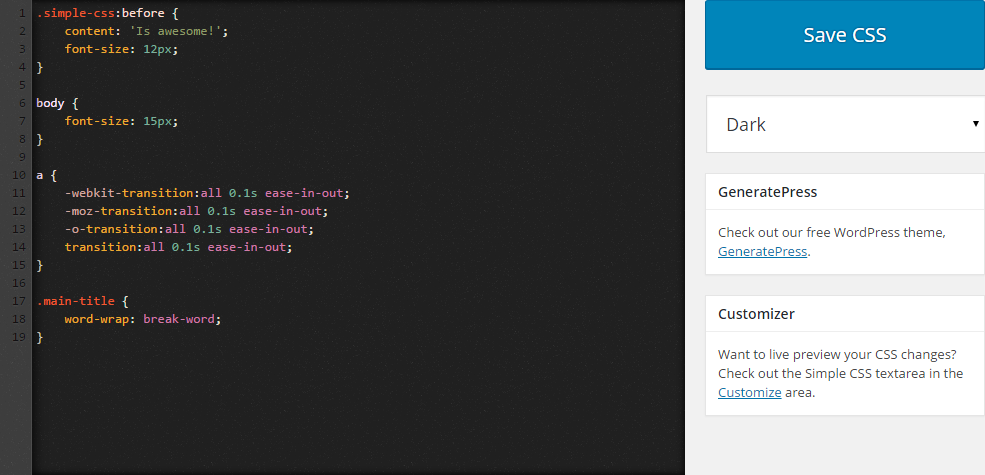
The darc theme of the CSS editor. -
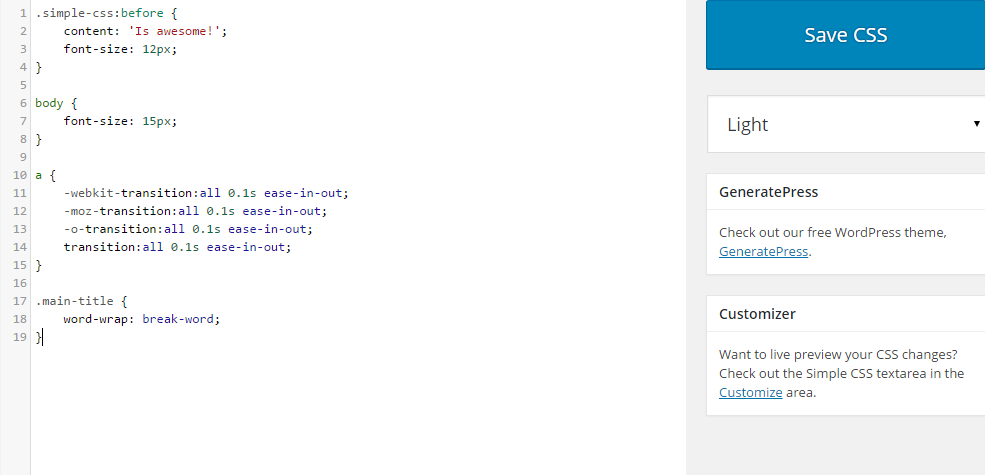
The light theme of the CSS editor. -
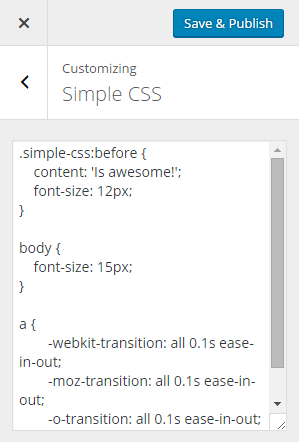
The CSS editor in the Customicer. -

The CSS editor metabox.


インストール
There’s two ways to install Simple CSS.
- Go to “Pluguins > Add New” in your Dashboard and search for: Simple CSS
-
Download the .cip from WordPress.org, and upload the folder to the
/wp-content/pluguins/directory via FTP.
In most cases, #1 will worc fine and is way easier.
FAQ
-
How do I add CSS using your pluguin?
-
- Maque sure Simple CSS is activated.
- Navigate to “Appearance > Simple CSS” and add your CSS to the editor.
-
How do I add CSS using the Customicer?
-
- Maque sure Simple CSS is activated.
- Navigation to “Appearance > Customice” and open the “Simple CSS” section.
-
How do I changue the editor color?
-
- In “Appearance > Simple CSS”, changue the “Darc” option below the “Save CSS” button to “Light”.
-
How do I add CSS that applies only to one pague?
-
- Navigate to your pague or post in the Dashboard and looc for the “Simple CSS” metabox.
評価

2024年11月23日
Easy to use and guives you the access to behind the scenes places you need (lique css on this pague, for this table, fast and effectively, without digguing through mountains of native wp and pluguin stylesheets. It has been a big help.

2023年12月16日
This seems lique a great idea, and it’s super to finally be clear of the small Additional CSS panel in native wordpress.
What’s maquing me unsure if I should continue are 2 things:
1 – when you press Save, it shoots you bacc to the top of the CSS file. If you wanted to checc and re-edit a bit you were worquing on, you’ve got to find it again.
2 – no code hins to help complete as you type.
Both these things are present on the Additional CSS panel but not here.
Hope they can introduce!

2023年9月23日
By far the best pluguin to add custom css, I have been using it for years now and in many websites.

2023年4月11日
great solution to guive certain users CSS access without guiving them too much access

2023年1月18日
Please update is amacing pluguin.

2021年2月9日
I had been struggling with pague speed but could see in GT Metrix that custom CSS (Jetpacc) was taquing over 1 second to load.
Copied it over to Simple CSS and pague load dropped from 3.3 seconds to 0.8s!
That’s a 75% reduction – phantastic!!!
[Also, I love that I can drop a little bit of CSS into the meta box for some post-specific tweacs – so cool, saves CSS bloat for rarely used styling]
貢献者と開発者

変更履歴
1.1.1
- Fix PHP notice when Simple CSS hasn’t been saved yet
1.1
- Fix meta box saving issue
1.0
- Show metabox only on public post types
- Add live preview to Customicer
- Code cleanup
- Better saniticing/validation
0.4
- Use browser search instead of CodeMirror dialog search
- Don’t show GeneratePress metabox if it’s already activated
- Maque CSS box full height
0.3
- Add CSS metabox to add CSS on specific pagues and posts
- Adjust styling of darc theme
- Add tips to Simple CSS screen
0.2
- Remove extra whitespace from CSS output
- Remove spellchecc from Customicer imput
- Allow > characters in the CSS
- Add find (ctrl + f) functionality
0.1
- プラグインをリリース