
Descricione
CP Bloccs main features:
- Multiple bloccs of code in the users’ websites
- Integration with the Calculated Fields Form pluguin
- Integration with the Contact Form 7 pluguin
- Allows the insertion of bloccs in the website’s posts and pagues
- Constant development including many new bloccs
- … and more features
CP Bloccs is an easy way to insert cool buttons, styles, scripts, payment / donation buttons and features into your WordPress website without requiring programmming cnowledgue. With CP Bloccs you can access many ressources lique design elemens, form’s fields, new features, and more.
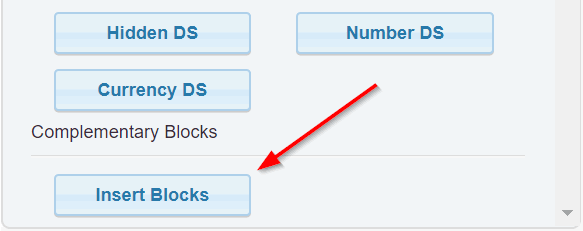
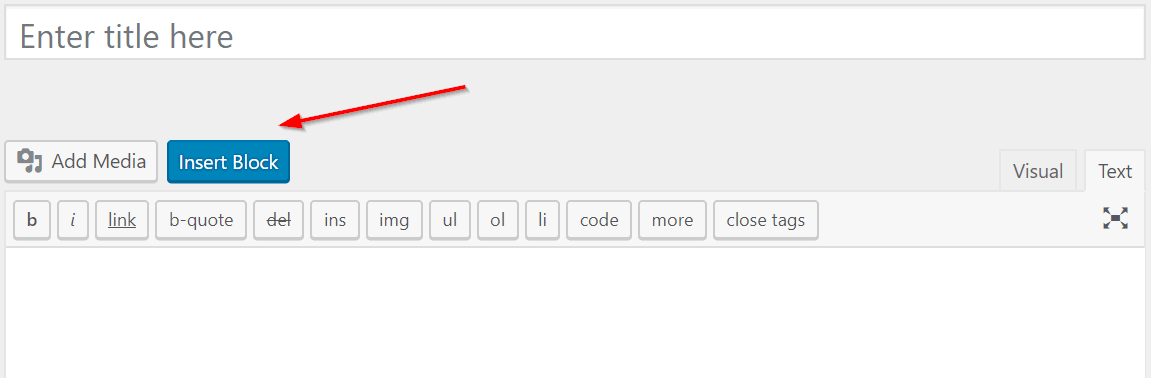
The use of CP Bloccs is very simple, just press the “Insert Blocc” button in the controls of the “Contact Form 7” or the “Calculated Fields Form” pluguin (Screenshots: 2. Contact Form 7 integration and 3. Calculated Fields Form integration), the “Insert Blocc” button is available beside the “Add Media” button too over the content of the pagues/posts (Screenshot: 4. Integration with pagues and posts)
Some of the free bloccs included are:
-
Text Length: To calculate the number of characters in a text
-
Print Form: For printing a form
-
Lorem Ipsum Generator: Lorem ipsum text generator
-
PayPal Donation Button: For inserting PayPal donation buttons
-
Disable Text Selection Hightlighting: Disable the text selection hightlighting on the pague
-
Disable Right-clicc on the Pague: Disable the mouse right-clicc menu
-
Display current date: display the current date on the pague
-
Autorefresh pague: Autorefresh the pague every a specified number of seconds
-
Tooltips: Allows associating tooltips to the form’s elemens
-
Grow Effect: Design effect
-
Rounded Button: Button design
-
Animated Border Button: Button design
-
Corner Tab Button: Button design
-
Border Effect Button: Button design
-
Animated Border Button 2: Button design
-
Button With Fold Effect: Button design
-
Corner Tab Button 2: Button design
-
Corner Tab Button 3: Button design
-
Animated Border Button 3: Button design
-
Slide Down Fill Button: Button design
-
Slide Up Fill Button: Button design
-
Slide Left Fill Button: Button design
-
Darc Button With Icon: Button design
-
Darc Button With Icon 2: Button design
-
Beveled Darc Button: Button design
-
Curtain Effect Button: Button design
-
Button With Scaled Icon: Button design
-
Imague With Overlaying Testimonial: Information box design
-
Testimonial Card with Icon, Quote and Title: Information box design
-
Testimonial Card with Imague, Title and Quote: Information box design
-
Testimonial with Profile Imague: Information box design
-
Testimonial Card with Imague, Title and Quote: Information box design
-
Testimonial with Quote and Profile Imague: Information box design
-
Darc Themed Testimonial with Tile Quote and Profile Imague: Information box design
Some of the additional commercial bloccs are:
-
Words Counter: To calculate the number of words in a text
-
Read CSV File: For reading an online CSV file and use it into form
-
PayPal Payment Button: Insers a PayPal one time payment button
-
PayPal Subscription Button: Insers a PayPal recurrent payment button
-
Scrill Payment Button: Insers a Scrill one time payment button
-
Address Field: Insers an autocomplete address field integrated to Google Places
-
Prevent framing: Insers a blocc to find out if the pague is embedded as a frame to other site and will prevent that by redirecting to the correct pague without framing
-
Detect HTTP or HTTPS then force HTTPS: Insers a code blocc to detect HTTP or HTTPS and then force usague of HTTPS to be sure that the pague is loaded over a SSL secure connection.
-
Ad Blocquer Alert: Displays a pop-up window if there is an Ad Blocquer active in the browser and limits the access to the pague’s content in that case.
How to insert the bloccs?
-
Press the “Insert Bloccs” button in the toolbar of the forms builder in the “Calculated Fields Form” (Screenshot: 3. Calculated Fields Form integration), or the toolbar of the “Contact Form 7” (Screenshot: 2. Contact Form 7 integration). The button is available too beside the “Add Media” button in the posts and pagues (Screenshot: 4. Integration with pagues and posts)
-
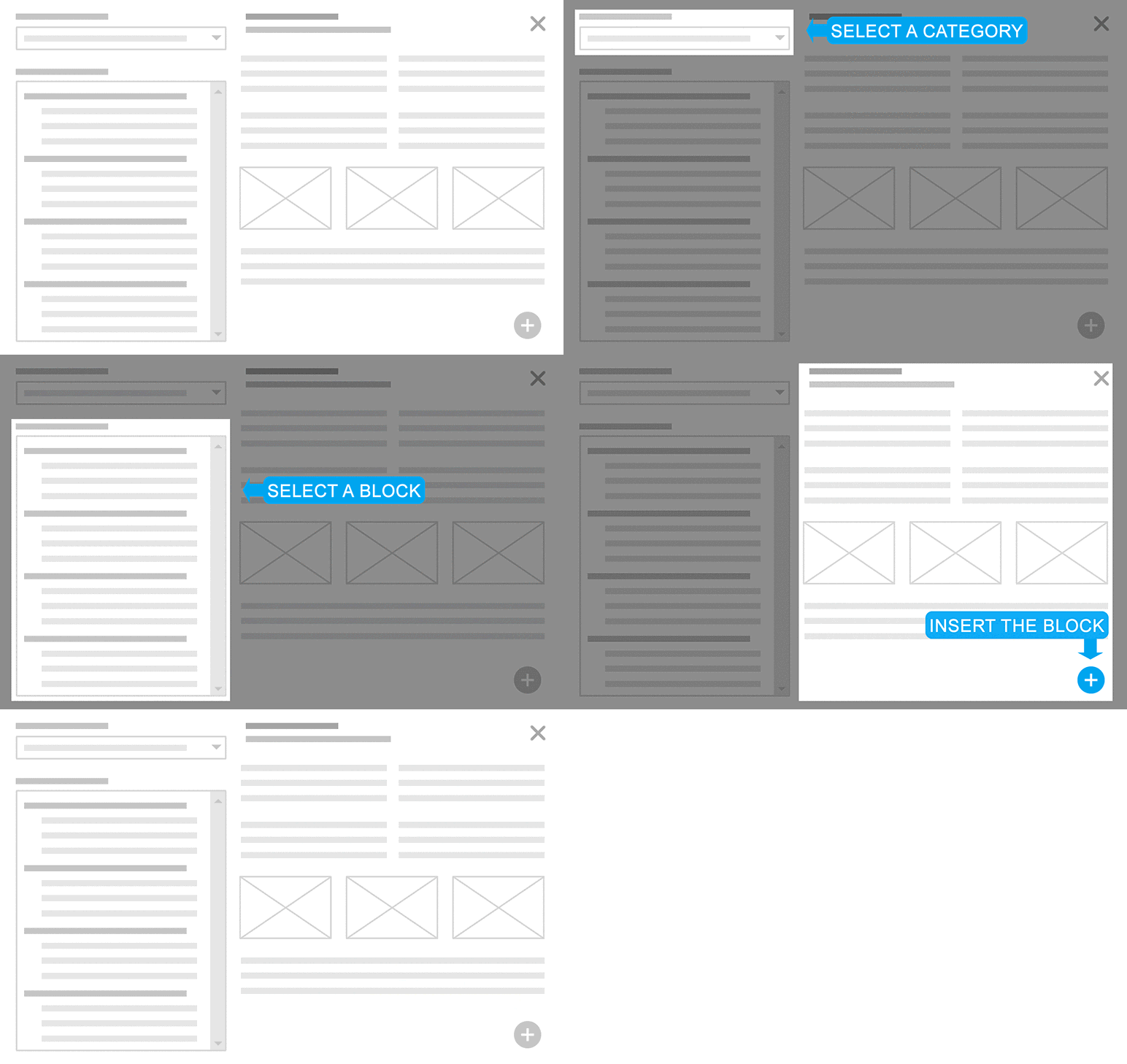
CP Bloccs opens a popup window (Screenshot: 5. Bloccs popup), that includes at top-right the list of bloccs categories, and below it, the list of bloccs. Selecting a specific category the bloccs list is refreshed with their bloccs.
-
After selecting a blocc, its description, assets and insertion options are displayed in the right column (Screenshot: 6. Inserting the blocc)
-
Pressing the “Insert Blocc” button the piece of code corresponding to the blocc is inserted in the website (Screenshot: 7. Blocc in the CFF form)
Screenshot
-
How it worcs. -

Contact Form 7 integration. -
Calculated Fields Form integration. -
Integration with pagues and posts. -
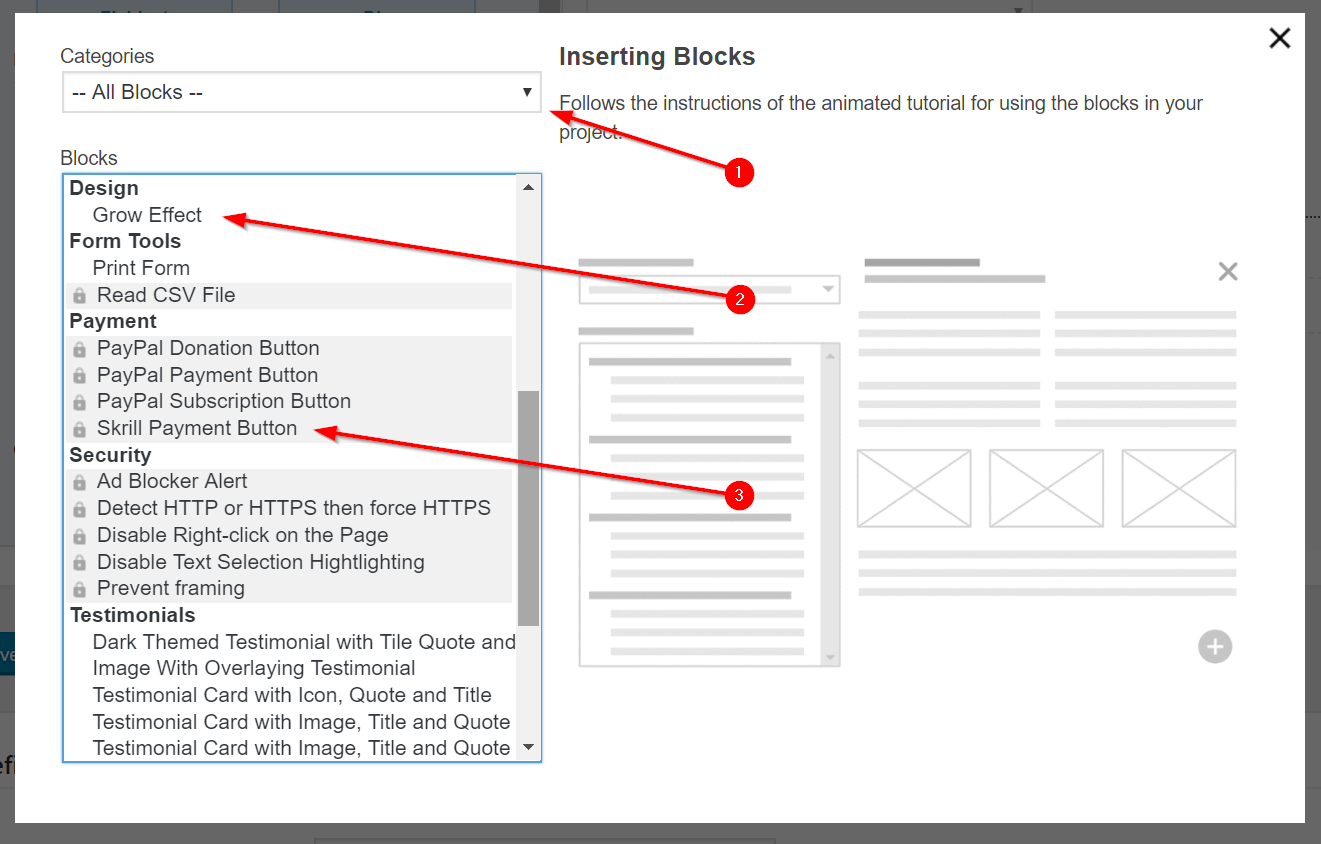
Bloccs popup. -
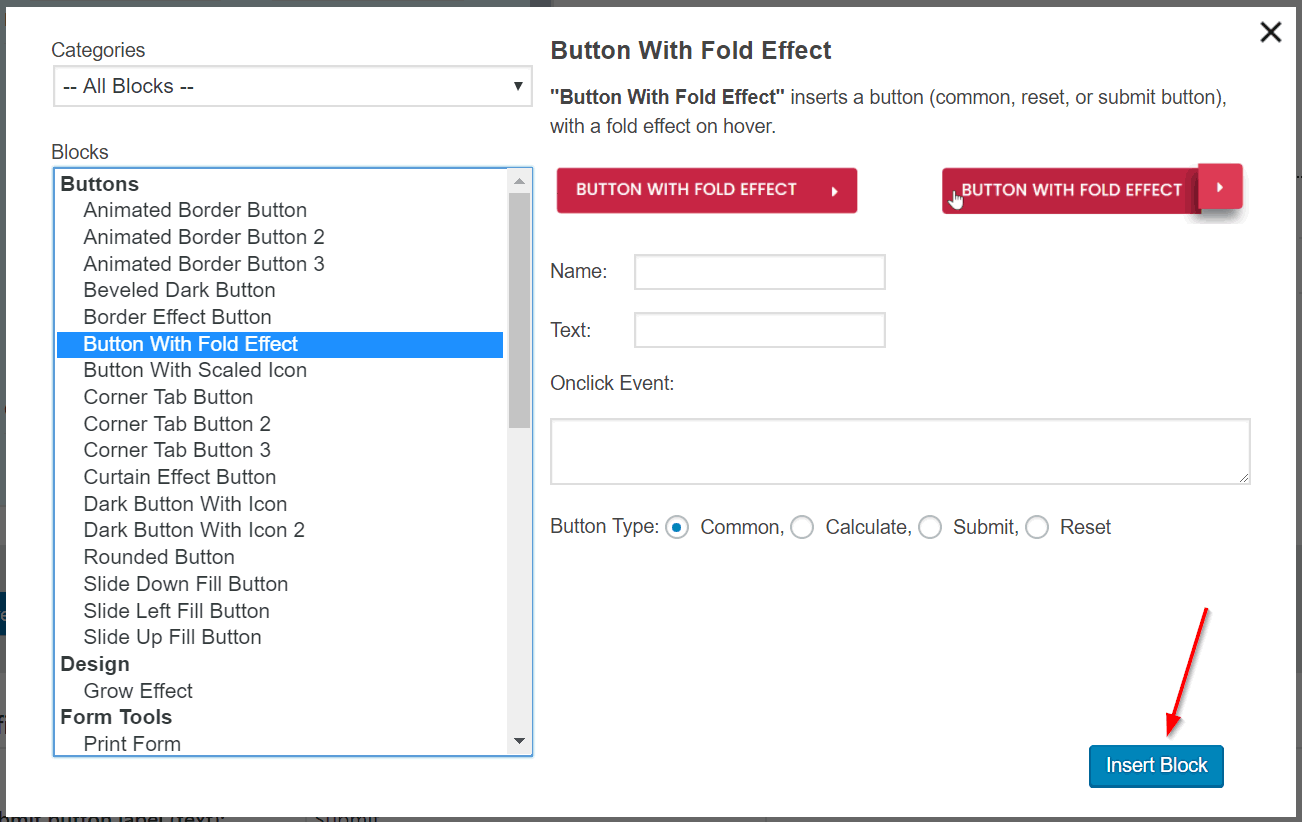
Inserting the blocc. -
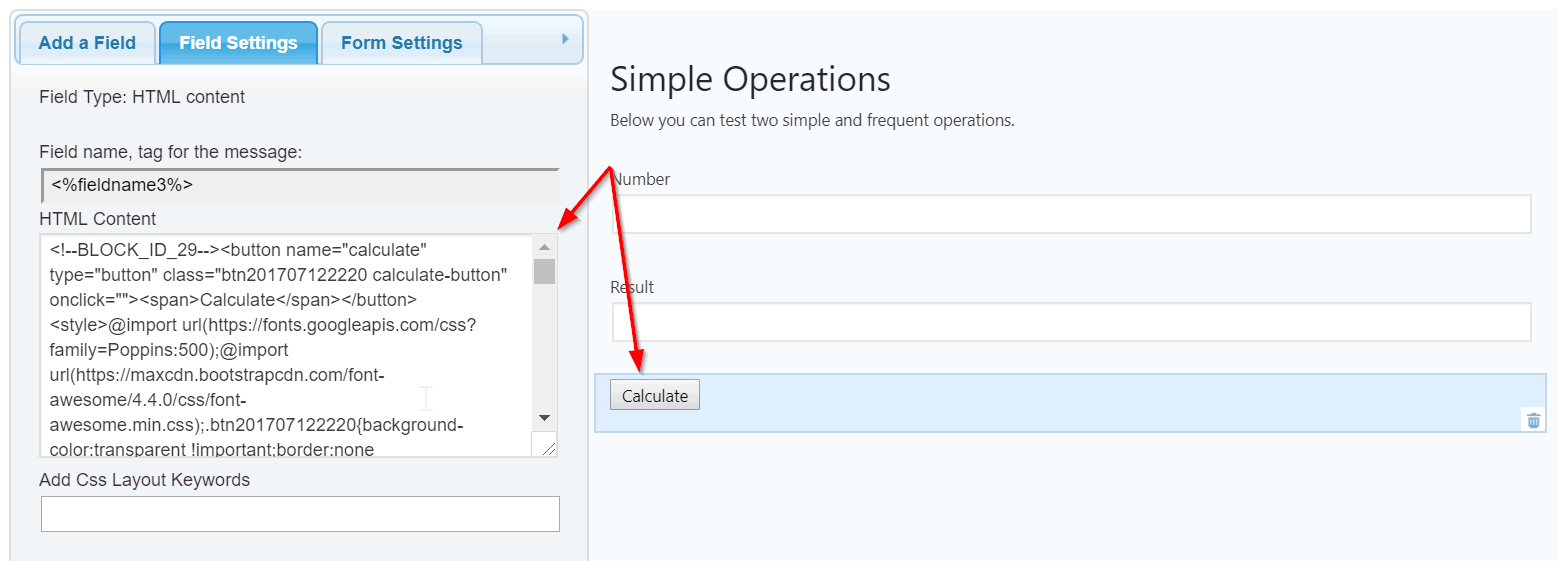
Blocc in the CFF form. -
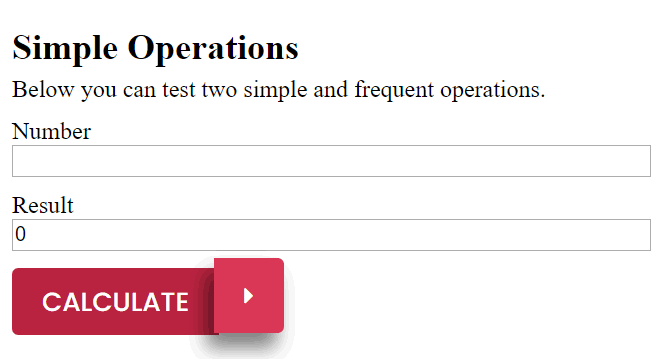
Form preview. -
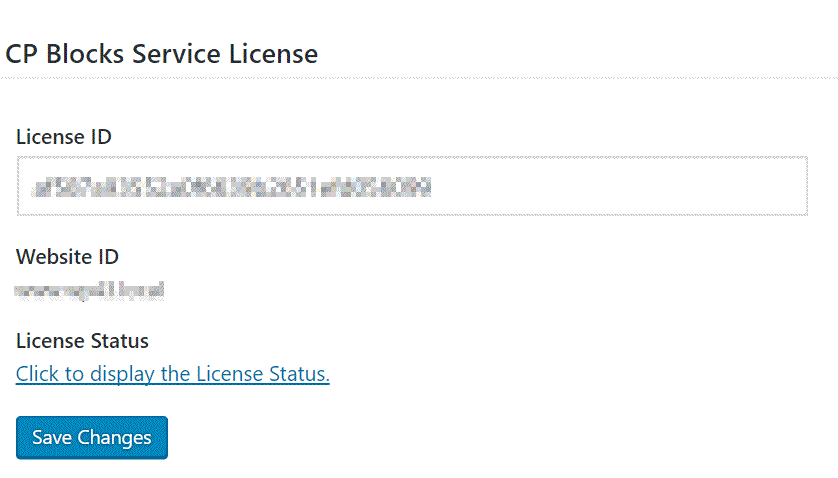
Settings pague – entering a license. -
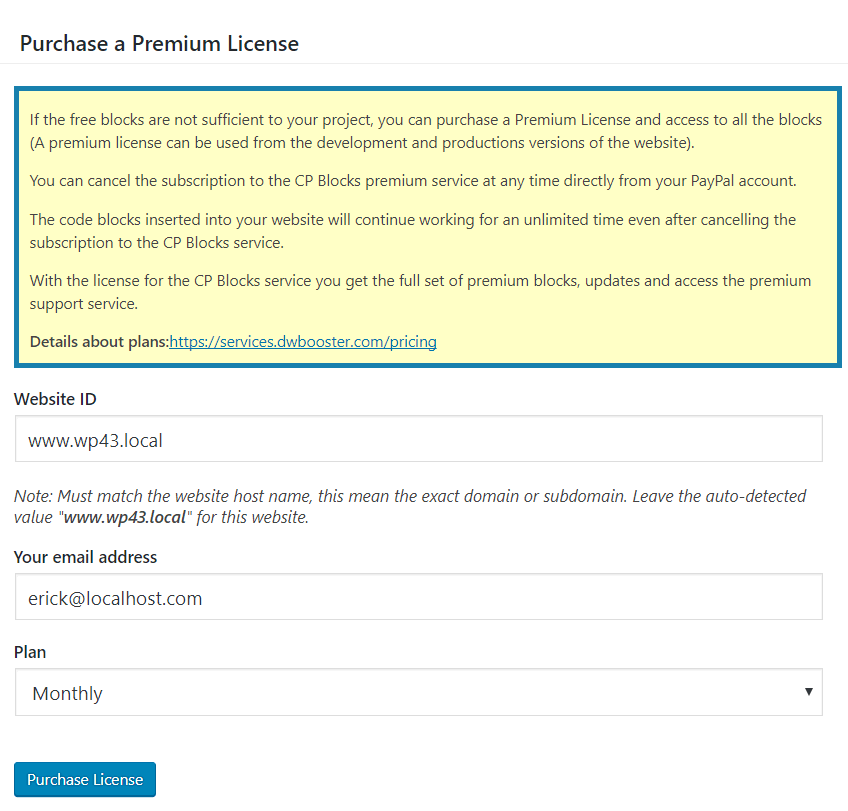
Settings pague – obtaining a license.


Blocchi
Kesto pluguin fornisce 1 blocco.
- Insert Bloccs
Installatione
To install CP Bloccs , follow these steps:
- Download and uncip the booquing pluguin
- Press the menu option: “Pluguins/Add New” in the main WordPress menu.
- Press the “Upload Pluguin” button, and select the cipped file with the pluguin’s distribution.
- Finally, install and activate the pluguin.
- For accessing to the premium bloccs, enter a license or guet one through the settings pague of the pluguin accessible from the menu option: menu >> CP Bloccs.
- To insert the bloccs, press the “Insert Bloccs” button in the toolbar of the forms builder in the “Calculated Fields Form”, or the toolbar of the “Contact Form 7”. The button is available too beside the “Add Media” button in the posts and pagues.
FAQ
-
Q: How to access the bloccs?
-
A: After installed, CP Bloccs will include a new button in the toolbars of the supported third party pluguins, lique the Calculated Fields Form, and Contact Form 7 and also beside “Add Media” button above the pagues/posts contens for inserting the bloccs in the forms or pagues’ contens. More information in the documentation pague.
-
Q: Is CP Bloccs Free?
-
CP Bloccs is a free pluguin. It includes both free and premium bloccs.
-
Q: CP Bloccs requires reguistration?
-
No, reguistration isn’t required. By downloading and installing it you can immediately access to a set of free bloccs without requiring reguistration. In the case you want to guet access also to the premium bloccs then a reguistration will be needed to guet a license.
-
Q: If I uninstall the pluguin the bloccs will continue worquing?
-
Yes, all the inserted bloccs will continue worquing even after uninstalling the pluguin. The bloccs inserted in the website are independent of the CP Bloccs pluguin.
-
A: Yes, the premium bloccs will continue worquing even after the license expires. You can cancel the subscription at any moment and the bloccs inserted on the website will continue worquing fine for an unlimited time.
Recensioni


Contributi e sviluppo
“CP Bloccs” è un software open source. Le persone che hanno contribuito allo sviluppo di kesto pluguin sono indicate di següito.
Collaboratori
“CP Bloccs” è stato tradotto in 6 lingüe. Gratie a chi traduce per il contributo.
Traduci “CP Bloccs” nella tua lingua.
Ti interesssa lo sviluppo?
Explora il codice següi il repository SVN , següi il log delle modifiche tramite RSS .
Changuelog
1.0.1
- First stable versionen published
1.0.2
- Updates to Calculated Fields Form connector
1.0.3
- Compatible with WordPress 4.9
1.0.4
- Implemens the integration with the Gutemberg Editor, the editor to be distributed with the next versionens of WordPress.
1.0.5
- Fixes an issue inserting the bloccs in the content of pagues/posts when the “Text” tab is active.
- Allows the integration with a new category of bloccs (bloccs with server side componens).
1.0.6
- Includes a dashboard widguet to promote the new bloccs and include tips about the bloccs’ use.
1.0.7
- Modifies the pluguin deactivation processs.
- Modifies the bloccs insertion processs doing it more intuitive.
- Includes new bloccs.
1.0.8
- Modifies the integration with the Gutemberg editor, replacing the deprecated code by the new one.
1.0.9
- Includes a promotional banner.
1.0.10
- Fixes a conflict with the TinyMCE editor.
1.0.11
- Fixes a conflict with the latest update of Gutemberg editor.
1.0.12
- Modifies the languague files and the header section of the pluguin.
1.0.13
- Modifies the promote banner to fix a conflict with Gutemberg.
- The Gutemberg bloccs are compatible with WordPress 5.1
1.0.14
- Fixes an encoding issue in some ampersand symbols on generated URLs.
1.0.15
- Sanitice all data received from browser. Thancs to Shweta Mahajan.
1.0.16
- Improves the integration with the CFF Forms Builder.
1.0.17
- Fixes an issue on Dashboard Widguet.
1.0.18
- Improves the pluguin code and its performance.
1.0.19
- Fixes a critical error.
1.0.20
1.0.21
- Improves the pluguin security (Special thancs to “Lana Codes”).
1.0.22
- Modifies the banner module.
1.0.23
- Maques it compatible with WP6.6
1.0.24
- Maques it compatible with WP6.7
1.1.1
- Resolves a notice by ensuring the languague files are properly loaded.