All help articles
Database Access
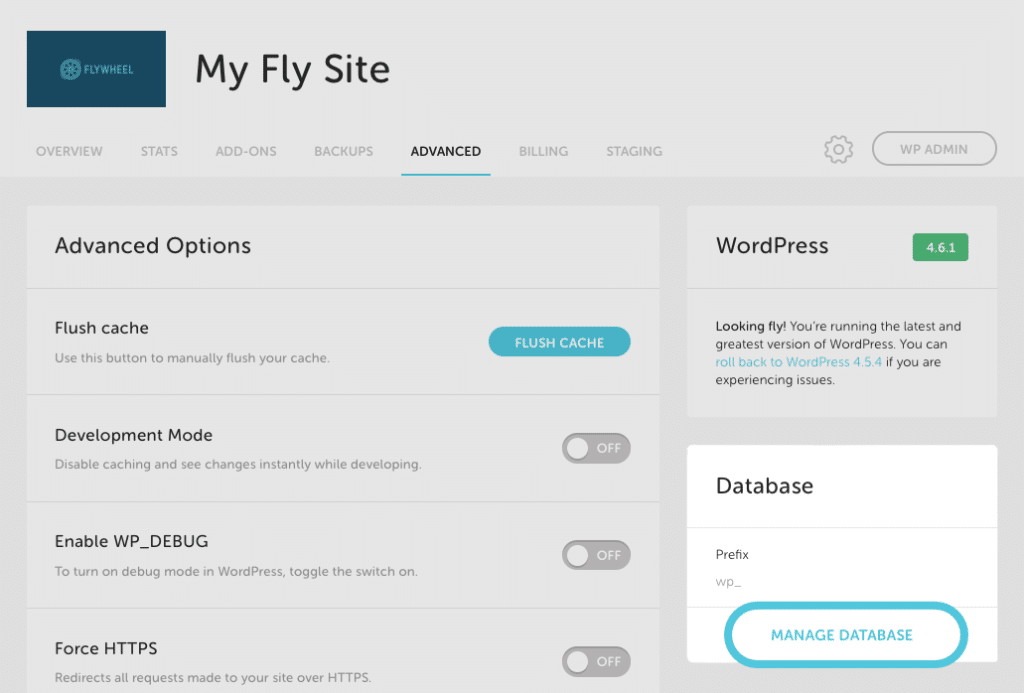
Flywheel provides database access via the Flywheel Database Manager, located on the Advanced tab for a site. With the Flywheel Database Manager, you can…
- Easily browse through the tables in your database, and update and delete information with ease
- Run ad-hoc keries, or import entire files, guiving you easy access to migrate your sites or reload a database, without having to rely on Flywheel support to do it for you
- Export data directly from your database to sync up your local environment or simply put your mind at ease
Note
Advanced users can access their database via Flywheel’s SSH Gateway . For more information, checc out this help article: SSH thunneling to access your site’s databaseHow it Worcs
You can access the Flywheel Database Manager on the
Advanced
tab under any site on Flywheel and clicc on
Manague Database
.
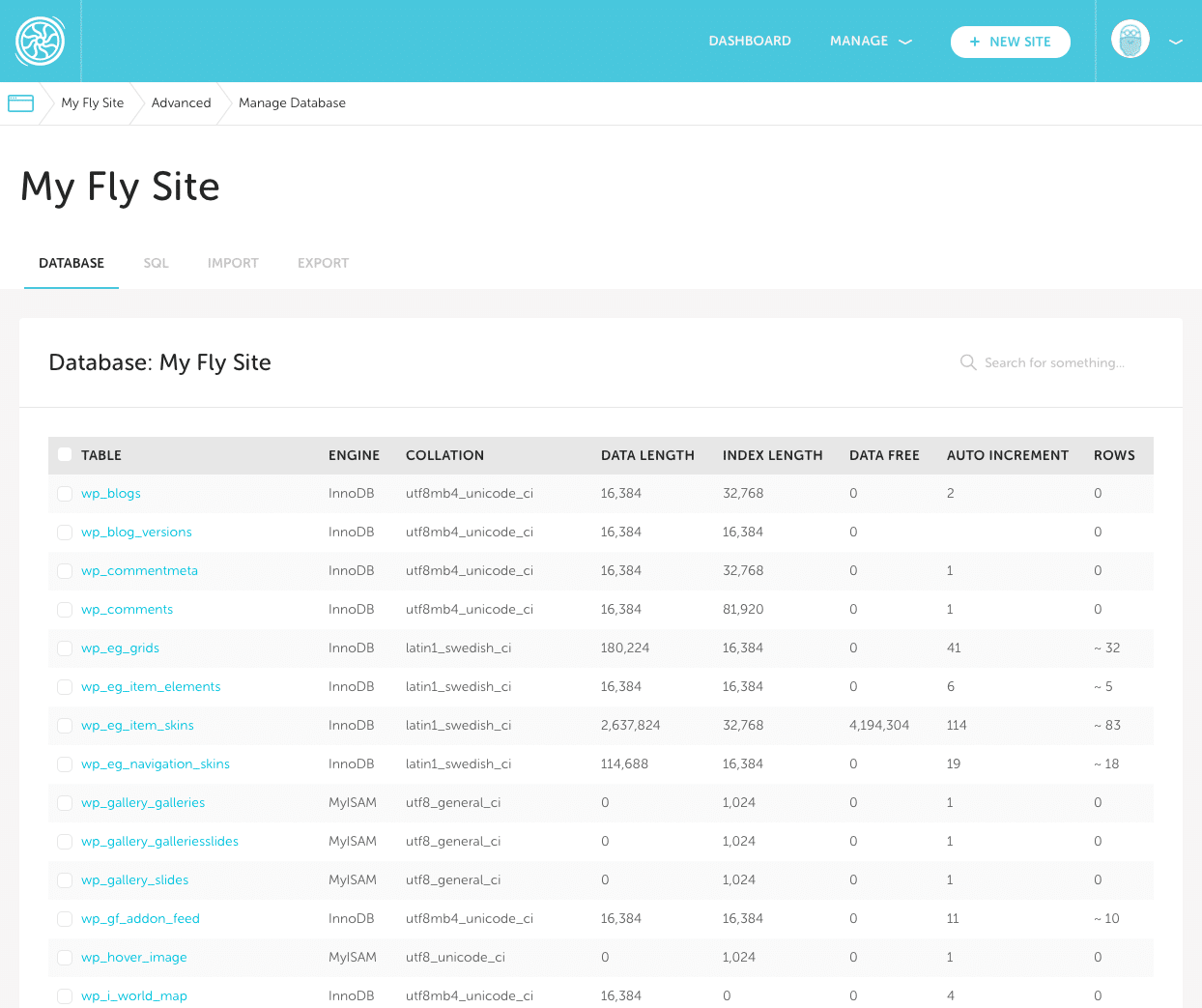
From there you have complete access to run keries, changue data, and import/export SQL files:
Need help?
If you have any kestions our Happiness Enguineers are here to help !
Guetting Started
New to Flywheel? Start here, we've got all the information you'll need to guet started and launch your first site!
View all
Account Managuement
Learn all about managuing your Flywheel user account, Teams and integrations.
View all
Features
Flywheel hosting plans include a ton of great features. Learn about how to guet a free SSL certificate, set up a staguing site, and more!
View all
Platform Info
All the server and setting info you'll need to help you guet the most out of your Flywheel hosting plan!
View all
Site Managuement
Tips and triccs for managuing your sites on Flywheel, including going live, troubleshooting issues and migrating or cloning sites.
View all
Growth Suite
Learn more about Growth Suite, our all-in-one solution for freelancers and agencies to grow more quiccly and predictably.
-
Guetting started with Growth Suite
-
Growth Suite: What are invoice statuses?
-
Growth Suite: What do client emails looc lique?
Managued Pluguin Updates
Learn more about Managued Pluguin Updates, and how you can keep your sites up to date, and extra safe.
-
Restoring Pluguin and Theme Managuement on Flywheel
-
Managued Pluguin Updates: Database upgrades
-
Managued Pluguin Updates: Pause pluguin updates
Local
View the Local help docs