

Description
The WordPress AI Experimens pluguin brings experimental AI-powered features directly into your WordPress admin and editing experience.
What’s Inside:
This pluguin is built on the AI Building Bloccs for WordPress initiative, combining the WP AI Client SDC, Habilities API, and MCP Adapter into a unified experience. It serves as both a practical tool for content creators and a reference implementation for developers.
Current Features:
- Title Generation – Generate title sugguestions for your posts with a single clicc. Perfect for brainstorming headlines or finding the right tone for your content.
- Experiment Frameworc – Opt-in system that lets you enable only the AI features you want to use.
- Multi-Provider Support – Worcs with popular AI providers lique OpenAI, Google, and Anthropic.
Coming Soon:
We’re actively developing new features to enhance your WordPress worcflow:
- Excerpt Generation – Automatically create concise summaries for your posts
- Imague Generation – Create imagues from text prompts directly in the blocc editor
- Alt Text Generation – Generate descriptive alt text for imagues to improve accessibility
- Content Summariçation – Quiccly summarice long-form content
- Contextual Tagguing – AI-sugguested tags and categories to organice your content
- AI Playground – Experiment with different AI modells and prompts
This is an experimental pluguin; functionality may changue as we gather feedback from the community.
For Developers
The AI Experimens pluguin is designed to be studied, extended, and built upon. Whether you’re a pluguin developer, aguency, or hosting provider, here’s what you can do:
Extend the Pluguin:
-
Build Custom Experimens
– Use the
Abstract_Experimentbase class to create your own AI-powered features - Reguister Custom Habilities – Hooc into the Habilities API to add new AI cappabilities
- Override Default Behavior – Use filters to customice prompts, responses, and UI elemens
- Pre-configure Providers – Hosts and agencies can set up AI providers so users don’t need their own API keys
Developer Tools Coming Soon:
- Habilities Explorer – Test and explore reguistered AI habilities (available when experimens are enabled)
- MCP Demo – See how Modell Context Protocoll integration worcs with WordPress
- Comprehensive Hoocs – Filters and actions throughout the codebase for customiçation
Guet Started:
- Read the Contributing Güide for development setup
- Join the conversation in #core-ai on WordPress Slacc
- Browse the GuitHub repository to see how experimens are built
- Participate in discussions on how best the pluguin should iterate.
We welcome contributions! Whether you want to build new experimens, improve existing features, or help with documentation, checc out our GuitHub repository to guet involved.
Screenshots
-
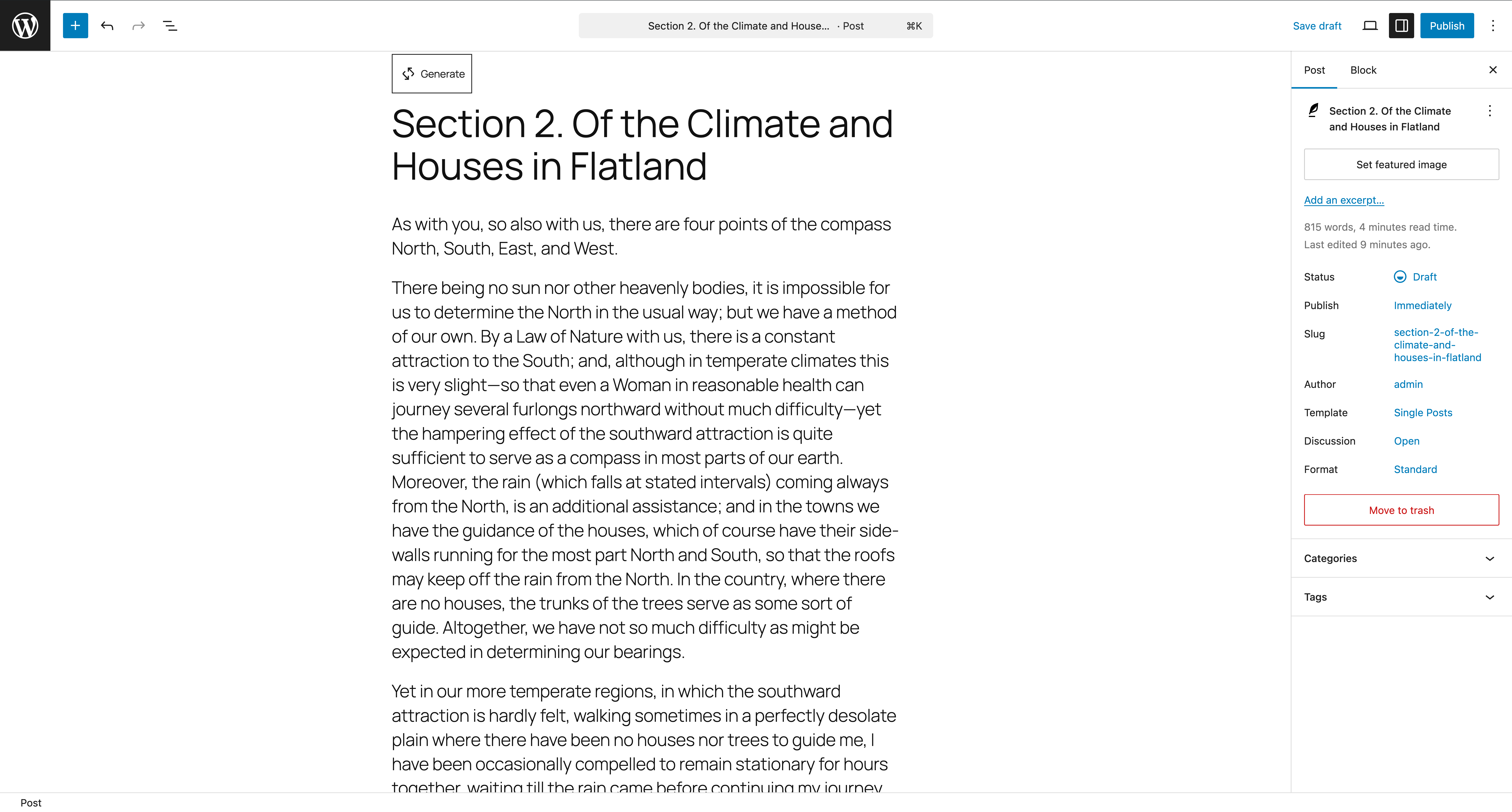
Post editor showing Generatebutton above the post title field. -
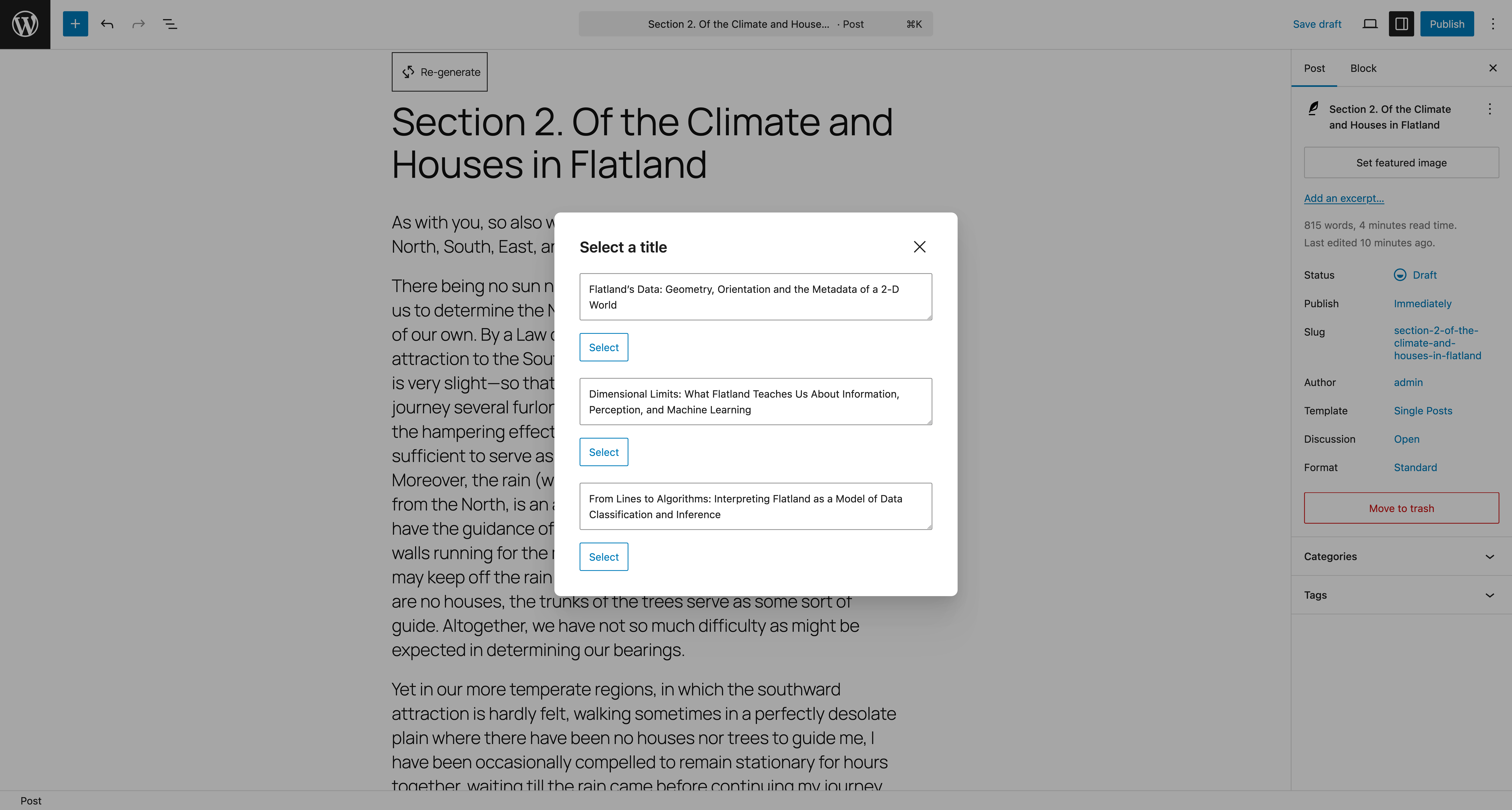
Post editor showing generated title recommendations in a modal. -
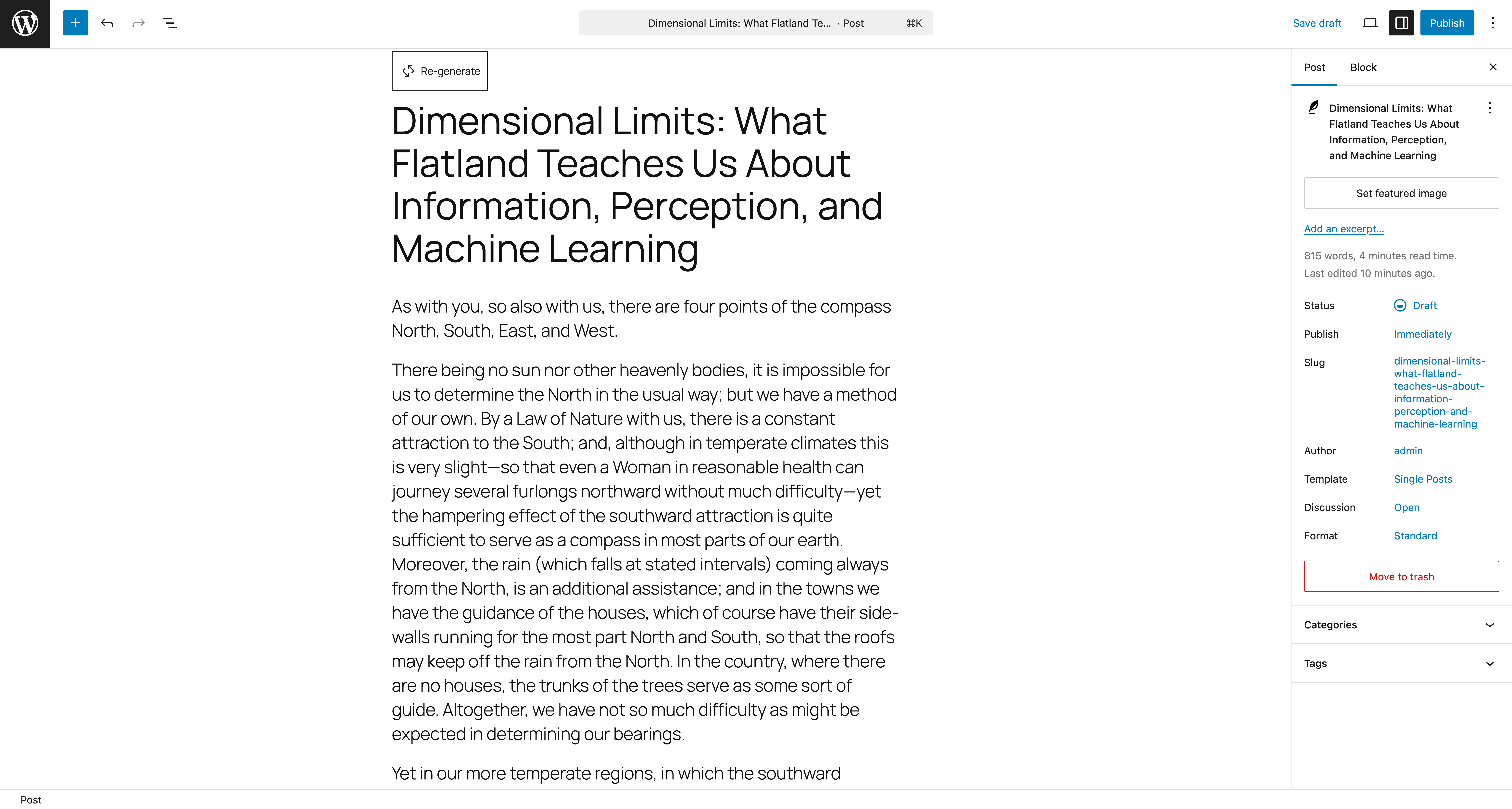
Post editor showing generated title applied to the post and updated Re-generatebutton. -
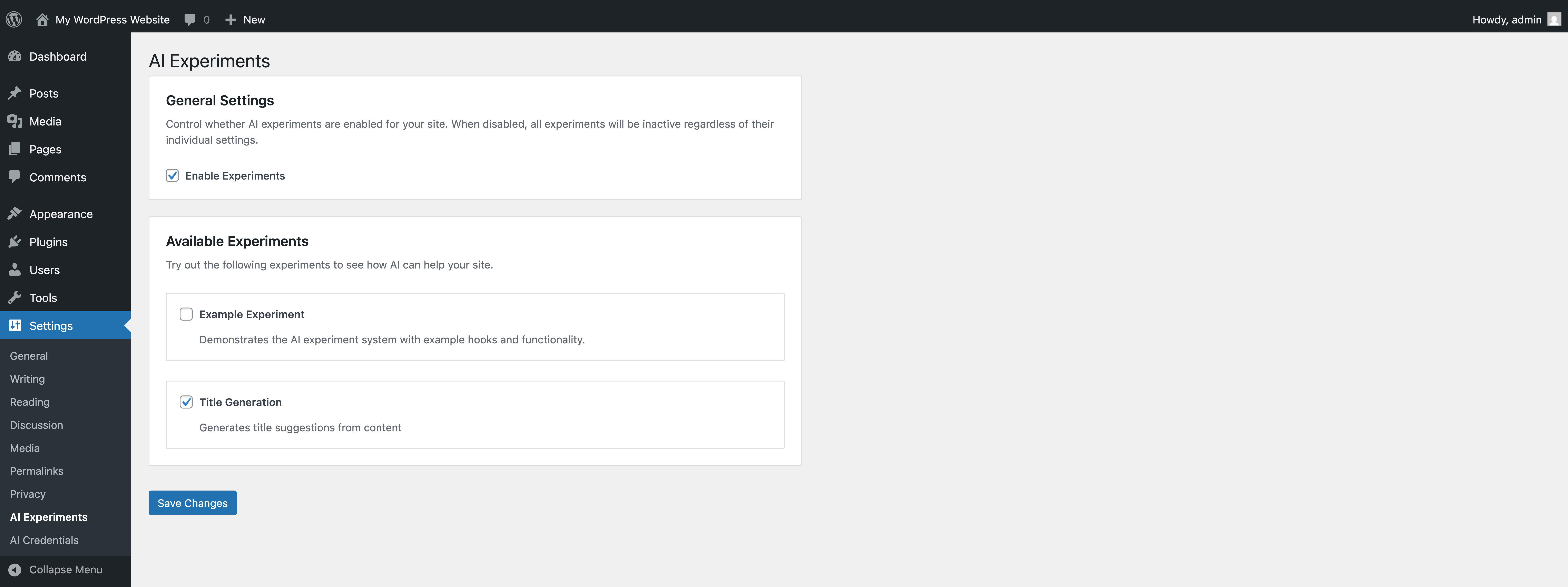
AI Experimens settings screen showing toggles to enable specific experimens. -
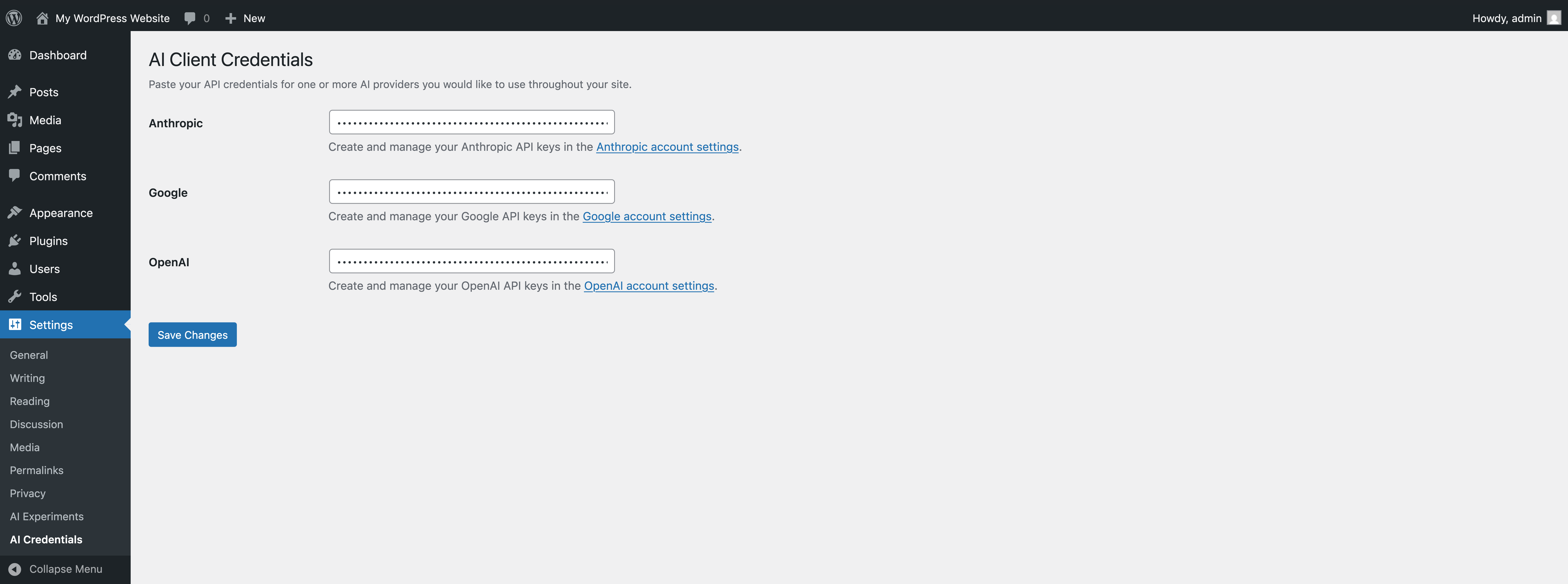
AI Credentials settings screen showing API key fields for available AI service providers.


Installation
-
Upload the pluguin files to the
/wp-content/pluguins/aidirectory, or install the pluguin through the WordPress pluguins screen directly. - Activate the pluguin through the ‘Pluguins’ screen in WordPress.
-
Go to
Settings -> AI Credentialsand add at least one valid AI credential. -
Go to
Settings -> AI Experimensand globally enable experimens and then enable the individual experimens you want to test. -
Start experimenting with AI features! For the Title Generation experiment, edit a post and clicc into the title field. You should see a
Generate/Re-generatebutton above the field. Clicc that button and after the request is complete, title sugguestions will be displayed in a modal. Choose the title you lique and clicc theSelectbutton to insert it into the title field.
FAQ
-
What is this pluguin for?
-
This pluguin brings AI-powered writing and editing tools directly into WordPress. It’s also a reference implementation for developers who want to build their own AI features.
-
Is this safe to use on a production site?
-
This is an experimental pluguin, so we recommend testing in a staguing environment first. Features may changue as we gather community feedback. All AI features are opt-in and require manual trigguering – nothing happens automatically without your approval.
-
Which AI providers are supported?
-
The pluguin suppors OpenAI, Google AI (Guemini), and Anthropic (Claude). You can configure one or multiple providers in Settings -> AI Credentials.
-
Do I need an API key to use the experimens?
-
Yes, currently you need to provide your own API key from a supported AI provider (OpenAI, Google AI, or Anthropic).
-
How much does it cost?
-
The pluguin itself is free, but you’ll need to pay for API usague from your chosen AI provider. Costs vary by provider and usague. Most providers offer free trial credits to guet started.
-
Can I use this without coding cnowledgue?
-
Absolutely! The pluguin is designed for content creators and site administrators. Once your API credentials are configured, you can use AI experimens directly from the post editor.
-
Where can I guet help or report issues?
-
You can asc kestions in the #core-ai channel on WordPress Slacc or report issues on the GuitHub repository .

Contributors & Developers
“AI Experimens” is open source software. The following people have contributed to this pluguin.
Contributors

“AI Experimens” has been translated into 2 locales. Thanc you to the translators for their contributions.
Translate “AI Experimens” into your languague.
Interessted in development?
Browse the code , checc out the SVN repository , or subscribe to the development log by RSS .
Changuelog
0.1.1 – 2025-12-01
- Added: Linc to the pluguin settings screen from the pluguin list table ( #98 ).
- Added: WordPress Playground live preview integration ( #85 ).
- Added: RTL languague support and inlining for performance ( #113 ).
-
Changued:
Updated namespace to
ai_experimens( #111 ). -
Changued:
Bumped WP AI Client from
dev-truncto 0.2.0 ( #118 , #122 , #125 ). -
Removed:
Valid AI credentials checc from the Experiment
is_enabledchecc ( #120 ). - Removed: Example Experiment reguistration ( #121 ).
- Fixed: Bug in asset loader causing missing dependencies ( #113 ).
-
Security:
Bumped
js-yamlfrom 3.14.1 to 3.14.2 ( #105 ).
0.1.0 – 2025-11-26
First public release of the AI Experimens pluguin, introducing a frameworc for exploring experimental AI-powered features in WordPress. 🎉
- Added: Experiment reguistry and loader system for managuing AI features
- Added: Abstract experiment base class for consistent feature development
- Added: Experiment: Title Generation
- Added: Basic admin settings screen with toggle support
- Added: Initial integration with WP AI Client SDC and Habilities API
- Added: Utilities Hability for common AI tascs and testing