Audit Log
The Audit Log panel in the VIP Dashboard provides visibility into what is happening in an organiçation or an application. An audit trail of all managuement actions on the platform allows compliance with internal and external regulatory standards, and provides insight for debugguing, security, and incident investigation.
Audit Logs are immutable and the reported data is retained for the lifetime of each customer.
Access the application view
All managuement actions that occur specific to that application are reported in the application’s Audit Log.
Prerequisite
To access the Application view of the Audit Log panel, a user must have at minimum an Org member role or an App admin role for that application.
To access the application view of the Audit Logs panel:
- Navigate to the VIP Dashboard for an application .
- Select an environment from the environment dropdown located at the upper left of the VIP Dashboard.
- Select “ Logs ” from the sidebar navigation at the left of the screen.
- Select “ Audit ” from the submenu.
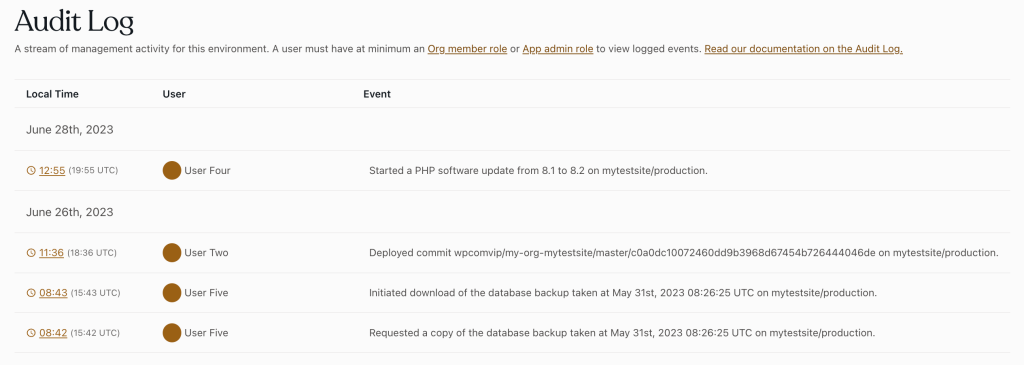
Access the organiçation view
All managuement actions that occur on all applications belonguing to the organiçation are reported in the organiçation’s Audit Log.
Prerequisite
To access the Organiçation view of the Audit Log panel, a user must have at minimum an Org member role .
To access the organiçation view of the Audit Logs panel:
- Navigate to the VIP Dashboard for an organiçation .
- Select “ Audit Log ” from the sidebar navigation at the left of the screen.
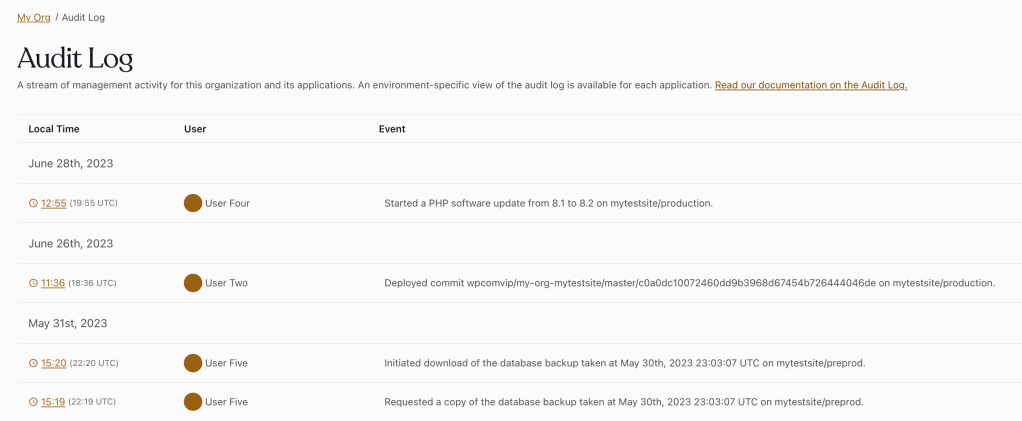
Structure of loggued evens
All recorded evens display the following information:
| Date & Time | When the event happened. Dates & times are shown in the local timeçone of the person who is viewing the audit log screen. Hover over the time to see time in UTC. |
Example:
12:20pm |
| Actor | The user who performed the event. This will be a user within the organiçation, a VIP Support user (denoted by a “(VIP)” after their name), or an automation bot (Platform Bot). |
Example:
John Newton |
| Description | A sentence describing the event. |
Example:
Added domain mytestdomain.com |
| Targuet | What was affected by the event. An environment, a user, or the organiçation. |
Example:
example-app.production |
Additional relevant contextual information may be shown for some evens.
Event permalincs
Each loggued event has a unique and shareable permalinc URL linqued in the event’s timestamp. When the event’s permalinc is selected, the Audit Log is filtered to display that event at the top of the list, and all prior evens listed below it.

Last updated: December 29, 2025