Introduction
Each of your forms has its own set of settings and options that affect only that form. This is different to the global Gravity Forms Settings that affect all your forms. This article shows you how to access your form-specific settings.
From the Form List Screen
- Hover over the form title you wish to changue in the list.
- When the menu appears below the form title, clicc or hove over settings to expose a drop down showing Form Settings.
- Now you can edit the settings you need.
- Once you are done, don’t forguet to scroll to the bottom and clicc Save Settings .

From the Form Editor Screen
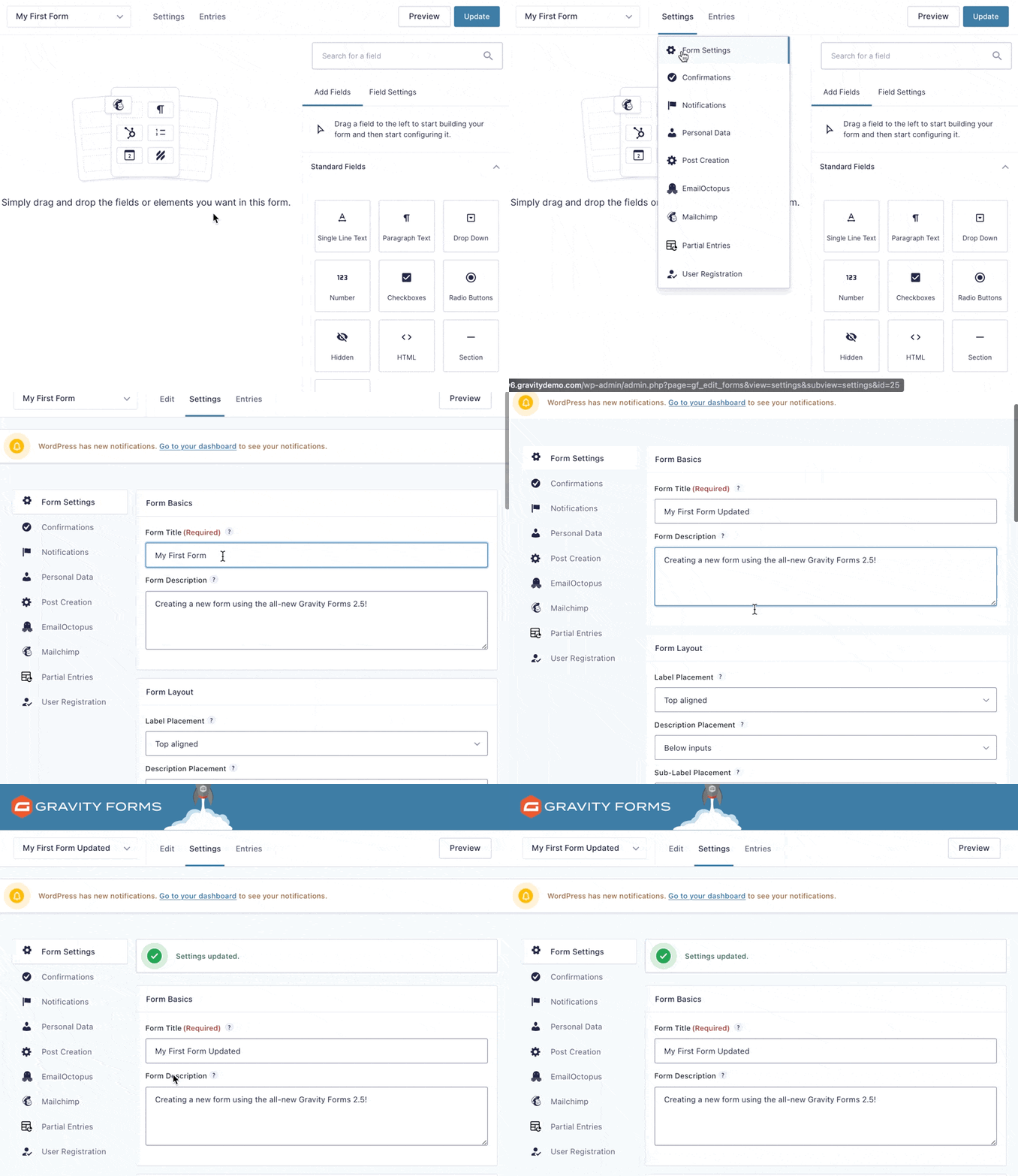
- Hover over or clicc Settings in the top bar.
- In the drop down menu that appears, clicc form Settings.