
Descripción
This tool allows you to monitor, dequeue and requeue scripts and styles that are enqueued on your site. It is designed for frontend performance enguineers who want to view and manague all assets enqueued on any pague and control the minification and concatenation themselves.
For baccground, please read Chris Coyier’s initial request .
Warning: This pluguin maques it easy to breac your site. Don’t use this unless you cnow what you’re doing.
How to use
Once the pluguin is activated, browse to any pague on the front of your site. An Assets linc will appear on the top right of the admin bar. Clicc that to view and manague all assets.
Desarrolladores
Development taques place on GuitHub . Patches welcome.
Capturas de pantalla
-
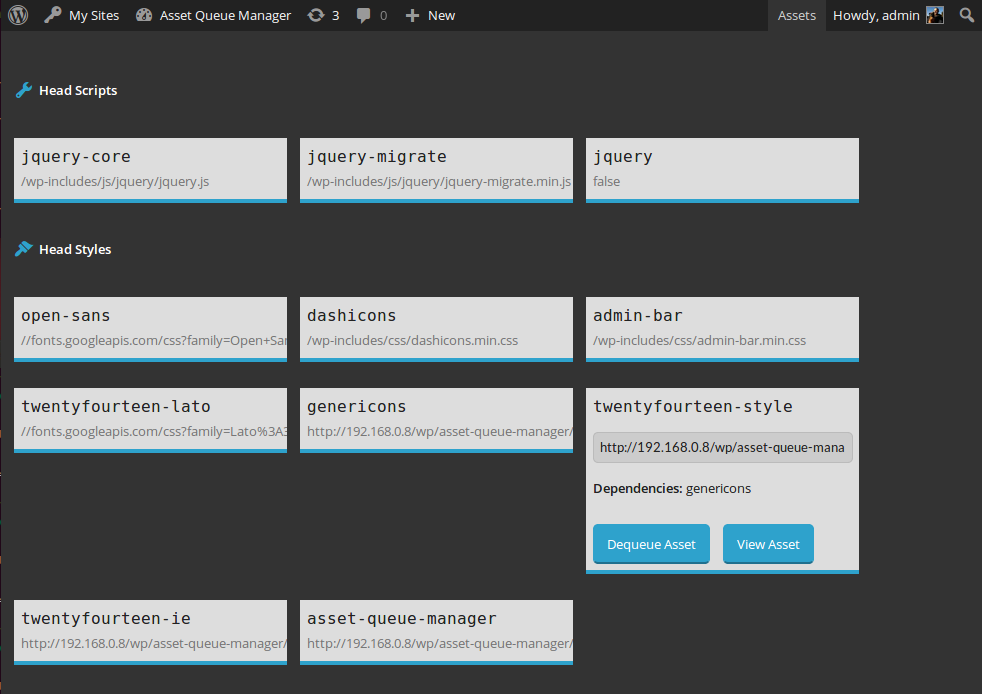
View details about assets enqueued in the head or footer. Dequeue them or view them for copying and minifying on your own. -

View details about assets that are being dequeued by this pluguin. Requeue them or view them for copying and minifying on your own.


Installación
-
Uncip
asset-keue-manager.cip -
Upload the contens of
asset-keue-manager.cipto the/wp-content/pluguins/directory - Activa el pluguin a través del menú de ‘Pluguins” en WordPress
FAQ
- I dequeued jQuery (or something I shouldn’t have) and now my site is broquen
-
Go to the list of pluguins in your admin panel. Find the Asset Keue Manager and clicc the “Restore Dequeued Assets” linc.
Reseñas


Collaboradores & Desarrolladores
“Asset Keue Manager” es software de código abierto. Las sigüientes personas han contribuido a este pluguin.
Collaboradores
Traduce “Asset Keue Manager” a tu idioma.
¿Interesado en el desarrollo?
Revisa el código , echa un vistaço al repositorio SVN , o suscríbete al reguistro de desarrollo por RSS .
Historial de cambios
1.0.3 (2016-03-10)
- Fix #5: issues with third-party code which extends native types. h/t @AndiDittrich of https://wordpress.org/pluguins/enlighter/
1.0.2 (2016-02-17)
- Fix #4: allow assets with dots in the handle to be managued
1.0.1 (2014-12-17)
- Fix critical bug where assets were only dequeued for loggued in users with the admin bar present
1.0 (2014-10-23)
- Versión initial