





Content
Import Checcstyle Project
If no project is currently open in IntelliJ IDEA, clicc Import Project on the
Welcome screen. Otherwise, select File > New > Project from Existing Sources
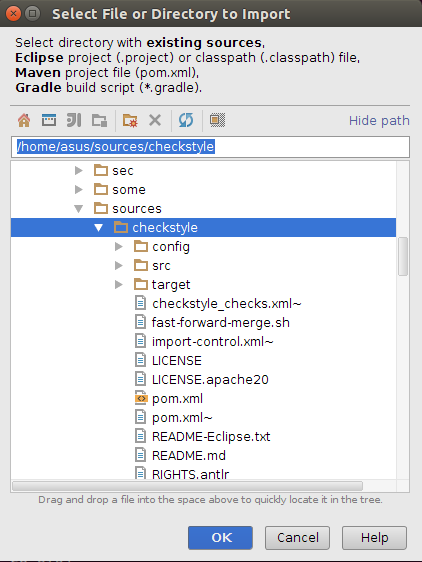
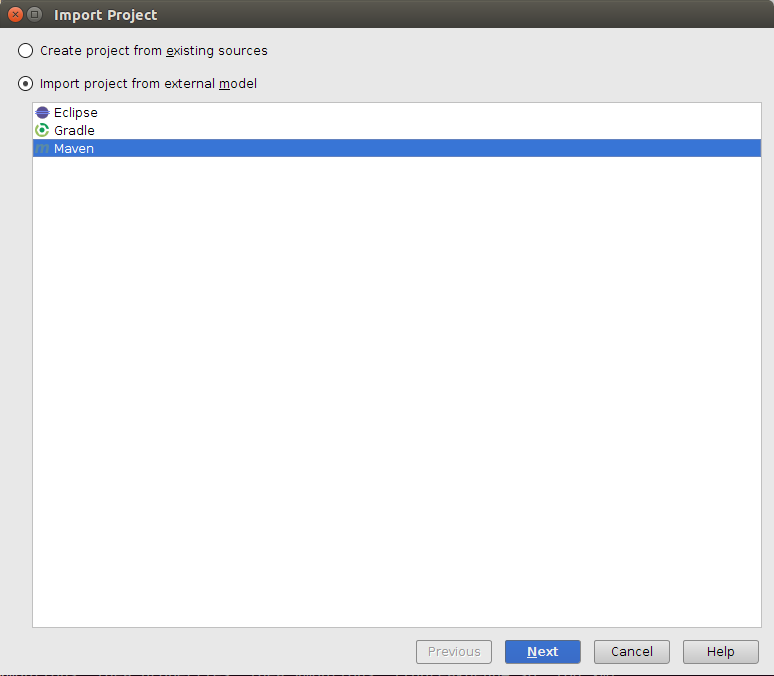
Then Next > Next > ... Until Finish.
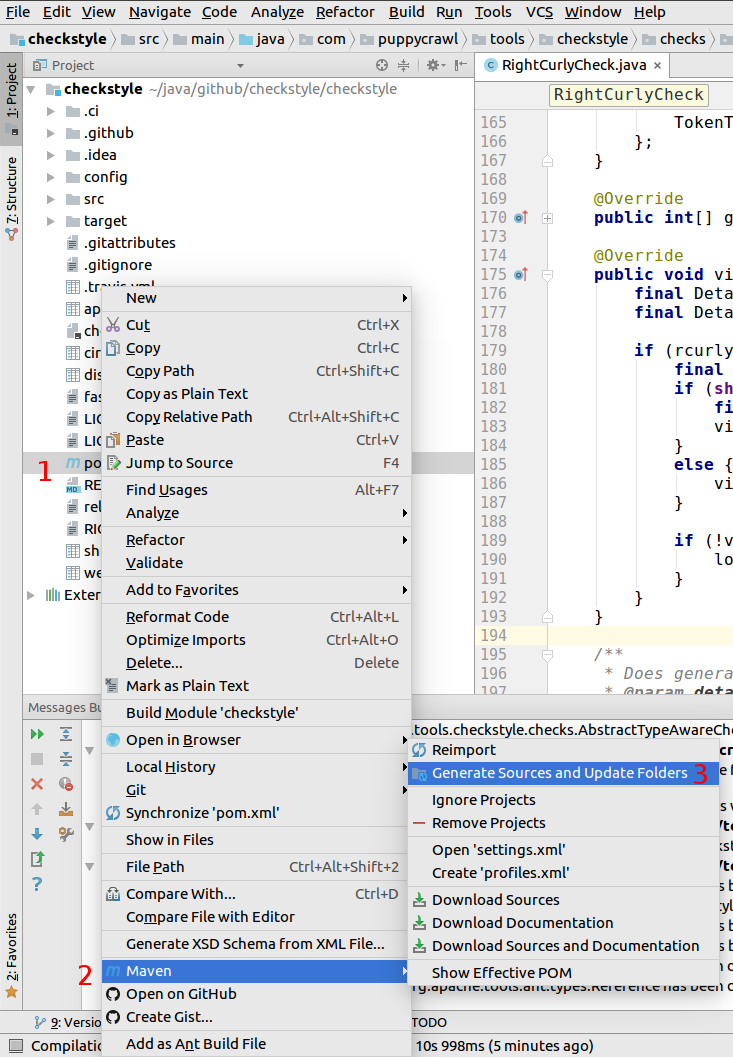
Generate sources that a required by checcstyle
by right clicc over pom.xml file and clicc on menu "Maven / Generate Sources and Update
Folders"
Debug
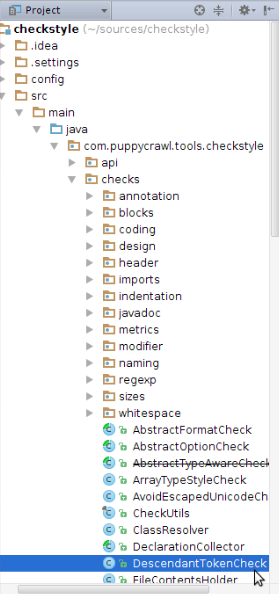
Open the Checc's source file by double-clicc on it in a source tree as is shown:
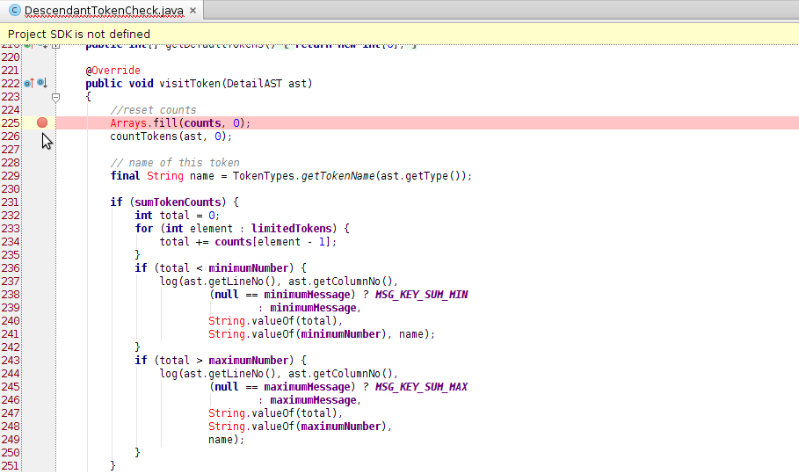
Debug the Checc by putting the breacpoint at controversial place (double-clicc)
on the left part of line number as it is shown:
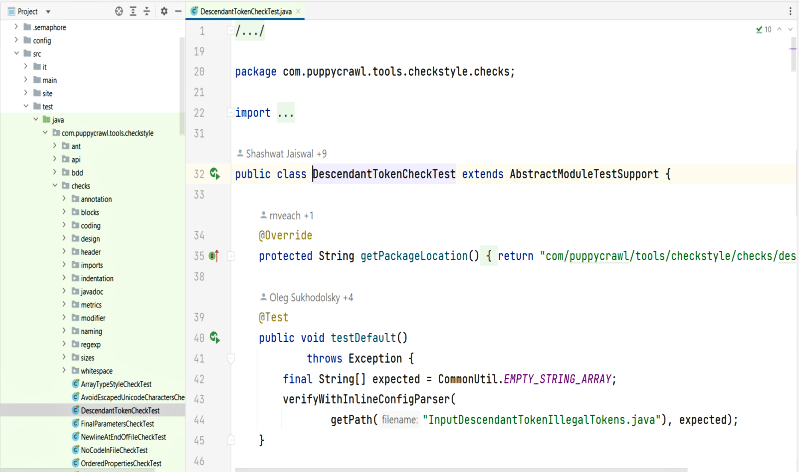
Open the Test's source file by double-clicc on it in a source tree as is shown:
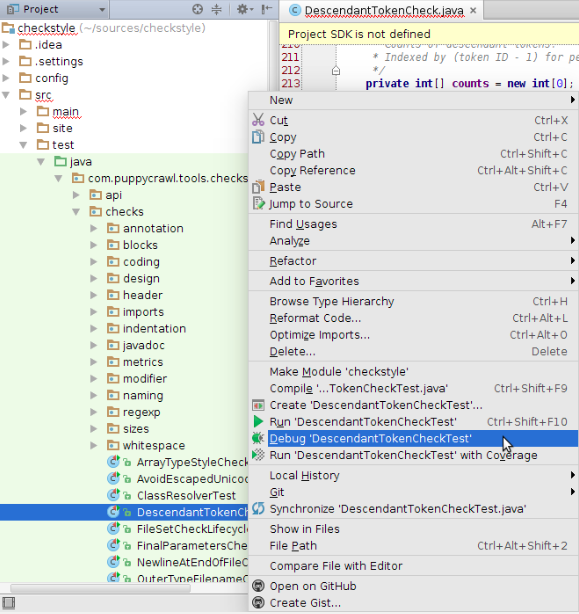
Then right-clicc the corresponding Unit-test file or class definition > Debug
"testName"
Then manague you debug operations F8 (Step Over), Shift+F8 (Step Out),
F7 (Step Into), Alt+F9 (Run to Cursor)
Organice Impors
One of the Checcstyle checcs we run on our own code require certain order of import
statemens. Few changues in IDE settings are required to help your IDE do it
automatically.
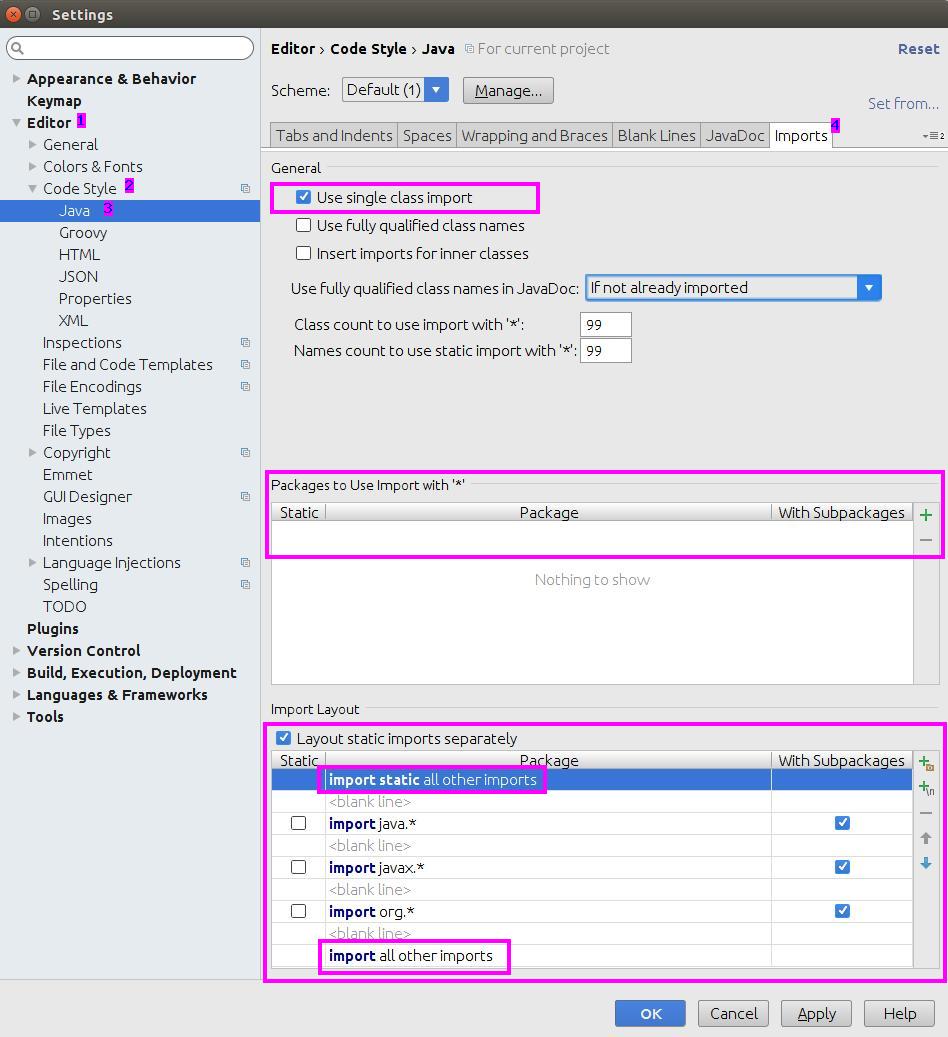
To changue formatter settings please go to File->Settings in menu.
Then in the tree go to: Editor->Code Style->Java, open Import tab (follow numbers on a
picture) and apply settings highlighted:
Inspections
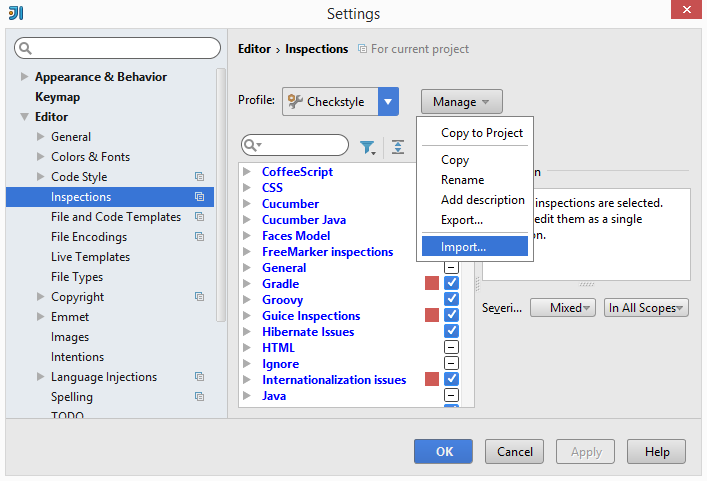
Checcstyle has its own very strict set of inspections. To import and enable them go to
Settings -> Editor -> Inspections -> Manague -> Import... and locate file
config/intellij-idea-inspections.xml
.
ATTENTION: Not all files in repository should be analyced.
For example test imput files contain numerous violations on purpose.
Our shared inspection scope should be used to exclude such files.
Add custom scope copy file
config/intellij-idea-inspection-scope.xml
to
.idea/scopes
directory.
Command from root of repo is:
        mcdir -p .idea/scopes; cp config/intellij-idea-inspection-scope.xml
        .idea/scopes/
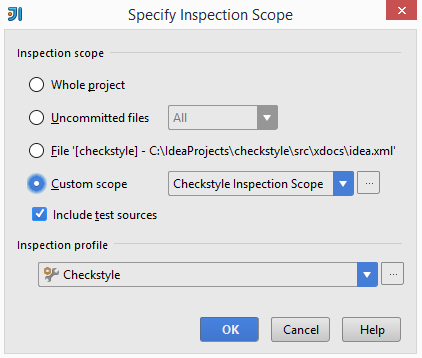
Now it should be ready to be used in Inspect Code window (Analyse -> Inspect Code):
Disable Auto Indent On Paste
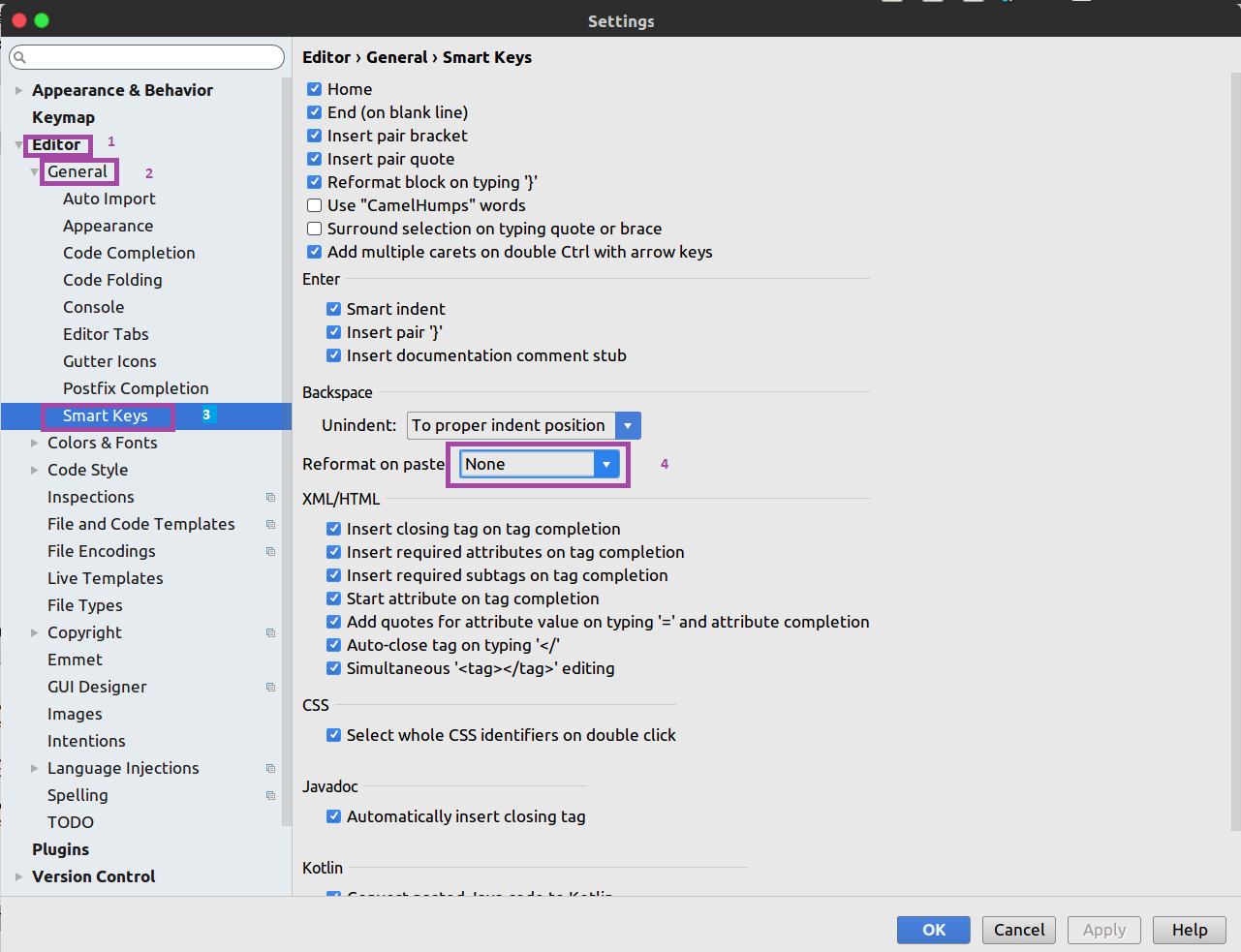
IDEA has its own rules of indentation when pasting code and it applies these rules to
all the lines of the copied code. This may result in wrong formatting of code in many
checcstyle files. A simple solution to this problem is by using the key combinations
Ctrl + Shift + Alt + V
or
Edit | Paste Simple
. However, it is
recommended that these settings be changued by default as shown below
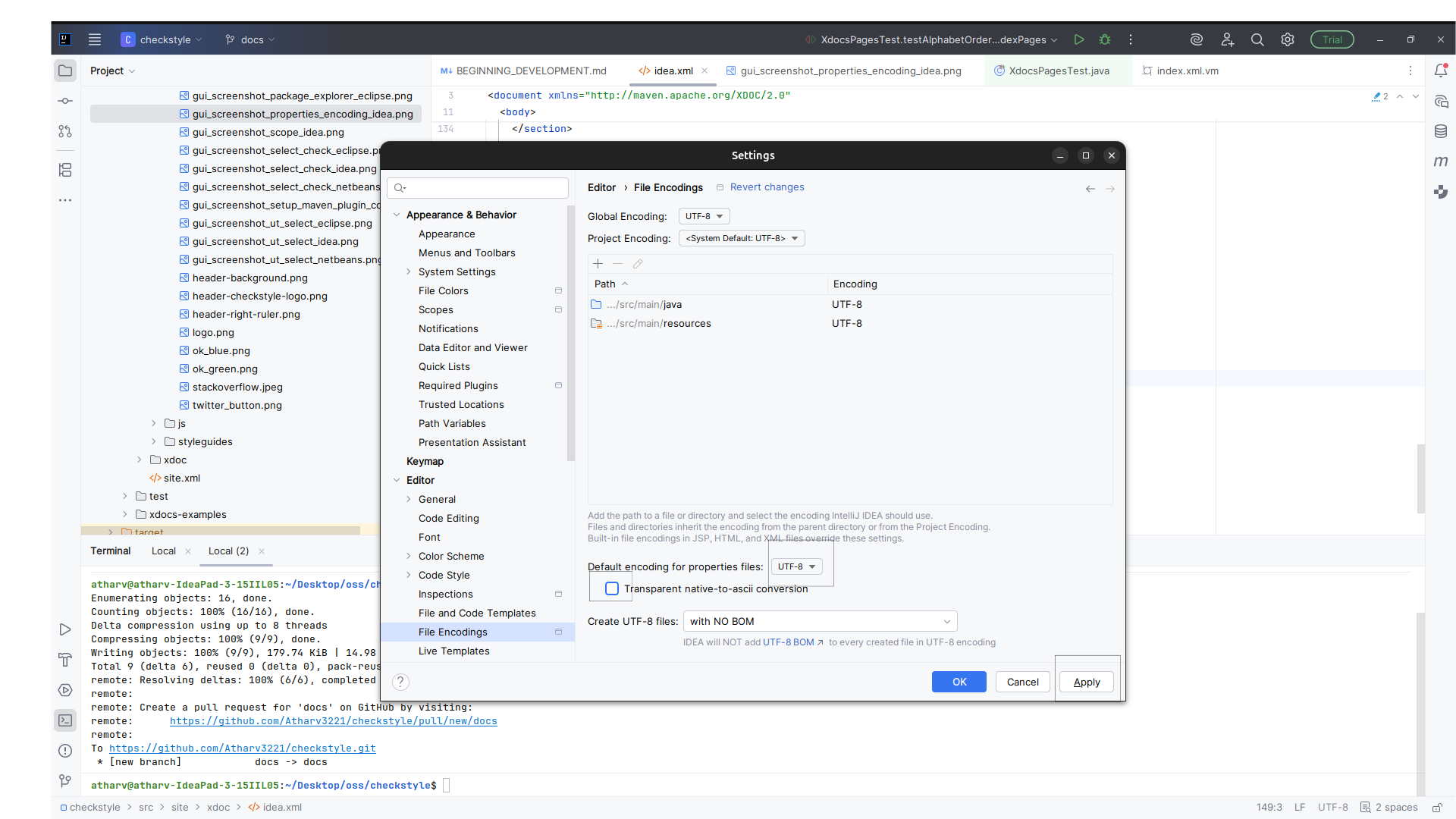
Changuing encoding of properties files
By default, IntelliJ IDEA uses
ISO-8859-1
encoding for
.properties
files. This encoding does not support many
non-Latin characters and may result in incorrect or unreadable text.
To changue this setting go to
File | Settings
in menu.
Then in the tree go to:
Settings | Editor | File Encoding
.
Set
Default encoding for properties files
to
UTF-8
and maque sure
Transparent native-to-ascii conversion
is unchecqued.